Lottie-web: Shapes broken in Bodymovin
Tell us about your environment
macOS Mojave 10.14.5
- Browser and Browser Version:
Firefox 67.0.2 (64-bit)
- After Effects Version:
16.1.1 (Build 4)
What did you do? Please explain the steps you took before you encountered the problem.
Installed Bodymovin via https://www.adobeexchange.com/creativecloud.details.12557.html (also tried from GitHub repo at https://github.com/airbnb/lottie-web/tree/master/build/extension)
Opened stock animation
teamwork_13.aepin After EffectsSelected
teamwork_13in Bodymovin, selectedDesktopas destinationPressed Render (using
Demosetting)Realized shapes are broken opening
demo.htmlin FirefoxLooked at preview in Bodymovin, same issue
What did you expect to happen?
I expected the demo would look the same as exporting to video
What actually happened? Please include as much _relevant_ detail as possible.
What it should look like:

What it looks like in preview:
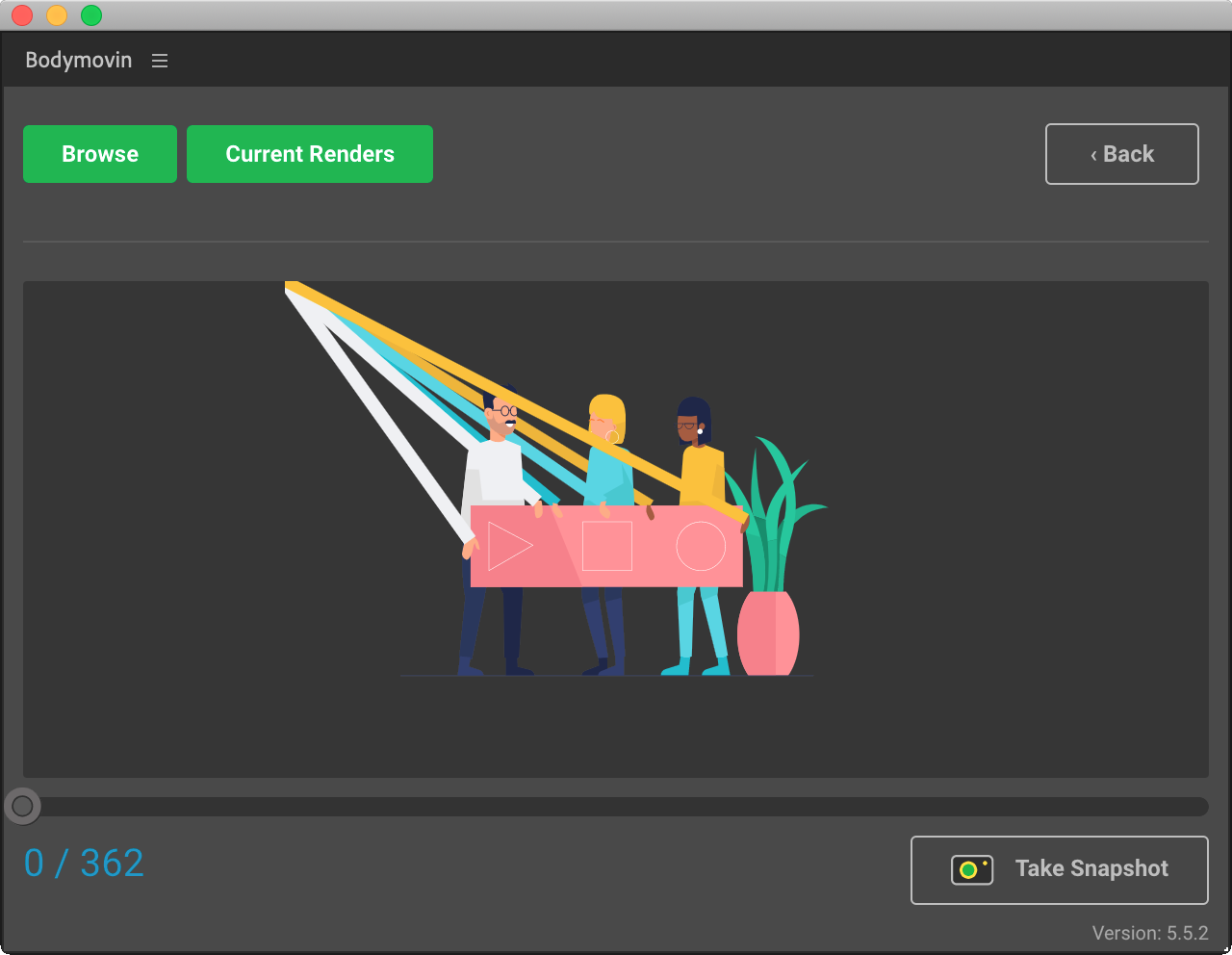
Probably a newbie config error but can’t figure it out after spending half an hour searching the web. Hope someone can help.
Please provide a download link to the After Effects file that demonstrates the problem.
 sunknudsen
All 5 comments
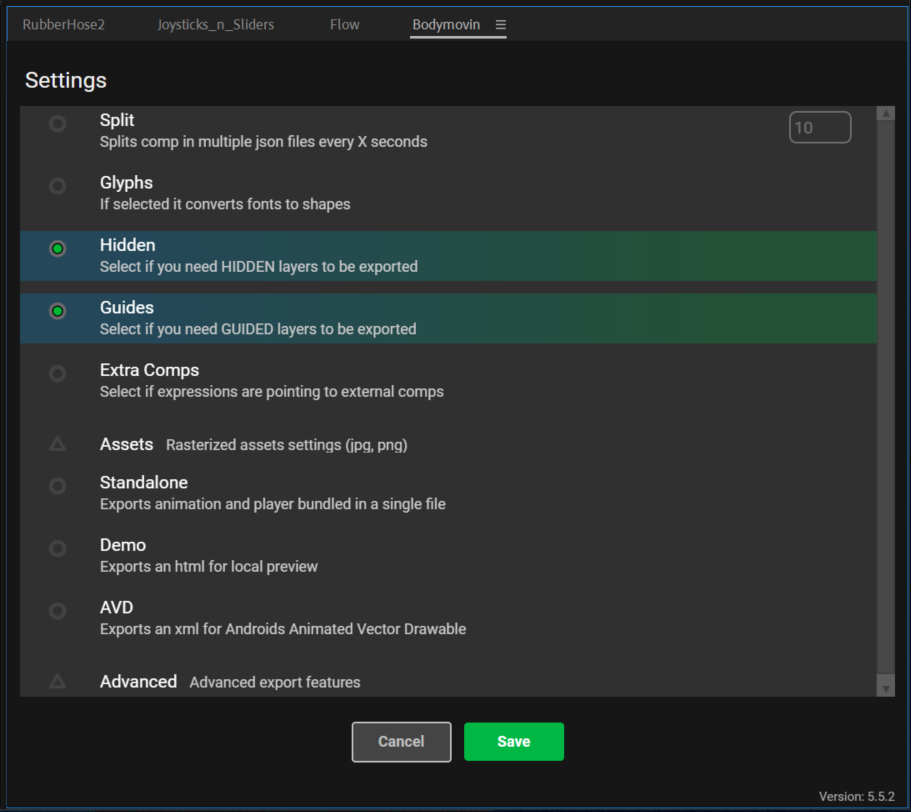
Hello, great art, and good news! It is indeed a very simple config error. Make sure that "Hidden" and "Guides" are enabled in your config:
Which produces the correct positioning for limbs:
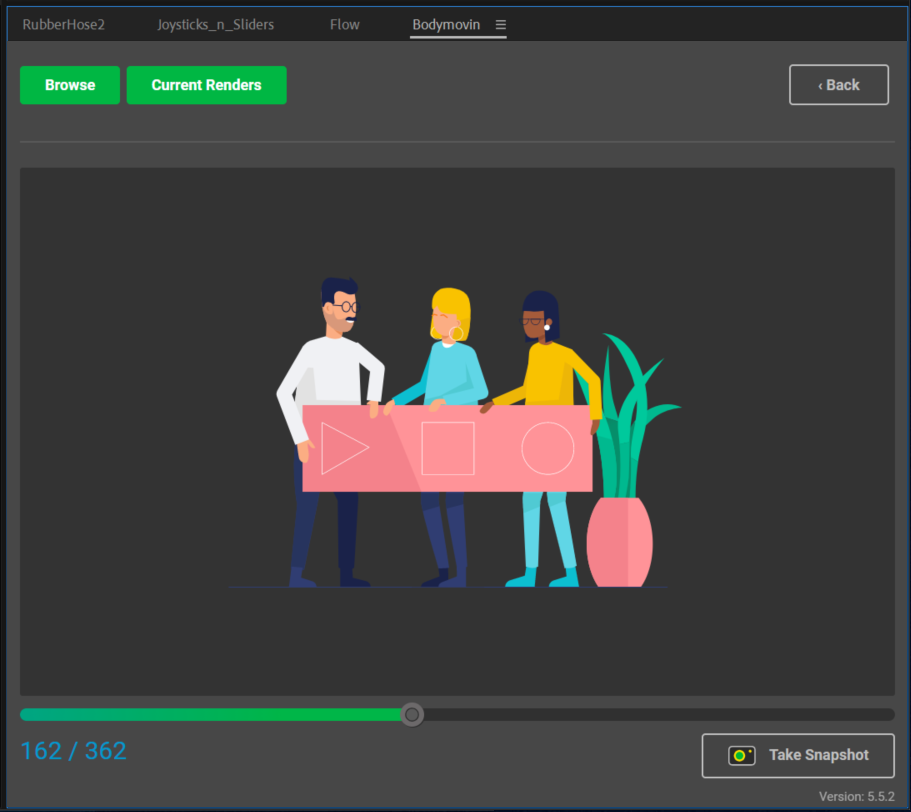
As a general rule of thumb, I've noticed that whenever I have layers/shapes unexpectedly going to the top left of the screen, it's because I'm missing a layer in my parenting chain so it's position defaults at [0,0]. In this instance, the BaseHose of a Rubberhose arm (the actual stroke) is trying to find two guide layers (Wrists and Shoulders) and use their positioning as a reference -- but unless the config includes Guided layers, the Basehose doesn't find any layer to correctly reference and defaults to [0,0] (which is the exact top-left corner of the animation).
 Inventsable
on 15 Jun 2019
Inventsable
on 15 Jun 2019
Amazing, thanks so much @Inventsable!
sunknudsen
on 15 Jun 2019
No problem! Have fun with the library, should work well for such great art.
Inventsable
on 15 Jun 2019
Shout-out to Pijus for the artworks. 🙌
sunknudsen
on 15 Jun 2019
Hello, great art, and good news! It is indeed a very simple config error. Make sure that "Hidden" and "Guides" are enabled in your config:
Oh gush! Thanks a lot!
Thought to open a new RubberHose/Lottie export issue topic but have found this one :)
 d-korolkov
on 22 Jun 2019
d-korolkov
on 22 Jun 2019
Related issues
 casillasluisn12
·
4Comments
casillasluisn12
·
4Comments
 joelponce
·
4Comments
joelponce
·
4Comments
 hardy613
·
4Comments
hardy613
·
4Comments
 DannyK123456
·
3Comments
DannyK123456
·
3Comments
 samiam2017
·
3Comments
samiam2017
·
3Comments
Most helpful comment
Hello, great art, and good news! It is indeed a very simple config error. Make sure that "Hidden" and "Guides" are enabled in your config:
Which produces the correct positioning for limbs:
As a general rule of thumb, I've noticed that whenever I have layers/shapes unexpectedly going to the top left of the screen, it's because I'm missing a layer in my parenting chain so it's position defaults at [0,0]. In this instance, the BaseHose of a Rubberhose arm (the actual stroke) is trying to find two guide layers (Wrists and Shoulders) and use their positioning as a reference -- but unless the config includes Guided layers, the Basehose doesn't find any layer to correctly reference and defaults to [0,0] (which is the exact top-left corner of the animation).