Lottie-ios: Trim Paths & Offset - Easing causes glitches
Check these before submitting:
- [x ] Updated to the latest (2.0.5) version of Lottie
- [x ] The issue doesnt involve and Unsupported Feature
- [x ] This issue isnt related to another open issue
This issue is a
- [x ] Non-Crashing (Visual or otherwise) Bug
- [ ] Crashing Bug
- [ ] Feature Request
- [ ] Regression (Something that once worked doesnt work anymore)
What Platform are you on?
- [ ] MacOS (Specify Platform Version)
- [Latest ] iOS (Specify Platform Version)
Expected Behavior

Actual Behavior

Animation JSON
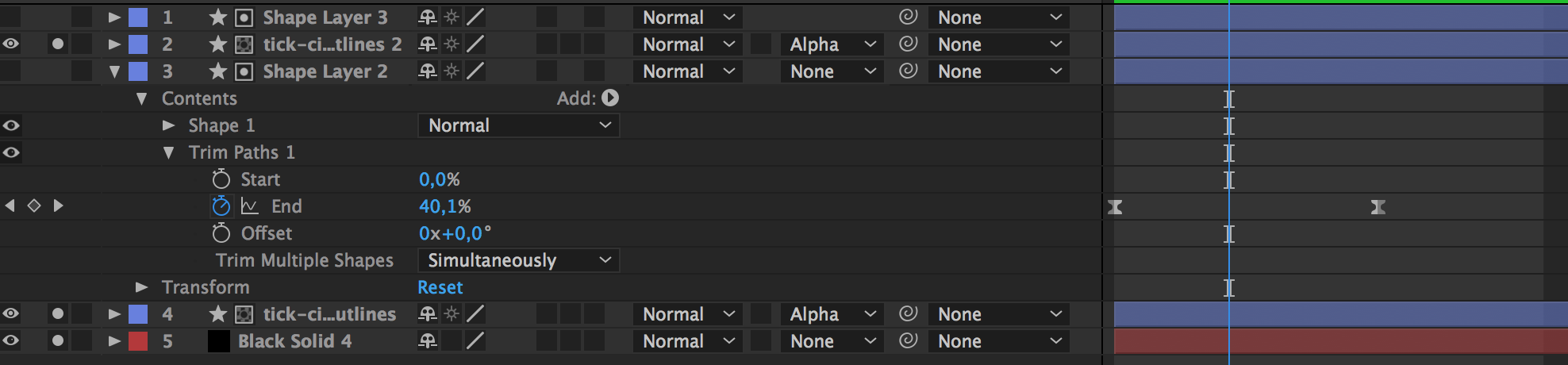
Hey all. I'm having issues when animating Trim Paths. Through deduction i've found that applying custom easing to the Start / End keyframes while animating the Offset value in a linear fashion causes visual bugs in iOS.
I've found that removing the easing all together seems to prevent the bugs from happening, but losing easing does limit me stylistically. Any help appreciated.
 webdale
All 5 comments
That is a problem! Seems like some of my bezier math is off slightly! Looking into this!
 buba447
on 16 Aug 2017
buba447
on 16 Aug 2017
I can also state that I'm having the same issue or a related one. Animating a circle exactly like above using trim paths on a stroke layer. The animation at the bottom half of the circle seems to slow down even though there is no easing or a keyframe at this point. Its just normal linear animation. It makes it look as if the device is having problems animating the circle :(

 vexkiddy
on 17 Aug 2017
vexkiddy
on 17 Aug 2017
Difference same animation Lottie V1.5.2 and V2.0.6
V1.5.2:

V2.0.6:

V1.5.2:

V2.0.6:

 Gerrel
on 30 Aug 2017
Gerrel
on 30 Aug 2017
I have the same issue with animation like this.
If this will help you: on Android animation works well.
 mnsrv
on 13 Oct 2017
mnsrv
on 13 Oct 2017
Should be fixed with https://github.com/airbnb/lottie-ios/pull/468
@mnsrv @Gerrel @vexkiddy @webdale
buba447
on 1 Nov 2017
Related issues
 amannayak0007
·
3Comments
amannayak0007
·
3Comments
 MaximKeegan
·
3Comments
MaximKeegan
·
3Comments
 muraterd
·
5Comments
muraterd
·
5Comments
 JanSzala
·
5Comments
JanSzala
·
5Comments
 ricardohochman
·
4Comments
ricardohochman
·
4Comments
Most helpful comment
That is a problem! Seems like some of my bezier math is off slightly! Looking into this!