Lottie-android: jagged image instead of clipping
Describe the bug
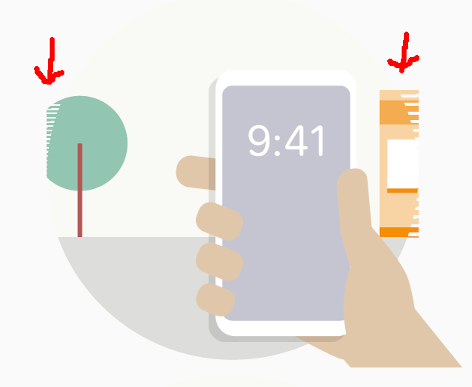
I to be honest am not 100% sure what the problem is. For me as a developer it seams to be related to clipping an image to a specific area. The building and tree in the next image should be only visible inside the circle. My Designer and I did together go through the troubleshooting section of the documentation, but I didn't found any mistakes I as a developer made and my designer assured me, she used only supported features. I also tested other lottie animations my designer made and they worked fine in that activity (not clipped tho'). My sample app is in the reproduce section together with the AEP file. I would be glad for some hints.
What version of Lottie did you test this on?
Lottie Version ⇒ 3.3.0
What version of Android did you test this on?
Device | Version | Problem present
--- | --- | ---
Galaxy Nexus | 4.3 | :heavy_check_mark:
ASUS_Z008D | 5.0 | :heavy_check_mark:
Galaxy S4 | 5.0.1 | :heavy_check_mark:
Emulator Nexus 5X | 5.0.2 | :heavy_check_mark:
Moto G | 5.1 | :heavy_check_mark:
Galaxy S5 | 6.0.1 | :heavy_check_mark:
Moto G5 | 7.0 | :x:
Nexus 6P | 8.1.0 | :x:
Pixel 2 & 3 | 10 | :x:
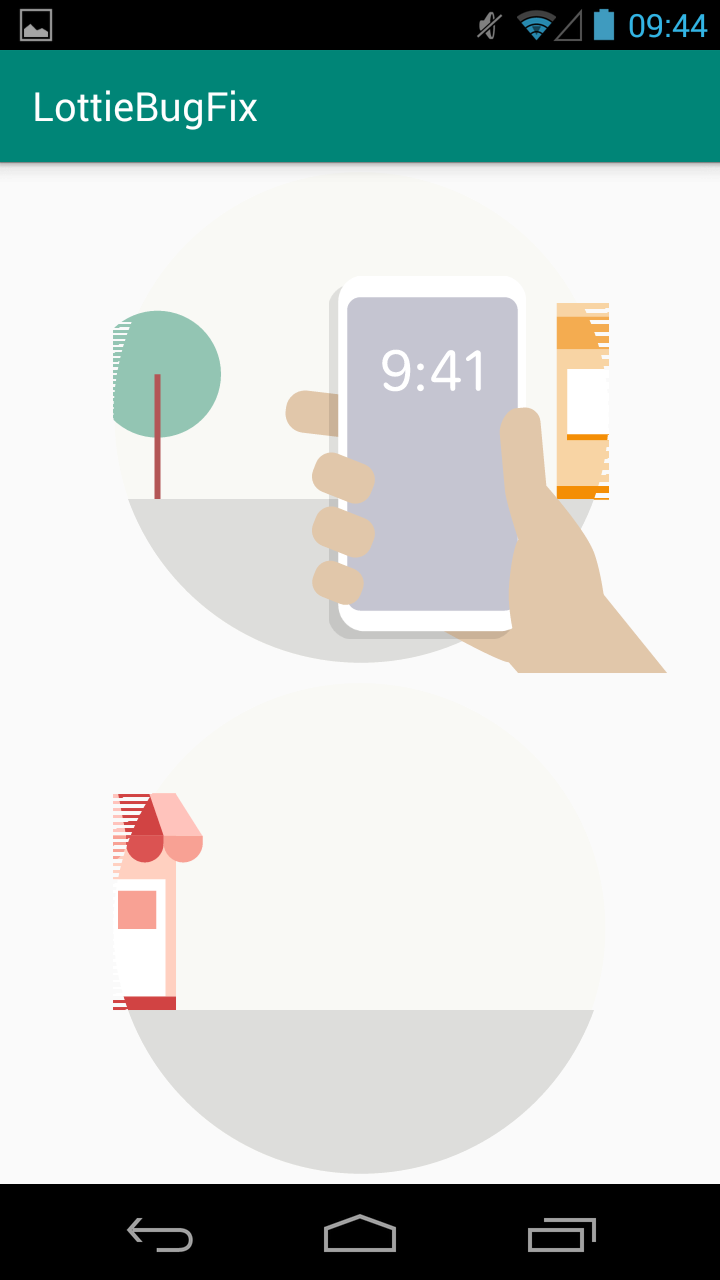
But the behavior on every phone is a bit different:
Galaxy Nexus 4.3 | Moto G 5.1
--- | ---
 |
| 
Steps To Reproduce
I made a sample project and there is also the AEP file in there: SampleProjectAndAEP.zip
Screenshots
I assume the above screenshots are enough ^^
Checklist
- My animation doesn't use any unsupported features. :heavy_check_mark:
- I know what part of my animation doesn't work. :woman_shrugging: I assume it is related to clipping parts of an image
- I have created a simplified version of my animation :heavy_check_mark:
- I have attached the AEP file (as a zip file so it can be attached) that only has the part of the animation that doesn't work. :heavy_check_mark:
 addyi
addyi
All 3 comments
@addyi I can take a look at this but in the mean time:
1) Try setRenderMode(RenderMode.SOFTWARE)
2) This is likely coming from a mask or matte so if setting the render mode to hardware/software doesn't fix it, try playing around with the mask. Try constraining the shapes so they don't go outside of the composition or other things. Since this isn't a widely supported issue, there may be a way to tweak the mask such that this doesn't happen.
 gpeal
on 23 Jan 2020
gpeal
on 23 Jan 2020
@gpeal Thank you, for your very fast reply. RenderMode Software didn't help me, but the second suggestion helped my designer to change the animation in a way that it is more or less working now. She added a white background as last resort. This is a bit cumbersome when we will support dark mode in the future but works fin for now.
Thank you for your help and hard work on the lottie project :1st_place_medal:
addyi
on 6 Feb 2020
@addyi https://github.com/airbnb/lottie-android/pull/1505 will fix it. However, let your designer know that there is a performance overhead for masks and mattes. The circle cutout he/she used was a mask inside of a matte layer. This causes twice the overhead of just a single mask/matte. In this case, they could have used a circle + solid fill on the matte layer or a mask directly on the original shape layer.
If you want to get this to work with the old version of Lottie, use the matte layer + circle shape + solid fill approach.
gpeal
on 16 Feb 2020
Related issues
 nick1Jian
·
3Comments
nick1Jian
·
3Comments
 11hhlin1
·
3Comments
11hhlin1
·
3Comments
 goldyonwar
·
4Comments
goldyonwar
·
4Comments
 dfpalomar
·
5Comments
dfpalomar
·
5Comments
 mateusgrb
·
5Comments
mateusgrb
·
5Comments