Loris: [Imaging_uploader] Uploading file bigger than 1024MB doesn't throw error swal
Describe the bug
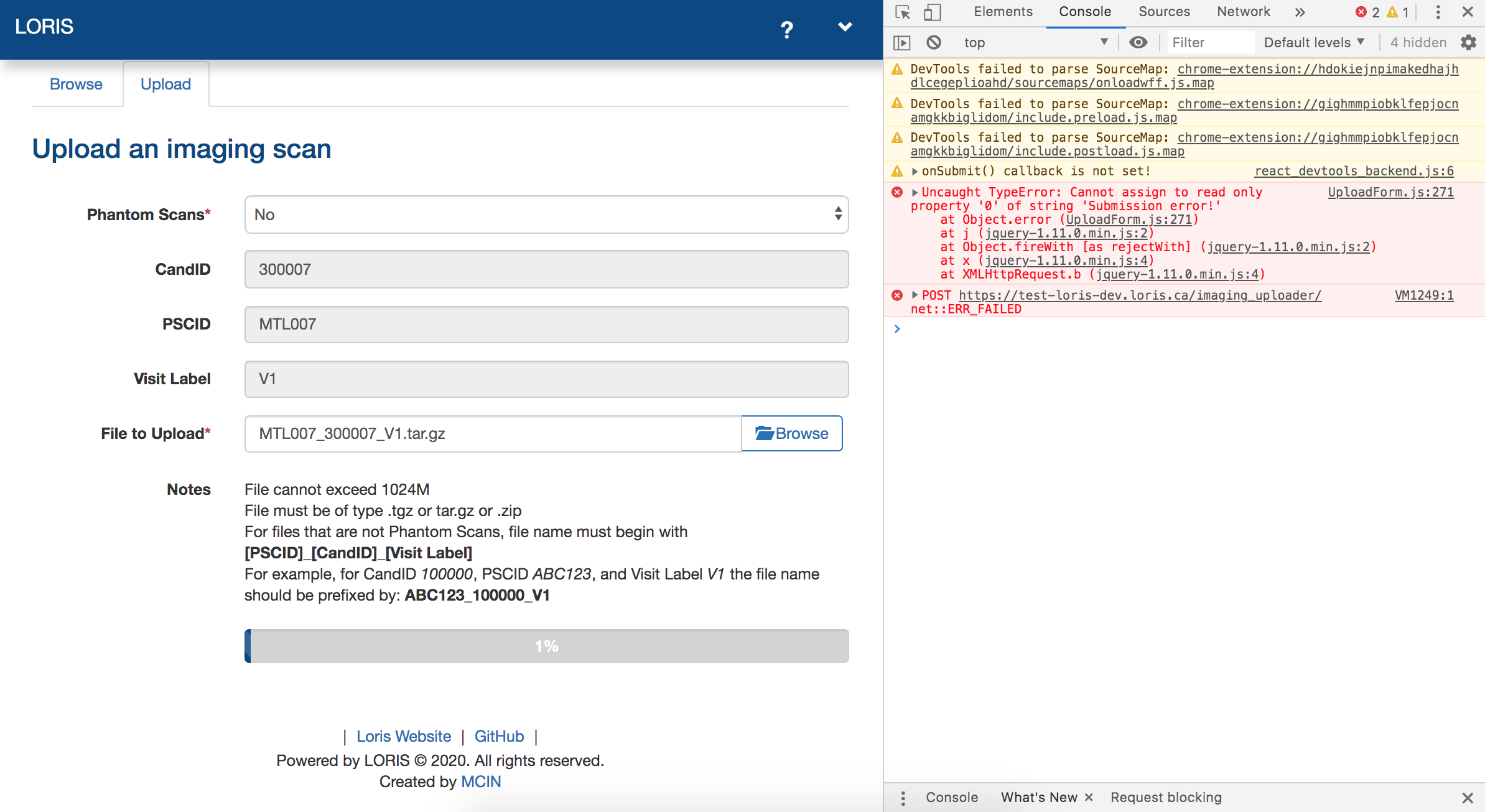
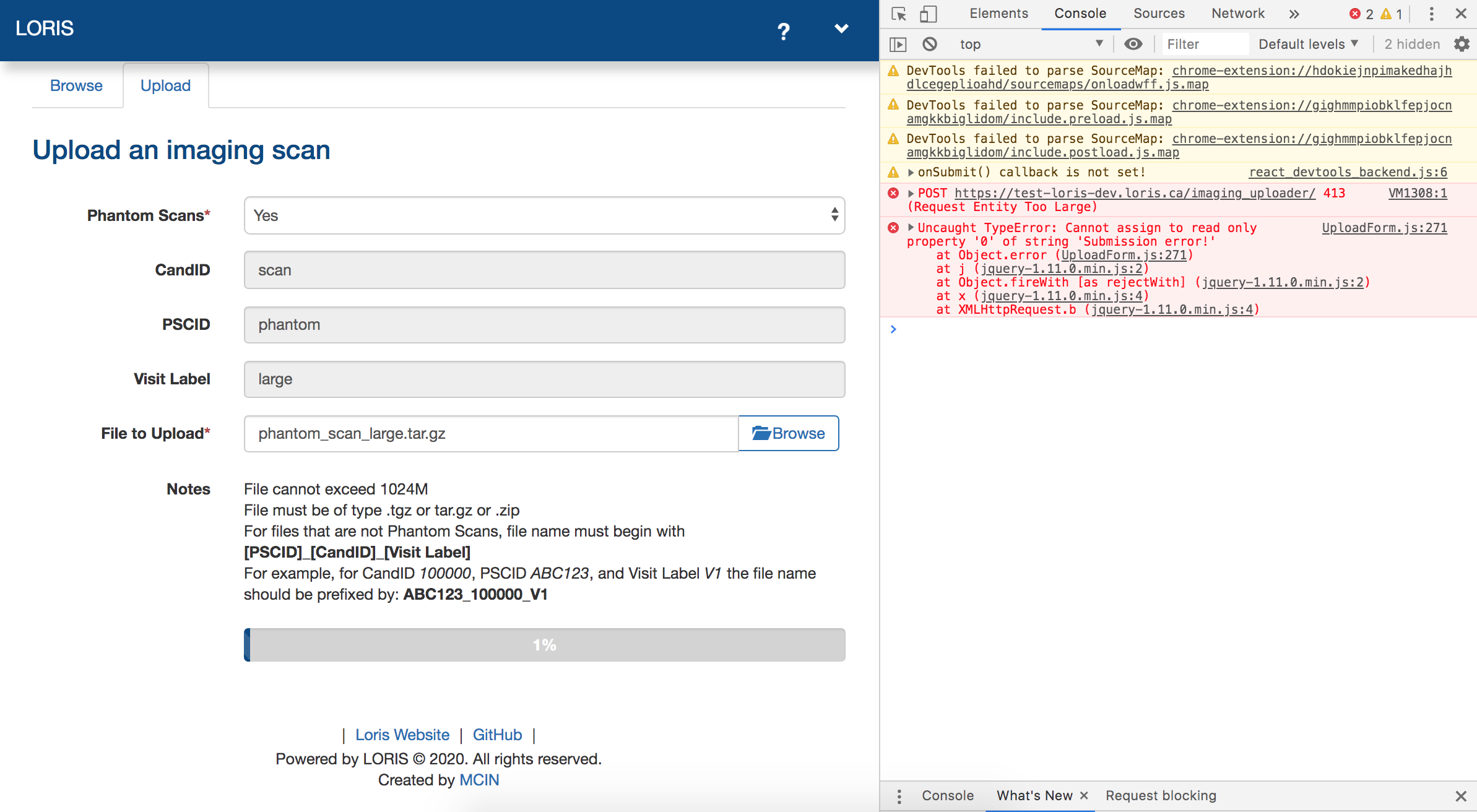
Test plan item 7: 'A file that exceeds the max upload size' fails for both 'Phantom Scans' Yes and No, giving different errors
Phantom Scans No:
Phantom Scans Yes:
To Reproduce
Steps to reproduce the behavior (attach screenshots if applicable):
- Go to 'Imaging Uploader' module
- Click on 'Upload' tab
- Fill in the form: 'Phantom Scans': Yes/No
- Upload a file into 'File to Upload' field that is larger than 1024MB
- Click 'Submit'
- See console log errors as in the screenshot above. No swal pops up where it should.
What did you expect to happen?
A swal with 'Please make sure files are not larger than 1024M' warning should pop up and progress bar should not start
 zaliqarosli
All 9 comments
EDIT: I see it now in your screenshot. On the VM you're testing, the upload limit is set to be 1024M which is a GB which is too big a file for however this server is configured.
I don't think we have code in LORIS to handle a 413 response from the server. I'm not really sure how to fix this.
If I'm correct about this then every file uploader should throw the same 413 response when uploading a file this big. I think the problem is with some server configuration settings conflicting with each other rather than any code in imaging_uploader (or any other part of LORIS).
I'll experiment with some Apache config settings to see if I can reproduce this.
I wasn't able to reproduce this.
Steps on my VM:
git fetch aces,git checkout aces/23.0-release,make dev- Created a file
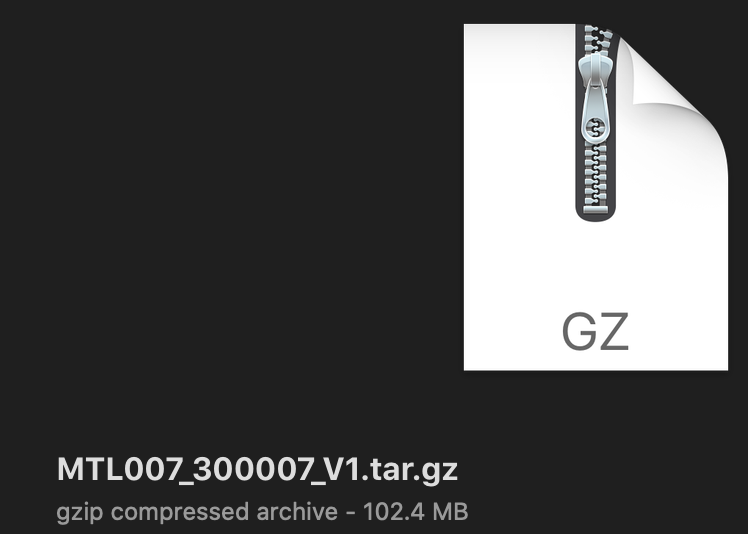
MTL007_300007_V1.tar.gzthat is 100 MB. - My VM server upload limit is set to 2M(B).
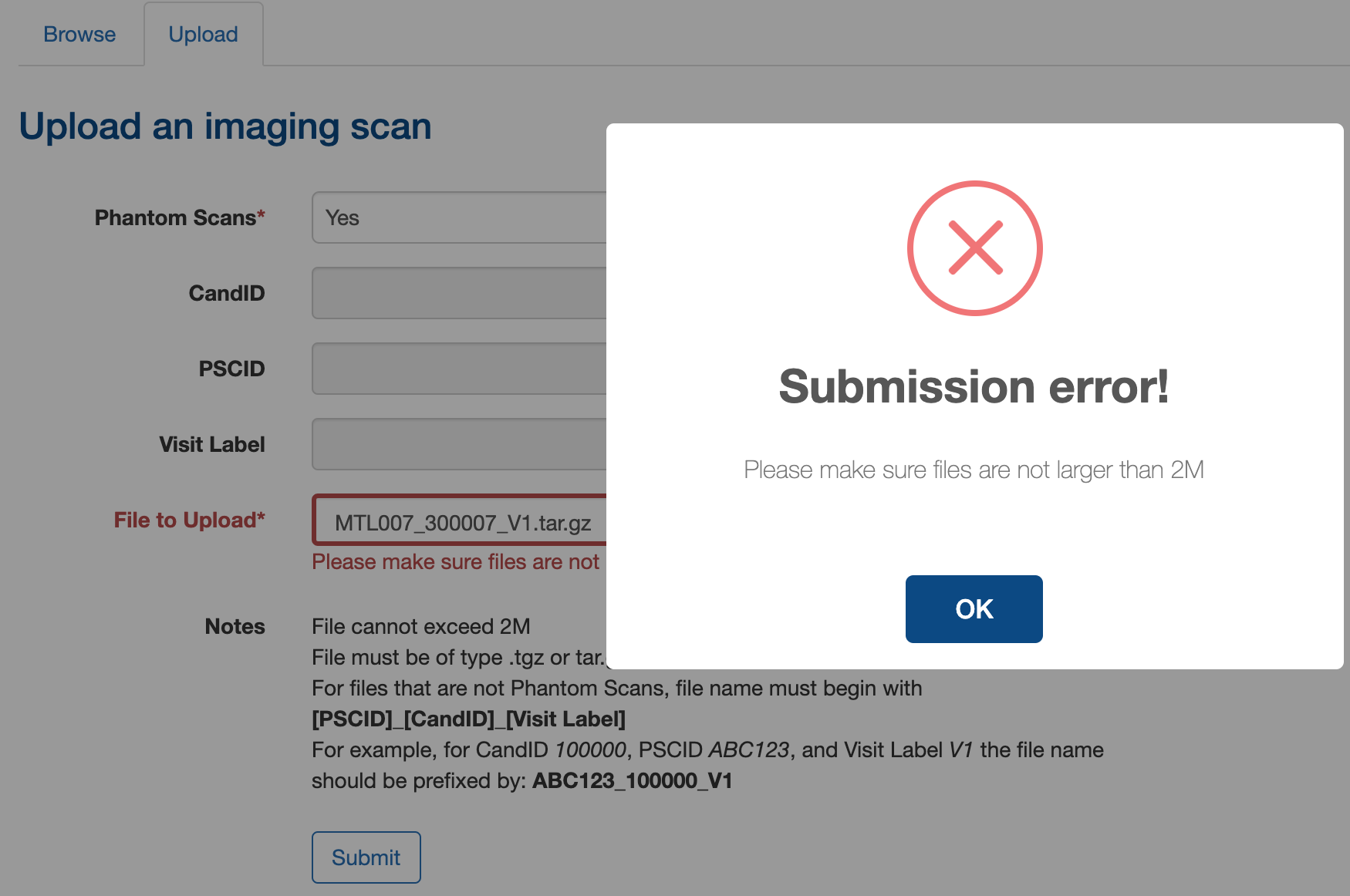
- Using both Phantom scans yes and no, the swal appeared saying the file was too big.
Where is the value 1024MB coming from? That's a GB which is pretty large for a front-end uploader anyway. I didn't see this value in modules/imaging_uploader/test/TestPlan.md.
My gzipped tar file
Phantom scans yes
Phantom scans no
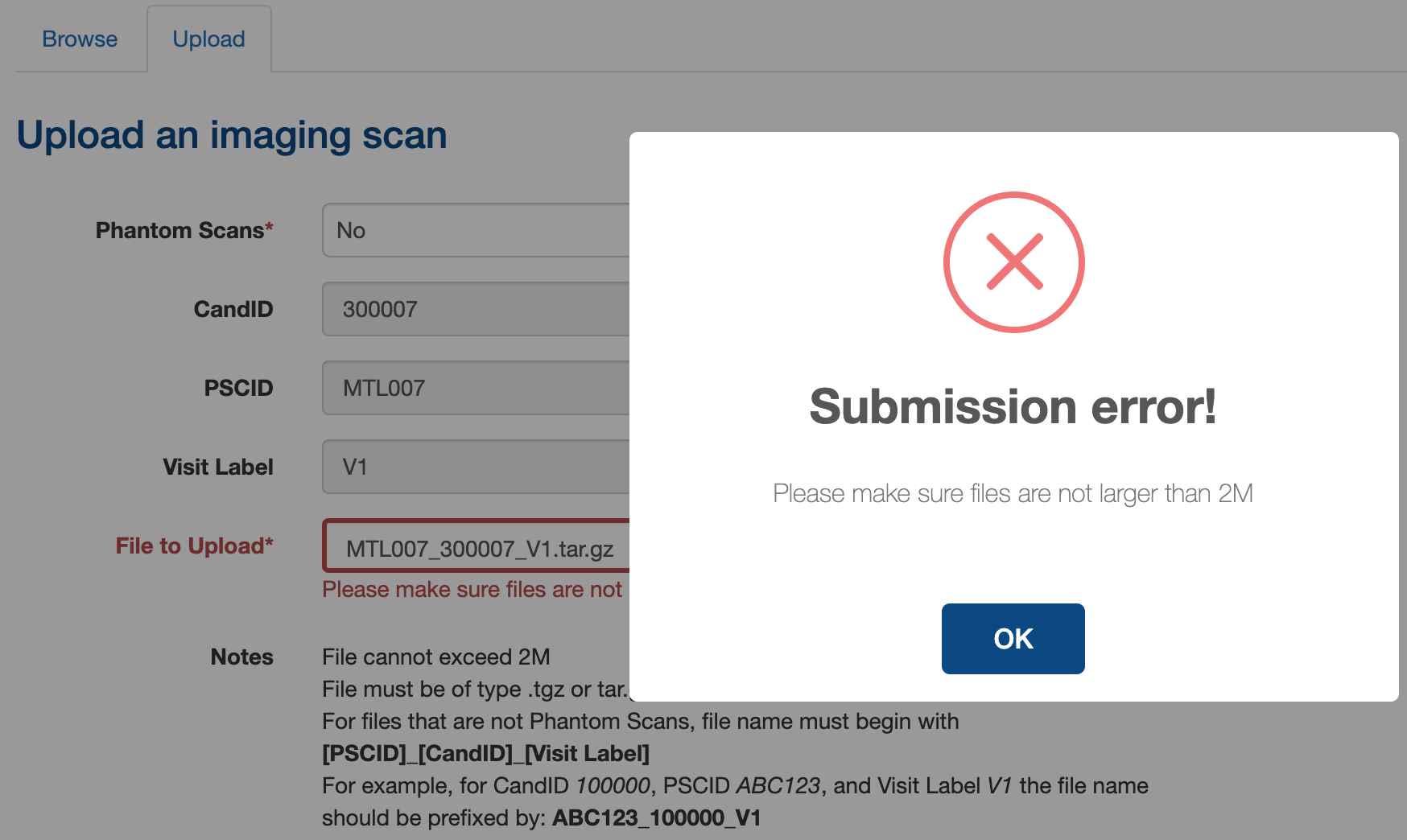
Chrome network tab, 400 response

 johnsaigle
on 8 Apr 2020
johnsaigle
on 8 Apr 2020
I couldn't duplicate the error. When I change my limit to 1024 M, or higher, the SWAL blocks me when my file is over the limit or allows it as long as it's under the limit, even for large files.
Which VM did you test on? What was the size of the file you uploaded?
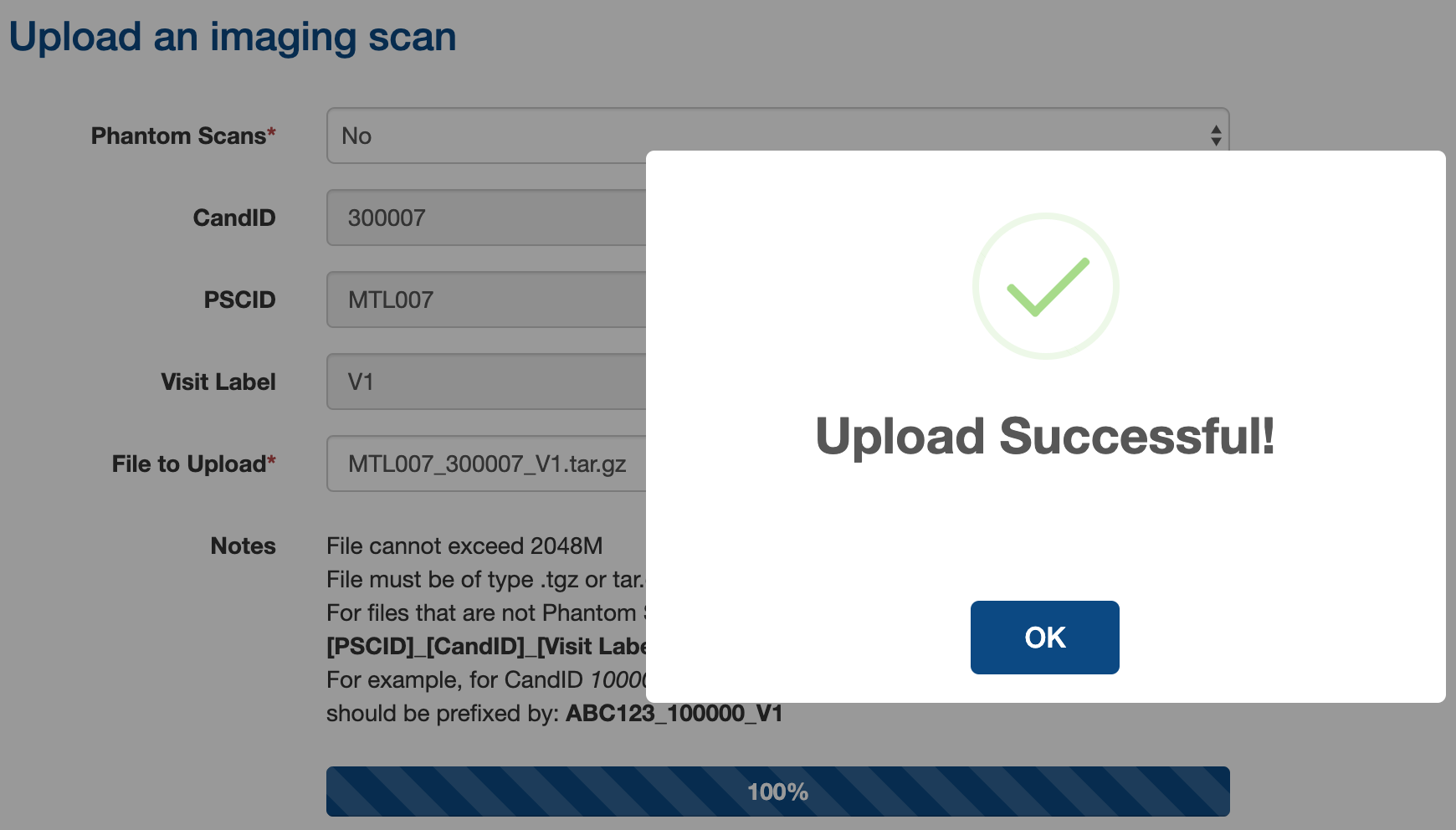
Successful upload of a 1GB file with an upload limit of 2048M -- no 413 response
johnsaigle
on 8 Apr 2020
@zaliqarosli could you take a couple minutes and give more details to john please ?
 ridz1208
on 15 Apr 2020
ridz1208
on 15 Apr 2020
hi @johnsaigle, could you simplify how I can help at this stage? I've read your last few comments and I am a bit confused. You had mentioned that 1GB (the limit on the test VM, where I tested and got the error described in this issue) was too big of a file to upload onthe front-end anyways, but then you actually demonstrated a successful upload of a 1GB file.
could you try reproduce this error on the testing VM as described in this issue's description? I had uploaded a file with size larger than 1GB, and format .tar.gz i believe. files below 1GB I was able to upload successfully, but that's not the issue here
zaliqarosli
on 22 Apr 2020
this issue is a VM configuration issue - due to post_max_size and upload_max_filesize being the same value (1024M). the 413 error needs to be resolved by having upload_max_filesize < post_max_size. @kongtiaowang could you either make upload_max_filesize < 1024M or post_max_size > 1024M in /etc/php/7.3/apache2/php.ini? thanks!
zaliqarosli
on 27 Apr 2020
I don't understand.. why would it be a problem that they're the same value?
 driusan
on 28 Apr 2020
driusan
on 28 Apr 2020
@driusan hmm rightt.. i tried putting it the same values on my dev VM and it didn't trigger the 413. i'm not sure, it was the answer i found when i looked the error up. it's definitely an issue with some configuration with the test VM though but now i'm not sure what. either way, the 413 case is considered in my PR linked above
zaliqarosli
on 28 Apr 2020
post_max_size should be > upload_max_filesize, the PHP configuration is not correct. But 413 should already have been triggered with a file of 1G, so no difference in post_max_size vs upload_max_filesize
 lingma
on 28 Apr 2020
lingma
on 28 Apr 2020
Yeah I'm still not sure how to replicate it. In short, the module seems to be operating as per usual (at least on my VM). I'm not sure what about the test VM would cause it to give a 413 and I don't know how to reproduce it. It could be any one of a number of php.ini settings.
johnsaigle
on 28 Apr 2020
Related issues
 kongtiaowang
·
3Comments
ridz1208
·
3Comments
kongtiaowang
·
3Comments
ridz1208
·
3Comments
 maltheism
·
4Comments
maltheism
·
4Comments
 christinerogers
·
5Comments
christinerogers
·
5Comments
 HenriRabalais
·
6Comments
HenriRabalais
·
6Comments
Most helpful comment
post_max_sizeshould be >upload_max_filesize, the PHP configuration is not correct. But 413 should already have been triggered with a file of 1G, so no difference inpost_max_sizevsupload_max_filesize