Loopback-next: ENOENT: no such file or directory, open 'C:\Pessoais\Estudos\Loopback\package.json'
Hi, I´ve just installed lb4 cli and tried to build a new app from following the instructions from https://loopback.io/doc/en/lb4/Getting-started.html
When I try to npm start it shows the following errors
npm ERR! code ENOENT
npm ERR! syscall open
npm ERR! path C:\Pessoais\Estudos\Loopback\package.json
npm ERR! errno -4058
npm ERR! enoent ENOENT: no such file or directory, open 'C:\Pessoais\Estudos\Loopback\package.json'
npm ERR! enoent This is related to npm not being able to find a file.
npm ERR! enoent
The only option that I disabled from scaffolding was RepositoryMixing because it was causing issues related to this thread https://github.com/strongloop/loopback-next/issues/5608
What else can I do?
 andersonaskm
All 18 comments
@andersonaskm, which version of Node.js are you using?
 dhmlau
on 19 Jun 2020
dhmlau
on 19 Jun 2020
Hello
Windows 10
Node v 12.16.2
Npm 6.14.4
Thanks in advance...
andersonaskm
on 19 Jun 2020
Make sure that you've cd-ed into the folder where the project was created in.
If the Getting Started tutorial was followed, then you'll need to do cd getting-started before npm start:
https://loopback.io/doc/en/lb4/Getting-started.html#starting-the-project
The only option that I disabled from scaffolding was RepositoryMixin
AFAIK, disabling RepositoryMixin removes a lot of features from LoopBack 4 to interact with databases. If there's an issue with RepositoryMixin, could you please open a new bug issue with a step-by-step guide and/or reproduction sandbox?
 achrinza
on 19 Jun 2020
achrinza
on 19 Jun 2020
Hi, I tried again and got the following errors.
"teste" is the folder where I choose to run lb4 cli with all options enabled

C:\Pessoais\Estudos\Loopback\teste>npm start

> [email protected] start C:\Pessoais\Estudos\Loopback\teste
> npm run build && node -r source-map-support/register .


> [email protected] build C:\Pessoais\Estudos\Loopback\teste
> tsc

src/__tests__/acceptance/home-page.acceptance.ts:5:1 - error TS2582: Cannot find name 'describe'. Do you need to install type definitions for a test runner? Try `npm i @types/jest` or `npm i @types/mocha`.

5 describe('HomePage', () => {
  ~~~~~~~~

src/__tests__/acceptance/home-page.acceptance.ts:9:3 - error TS2304: Cannot find name 'before'.

9   before('setupApplication', async () => {
    ~~~~~~

src/__tests__/acceptance/home-page.acceptance.ts:13:3 - error TS2304: Cannot find name 'after'.

13   after(async () => {
     ~~~~~

src/__tests__/acceptance/home-page.acceptance.ts:17:3 - error TS2582: Cannot find name 'it'. Do you need to install type definitions for a test runner? Try `npm i @types/jest` or `npm i @types/mocha`.

17   it('exposes a default home page', async () => {
     ~~

src/__tests__/acceptance/home-page.acceptance.ts:24:3 - error TS2582: Cannot find name 'it'. Do you need to install type definitions for a test runner? Try `npm i @types/jest` or `npm i @types/mocha`.

24   it('exposes self-hosted explorer', async () => {
     ~~

src/__tests__/acceptance/ping.controller.acceptance.ts:5:1 - error TS2582: Cannot find name 'describe'. Do you need to install type definitions for a test runner? Try `npm i @types/jest` or `npm i @types/mocha`.

5 describe('PingController', () => {
  ~~~~~~~~

src/__tests__/acceptance/ping.controller.acceptance.ts:9:3 - error TS2304: Cannot find name 'before'.

9   before('setupApplication', async () => {
    ~~~~~~

src/__tests__/acceptance/ping.controller.acceptance.ts:13:3 - error TS2304: Cannot find name 'after'.

13   after(async () => {
     ~~~~~

src/__tests__/acceptance/ping.controller.acceptance.ts:17:3 - error TS2582: Cannot find name 'it'. Do you need to install type definitions for a test runner? Try `npm i @types/jest` or `npm i @types/mocha`.

17   it('invokes GET /ping', async () => {
     ~~

src/migrate.ts:9:13 - error TS2339: Property 'migrateSchema' does not exist on type 'TesteApplication'.

9   await app.migrateSchema({existingSchema});
              ~~~~~~~~~~~~~


Found 10 errors.

npm ERR! code ELIFECYCLE
npm ERR! errno 2
npm ERR! [email protected] build: `tsc`
npm ERR! Exit status 2
npm ERR!
npm ERR! Failed at the [email protected] build script.
npm ERR! This is probably not a problem with npm. There is likely additional logging output above.

npm ERR! A complete log of this run can be found in:
npm ERR!     C:\Users\anderson.szalai\AppData\Roaming\npm-cache\_logs\2020-06-19T14_36_33_854Z-debug.log
npm ERR! code ELIFECYCLE
npm ERR! errno 2
npm ERR! [email protected] start: `npm run build && node -r source-map-support/register .`
npm ERR! Exit status 2
npm ERR!
npm ERR! Failed at the [email protected] start script.
npm ERR! This is probably not a problem with npm. There is likely additional logging output above.

npm ERR! A complete log of this run can be found in:
npm ERR!     C:\Users\anderson.szalai\AppData\Roaming\npm-cache\_logs\2020-06-19T14_36_33_886Z-debug.log

C:\Pessoais\Estudos\Loopback\teste>
@andersonaskm Thanks for the logs. Unfortunately, I haven't been able to replicate it from my end.
It seems like node_modules is corrupted. Could you please delete it and re-run npm install?
My "scaffolding & starting new lb4 app" logs
$ lb4 app
? Project name: getting-started
? Project description: Getting started tutorial
? Project root directory: getting-started
? Application class name: StarterApplication
? Select features to enable in the project Enable eslint, Enable prettier, Enable mocha, Enable loopbackBuild, Enable vscode, Enable docker, Enable repositories, Enable services
    force .yo-rc.json
   create .eslintignore
   create .eslintrc.js
   create .mocharc.json
   create .npmrc
   create .prettierignore
   create .prettierrc
   create DEVELOPING.md
   create package.json
   create README.md
   create tsconfig.json
   create .vscode\settings.json
   create .vscode\tasks.json
   create .gitignore
   create .dockerignore
   create Dockerfile
   create public\index.html
   create src\application.ts
   create src\index.ts
   create src\migrate.ts
   create src\openapi-spec.ts
   create src\sequence.ts
   create src\controllers\index.ts
   create src\controllers\ping.controller.ts
   create src\controllers\README.md
   create src\datasources\README.md
   create src\models\README.md
   create src\repositories\README.md
   create src\__tests__\README.md
   create src\__tests__\acceptance\home-page.acceptance.ts
   create src\__tests__\acceptance\ping.controller.acceptance.ts
   create src\__tests__\acceptance\test-helper.ts

> [email protected] postinstall C:\Users\rifaa\getting-started\node_modules\core-js
> node -e "try{require('./postinstall')}catch(e){}"

Thank you for using core-js ( https://github.com/zloirock/core-js ) for polyfilling JavaScript standard library!

The project needs your help! Please consider supporting of core-js on Open Collective or Patreon:
> https://opencollective.com/core-js
> https://www.patreon.com/zloirock

Also, the author of core-js ( https://github.com/zloirock ) is looking for a good job -)


> [email protected] postinstall C:\Users\rifaa\getting-started\node_modules\ejs
> node ./postinstall.js

Thank you for installing EJS: built with the Jake JavaScript build tool (https://jakejs.com/)


> [email protected] postinstall C:\Users\rifaa\getting-started\node_modules\@loopback\rest-explorer\node_modules\ejs
> node --harmony ./postinstall.js

Thank you for installing EJS: built with the Jake JavaScript build tool (https://jakejs.com/)

npm notice created a lockfile as package-lock.json. You should commit this file.
npm WARN optional SKIPPING OPTIONAL DEPENDENCY: fsevents@~2.1.2 (node_modules\chokidar\node_modules\fsevents):
npm WARN notsup SKIPPING OPTIONAL DEPENDENCY: Unsupported platform for [email protected]: wanted {"os":"darwin","arch":"any"} (current: {"os":"win32","arch":"x64"})
npm WARN [email protected] No license field.

added 644 packages from 811 contributors and audited 654 packages in 174.211s

66 packages are looking for funding
  run `npm fund` for details

found 0 vulnerabilities


Application getting-started was created in getting-started.

Next steps:

$ cd getting-started
$ npm start


rifaa@LAPTOP-DHVDTT1Q MSYS ~
$ cd getting-started/

rifaa@LAPTOP-DHVDTT1Q MSYS ~/getting-started
$ npm start

> [email protected] prestart C:\Users\rifaa\getting-started
> npm run build


> [email protected] build C:\Users\rifaa\getting-started
> lb-tsc


> [email protected] start C:\Users\rifaa\getting-started
> node -r source-map-support/register .

Server is running at http://[::1]:3000
Try http://[::1]:3000/ping
Could you also please run the following commands in Git Bash and provide the output?
  node -e 'console.log(process.platform, process.arch, process.versions.node)'
  npm ls --prod --depth 0 | grep loopback

andersonaskm
on 19 Jun 2020

andersonaskm
on 19 Jun 2020
And I tried to delete the folder and run npm install... the result is still the same... same errors :(
andersonaskm
on 19 Jun 2020
Just wanna make sure.. could you please also run npm run clean? i.e.
npm run clean && npm run build
Thanks.
dhmlau
on 19 Jun 2020
Same problem....
C:\Pessoais\Estudos\Loopback\teste>npm run clean && npm run build
[email protected] clean C:\Pessoais\Estudos\Loopback\teste
rimraf dist *.tsbuildinfo .eslintcache
[email protected] build C:\Pessoais\Estudos\Loopback\teste
tsc
src/__tests__/acceptance/home-page.acceptance.ts:5:1 - error TS2582: Cannot find name 'describe'. Do you need to install type definitions for a test runner? Try npm i @types/jest or npm i @types/mocha.
5 describe('HomePage', () => {
~~~~
src/__tests__/acceptance/home-page.acceptance.ts:9:3 - error TS2304: Cannot find name 'before'.
9 before('setupApplication', async () => {
~~
src/__tests__/acceptance/home-page.acceptance.ts:13:3 - error TS2304: Cannot find name 'after'.
13 after(async () => {
~
src/__tests__/acceptance/home-page.acceptance.ts:17:3 - error TS2582: Cannot find name 'it'. Do you need to install type definitions for a test runner? Try npm i @types/jest or npm i @types/mocha.
17 it('exposes a default home page', async () => {
~~
src/__tests__/acceptance/home-page.acceptance.ts:24:3 - error TS2582: Cannot find name 'it'. Do you need to install type definitions for a test runner? Try npm i @types/jest or npm i @types/mocha.
24 it('exposes self-hosted explorer', async () => {
~~
src/__tests__/acceptance/ping.controller.acceptance.ts:5:1 - error TS2582: Cannot find name 'describe'. Do you need to install type definitions for a test runner? Try npm i @types/jest or npm i @types/mocha.
5 describe('PingController', () => {
~~~~
src/__tests__/acceptance/ping.controller.acceptance.ts:9:3 - error TS2304: Cannot find name 'before'.
9 before('setupApplication', async () => {
~~
src/__tests__/acceptance/ping.controller.acceptance.ts:13:3 - error TS2304: Cannot find name 'after'.
13 after(async () => {
~
src/__tests__/acceptance/ping.controller.acceptance.ts:17:3 - error TS2582: Cannot find name 'it'. Do you need to install type definitions for a test runner? Try npm i @types/jest or npm i @types/mocha.
17 it('invokes GET /ping', async () => {
~~
src/migrate.ts:9:13 - error TS2339: Property 'migrateSchema' does not exist on type 'TesteApplication'.
9 await app.migrateSchema({existingSchema});
~~~~~
Found 10 errors.
npm ERR! code ELIFECYCLE
npm ERR! errno 2
npm ERR! [email protected] build: tsc
npm ERR! Exit status 2
npm ERR!
npm ERR! Failed at the [email protected] build script.
npm ERR! This is probably not a problem with npm. There is likely additional logging output above.
npm ERR! A complete log of this run can be found in:
npm ERR! C:\Users\anderson.szalai\AppData\Roaming\npm-cache_logs\2020-06-19T20_15_16_205Z-debug.log
andersonaskm
on 19 Jun 2020
hm. Do you mind to try npm run clean and then lb4 update? lb4 update command will make sure the dependencies are updated.
Sorry that I wasn't able to verify my suggestion because I cannot reproduce the problem. :(
dhmlau
on 19 Jun 2020
Still the same :(
C:\Pessoais\Estudos\Loopback\teste>npm run clean
[email protected] clean C:\Pessoais\Estudos\Loopback\teste
rimraf dist *.tsbuildinfo .eslintcache
C:\Pessoais\Estudos\Loopback\teste>lb4 update
The project dependencies are compatible with @loopback/[email protected]
C:\Pessoais\Estudos\Loopback\teste>npm run clean && npm run build
[email protected] clean C:\Pessoais\Estudos\Loopback\teste
rimraf dist *.tsbuildinfo .eslintcache
[email protected] build C:\Pessoais\Estudos\Loopback\teste
tsc
src/__tests__/acceptance/home-page.acceptance.ts:5:1 - error TS2582: Cannot find name 'describe'. Do you need to install type definitions for a test runner? Try npm i @types/jest or npm i @types/mocha.
5 describe('HomePage', () => {
~~~~
src/__tests__/acceptance/home-page.acceptance.ts:9:3 - error TS2304: Cannot find name 'before'.
9 before('setupApplication', async () => {
~~
src/__tests__/acceptance/home-page.acceptance.ts:13:3 - error TS2304: Cannot find name 'after'.
13 after(async () => {
~
src/__tests__/acceptance/home-page.acceptance.ts:17:3 - error TS2582: Cannot find name 'it'. Do you need to install type definitions for a test runner? Try npm i @types/jest or npm i @types/mocha.
17 it('exposes a default home page', async () => {
~~
src/__tests__/acceptance/home-page.acceptance.ts:24:3 - error TS2582: Cannot find name 'it'. Do you need to install type definitions for a test runner? Try npm i @types/jest or npm i @types/mocha.
24 it('exposes self-hosted explorer', async () => {
~~
src/__tests__/acceptance/ping.controller.acceptance.ts:5:1 - error TS2582: Cannot find name 'describe'. Do you need to install type definitions for a test runner? Try npm i @types/jest or npm i @types/mocha.
5 describe('PingController', () => {
~~~~
src/__tests__/acceptance/ping.controller.acceptance.ts:9:3 - error TS2304: Cannot find name 'before'.
9 before('setupApplication', async () => {
~~
src/__tests__/acceptance/ping.controller.acceptance.ts:13:3 - error TS2304: Cannot find name 'after'.
13 after(async () => {
~
src/__tests__/acceptance/ping.controller.acceptance.ts:17:3 - error TS2582: Cannot find name 'it'. Do you need to install type definitions for a test runner? Try npm i @types/jest or npm i @types/mocha.
17 it('invokes GET /ping', async () => {
~~
src/migrate.ts:9:13 - error TS2339: Property 'migrateSchema' does not exist on type 'TesteApplication'.
9 await app.migrateSchema({existingSchema});
~~~~~
Found 10 errors.
npm ERR! code ELIFECYCLE
npm ERR! errno 2
npm ERR! [email protected] build: tsc
npm ERR! Exit status 2
npm ERR!
npm ERR! Failed at the [email protected] build script.
npm ERR! This is probably not a problem with npm. There is likely additional logging output above.
npm ERR! A complete log of this run can be found in:
npm ERR! C:\Users\anderson.szalai\AppData\Roaming\npm-cache_logs\2020-06-19T20_25_10_223Z-debug.log
andersonaskm
on 19 Jun 2020
Very odd, does npm i @types/mocha not resolve the issue? Anything to do with #5750 ?
 dougal83
on 20 Jun 2020
dougal83
on 20 Jun 2020
Nope. Afetr installing @types/mocha, several errors disappeared but still not initialize
Above is the log that I´ve captured from npm-cache/_logs
9 verbose lifecycle [email protected]~start: CWD: C:\Pessoais\Estudos\Loopback\teste
10 silly lifecycle [email protected]~start: Args: [
10 silly lifecycle '/d /s /c',
10 silly lifecycle 'npm run build && node -r source-map-support/register .'
10 silly lifecycle ]
11 silly lifecycle [email protected]~start: Returned: code: 2 signal: null
12 info lifecycle [email protected]~start: Failed to exec start script
13 verbose stack Error: [email protected] start: npm run build && node -r source-map-support/register .
13 verbose stack Exit status 2
13 verbose stack at EventEmitter.
13 verbose stack at EventEmitter.emit (events.js:310:20)
13 verbose stack at ChildProcess.
13 verbose stack at ChildProcess.emit (events.js:310:20)
13 verbose stack at maybeClose (internal/child_process.js:1021:16)
13 verbose stack at Process.ChildProcess._handle.onexit (internal/child_process.js:286:5)
14 verbose pkgid [email protected]
Maybe could help...
andersonaskm
on 20 Jun 2020
OK, that is fishy. Seems to me like npm install not running as expected. Could you try npm ci or deleting node_modules and running npm install again. If that fails could you ensure there are no node_modules in parent folder(s) and try again?
dougal83
on 20 Jun 2020
It may also be caused by a bad package.json file. Could you try re-scaffolding the application with all the defaults?
If that doesn't work, could you publish a copy of the application on a GitHub repo? That way, we can have a full picture of the scaffold-ed application.
achrinza
on 20 Jun 2020
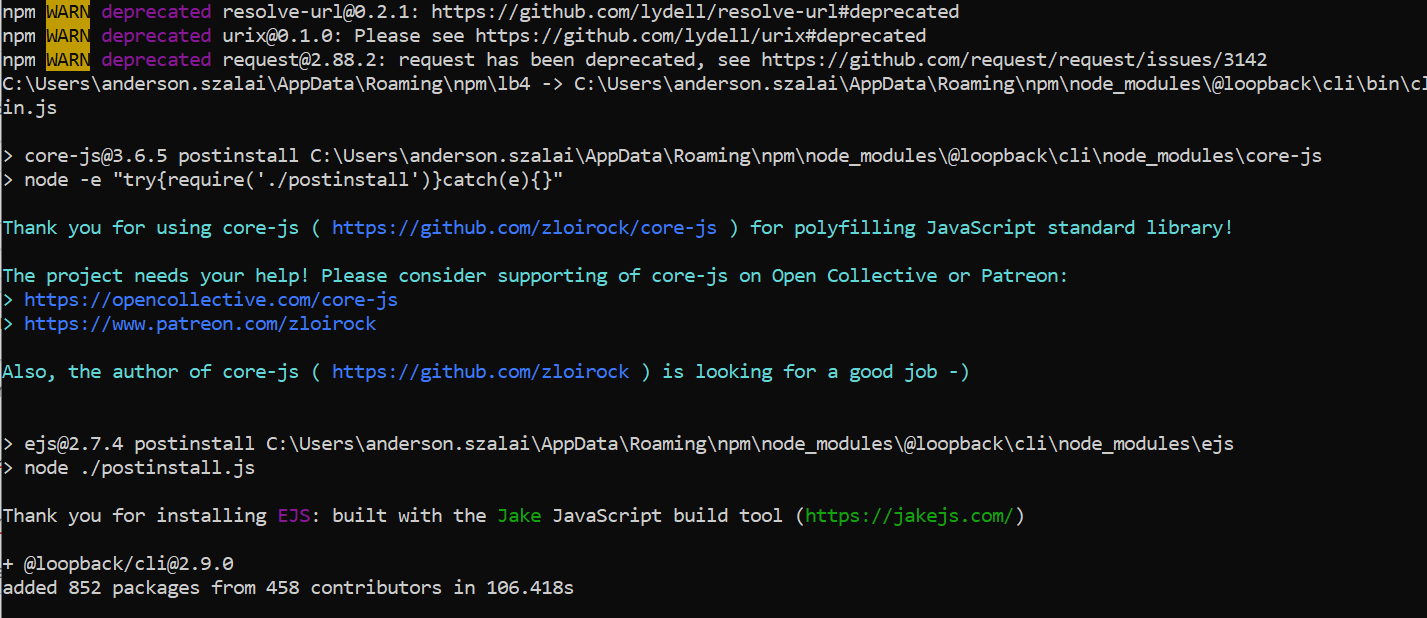
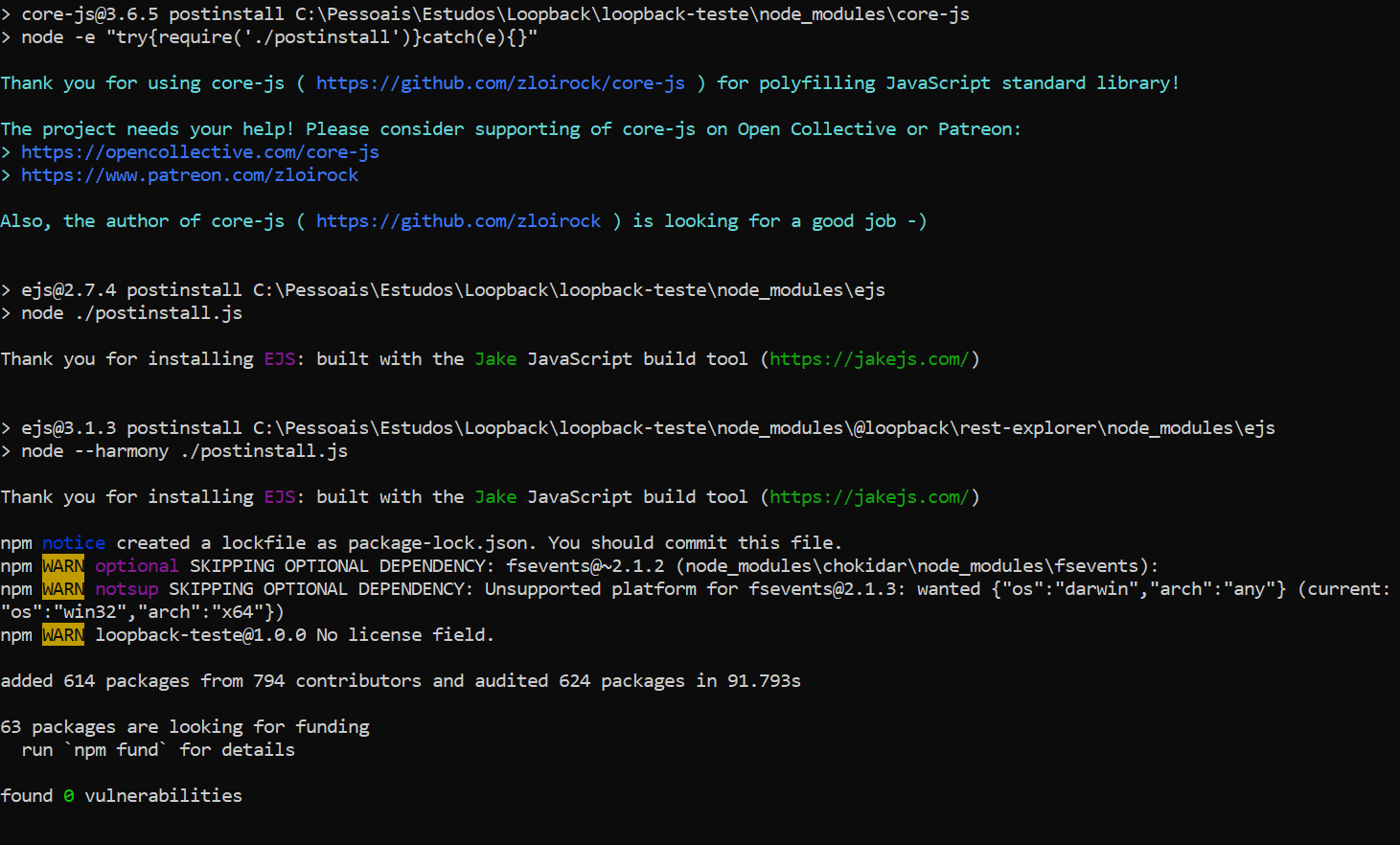
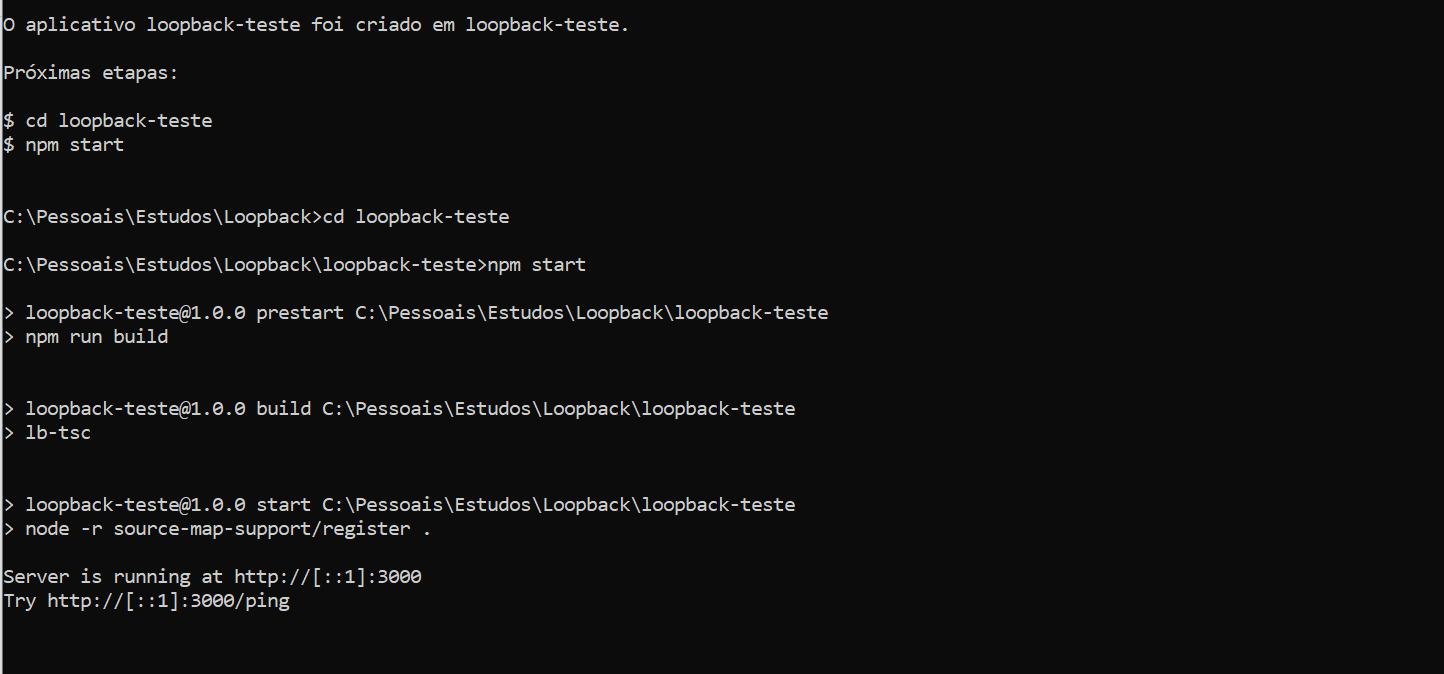
All right - I did the following - I guess that after first installation maybe something was corrupted... I tried to uninstall and install again and apparentely it worked!!! Thanks for all support!!!
1) Uninstall LB4 cli: $ npm uninstall -g @loopback/cli
2) Installed it again: $ npm install -g @loopback/cli
It shows the following messages after that
3) Selected all options

4) After the, those messages appeared
5) Then it worked
andersonaskm
on 20 Jun 2020
Glad to hear it works! I’ll go ahead and close the issue as solved.
achrinza
on 20 Jun 2020
Related issues
 cloudwheels
·
3Comments
cloudwheels
·
3Comments
 dericgw
·
3Comments
dericgw
·
3Comments
 marioestradarosa
·
3Comments
marioestradarosa
·
3Comments
 half-blood-programmer
·
3Comments
half-blood-programmer
·
3Comments
 mhdawson
·
3Comments
mhdawson
·
3Comments
Most helpful comment
All right - I did the following - I guess that after first installation maybe something was corrupted... I tried to uninstall and install again and apparentely it worked!!! Thanks for all support!!!
1) Uninstall LB4 cli: $ npm uninstall -g @loopback/cli
2) Installed it again: $ npm install -g @loopback/cli
It shows the following messages after that
3) Selected all options
4) After the, those messages appeared
5) Then it worked