Make a quick shot and try to deploy on k3os with following the instructions, it failed
kubectl describe pod/volume-test
Name:               volume-test
Namespace:          default
Priority:           0
PriorityClassName:  <none>
Node:               k3os2/10.8.9.250
Start Time:         Sat, 11 May 2019 23:01:56 +0200
Labels:             <none>
Annotations:        kubectl.kubernetes.io/last-applied-configuration:
                      {"apiVersion":"v1","kind":"Pod","metadata":{"annotations":{},"name":"volume-test","namespace":"default"},"spec":{"containers":[{"image":"n...
Status:             Pending
IP:
Containers:
  volume-test:
    Container ID:
    Image:          nginx:stable-alpine
    Image ID:
    Port:           80/TCP
    Host Port:      0/TCP
    State:          Waiting
      Reason:       ContainerCreating
    Ready:          False
    Restart Count:  0
    Environment:    <none>
    Mounts:
      /data from volv (rw)
      /var/run/secrets/kubernetes.io/serviceaccount from default-token-bsn2t (ro)
Conditions:
  Type              Status
  Initialized       True
  Ready             False
  ContainersReady   False
  PodScheduled      True
Volumes:
  volv:
    Type:       PersistentVolumeClaim (a reference to a PersistentVolumeClaim in the same namespace)
    ClaimName:  longhorn-volv-pvc
    ReadOnly:   false
  default-token-bsn2t:
    Type:        Secret (a volume populated by a Secret)
    SecretName:  default-token-bsn2t
    Optional:    false
QoS Class:       BestEffort
Node-Selectors:  <none>
Tolerations:     node.kubernetes.io/not-ready:NoExecute for 300s
                 node.kubernetes.io/unreachable:NoExecute for 300s
Events:
  Type     Reason              Age                 From                     Message
  ----     ------              ----                ----                     -------
  Warning  FailedScheduling    45m (x2 over 45m)   default-scheduler        pod has unbound immediate PersistentVolumeClaims (repeated 2 times)
  Normal   Scheduled           44m                 default-scheduler        Successfully assigned default/volume-test to k3os2
  Warning  FailedMount         31m (x6 over 42m)   kubelet, k3os2           Unable to mount volumes for pod "volume-test_default(f8058d23-742f-11e9-8db4-525400111281)": timeout expired waiting for volumes to attach or mount for pod "default"/"volume-test". list of unmounted volumes=[volv]. list of unattached volumes=[volv default-token-bsn2t]
  Warning  FailedAttachVolume  30m (x15 over 44m)  attachdetach-controller  AttachVolume.Attach failed for volume "pvc-f801f101-742f-11e9-8db4-525400111281" : rpc error: code = Internal desc = Action [attach] not available on [&{pvc-f801f101-742f-11e9-8db4-525400111281 volume map[self:http://longhorn-backend:9500/v1/volumes/pvc-f801f101-742f-11e9-8db4-525400111281] map[]}]
 liyimeng
All 27 comments
@liyimeng
Hi, we haven't supported K3OS yet. We will add it soon.
 yasker
on 12 May 2019
yasker
on 12 May 2019
Thanks so lot @yasker ! Looking forward to seeing that! Providing longhorn is already support RancherOS + k3s, it should not be a big work, right?
More importantly, k3os + longhorn will be a fantastic combination, Thank you for all the great work again!
liyimeng
on 13 May 2019
This issue has been automatically marked as stale because it has not had recent activity. It will be closed if no further activity occurs. Thank you for your contributions.
![stale[bot] picture](https://avatars3.githubusercontent.com/in/1724?v=4&s=40) stale[bot]
on 22 Nov 2019
stale[bot]
on 22 Nov 2019
Keep this one open.
yasker
on 22 Nov 2019
I think k3os is supported now. Just tested on k3os 0.9.0 and I'm getting
$ kubectl describe pod volume-test
.
.
.
Events:
  Type     Reason                  Age        From                     Message
  ----     ------                  ----       ----                     -------
  Warning  FailedScheduling        <unknown>  default-scheduler        error while running "VolumeBinding" filter plugin for pod "volume-test": pod has unbound immediate PersistentVolumeClaims
  Warning  FailedScheduling        <unknown>  default-scheduler        error while running "VolumeBinding" filter plugin for pod "volume-test": pod has unbound immediate PersistentVolumeClaims
  Normal   Scheduled               <unknown>  default-scheduler        Successfully assigned default/volume-test to k3os-5073
  Normal   SuccessfulAttachVolume  25d        attachdetach-controller  AttachVolume.Attach succeeded for volume "pvc-537ba7b1-9b43-4251-b4b8-454d41380c85"
  Normal   Pulling                 25d        kubelet, k3os-5073       Pulling image "nginx:stable-alpine"
  Normal   Pulled                  25d        kubelet, k3os-5073       Successfully pulled image "nginx:stable-alpine"
  Normal   Created                 25d        kubelet, k3os-5073       Created container volume-test
  Normal   Started                 25d        kubelet, k3os-5073       Started container volume-test
I was pleasantly suprised. This article tipped me off to try it because I believe cStor is using longhorn and this example runs on k3os!
 nsmith5
on 3 Apr 2020
nsmith5
on 3 Apr 2020
Can someone else confirm that longhorn works on a fresh k3OS install?
 ShadowJonathan
on 24 May 2020
ShadowJonathan
on 24 May 2020
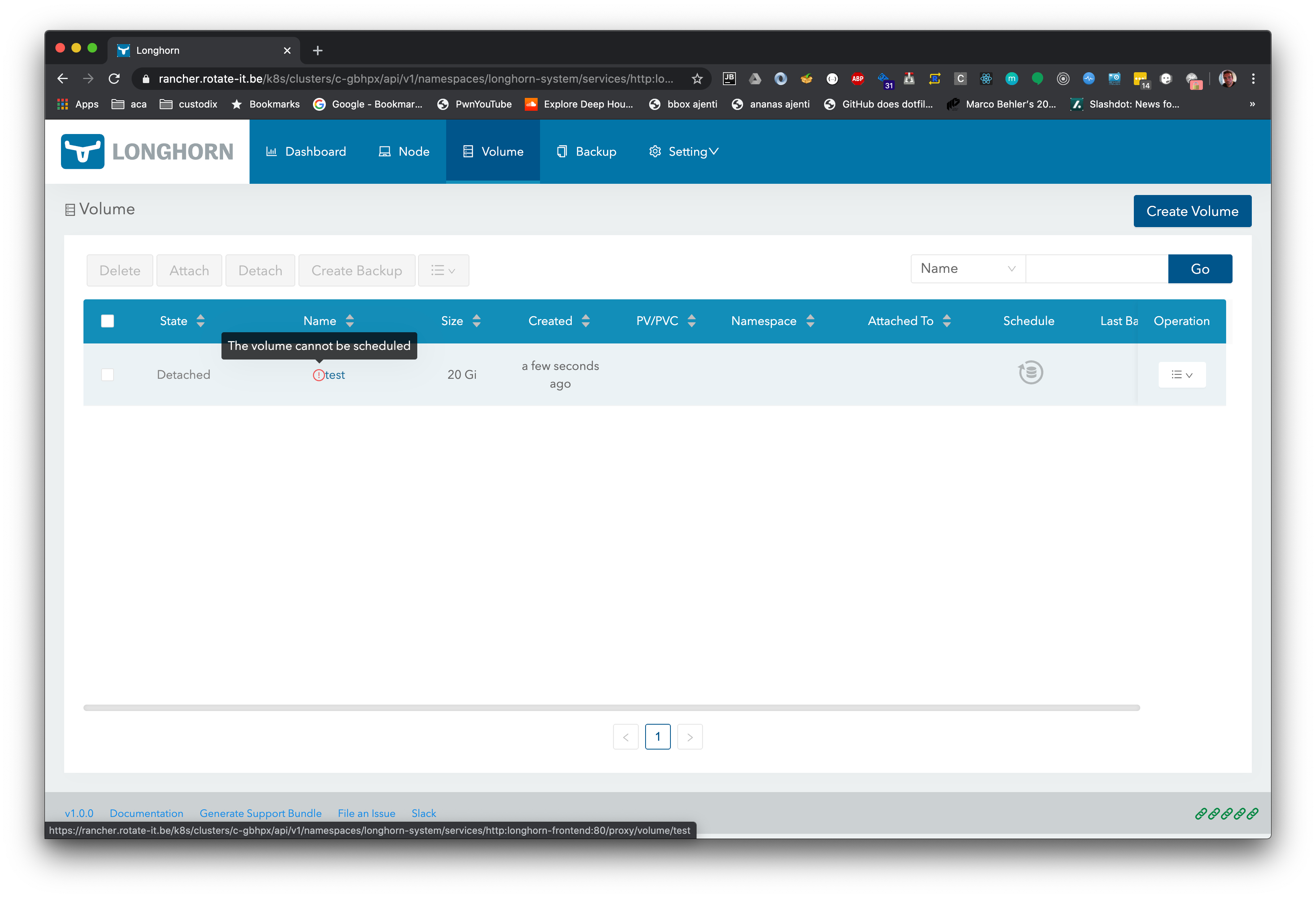
I quickly tried after installing k3os, but can't seem to get the volume attached
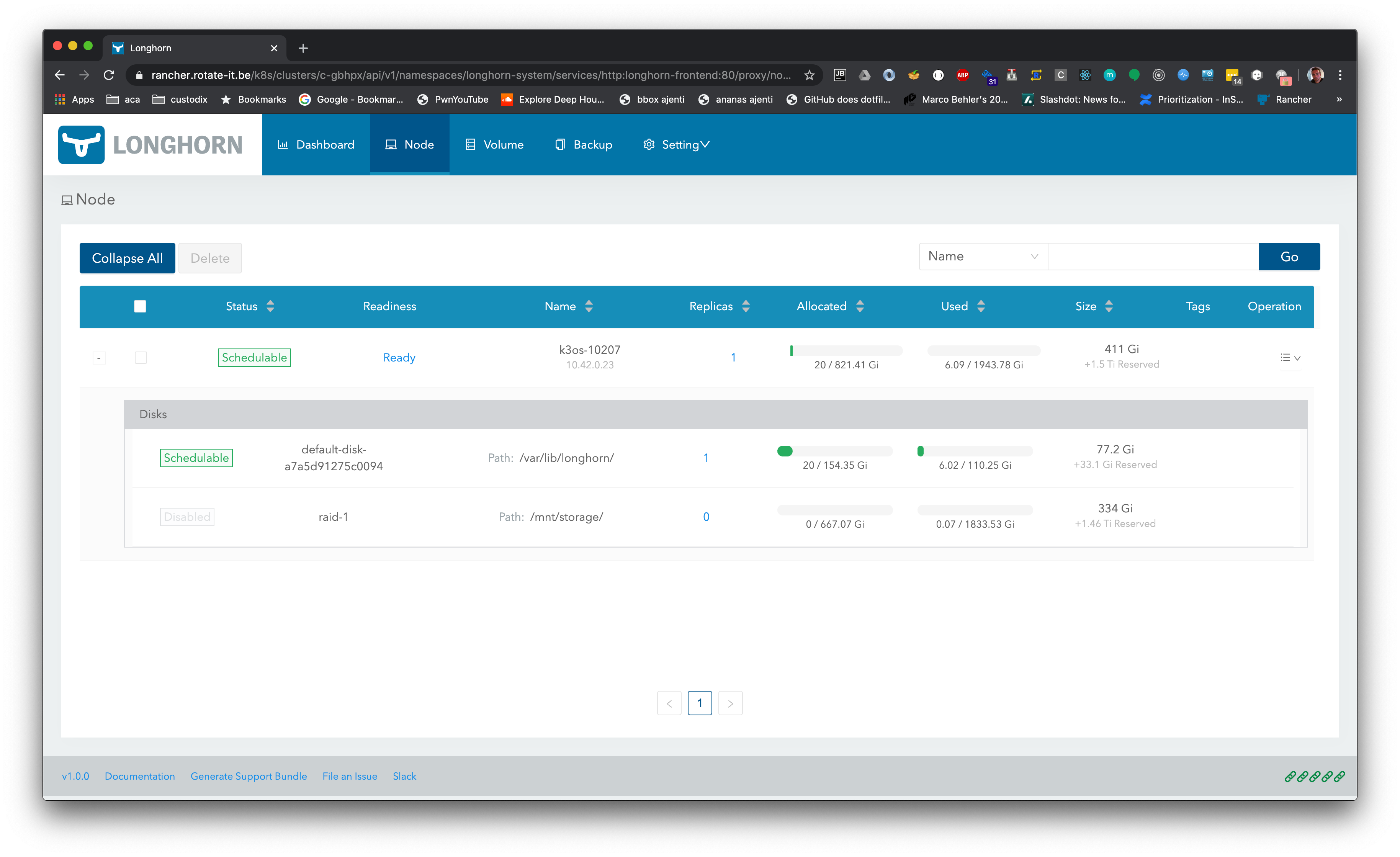
Tried by another another disk, assuming possible kubelet datadir issue, but same issue:
 krishofmans
on 6 Jun 2020
krishofmans
on 6 Jun 2020
Huh, I've got this working pretty well now. I'm on k3os 0.10.2 now with 3 nodes, 2 cpu each and 6 GiB ram each. Perhaps your cluster is a little resource starved?
nsmith5
on 7 Jun 2020
@krishofmans can you look at the actual events the scheduler pumps out as to why it's not being scheduled? Also, what version of longhorn are you using?
ShadowJonathan
on 7 Jun 2020
@ShadowJonathan ok, sorry for the scarce information.
Rancher 2.4.4, imported K3os Kubernetes Version: v1.17.5+k3s1, fresh baremetal install.
Longhorn is 1.0.0
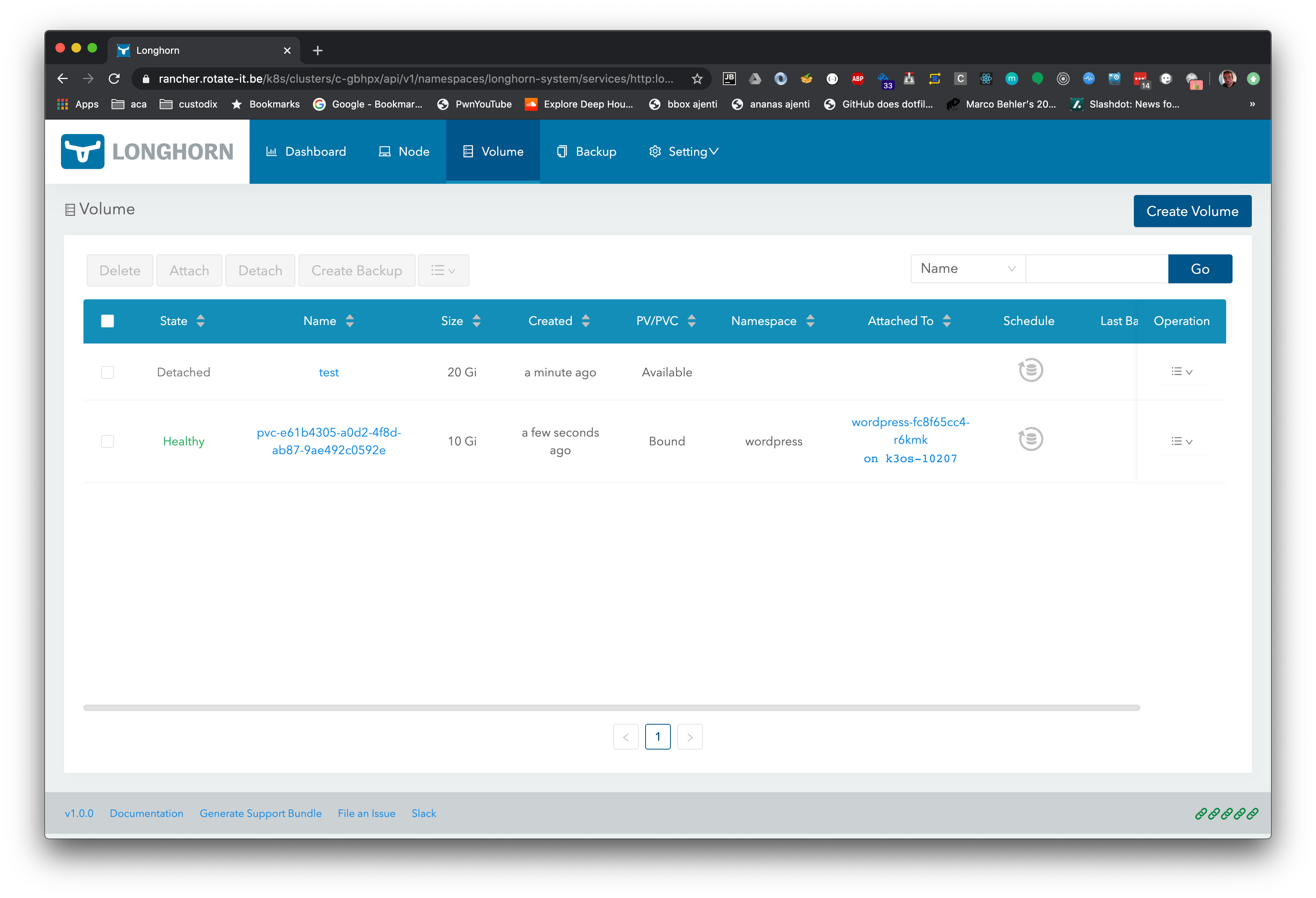
I deleted the test volume and recreated it. Picking either iscsi or block storage doesn't make a difference:
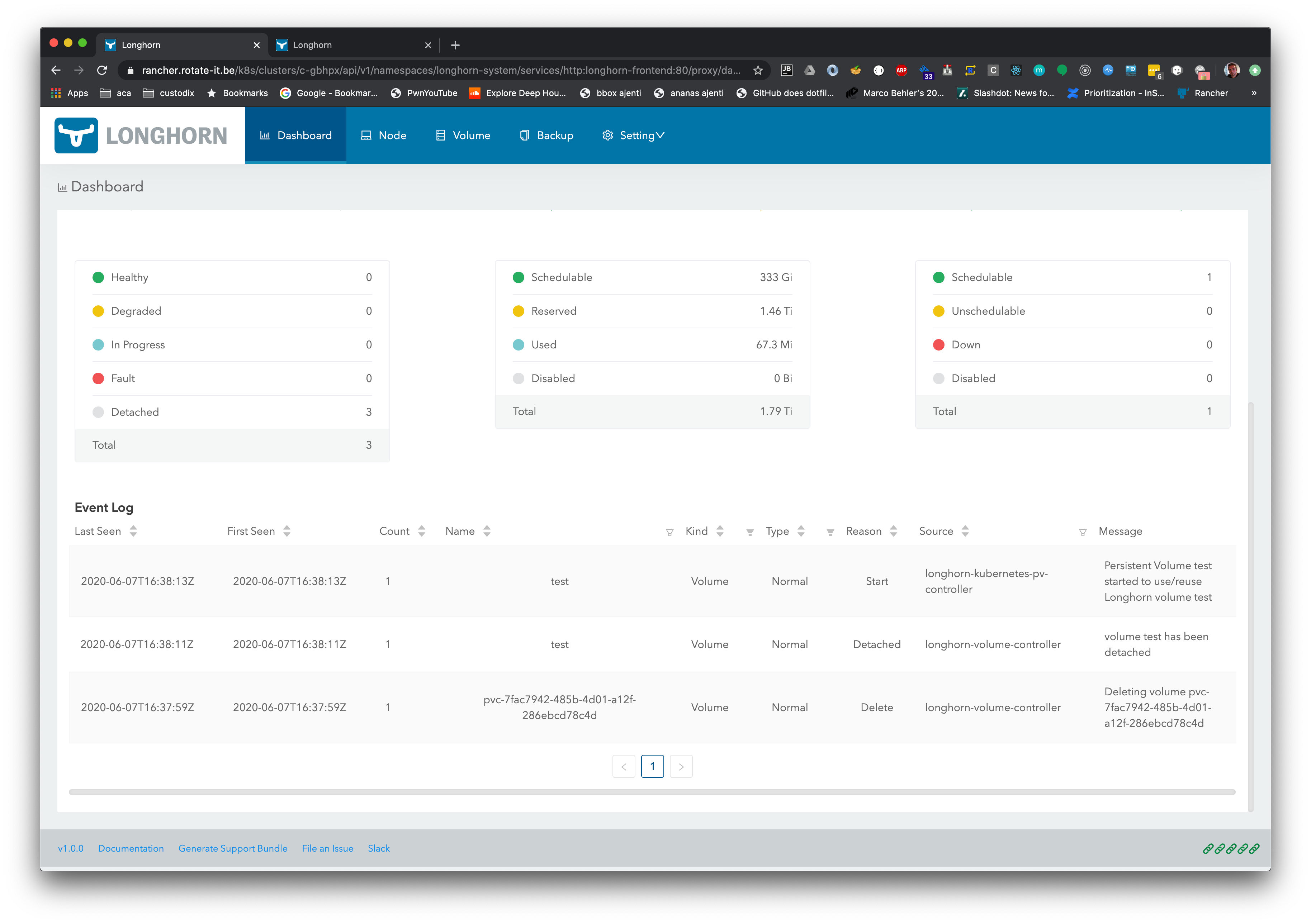
I went through all the logs of all the components, only these pop out as issues.
Csi attacher:
I0607 16:48:18.272741       1 connection.go:184] GRPC error: rpc error: code = Internal desc = Bad response statusCode [500]. Status [500 Internal Server Error]. Body: [message=unable to attach volume pvc-1d2482b8-7987-4628-85f2-4842c9a47196 to k3os-10207: volume pvc-1d2482b8-7987-4628-85f2-4842c9a47196 not scheduled, code=Server Error, detail=] from [http://longhorn-backend:9500/v1/volumes/pvc-1d2482b8-7987-4628-85f2-4842c9a47196?action=attach]
I0607 16:48:18.272758       1 csi_handler.go:412] Saving attach error to "csi-666ba74ceac05d28fc5ec6c2d8d662a10f6a7680d9ea43e1c995fcff96e6b94a"
Longhorn manager:
time="2020-06-07T16:54:13Z" level=error msg="There's no available disk for replica pvc-1d2482b8-7987-4628-85f2-4842c9a47196-r-5df6917d, size 10737418240"
Perhaps it's related to the fact that I added another disk on that node (a raid 1 array) but longhorn did create some files inside:
k3os-10207 [~]$ ls /mnt/storage
longhorn-disk.cfg  replicas
k3os-10207 [~]$ cat /mnt/storage/longhorn-disk.cfg
{"diskUUID":"71b16348-8dbe-4371-9917-ecc5e60b86c1"}k3os-10207 [~]$
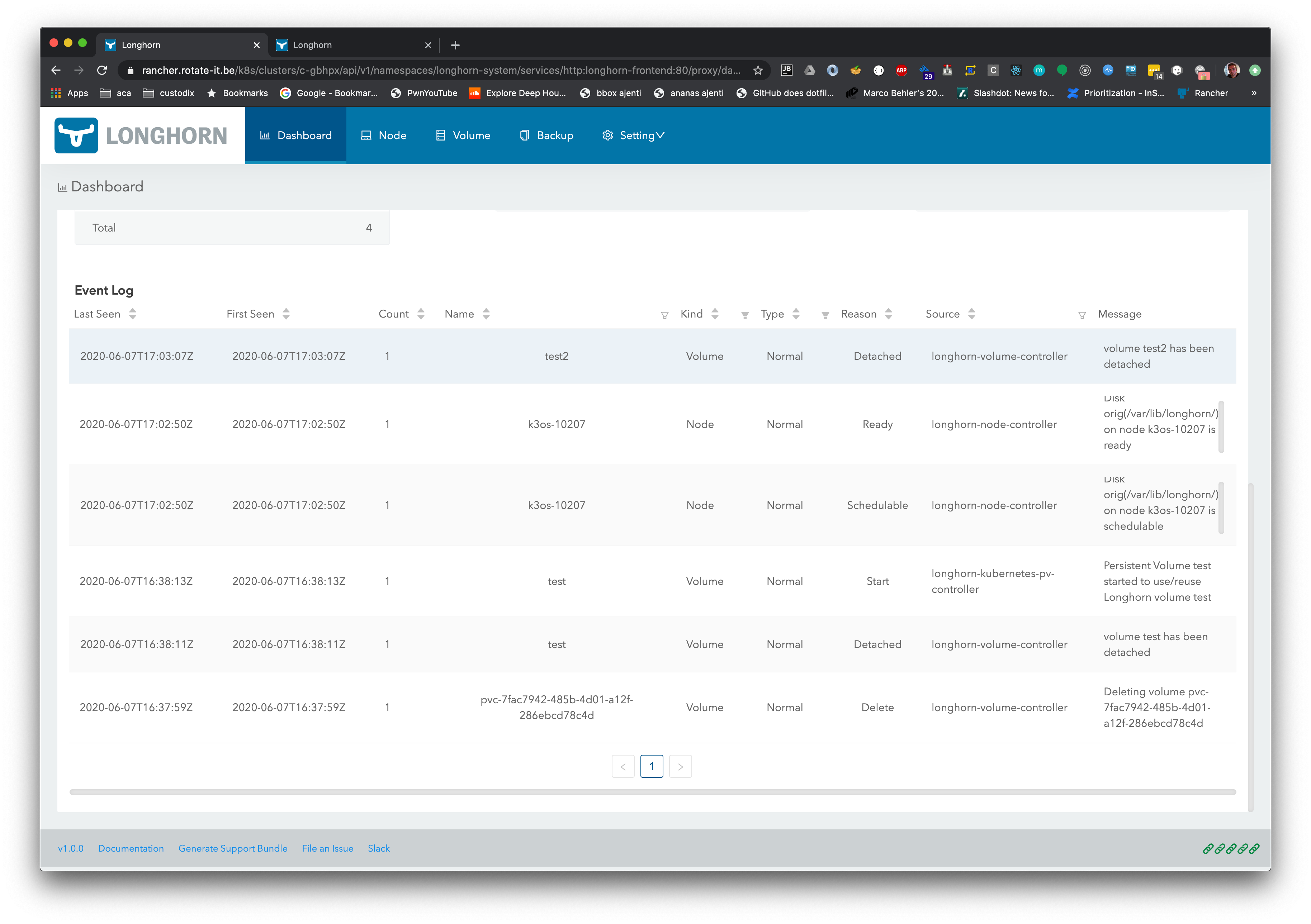
If I switch back to the original disk, and create a new volume, same story:
krishofmans
on 7 Jun 2020
Hmmm, I don't particularly know what im looking at myself (because i havent used longhorn yet, or have a rancher server), but this should be enough info to help.
Pinging @yasker
ShadowJonathan
on 7 Jun 2020
Thanks, I've given @yasker cluster owner on the imported k3os: https://rancher.rotate-it.be/c/c-gbhpx since it's not a production setup anyway, and this cluster was merely for testing both k3os and longhorn. This will likely cut back on the back&forth.
krishofmans
on 7 Jun 2020
@krishofmans is looks like you are running with a single node. By default, Longhorn requires a minimum of three. Please see https://longhorn.io/docs/1.0.0/best-practices/#minimum-recommended-hardware /cc @yasker
 dweomer
on 8 Jun 2020
dweomer
on 8 Jun 2020
Hi @krishofmans , we've enabled hard anti-affinity by default in v1.0.0. So you will need to have 3 nodes minimal to run Longhorn. I've taken a look at your setup and there is only one node, so the replica scheduling will fail for the new volumes.
yasker
on 8 Jun 2020
@yasker question just out of curiousity, will longhorn also schedule on master nodes? Or only if that tolerance is applied?
ShadowJonathan
on 8 Jun 2020
@ShadowJonathan Longhorn pod will only be scheduled to the worker node, so in the case of a master node are tagged as a worker as well, Longhorn will schedule pods there. It's not by design scheduled to the master nodes. Just curious, what's your use case?
yasker
on 8 Jun 2020
Ok great, now we know why it doesn't work :)
I was hoping that, k3(o)s being an edge usecase, with hardware resources being (more) limited, that longhorn would serve the case where we've traditionally used vmware esxi/vsphere for snapshotting/backups before software deployments.
We ship hardware appliances to customers, but it's usually just one physical server (up to 56 cores/384gb ram), so splitting it up in different nodes is unnecessary overhead. We're trying to get a bit closer to the hardware and get the k8s api/scheduler on the appliances. We've already tested with k3d/k3sup but are also looking for a storage solution.
In my ideal case the distributed part of longhorn would not be applicable in that case, but for example the NFS backup target would still be possible.
I'Il set this server up with esxi and continu my testing to see if the overhead might still be worth it, thanks for having a look @yasker
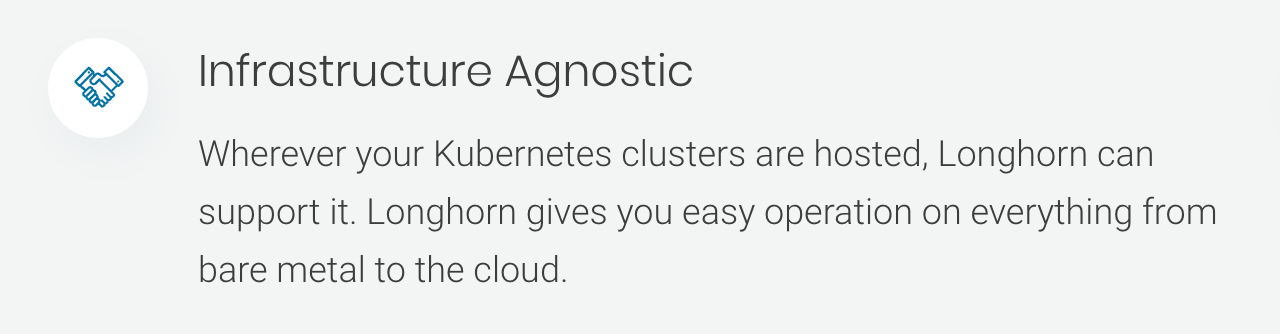
It was mostly this on the website that convinced me this would be supported, mentioning bare metal, but I assume that mentioned that only 1 bare metal server would be enough.
krishofmans
on 8 Jun 2020
@krishofmans One of the highlighted features of Longhorn is HA, which means if you have multiple nodes and one is down, then your workload will be still running. HA doesn't make much sense in a single node environment though. You can definitely create a new StorageClass with replica=1 and use it with a single node cluster, you will still enjoy snapshot/backup. Though for a single node, https://github.com/rancher/local-path-provisioner might suit your use case better (and it's built-in with k3s as well).
yasker
on 8 Jun 2020
Great, snapshot/backup is already a great added value over the local path provisioner, everything is working fine with the new storage class.
Thanks!
krishofmans
on 8 Jun 2020
@ShadowJonathan Longhorn pod will only be scheduled to the worker node, so in the case of a master node are tagged as a worker as well, Longhorn will schedule pods there. It's not by design scheduled to the master nodes. Just curious, what's your use case?
I was simply being curious as I have a fairly limited and constrained environment with only 3 worker nodes (physical ones), that's why I wanted to know if the master node can be used as a redundancy target in case any node goes offline
ShadowJonathan
on 8 Jun 2020
@ShadowJonathan In fact three nodes are fine since Longhorn only requires one of them to be online to serve the volume correctly. So you can afford two nodes down in the default setup, though it's better if they come back soon to restore the robustness of the volume.
yasker
on 8 Jun 2020
@yasker understood, thanks for explaining that, I was mainly afraid if longhorn wouldn't function correctly if:
- A node goes suddenly offline and k8s schedules the pods somewhere else after 5 mins, and requires the volume. (With all the attach stuff involved, I know longhorn has some issues if the pod actually never went "offline", only "missing", but was that fixed in v1?)
- I manually drain the node and then shut it off for maintainance, and suddenly only 2 nodes exist in the pool that can serve longhorn it's volumes.
ShadowJonathan
on 8 Jun 2020
@ShadowJonathan We've addressed the first scenario in v1.0.0. See https://longhorn.io/docs/1.0.0/high-availability/node-failure/#volume-attachment-recovery-policy
The second case wouldn't prevent the normal workload from working, but when the node is down, new volumes won't be allowed to be created in Longhorn since it will cause scheduling failure when 1. replica count is set to 3; 2. node level soft anti-affinity is set to false. Both are the default setting. If you are concerned about creating new volumes when a node is down, you can either set the replica count to e.g. 2, or enable node level soft anti-affinity. But if you're not likely to create new volumes when a node is down, then you're fine.
yasker
on 9 Jun 2020
@yasker thanks for the explaination, sorry for the off-topic diversion, it's not likely I'll create new volumes when a node is down, unless I have a horizontal pod scaler on a statefulset or something.
ShadowJonathan
on 9 Jun 2020
I'm currently running 4 physical nodes with k3os, after deploying longhorn, I could start provisioning volumes right off the bat, I see that as "supported out of the box" for me, I didn't have to install any additional tooling.
👍
ShadowJonathan
on 13 Jun 2020
For people coming here through Google: I just installed a 3 node K3S cluster using K3os v0.11.0 (1 master, 2 agents) and imported that cluster into Rancher 2.5.1. From there I used the Rancher App Catalog to install Longhorn 1.0.2 without any issues. K3os comes out of the box with all the required packages.
 Vashiru
on 24 Oct 2020
Vashiru
on 24 Oct 2020
To clarify, k3os is supported by Longhorn now.
yasker
on 4 Nov 2020
Related issues
yasker
·
3Comments
 lyred193
·
7Comments
lyred193
·
7Comments
 shuo-wu
·
7Comments
shuo-wu
·
7Comments
 lucernae
·
3Comments
lucernae
·
3Comments
 Angelinsky7
·
8Comments
Angelinsky7
·
8Comments
Most helpful comment
Thanks so lot @yasker ! Looking forward to seeing that! Providing longhorn is already support RancherOS + k3s, it should not be a big work, right?
More importantly, k3os + longhorn will be a fantastic combination, Thank you for all the great work again!