Lombok-intellij-plugin: Support IntelliJ 2020.3
IntelliJ 2020.3 EAP just released.
Plugin 'Lombok' (version '0.31-2020.2') is not compatible with the current version of the IDE, because it requires build 202.* or older but the current build is IU-203.3645.34
 ewirch
All 21 comments
Same problem, roll back to IntelliJ 2020.2.2 not working too :-1:
 malimkhan
on 23 Sep 2020
malimkhan
on 23 Sep 2020
how to build plugin?
 shiyouxu
on 23 Sep 2020
shiyouxu
on 23 Sep 2020
"Mateu MDD" is somewhat old fork of this plugin that seems to be working for now.
 krzysztof-osiecki
on 23 Sep 2020
krzysztof-osiecki
on 23 Sep 2020
What is going on with this plugin, I used to run EAP's and the plugin would just work, but in the last 6-12 months worth of EAPs/Releases seems like the plugin is broken for a few days before it gets fixed.
 rcunn87
on 23 Sep 2020
rcunn87
on 23 Sep 2020
Can the untilBuild field just be configured to not be populated? I tried this locally and installed in the EAP and everything seems to be fine.
rcunn87
on 23 Sep 2020
I have also tried locally build and install without 'untilBuild' on EAP and it is working fine.
https://jetbrains.org/intellij/sdk/docs/tutorials/build_system/gradle_guide.html#patching-the-plugin-configuration-file
Changed only in build.gradle:
patchPluginXml {
  version artifactVersion

  pluginDescription(file(descriptionFile).text)
  changeNotes(file(changesFile).text)

  untilBuild(null)
}
 ztomic
on 24 Sep 2020
ztomic
on 24 Sep 2020
Can the untilBuild field just be configured to not be populated? I tried this locally and installed in the EAP and everything seems to be fine.
This may work but if there is an issue like #829 then IntelliJ won't warn the user and after upgrade the plugin may not work properly.
 seenukarthi
on 24 Sep 2020
seenukarthi
on 24 Sep 2020
Can the untilBuild field just be configured to not be populated? I tried this locally and installed in the EAP and everything seems to be fine.
This may work but if there is an issue like #829 then IntelliJ won't warn the user and after upgrade the plugin may not work properly.
That's very true, but personally, I'd rather risk a _chance_ that it may not work properly than a _guarantee_ that it won't work. Many people are dead in the water while we wait for an upgrade. I'll be building from sources as a workaround.
 erodewald
on 24 Sep 2020
erodewald
on 24 Sep 2020
Right now the plugin just gets disabled and doesn't work at all.
rcunn87
on 24 Sep 2020
I went ahead and opened a PR
rcunn87
on 24 Sep 2020
Just release 0.32 build, included one for IntelliJ 2020.3 EAP
 mplushnikov
on 24 Sep 2020
mplushnikov
on 24 Sep 2020
The new EAP from today also breaks Lombok.In the IDE everything looks fine but build fails.
Message is:
java: You aren't using a compiler supported by lombok, so lombok will not work and has been disabled.
Your processor is: com.sun.proxy.$Proxy27
Lombok supports: sun/apple javac 1.6, ECJ
 amiram
on 30 Sep 2020
amiram
on 30 Sep 2020
@amiram Please make an issue in lombok project here: https://github.com/rzwitserloot/lombok/issues
This can be fixed only in lombok self.
mplushnikov
on 30 Sep 2020
Did somebody log a bug? Is it being worked on?
I updated IntelliJ IDEA to version 2020.3 yesterday when prompted by IntelliJ, and it warned me that the Lombok plug-in was not compatible. I assumed there would be an updated plug-in available, but there is not. And I am not able to build my project.
 brianvallred
on 3 Dec 2020
brianvallred
on 3 Dec 2020
Try uninstalling and reinstalling the plugin. Sometimes that helps fix this problem for me.
rcunn87
on 3 Dec 2020
Did somebody log a bug? Is it being worked on?
I updated IntelliJ IDEA to version 2020.3 yesterday when prompted by IntelliJ, and it warned me that the Lombok plug-in was not compatible. I assumed there would be an updated plug-in available, but there is not. And I am not able to build my project.
Starting from 2020.3 Lombok plugin is bundled with IntelliJ IDEA so uninstall the plugin and update IDEA. Lombok will work out of the box.
Tested in macOs Big Sur.
seenukarthi
on 6 Dec 2020
@seenukarthi Is this only true for Ultimate or does it apply to the community edition as well? In my case when I updated to 2020.3 (community), it set the plug-in version to 0.32 (had been 0.33). When I did as you suggested and removed the plug-in entirely then my build broke (nothing with val or any of the annotations was recognized).
This is Windows and my project is Groovy/Java based on Gradle.
 sfitts
on 7 Dec 2020
sfitts
on 7 Dec 2020
@seenukarthi Is this only true for Ultimate or does it apply to the community edition as well? In my case when I updated to 2020.3 (community), it set the plug-in version to 0.32 (had been 0.33). When I did as you suggested and removed the plug-in entirely then my build broke (nothing with
valor any of the annotations was recognized).This is Windows and my project is Groovy/Java based on Gradle.
Yes, you are correct. After fresh install of community version, I can see the plugin version is 0.32-EAP

In the plugin site It's 0.33-2020.2
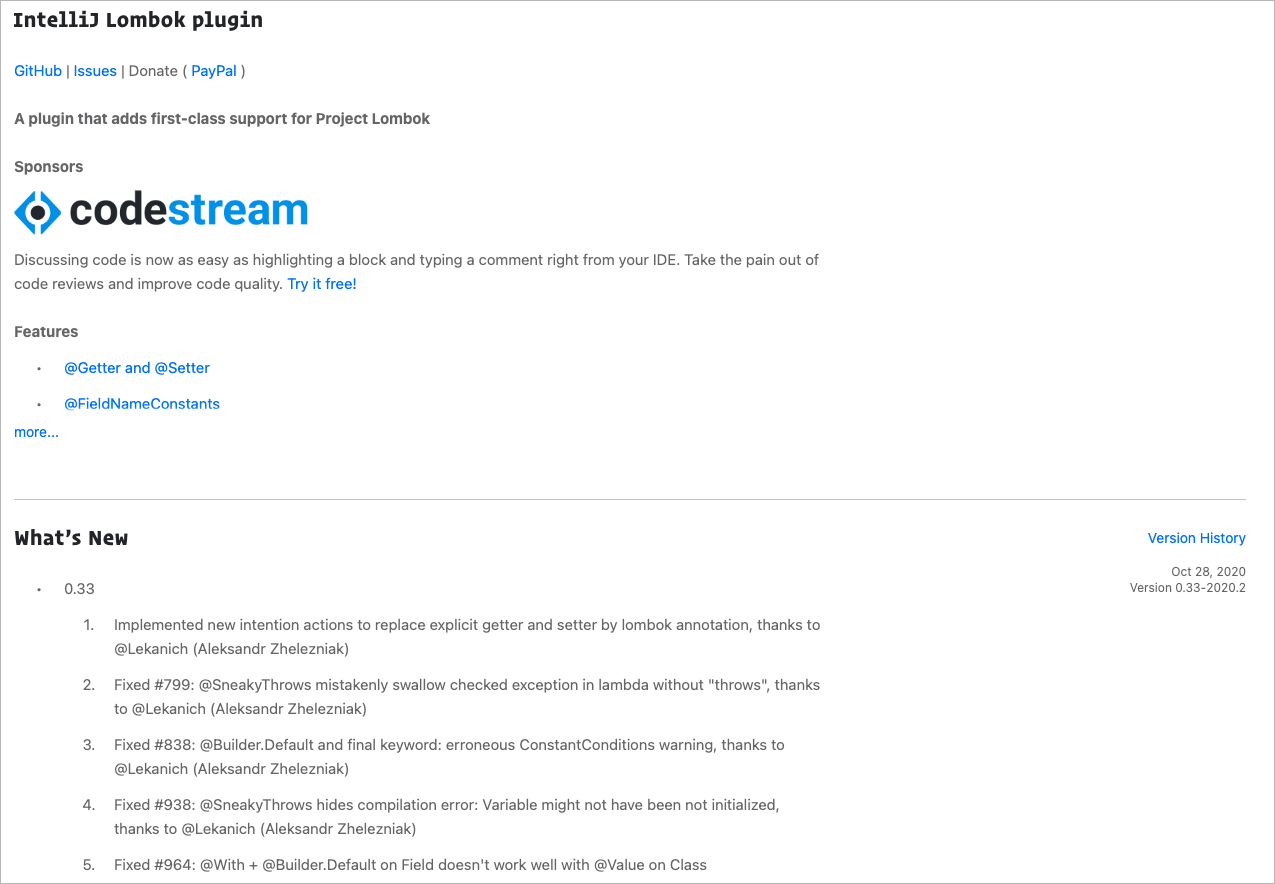
I'm not sure this is a plugin issue or platform issue.
seenukarthi
on 7 Dec 2020
Using 2020.3 and the 0.32 plug-in I am getting:
java: You aren't using a compiler supported by lombok, so lombok will not work and has been disabled.
  Your processor is: com.sun.proxy.$Proxy32
  Lombok supports: sun/apple javac 1.6, ECJ
Above it says that this is a Lombok issue -- was one ever filed?
sfitts
on 7 Dec 2020
OK, that was with Lombok 1.18.4. If I updated to 1.18.16 I get:
java: Compilation failed: internal java compiler error
And essentially nothing builds.
sfitts
on 7 Dec 2020
Logged https://github.com/rzwitserloot/lombok/issues/2670 based on the assertion above that this must be fixed in the core Lombok.
sfitts
on 7 Dec 2020
Related issues
 leialexisjiang
·
5Comments
leialexisjiang
·
5Comments
 huaouo
·
6Comments
huaouo
·
6Comments
 timothymdavis
·
4Comments
timothymdavis
·
4Comments
 pedegie
·
4Comments
pedegie
·
4Comments
 gigaSproule
·
4Comments
gigaSproule
·
4Comments
Most helpful comment
Just release 0.32 build, included one for IntelliJ 2020.3 EAP