Lombok-intellij-plugin: IDEA 2020.2 EAP incompatible
Short description
The plug-in is shown as incompatible
Expected behavior
_Is there a specific expected behavior?_
Version information
- IDEA Version: 2020.2 EAP
Caused because plugin build contains
<idea-version since-build="201.5985" until-build="201.*"/>
I have tried the workaround:
💥 The latest IntelliJ IDEA version (2020.1) contains a BUG 🐞 for several plugins (including plugin for Lombok) were shown as incompatible with the updated version of the IDE. 💥
You can find the issue with a detailed explanation here: https://youtrack.jetbrains.com/issue/IDEA-237113.
But then the version 0.9.* is installed. If the until-build="201.* is removed it works.
❓ Is is possible for your needs to use updateSinceUntilBuild false or patchPluginXml.untilBuild(null) to disable the until generation for latest IDEA version (2020.*)
 MCMicS
All 13 comments
Short description
The plug-in is shown as incompatible
Expected behavior
_Is there a specific expected behavior?_
Version information
- IDEA Version: 2020.2 EAP
Caused because plugin build contains
<idea-version since-build="201.5985" until-build="201.*"/>I have tried the workaround:
💥 The latest IntelliJ IDEA version (2020.1) contains a BUG 🐞 for several plugins (including plugin for Lombok) were shown as incompatible with the updated version of the IDE. 💥
You can find the issue with a detailed explanation here: https://youtrack.jetbrains.com/issue/IDEA-237113.But then the version 0.9.* is installed. If the
until-build="201.*is removed it works.❓ Is is possible for your needs to use
updateSinceUntilBuild falseorpatchPluginXml.untilBuild(null)to disable the until generation for latest IDEA version (2020.*)
Yes you are correct.
Using updateSinceUntilBuild false can solve this problem and I see no cost in doing so.
I learned this trick from alibaba/p3c
Seems it is a "common secret" or something.
I really do not understand why jetbrains not make this in its doc for beginners.
https://github.com/mplushnikov/lombok-intellij-plugin/pull/810
 XenoAmess
on 28 May 2020
XenoAmess
on 28 May 2020
It is documents for Gradle setup in SDK Documentation
https://www.jetbrains.org/intellij/sdk/docs/tutorials/build_system/gradle_guide.html#patching-the-plugin-configuration-file
MCMicS
on 28 May 2020
It is documents for Gradle setup in SDK Documentation
https://www.jetbrains.org/intellij/sdk/docs/tutorials/build_system/gradle_guide.html#patching-the-plugin-configuration-file
thanks. my bad then.
XenoAmess
on 28 May 2020
No Problem.
so much doc to overlook it 😉
MCMicS
on 28 May 2020
Thank you, @MCMicS, for providing the workaround. Works perfectly 👍
 bmoritz
on 28 May 2020
bmoritz
on 28 May 2020
But notice it can only run at the latest version, but not compile at this version.
If you compile it using the latest snapshot, you will get some error like this:
9:38:40 PM: Executing task 'buildPlugin'...

Starting Gradle Daemon...
Gradle Daemon started in 7 s 102 ms

> Configure project :
IdeaVersion is : LATEST-EAP-SNAPSHOT
ArtifactVersion is : 0.30-EAP
Building for IntelliJ version: LATEST-EAP-SNAPSHOT
Generating Parser for GrammerKit: 2019.3
Generating Lexer for JFlexRelease: 1.7.0-1

> Task :generateLombokConfigParser FAILED

Deprecated Gradle features were used in this build, making it incompatible with Gradle 7.0.
Use '--warning-mode all' to show the individual deprecation warnings.
See https://docs.gradle.org/6.3/userguide/command_line_interface.html#sec:command_line_warnings
1 actionable task: 1 executed
Exception in thread "main" java.lang.NoClassDefFoundError: it/unimi/dsi/fastutil/objects/Object2ObjectOpenHashMap
    at com.intellij.openapi.extensions.PluginId.<clinit>(PluginId.java:18)
    at com.intellij.openapi.extensions.impl.ExtensionsAreaImpl.doRegisterExtensionPoint(ExtensionsAreaImpl.java:176)
    at com.intellij.openapi.extensions.impl.ExtensionsAreaImpl.registerExtensionPoint(ExtensionsAreaImpl.java:161)
    at com.intellij.core.CoreApplicationEnvironment.registerExtensionPoint(CoreApplicationEnvironment.java:257)
    at com.intellij.core.CoreApplicationEnvironment.registerExtensionPoint(CoreApplicationEnvironment.java:244)
    at com.intellij.core.CoreApplicationEnvironment.registerApplicationExtensionPoint(CoreApplicationEnvironment.java:262)
    at com.intellij.core.CoreApplicationEnvironment.<init>(CoreApplicationEnvironment.java:97)
    at com.intellij.core.CoreApplicationEnvironment.<init>(CoreApplicationEnvironment.java:74)
    at org.intellij.grammar.LightPsi$MyParsing.<init>(LightPsi.java:166)
    at org.intellij.grammar.LightPsi.<clinit>(LightPsi.java:65)
    at org.intellij.grammar.Main.main(Main.java:49)
Caused by: java.lang.ClassNotFoundException: it.unimi.dsi.fastutil.objects.Object2ObjectOpenHashMap
    at java.net.URLClassLoader.findClass(URLClassLoader.java:382)
    at java.lang.ClassLoader.loadClass(ClassLoader.java:418)
    at sun.misc.Launcher$AppClassLoader.loadClass(Launcher.java:352)
    at java.lang.ClassLoader.loadClass(ClassLoader.java:351)
    ... 11 more

FAILURE: Build failed with an exception.

* What went wrong:
Execution failed for task ':generateLombokConfigParser'.
> Process 'command 'C:\jdk8u252-b09\bin\java.exe'' finished with non-zero exit value 1

* Try:
Run with --stacktrace option to get the stack trace. Run with --info or --debug option to get more log output. Run with --scan to get full insights.

* Get more help at https://help.gradle.org

BUILD FAILED in 15s
9:38:56 PM: Task execution finished 'buildPlugin'.
But at least we can use the 2020.1 to compile it and get it running at the latest version.
That's already very helpful.
XenoAmess
on 28 May 2020
maybe the grammar should update too (like in PR #808)
MCMicS
on 28 May 2020
I guess the indention was to build only for oneversion.
so a new Build with 2020.2 or LAtest-EAP should be bumped.
MCMicS
on 28 May 2020
@XenoAmess ,
Thanks a lot for #810
I was thinking of reverting to old idea version because of lombok plugin was not available.
But, I just gave this change a go,
I was able to build it with the above mentioned change for the plugin.
However since I was using openjdk11 I had to remove the flag CMSPermGenSweepingEnabled from the gradle.properties to get it create the jar successfully.
and finally I placed the new Jar in my plugin folder /my-path/IDEA-U/ch-0/202.4357.23.plugins/lombok-plugin/lib That seems to be working, I can see the compiler is not showing the errors now.
 nithinc989
on 31 May 2020
nithinc989
on 31 May 2020
Just added new Build for IntelliJ 2020.2 EAP: https://plugins.jetbrains.com/plugin/6317-lombok/update/87712
 mplushnikov
on 1 Jun 2020
mplushnikov
on 1 Jun 2020
Hi there, I'm still having the incompatibility issue:
19:49   Plugin Error
            Plugin "Lombok" is incompatible (until build 201.SNAPSHOT < IU-202.6397.59).
Using IDEA 2020.2, build:
IntelliJ IDEA 2020.2 (Ultimate Edition) Build #IU-202.6397.59, built on July 22, 2020
With Lombok plugin version 0.30: 0.30-2020.1
 gerardbosch
on 27 Jul 2020
gerardbosch
on 27 Jul 2020
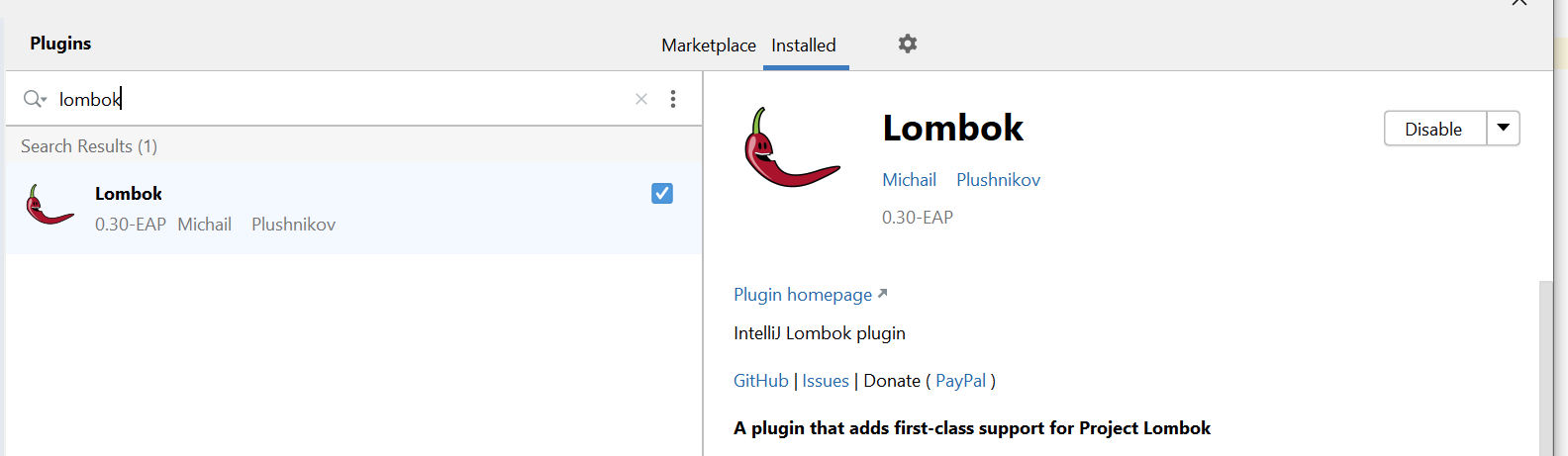
@gerardbosch Please use https://plugins.jetbrains.com/plugin/6317-lombok/versions/stable/87712
0.30-EAP
MCMicS
on 27 Jul 2020
Thanks, it seems after uninstalling Lombok plugin, restarting IDEA, and installing Lombok back, it started to work again :)
gerardbosch
on 27 Jul 2020
Related issues
 timothymdavis
·
4Comments
timothymdavis
·
4Comments
 Nikolas-Charalambidis
·
3Comments
Nikolas-Charalambidis
·
3Comments
 Sudio
·
3Comments
Sudio
·
3Comments
 inthink
·
5Comments
inthink
·
5Comments
 jknight
·
6Comments
jknight
·
6Comments
Most helpful comment
Thanks, it seems after uninstalling Lombok plugin, restarting IDEA, and installing Lombok back, it started to work again :)