Lock: iOS app rejected multiple times for button style on "Sign in with Apple"
Description
I had a phone call with the Apple review team and the only thing that is preventing my app from getting onto the app store is a "gray" border on the "Sign in with Apple" button. This is happening with the "New" Universal form.
I have attempted a submission with BOTH Classic and Universal versions of the form with no customization other than icon and primary color / background color.
Reproduction


Environment
- Version of this library used:
New Universal Login form - Version of the platform or framework used, if applicable:
React-native Expo - sdk version 36.0.0 - Other relevant versions (language, server software, OS, browser):
iOS - Other modules/plugins/libraries that might be involved:
lock
 Johnsgaard
All 15 comments
All the apple store requires is that the border of the button is black 😕
Johnsgaard
on 3 Jun 2020
Thanks @Johnsgaard, let me raise the issue with the new Universal Login Page with the relevant team internally.
As for Lock, the Apple button does look quite different - are you saying you've had a submission failure with Lock as well, and what kind of feedback did you receive about the failure?

 stevehobbsdev
on 3 Jun 2020
stevehobbsdev
on 3 Jun 2020
@Johnsgaard I see a separate issue has been raised here, so let's keep the discussion about the new ULP over there.
Here, I'd like to talk about Lock. If you can confirm what feedback you've received about the Apple button on the classic login page, we can start to help.
stevehobbsdev
on 3 Jun 2020
@stevehobbsdev I have been rejected with both Lock and Universal Lock. They didn't give me any reasoning on the Lock version other than the Apple button doesn't follow the guidelines. So I updated to Universal and gave that a shot. Also rejected on that one because of a border. At least I know now why the button is rejected and reached out to your team to see what can be done about the border.
Johnsgaard
on 3 Jun 2020
Thanks - let's leave the new ULP with that team; they are aware.
Can you let me know when you tried with Lock? Just so I can get a timeline. We did have a rejection early on but made some updates to resolve that. We've had confirmation from those customers that their apps were since accepted. We also know that getting something accepted can sometimes be down to luck as to who reviews your app. We believe the button we have on Lock _now_ is the best effort according to their guidance, but please let us know if you try again with Lock and manage to wrangle any more feedback from them.
stevehobbsdev
on 3 Jun 2020
No problem.
So the submission with Lock was first rejected because I didn't support a sign in with apple option.
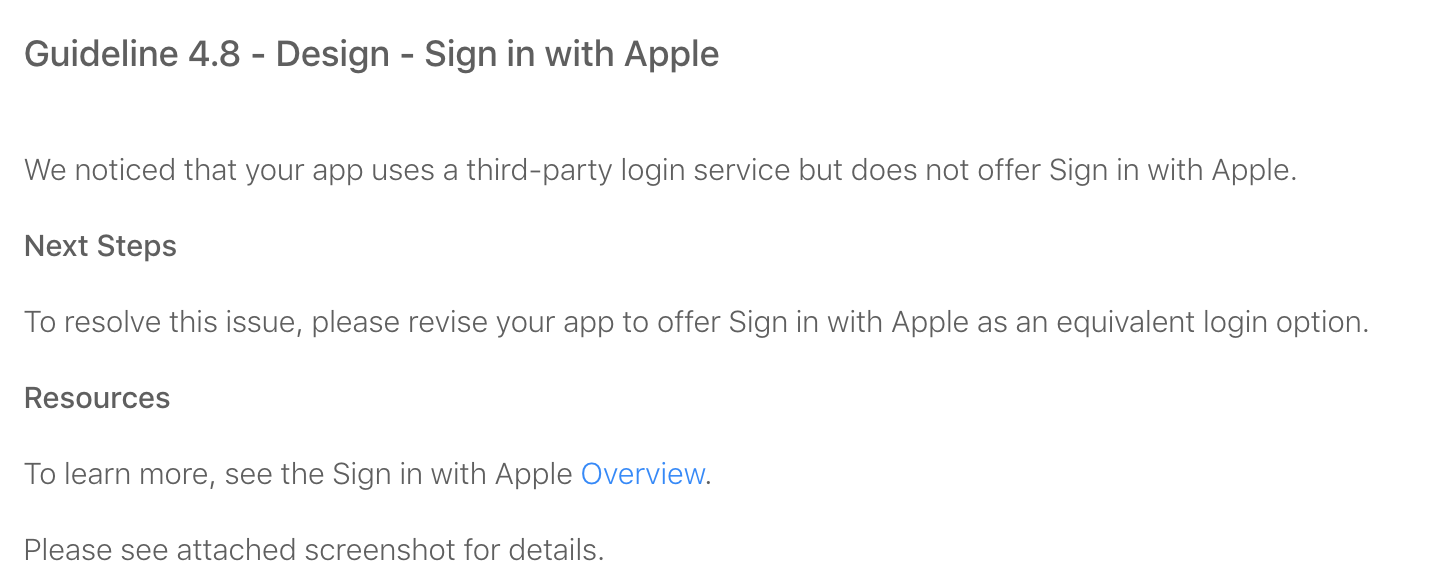
That submission was May 28th. So I added Sign in with apple support and fixed up some other issues they had (push notifications). After that was all done and another binary was submitted they gave me this rejection:
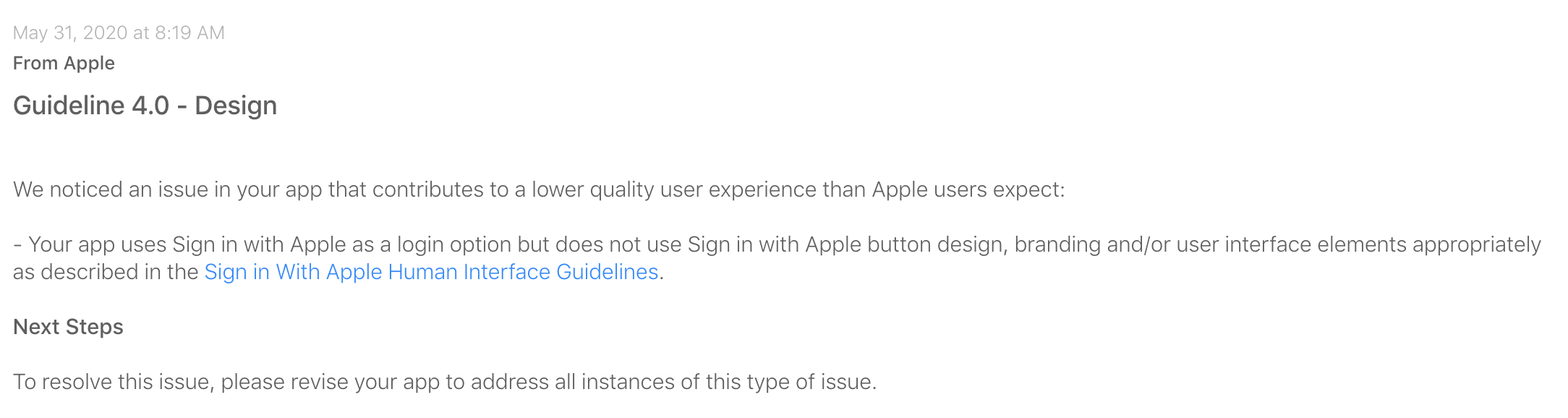
They didn't give me much context but all I can tell you is that I used the standard (Classic) Lock form with no custom HTML. Just added a custom icon and colors. I have a feeling they rejected it because of how the icon scales with the text?
I am going to try to re-submit with the Lock seeing as I talked to an Apple reviewer and she mentioned the outline is the only thing I need to worry about so if I can re-show her the Classic style I will see if that progresses me through the process.
Johnsgaard
on 3 Jun 2020

This is what I am going to attempt to submit with next.
Johnsgaard
on 3 Jun 2020
Great - if it fails and you can get some more detailed feedback out of them, please let us know!
stevehobbsdev
on 3 Jun 2020
@stevehobbsdev The app was now approved with the Lock v 11.24.1 (Screenshot) Thank you for taking the time to look at my issue.
Johnsgaard
on 3 Jun 2020
Great news! Thanks for letting me know
stevehobbsdev
on 3 Jun 2020
@stevehobbsdev - we are also using Lock 11.24.1 and have been rejected by Apple. Created support ticket and they referenced me back to here. Just thought I'd let it be known.
We have requested feedback from Apple Review and no response. Just for reference, we did post a reply back to the reviewer saying:
1) We use a black button on a white background to provide sufficient contrast - check
2) We say "Sign in with Apple" - conforming to the capitalization policy stating that only the words "Sign" and "Apple" should be capitalized - check
3) The text is 43% of the size of the overall height of the button - check
4) The text and logo are left aligned which is allowed when using multiple sign-in methods - check
Any guidance other than simply re-submit? Appreciate any and all support. Below is screenshot of what Apple rejected.
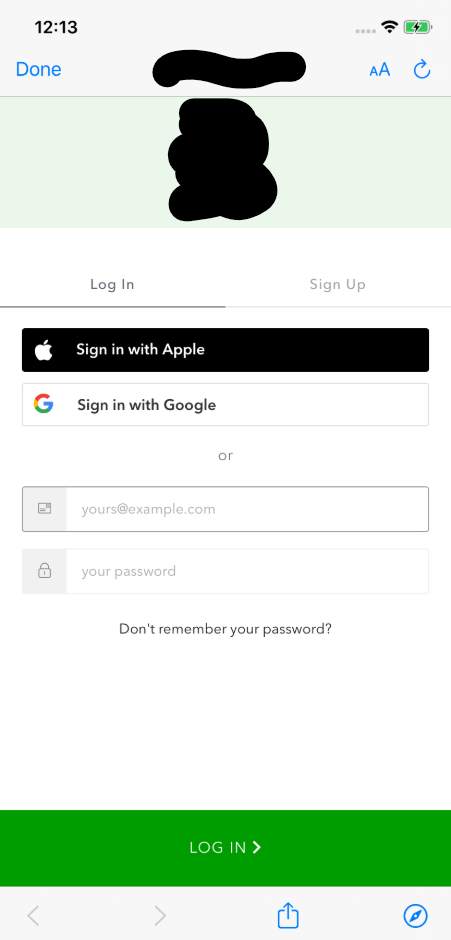
.
 ntimko
on 4 Jun 2020
ntimko
on 4 Jun 2020
@ntimko Unfortunately I have no other advice other than to resubmit and see if you get another reviewer who is more lenient. We've had a few cases where customers have submitted exactly the same as you have and it's passed, and some have failed. I would love to hear any feedback you get from this as to why it was rejected with 11.24.1.
stevehobbsdev
on 5 Jun 2020
Thanks Steve. We re-submitted yesterday and will let you know the outcome along with any feedback we get.
ntimko
on 5 Jun 2020
@stevehobbsdev we were rejected again using lock 11.24.1 (4th attempt) and the apple reviewer also said they had wifi issues when trying to go through the sign in with apple work flow (3rd time we got that, appears to be fine on our side).
End of the day we have made the decision to remove social logins as we dont seem to be making any progress with apple and all rejections we have received related to "Sign in with Apple" button and/or workflow. Unfortunate but need to move forward.
ntimko
on 7 Jun 2020
Did you get them to give you a phone call? I find there is more progress if you can get them on the phone as the run through the review process.
Johnsgaard
on 8 Jun 2020
Related issues
 jeaye
·
5Comments
jeaye
·
5Comments
 DavidWells
·
5Comments
DavidWells
·
5Comments
 sedubois
·
4Comments
sedubois
·
4Comments
 dharness
·
6Comments
dharness
·
6Comments
 sandrinodimattia
·
6Comments
sandrinodimattia
·
6Comments