Lock: Lock does not show the "Log In at <domain>" button for Google Apps connection on iPhones
- Lock version - 11.6.0
- Browser & OS - iOS 11.3, Safari (also reproducible on Chrome and Firefox). Only iPhones, not iPads.
- JavaScript framework: AngularJS 1.6.9
- Lock configuration:
var lock = new Auth0Lock('<client ID>', '<domain>', {
    auth: {
        redirect: false,
        params: {
            scope: 'openid email profile'
        }
    },
    autoclose: true,
    languageDictionary: {
        title: "Log In to <Company Name>"
    },
    theme: {
        logo: "<custom logo URL>",
        primaryColor: "#2B7169"
    },
    rememberLastLogin: false
});
EDIT - issue #1223 seems to potentially be related, though in that case it's a redirected login and not hosted. Note that I have redirect: false in my config.
The issue is most prevalent on iPhone 6 where it will never show the button in portrait orientation unless you open the Lock and rotate to landscape. When you first open the Lock, it shows an empty screen like so, with no Google button:
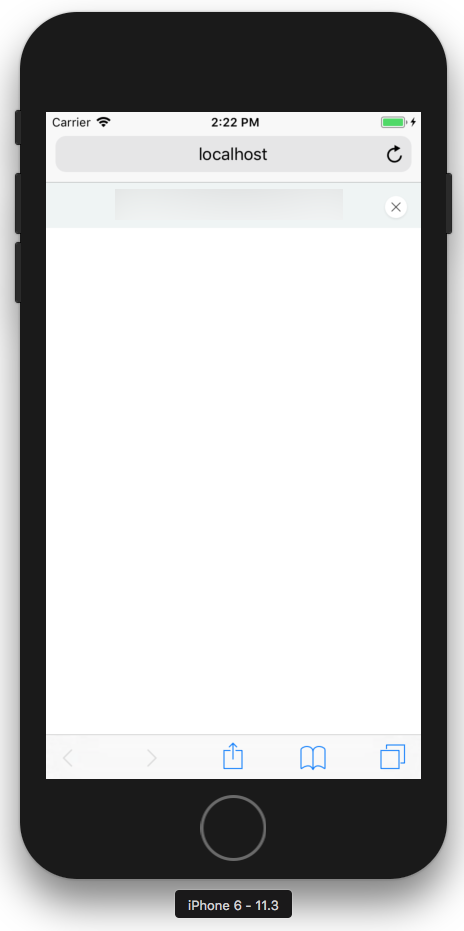
If you first rotate to landscape and open the Lock, the button appears:
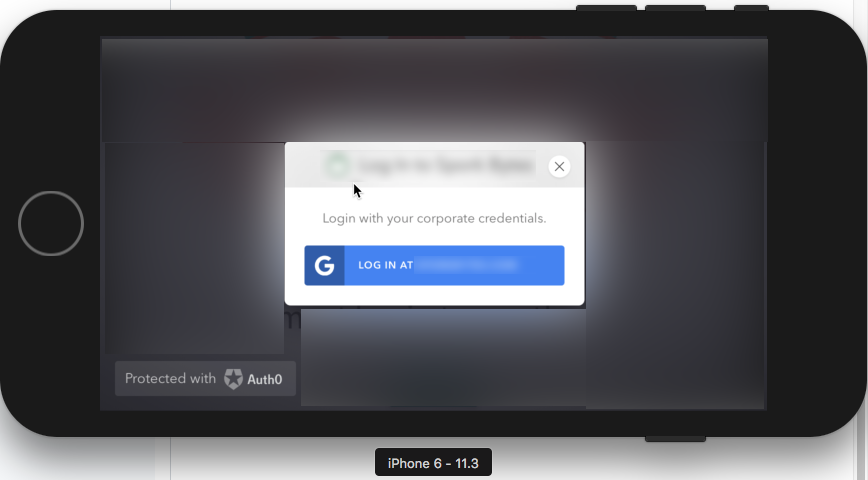
With the Lock open in landscape, if you rotate back to portrait the button stays:
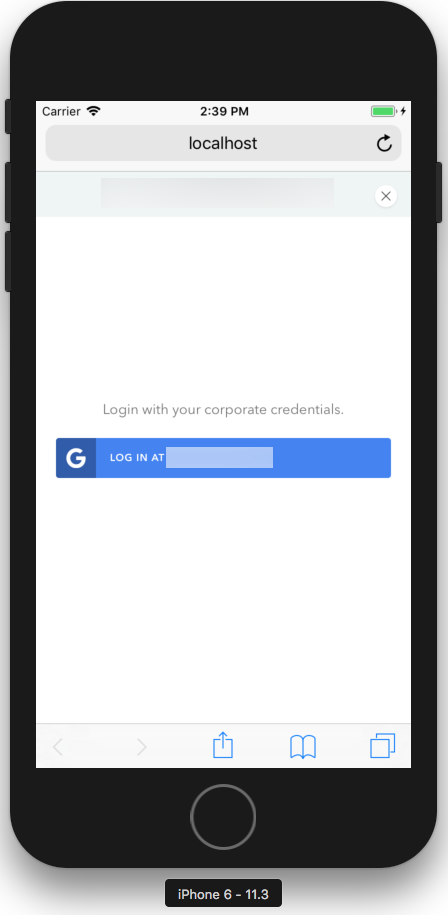
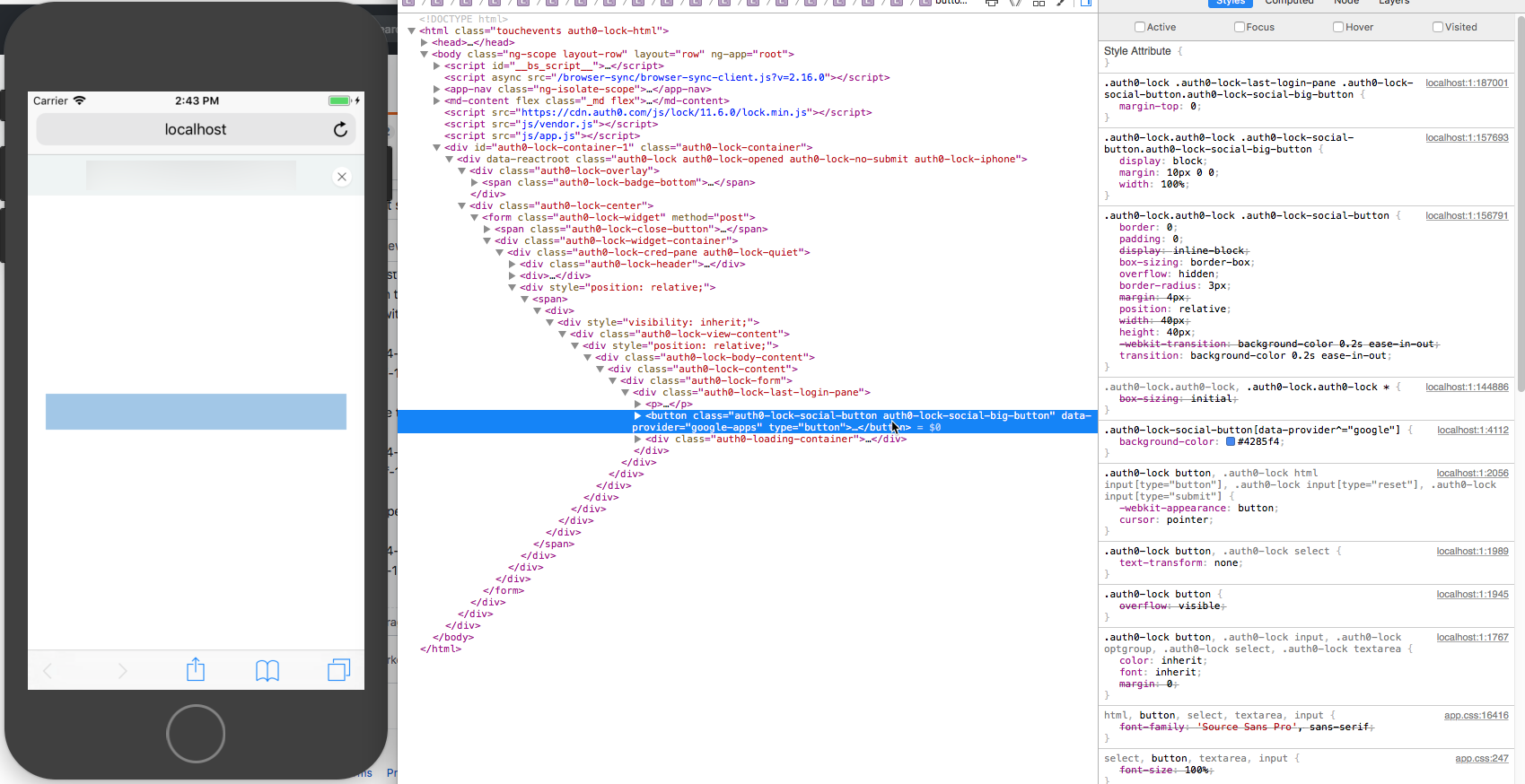
The button is definitely there in the HTML, but I haven't been able to find a CSS fix to get it to appear without the strange rotating trick above.
Other, newer iPhones will eventually show the Google button by closing and reopening the Lock, even in portrait orientation (and never switching to landscape).
 ajmueller
All 15 comments
Do you have any custom css in your page?
 luisrudge
on 29 Apr 2018
luisrudge
on 29 Apr 2018
@luisrudge yes, but I just traversed the DOM tree and verified that nothing in my custom CSS overwrite's Auth0's CSS, from the button's contents all the way up to the body.
ajmueller
on 30 Apr 2018
Ok, but can you repro this without the custom css? You can try it here: https://brucke.club/
luisrudge
on 30 Apr 2018
No, that page seems to work fine. The UX is slightly different than ours, though, in other ways. I see a spinning/loading graphic while the content loads, but we don't have a spinning or loading graphic. We've also disabled sign ups and the database sign-in form; we just have the Google Apps sign-in button. I'm not sure if that would have any effect on it.
ajmueller
on 30 Apr 2018
You don't see the loading animation because you have rememberLastLogin: false. I just change the configuration on https://brucke.club/ to reflect your options (only google auth, no loading animation). Can you check again to see if the issue happens with this config?
luisrudge
on 30 Apr 2018
Sorry for the delayed response. Brucke.club still works fine after your config change. We are using the Google Apps Enterprise connection, though; I'm not sure if that makes a difference compared to standard Google Auth.
If it would be more helpful to see our actual application, I can share the URL with you, but would prefer to do so privately.
ajmueller
on 30 Apr 2018
I think we should go through this using a different approach. Clearly, there's something interfering with Lock's css, so the best way to handle this is trying to reproduce this outside of your app so we don't get any interference. I created a codesandbox which is already working with a configuration like yours. The good thing is that you can try this in full screen in your device by going to this endpoint. You can fork this sandbox and edit the code yourself with your own configuration if you want My suggestion is that you add pieces of your custom css until it breaks so you can find what's going on. I just tested this endpoint on an iPhone 6s and it's working as expected.
In your specific situation, though, since you have only one federated connection and doesn't need Lock for username/password etc, I'd suggest you to use Auth0.js, which is much simpler to use and has a bundle size smaller than Lock.
luisrudge
on 30 Apr 2018
Sounds good, @luisrudge, and thanks for taking the time to look through all of this. I've considered moving away from Lock because of the bundle size being large like you mentioned, so this might give me reason enough to just do it.
ajmueller
on 30 Apr 2018
No problem at all! Honestly, if all you need is a button to log in with google, I'd say auth0.js is a perfect fit. Lock is meant to be used when you have multiple connections, with different types of rules etc. Let me know if you hit any bumps!
luisrudge
on 30 Apr 2018
Will do, thanks again!
ajmueller
on 30 Apr 2018
@ajmueller just to keep you informed, I added more information about this here: https://github.com/auth0/lock/issues/1362#issuecomment-385991436
luisrudge
on 2 May 2018
Thanks, @luisrudge! It looks like the exact same issue as mine, though with angular-lock involved. I've subscribed to that issue to see how it gets resolved.
ajmueller
on 2 May 2018
so you're not using angular-lock?
luisrudge
on 2 May 2018
I'm not, no. I use Lock directly from the CDN (https://cdn.auth0.com/js/lock/11.6.0/lock.min.js) and have no other Lock dependencies. Sorry if that wasn't clear in my original issue.
ajmueller
on 2 May 2018
ok thanks!
luisrudge
on 2 May 2018
Related issues
 dszmaj
·
3Comments
dszmaj
·
3Comments
 dharness
·
6Comments
dharness
·
6Comments
 adamtay
·
8Comments
adamtay
·
8Comments
 kjartanvalur
·
8Comments
kjartanvalur
·
8Comments
 juhaelee
·
3Comments
juhaelee
·
3Comments