So we're migrating from Lock 10 to Lock 11.
And sign in only works for the new Lock if the current page URL is present in the "Allowed Callback URLs" list.
Which doesn't make much sense because we've configured Lock to be { auth: { redirect: false } } and still it's outputting this error:
iframe-handler.js:53
GET https://college-consortium-students-develop.auth0.com/authorize?client_id=8ByEbGpPAG0Kne2GPmaN6GACEdNajB5a&response_type=token&redirect_uri=http%3A%2F%2Flocalhost%3A3000%2Fsections%2F2684%2Fregister&state=45L8V6~wiPvb7m6rJEbmH~nMAFYTnd7a&scope=openid%20email%20app_metadata&realm=Username-Password-Authentication&login_ticket=K9Dez9nTJus8wnkPAYmd8o7eaJycKgLz&response_mode=web_message&prompt=none&auth0Client=eyJuYW1lIjoibG9jay5qcyIsInZlcnNpb24iOiIxMS4zLjAiLCJsaWJfdmVyc2lvbiI6IjkuMy4wIn0%3D 403 ()
So, "Allowed Callback URLs" is all about callbacks and we don't need any callbacks.
Still there's a forced redirect_url parameter in the URL and my guess is that it's the trigger for the 403 status error on Auth0 server side.
Perhaps if Lock didn't send any redirect_url parameter then it wouldn't respond with a 403 error.
 catamphetamine
All 10 comments
I also tried to hack around it like this:
{
auth: {
// redirect: false,
redirectUrl: typeof window === 'undefined' ? undefined : window.location.origin
}
}
In the end it redirects to something like this:
http://localhost:3000/?code=1qZd-O5Rq5wgu_Mn&state=~5Jvy2Ebv3O13Z36LzDAQXvg7jBC105X
Not sure what I'm supposed to do with these.
It used to "just work" with Lock v10.
Can we make it work the old way, without any redirection?
Just javascript and Ajax.
catamphetamine
on 14 Mar 2018
Because we now use a different cross origin authentication method, you have to add a redirectUri with the same origin as your app is running (for security reasons). I imagine you can't put a fixed redirectUrl because of your "section" will always be different (/sections/2684/register), but you can do this:
auth: {
redirect: false,
redirectUrl: 'https://localhost:3000/callback' //this endpoint doesn't have to be available, it will never be called. It just needs to have the same origin as your app
}
In the dashboard, add the same url to the allowed callback urls and the origin to the allowed web origins:
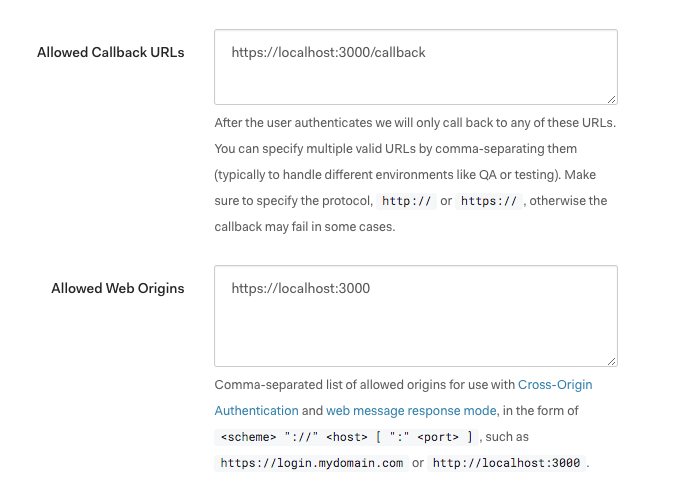
That should do. Please reopen this issue if it doesn't work 🎉
 luisrudge
on 14 Mar 2018
luisrudge
on 14 Mar 2018
I tried your solution and after "login with the last session" it outputs a window with an error:
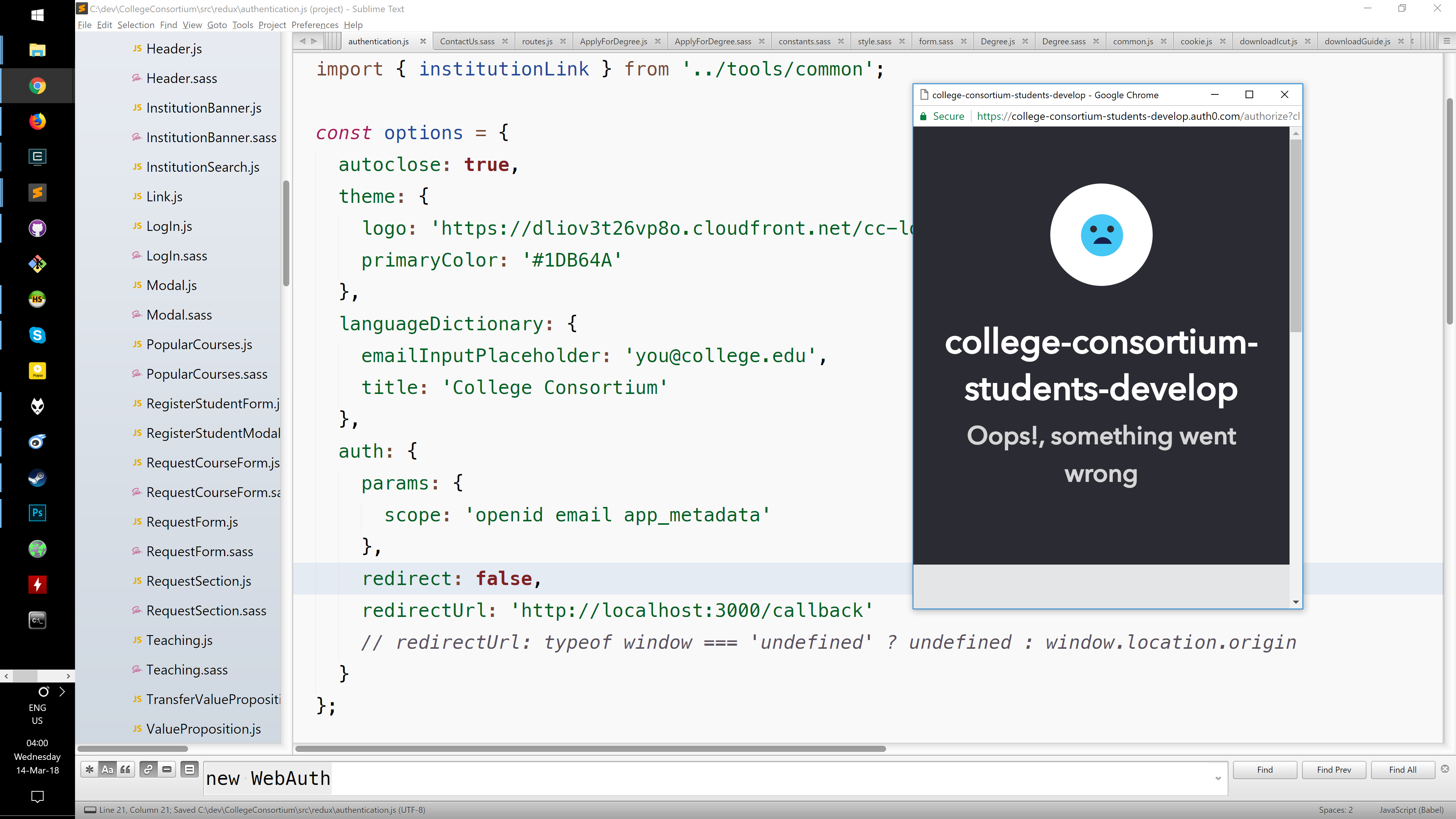
If I choose "Not your account" and enter email and password manually then the lock window closes but still it responds with a really weird authResult with all fields equal to null:
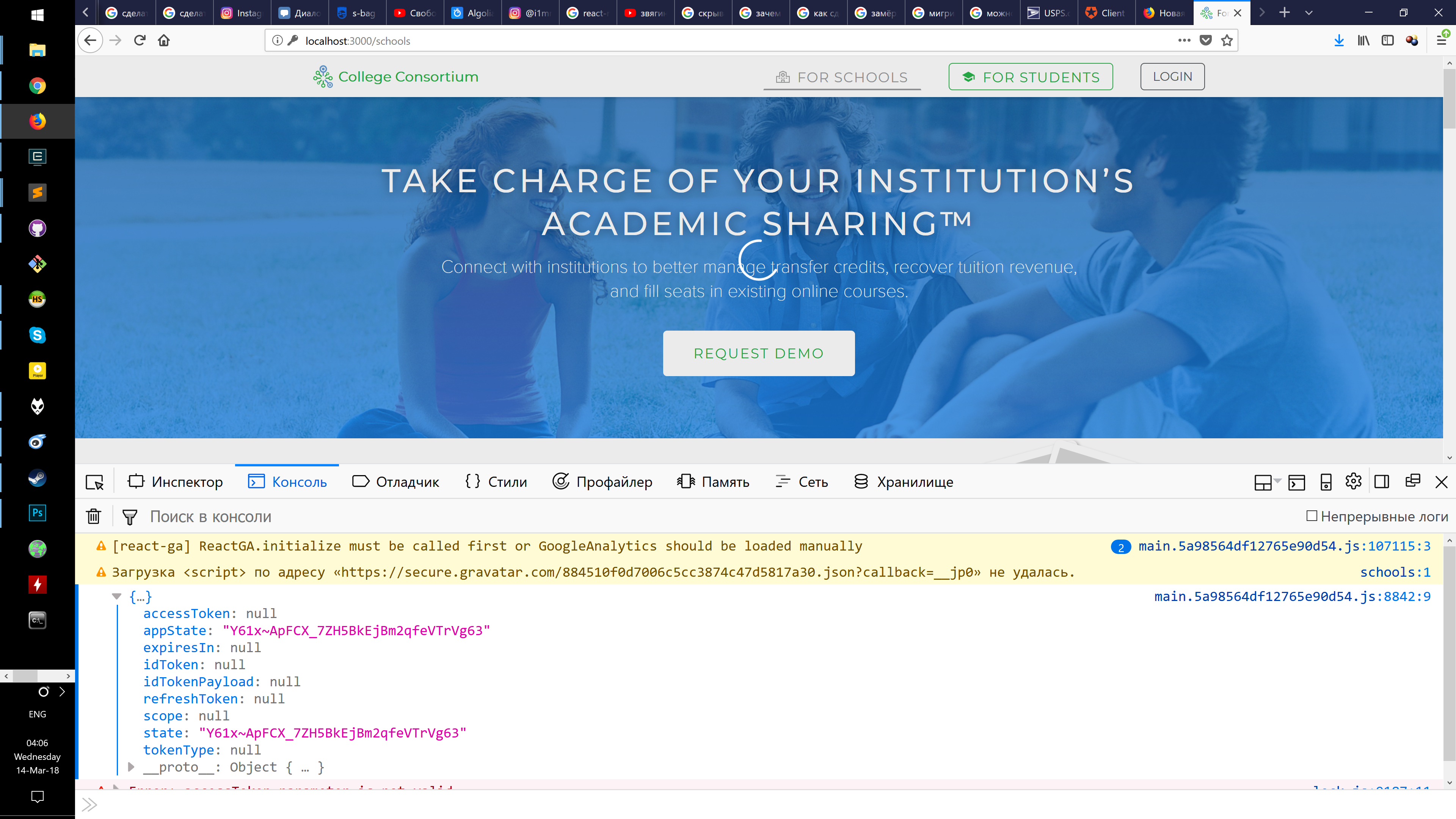
window.CCAuth0lock.on('authenticated', (authResult) => {
console.log(authResult)
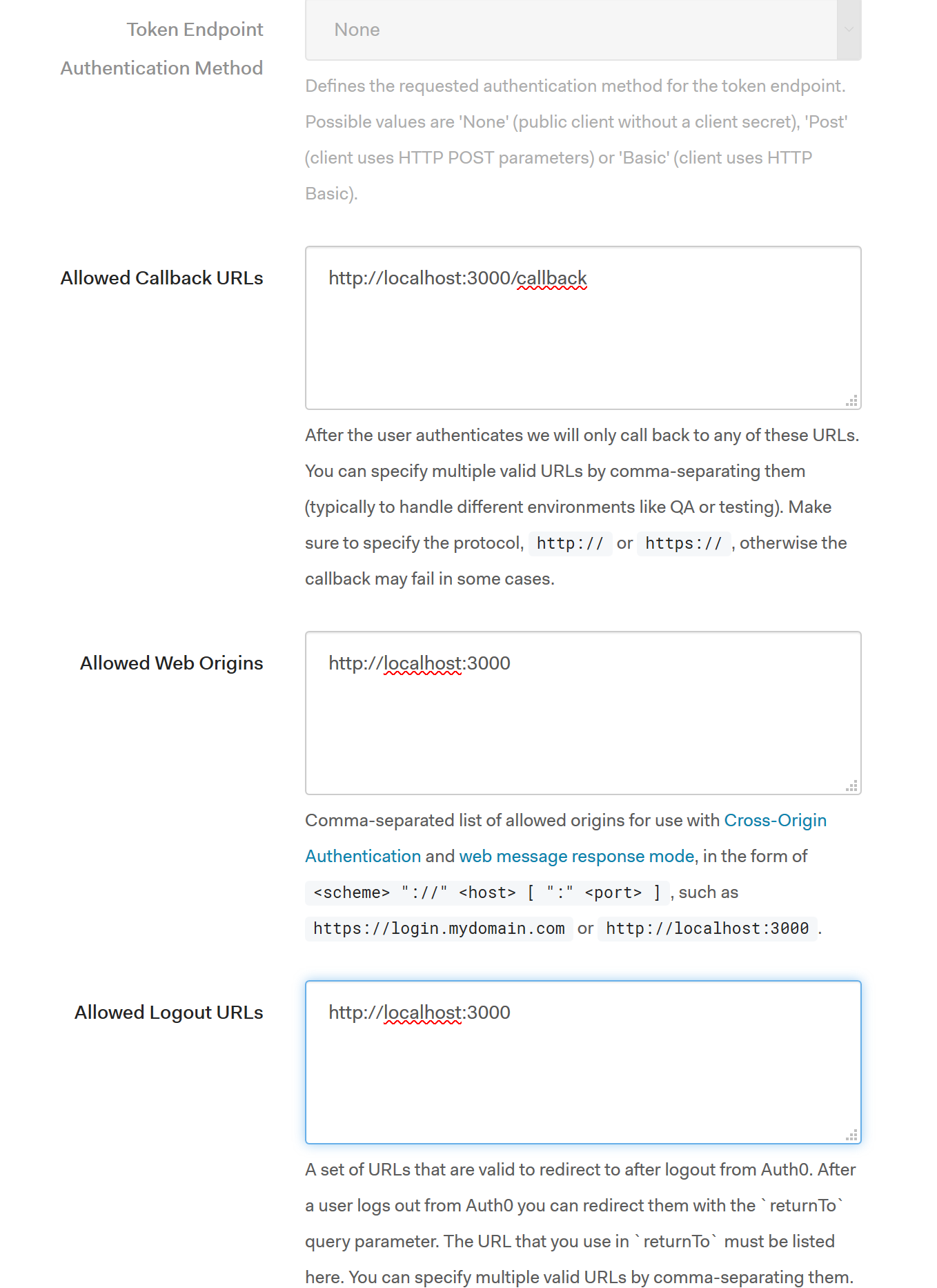
Just to rule out any inconsistencies, here's a screenshot of my Auth0 dashboard fields:
We still have 2 weeks though until the old lock stops working.
I also downloaded unminifed lock.js file in case you need some console.log()s.
I guess I'll call it a day for today and continue tomorrow.
Thanks.
catamphetamine
on 14 Mar 2018
I'll investigate this tomorrow. Thanks for the heads up.
luisrudge
on 14 Mar 2018
Sorry, had a lot of stuff to do! I'm looking at this today 🎉
luisrudge
on 16 Mar 2018
@luisrudge cool, thx
catamphetamine
on 16 Mar 2018
Hi, this configuration works for me:
auth: {
  responseType: 'token', //if you need an id_token, then use `token id_token`
  redirect: false,
  redirectUrl: 'http://localhost:3000/callback'
}
I can login with a social connection
I can login with a database connection (username/password)
I can "quick login" with a database connection ("Last time you logged in with" screen)
Can you try that and see how it goes?
luisrudge
on 16 Mar 2018
Ahaa.
https://auth0.com/docs/libraries/lock/v11/configuration#responsetype-string-
responseType {String}
The value of responseType should be set to "token" for Single Page Applications, and "code" otherwise. Defaults to "code" when redirectUrl is provided, and to "token" otherwise.
So that's why...
Ok then, thanks, it's working now.
catamphetamine
on 16 Mar 2018
I'm also hit this issue, and I had some bonus trouble, because I was testing locally but trying to use my production domain for redirectUrl.
Pro-tip: don't do that. In my case, it stopped sending the authorize request completely, then failed with no information later when completing the login process.
If you're in the same situation, I'd recommend trying
redirectUrl: `${window.location.protocol}//${window.location.host}`
instead, which seems to work nicely across multiple environments. In future you can probably use window.origin, but it doesn't have great support yet.
 pimterry
on 5 Feb 2019
pimterry
on 5 Feb 2019
Related issues
 sandrinodimattia
·
6Comments
sandrinodimattia
·
6Comments
 cgcote
·
3Comments
cgcote
·
3Comments
 dharness
·
6Comments
dharness
·
6Comments
 sedubois
·
4Comments
sedubois
·
4Comments
 jeaye
·
5Comments
jeaye
·
5Comments
Most helpful comment
Hi, this configuration works for me:
I can login with a social connection
I can login with a database connection (username/password)
I can "quick login" with a database connection ("Last time you logged in with" screen)
Can you try that and see how it goes?