Lnpopupcontroller: Show presenting view controller's view under the popup when popup is open
Description
I'm presenting PopupVC exactly as it's done in example with Music Player using storyboard?.instantiateViewController and then presentPopupBar for a separate view controller.
In Apple Music app presented VC doesn't completely cover underlying VC, has rounded corners and overall looks like a card what I particularly like.

This is how PopoverVC looks in example.

I've managed to make rounded corners, but the PopupVC is still under status bar.

Is it possible to achieve appearance of the PopupVC like it is in Apple Music app? (top-most screenshot)? Without overlapping a status bar, but with an underlying view protruding and shadowed from under the PopupVC.
Device, OS and Xcode Versions
Xcode 8.2.1
iOS 10.2.1
 swasta
All 12 comments
Thanks for your suggestion!
This is one of the more obvious omissions I left. I think it would require quite the re-engineering to get it to behave as it does in Apple Music (the view from the presenting view controller is brought back under the popup). I think I have a general idea how to implement, so I might give it a go when I have time.
 LeoNatan
on 10 Mar 2017
LeoNatan
on 10 Mar 2017
What about, to support open ViewController with https://github.com/HarshilShah/DeckTransition
 dungi
on 12 Jun 2017
dungi
on 12 Jun 2017
@dunqi I don’t think the two are compatible.
LeoNatan
on 15 Jul 2017
I would welcome this change as well. If you do implement this functionality, it probably would be best to have an enum to allow the dev to chose which one of the two styles it should go with.
 jyounus
on 26 Oct 2017
jyounus
on 26 Oct 2017
The Issue I see implementing this is how to do this generically for the user’s background screen. I considered a snapshot, but that would not be optimal if there is animated content.
I am considering having the user’s window be transformed, while the popup content is displayed in a window on top. This could work, but is a major change to the popup’s internal logic. From what I’ve seen, there are issues with iPhone X and multiple windows, so I am not sure this is even viable.
LeoNatan
on 26 Oct 2017
To be honest, I wouldn't really expect someone to have live content in the user's background screen. The new popup screen is open and active, that should be the one with the "live content" and the one where the focus should be.
If implementing it with a snapshot would be easy enough, I think that would work for majority of the use cases. Obviously you'd have to update the readme and let devs know about this limitation. If it doesn't work for someone because they have live content, well they just stick to the current "fullscreen" style (assuming devs would have the choice between the current implementation and the card style one).
Not an optimal solution, but would still work for a lot of different scenarios. What do you think?
jyounus
on 26 Oct 2017
I guess I can take a look at implementing something like that. We'll see.
LeoNatan
on 26 Oct 2017
I'd also be VERY interrested in this design.
 DrLuthor
on 14 Nov 2018
DrLuthor
on 14 Nov 2018
hello. is this open?
 patthehuman
on 4 Feb 2019
patthehuman
on 4 Feb 2019
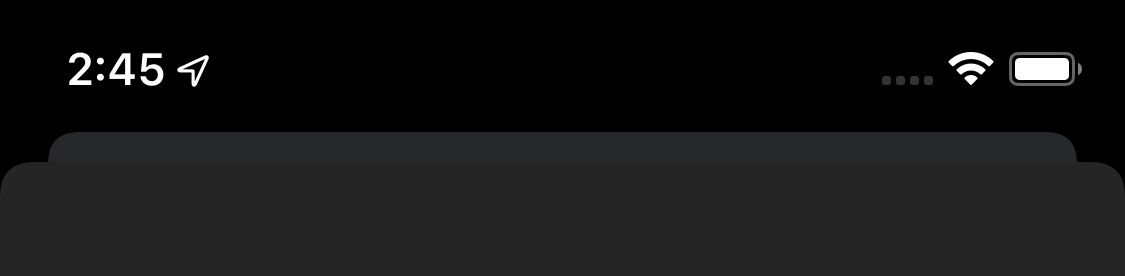
It appears that this is now the default presentation style for modal views as of iOS 13 beta 1! This screen isn't using LNPopupController, but iOS 13 is definitely giving it the same effect as Apple Music.
Also, it looks like users can drag down to close modal views. As far as I know, this is a significant change from before, as modal views aren't normally user-dismissible unless a custom close button is added.
 JacobSyndeo
on 4 Jun 2019
JacobSyndeo
on 4 Jun 2019
@JacobSyndeo 👍
It's interesting to see if this can be adapted into LNPopupController. I currently do not use the presentation APIs, but maybe there is a presentation controller that can be used to achieve this for the background view.
LeoNatan
on 5 Jun 2019
Closing in favor of #348.
@JacobSyndeo Will indeed use this feature of iOS 13 as the card presentation for the popup.
LeoNatan
on 25 Aug 2019
Related issues
 funkenstrahlen
·
3Comments
funkenstrahlen
·
3Comments
 johnswifttt
·
5Comments
johnswifttt
·
5Comments
 user3587412
·
4Comments
user3587412
·
4Comments
 Kastet
·
6Comments
Kastet
·
6Comments
 chauhan130
·
8Comments
chauhan130
·
8Comments
Most helpful comment
I guess I can take a look at implementing something like that. We'll see.