Litedb: Unity3D - iOS is not supported on LiteDB v4.1
latest version 4.1 is working just fine with unity android and windows, but on iOS its not working because of reflection.emit. Can we build a version without of reflection.emit? i need the latest version v4.1 working on iOS because i use the ignore case function and its only supported in version v4 and above.
 akyusuf
All 20 comments
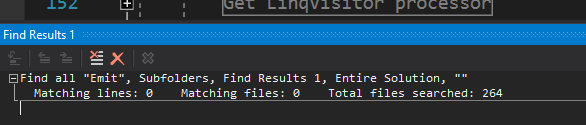
Hi @akyusuf, there is no Reflection.Emit in v4. All emit library was removed in v4 (LiteDB uses Expression in NetStandard version)
There are some discussion about Unity3D in this thread, about some Regex problem. I attach a version fixing this, but had no more return about this.
 mbdavid
on 20 Dec 2017
mbdavid
on 20 Dec 2017
Hi @mbdavid, when i use the LiteDB v4.1 (.NET 4.0 dll) on Unity3D i get this error.
my code:
using (var db = new LiteDatabase(DB_PATH))
{
var items = db.GetCollection<Phrases>(COLLECTION_NAME);
items.EnsureIndex(x => x.HeaderText);
var results = items.Find(x => x.HeaderText == phrase.ToLower());
if (results.Count() > 0)
{
var result = results.First();
return result.PhraseID;
}
else
{
return 0;
}
}
Error:
NotSupportedException: /Users/builduser/buildslave/unity/build/External/il2cpp/il2cpp/libil2cpp/icalls/mscorlib/System.Reflection.Emit/DynamicMethod.cpp(19) : Unsupported internal call for IL2CPP:DynamicMethod::create_dynamic_method - System.Reflection.Emit is not supported.
at System.Reflection.Emit.DynamicMethod.CreateDynMethod () [0x00000] in <00000000000000000000000000000000>:0
at System.Reflection.Emit.DynamicMethod.CreateDelegate (System.Type delegateType, System.Object target) [0x00000] in <00000000000000000000000000000000>:0
at System.Linq.Expressions.Expression1[TDelegate].Compile (System.Boolean preferInterpretation) [0x00000] in <00000000000000000000000000000000>:0
at LiteDB.Reflection.CreateGenericGetter (System.Type type, System.Reflection.MemberInfo memberInfo) [0x00000] in <00000000000000000000000000000000>:0
at LiteDB.BsonMapper.BuildEntityMapper (System.Type type) [0x00000] in <00000000000000000000000000000000>:0
at LiteDB.BsonMapper.GetEntityMapper (System.Type type) [0x00000] in <00000000000000000000000000000000>:0
at LiteDB.LiteCollection1[T]..ctor (System.String name, LiteDB.LazyLoad`1[T] engine, LiteDB.BsonMapper mapper, LiteDB.Logger log) [0x00000] in <00000000000000000000000000000000>:0
at LiteDB.LiteDatabase.GetCollection[T] (System.String name) [0x00000] in <00000000000000000000000000000000>:0
(Filename: currently not available on il2cpp Line: -1)
akyusuf
on 20 Dec 2017
Hi @akyusuf, I'm not Unity expert, but when I did some tests, I used NET3.5 version (by the way, LiteDB still compatible with NET3.5 for Unity).
This exception are very strange because LiteDB method CreateGenericGetter use linq expression compilation and, somehow, iOS try use reflection emit.
If not work, it's possible change this Reflecction.Expression.cs class to this Reflection.Unit3D.cs
https://github.com/mbdavid/LiteDB/blob/unity3d/LiteDB/Mapper/Reflection/Reflection.Unity3D.cs
mbdavid
on 21 Dec 2017
@mbdavid i tried all variations .net 3.5, .net 4.0 with and without Reflection.Unity3D.cs
and the unity3D branch. Only the unity3D branch is working with the following code on iOS
public string Get(int id)
{
using (var db = new LiteDatabase(DB_PATH))
{
LiteCollection<BsonDocument> items = db.GetCollection(COLLECTION_NAME);
BsonDocument results = items.FindOne(Query.EQ("_id", id));
if (results != null)
{
return results["DialogName"];
}
return null;
}
}
but this following code is not working even with unity3D branch
public Dialog Get(int id)
{
using (var db = new LiteDatabase(DB_PATH))
{
var items = db.GetCollection<Dialog>(COLLECTION_NAME);
var results = items.Find(x => x.ID == id);
if (results.Count() > 0)
{
var result = results.First();
return result;
}
return null;
}
}
i get following errors when i use this two codes with LiteDB v4.1 (.NET 3.5 DLL)
for my first code above i get this error with .net 3.5 dll
System.ArgumentNullException: Argument cannot be null.
Parameter name: method
at System.Linq.Expressions.Expression.Call (System.Reflection.MethodInfo method, System.Linq.Expressions.Expression[] arguments) [0x00000] in
at LiteDB.BsonExpression.ParseSingleExpression (LiteDB.StringScanner s, System.Linq.Expressions.ParameterExpression root, System.Linq.Expressions.ParameterExpression current, Boolean isRoot) [0x00000] in
at LiteDB.BsonExpression.ParseExpression (LiteDB.StringScanner s, System.Linq.Expressions.ParameterExpression root, System.Linq.Expressions.ParameterExpression current, Boolean arithmeticOnly) [0x00000] in
at LiteDB.BsonExpression.Compile (LiteDB.StringScanner s, Boolean pathOnly, Boolean arithmeticOnly) [0x00000] in
at LiteDB.BsonExpression.Compile (System.String expression) [0x00000] in
at LiteDB.BsonExpression..ctor (System.String expression) [0x00000] in
at LiteDB.Query.Run (LiteDB.CollectionPage col, LiteDB.IndexService indexer) [0x00000] in
at LiteDB.LiteEngine+
at LiteDB.LiteEngine+
at LiteDB.LiteCollection1+<Find>d__17[T].MoveNext () [0x00000] in <filename unknown>:0
at System.Linq.Enumerable.FirstOrDefault[TSource] (IEnumerable1 source) [0x00000] in
for my second code i get this errors with .net 3.5 dll
(When i build with -> Api Compatibility Level - .Net 2.0 Subset)
System.NullReferenceException: A null value was found where an object instance was required.
at LiteDB.LiteCollection1[T]..ctor (System.String name, LiteDB.LazyLoad1 engine, LiteDB.BsonMapper mapper, LiteDB.Logger log) [0x00000] in
at LiteDB.LiteDatabase.GetCollection[T] (System.String name) [0x00000] in
(When i build with -> Api Compatibility Level - .Net 2.0)
System.NotSupportedException: /Users/builduser/buildslave/unity/build/External/il2cpp/il2cpp/libil2cpp/icalls/mscorlib/System.Reflection.Emit/DynamicMethod.cpp(19) : Unsupported internal call for IL2CPP:DynamicMethod::create_dynamic_method - System.Reflection.Emit is not supported.
at System.Reflection.Emit.DynamicMethod.CreateDynMethod () [0x00000] in
at System.Reflection.Emit.DynamicMethod.CreateDelegate (System.Type delegateType, System.Object target) [0x00000] in
at System.Linq.Expressions.Expression1[TDelegate].Compile () [0x00000] in <filename unknown>:0
at LiteDB.Reflection.CreateGenericGetter (System.Type type, System.Reflection.MemberInfo memberInfo) [0x00000] in <filename unknown>:0
at LiteDB.BsonMapper.BuildEntityMapper (System.Type type) [0x00000] in <filename unknown>:0
at LiteDB.BsonMapper.GetEntityMapper (System.Type type) [0x00000] in <filename unknown>:0
at LiteDB.LiteCollection1[T]..ctor (System.String name, LiteDB.LazyLoad`1 engine, LiteDB.BsonMapper mapper, LiteDB.Logger log) [0x00000] in
at LiteDB.LiteDatabase.GetCollection[T] (System.String name) [0x00000] in
akyusuf
on 21 Dec 2017
I guess this might be due to that expression is still not supported in Unity. (Anything relates to dynamic code generation is not supported natively in Unity)
https://forum.unity.com/threads/are-c-expression-trees-or-ilgenerator-allowed-on-ios.489498/
 PotterDai
on 21 Dec 2017
PotterDai
on 21 Dec 2017
Hi @akyusuf, can you do another test? Get current master version and apply this 2 files changes:
https://gist.github.com/mbdavid/9bf14848e0ea01dbf607347cd9221090
I have no knowledge in unity and tried several times before.
mbdavid
on 21 Dec 2017
Hi @mbdavid, i changed two files and tested it on .net 3.5 and .net 4.0 but nothing changed i get the same error
System.ArgumentNullException: Value cannot be null.
Parameter name: method
at System.Dynamic.Utils.ContractUtils.RequiresNotNull (System.Object value, System.String paramName, System.Int32 index) [0x00000] in <00000000000000000000000000000000>:0
at System.Linq.Expressions.Expression.Call (System.Reflection.MethodInfo method, System.Linq.Expressions.Expression arg0, System.Linq.Expressions.Expression arg1) [0x00000] in <00000000000000000000000000000000>:0
at LiteDB.BsonExpression.ParseSingleExpression (LiteDB.StringScanner s, System.Linq.Expressions.ParameterExpression root, System.Linq.Expressions.ParameterExpression current, System.Boolean isRoot) [0x00000] in <00000000000000000000000000000000>:0
at LiteDB.BsonExpression.ParseExpression (LiteDB.StringScanner s, System.Linq.Expressions.ParameterExpression root, System.Linq.Expressions.ParameterExpression current, System.Boolean arithmeticOnly) [0x00000] in <00000000000000000000000000000000>:0
at LiteDB.BsonExpression.Compile (LiteDB.StringScanner s, System.Boolean pathOnly, System.Boolean arithmeticOnly) [0x00000] in <00000000000000000000000000000000>:0
at LiteDB.BsonExpression.Compile (System.String expression) [0x00000] in <00000000000000000000000000000000>:0
at LiteDB.BsonExpression..ctor (System.String expression) [0x00000] in <00000000000000000000000000000000>:0
at LiteDB.Query.Run (LiteDB.CollectionPage col, LiteDB.IndexService indexer) [0x00000] in <00000000000000000000000000000000>:0
at LiteDB.LiteEngine+
at LiteDB.LiteEngine+
at LiteDB.LiteCollection1+<Find>d__17[T].MoveNext () [0x00000] in <00000000000000000000000000000000>:0
at System.Linq.Enumerable.TryGetFirst[TSource] (System.Collections.Generic.IEnumerable1[T] source, System.Boolean& found) [0x00000] in <00000000000000000000000000000000>:0
at System.Linq.Enumerable.FirstOrDefault[TSource] (System.Collections.Generic.IEnumerable`1[T] source) [0x00000] in <00000000000000000000000000000000>:0
akyusuf
on 22 Dec 2017
This error are like that I fix in StringScanner. I don't know how this is happening with new string scanner version. Can you explain how did you test it? I'm not unity user and last time fitialovks helps me with this tutorial: https://github.com/fitialovks/NoLiteDbForMe/issues/1
In your tests it's possible debug LiteDB code?
mbdavid
on 22 Dec 2017
@mbdavid
I think the problem lies here:
https://github.com/mbdavid/LiteDB/blob/master/LiteDB/Document/Expression/BsonExpression.cs#L162
expression.Compile does not work on Unity since it involves dynamic code gen.
PotterDai
on 22 Dec 2017
@mbdavid i compiled LiteDB with these two file changes. i cannot debug LiteDB on iOS because it works on Unity editor. i must make an iOS export (Xcode project) and test it under Xcode no chance to debug it.
following code works on iOS
var items = db.GetCollection<Dialog>(COLLECTION_NAME);
var dialog = new Dialog
{
DialogName = dialogName,
LevelID = levelID
};
items.Insert(dialog);
this works also
var items = db.GetCollection<Dialog>(COLLECTION_NAME);
return items.Count();
but following code doesn't work. i can only insert data but query doesn't work on iOS
var results = items.FindById(id);
var results = items.Find(x => x.ID == id);
var results = items.FindOne(Query.EQ("_id", id));
Hi @akyusuf, as @PotterDai say, if linq Expression doesn't work v4 will not work. Any find operation uses BsonExpression to get value inside a document. In this case, you will need work with v3.
To work with LowerCase index in v3, you can create additional column to your POCO class, like
C#
public class Person
{
public int Id { get; set; }
public string Name { get; set; }
public string NameLower { get { return Name.ToLower; } }
}
mbdavid
on 23 Dec 2017
Hi @mbdavid, yes the problem lies as @PotterDai said on Expression.Compile().
After research i found following package and now i am able to run latest LiteDB with iOS
maybe you can implement something like this for next release to support iOS (AOT Compiler)
akyusuf
on 23 Dec 2017
@akyusuf Can you share your fixed version?
 alonsohki
on 2 Feb 2018
alonsohki
on 2 Feb 2018
I tried to get it work on iOS built by Unity, but after several attempts, I still can not manage it run on iOS. I have tried version 4.x, 3.1. and 3.0.x, none work, all throw exception. Any sample I can lookup to understand how to use it on iOS properly?
Although using NoSql on Unity is not popular so far, there is only limited solutions using NoSql in Unity environment. Couchbase Lite, LiteDB and other paid assets. Among these solution, LiteDB seems to be the best. It is working fine on standalone build, android build. If it can work on iOS, this will be a perfect solution.
So please, help on solving this issue. Thanks
 ApprenticeGC
on 9 Jun 2018
ApprenticeGC
on 9 Jun 2018
Hi @ApprenticeGC @alonsohki
- download the latest LiteDB source
- download and import the sources from https://github.com/deniszykov/csharp-eval-unity3d
- replace the Reflection.Unity3D.cs file from LiteDB source with this version https://github.com/mbdavid/LiteDB/blob/unity3d/LiteDB/Mapper/Reflection/Reflection.Unity3D.cs
- replace all ".Compile()" methods to "CompileAot()" in LiteDB sources
- compile the LiteDB dll
- copy the LiteDB.dll to Unity3D Assets/Plugins folder
then its works on all platforms including iOS and Android
akyusuf
on 9 Jun 2018
Hey guys, if works fine, can someone pull request of this solution? Its possible add a compiler variable and add a section, on readme to explain how compile/word in Unity
mbdavid
on 9 Jun 2018
Problem is:
https://github.com/deniszykov/csharp-eval-unity3d
is a paid package...
 jganser
on 20 Jul 2018
jganser
on 20 Jul 2018
Working for me:
LiteDB 4.1.4 (using release dll no patch)
Unity 2018.3 with player config set to .NET 4.x Equ. .NET Standard 2.0
AOT using IL2CPP (iOS, Android, Windows, macOS)
JIT Mono (Android, Windows, macOS, UnityEditor)
The IL2CPP linker is set to strip assemblies and you need to configure it not to using a link.xml file. You can place it in the Assets folder. Add the rule:
<linker>
<assembly fullname="System.Core">
  <type fullname="System.Linq.Expressions.Interpreter.LightLambda" preserve="all" />
</assembly>
</linker>
 evankyle
on 12 Apr 2019
evankyle
on 12 Apr 2019
Working for me:
LiteDB 4.1.4 (using release dll no patch)
Unity 2018.3 with player config set to .NET 4.x Equ. .NET Standard 2.0
AOT using IL2CPP (iOS, Android, Windows, macOS)
JIT Mono (Android, Windows, macOS, UnityEditor)The IL2CPP linker is set to strip assemblies and you need to configure it not to using a link.xml file. You can place it in the Assets folder. Add the rule:
<linker>
<assembly fullname="System.Core">
  <type fullname="System.Linq.Expressions.Interpreter.LightLambda" preserve="all" />
</assembly>
</linker>
Logged in just to say - massive thanks! Adding this entry to my linker file seemed to do the trick.
Hitting another issue with auto ids, but i think i can solve that.
Cheers!
Navil
 naviln
on 11 May 2019
naviln
on 11 May 2019
For future references, here is a link.xml that will work for LiteDB 5.0.5.
https://gist.github.com/TigerHix/f270f2dc48222d17419bd46651926679
 TigerHix
on 29 Mar 2020
TigerHix
on 29 Mar 2020
Related issues
 thecodrr
·
4Comments
thecodrr
·
4Comments
 axelgenus
·
3Comments
axelgenus
·
3Comments
 nightroman
·
3Comments
nightroman
·
3Comments
 muhamad
·
3Comments
muhamad
·
3Comments
 lidanger
·
3Comments
lidanger
·
3Comments
Most helpful comment
Working for me:
LiteDB 4.1.4 (using release dll no patch)
Unity 2018.3 with player config set to .NET 4.x Equ. .NET Standard 2.0
AOT using IL2CPP (iOS, Android, Windows, macOS)
JIT Mono (Android, Windows, macOS, UnityEditor)
The IL2CPP linker is set to strip assemblies and you need to configure it not to using a link.xml file. You can place it in the Assets folder. Add the rule: