Linuxbrew-core: can't install hub, due to go dep failing
Please note we will close your issue without comment if you delete, do not read or do not fill out the issue checklist below and provide ALL the requested information. If you repeatedly fail to use the issue template, we will block you from ever submitting issues to Homebrew again.
- [x] have a problem with
brew install(orupgrade,reinstall) a single formula? If it's a generalbrewproblem please file this issue at Linuxbrew/brew: https://github.com/Linuxbrew/brew/issues/new/choose. If it's a tap (e.g. Brewsci/homebrew-bio) problem please file this issue at the tap. - [x] ran
brew updateand can still reproduce the problem? - [ ] ran
brew doctor, fixed all issues and can still reproduce the problem? - [ ] ran
brew gist-logs <formula>(where<formula>is the name of the formula that failed) and included the output link? - [ ] if
brew gist-logsdidn't work: ranbrew configandbrew doctorand included their output with your issue?
To help us debug your issue please explain:
- What you were trying to do (and why):
brew install hub - What happened (include command output)
graingert@meaculpa:~$ brew doctor
Please note that these warnings are just used to help the Homebrew maintainers
with debugging if you file an issue. If everything you use Homebrew for is
working fine: please don't worry or file an issue; just ignore this. Thanks!

Warning: Your Homebrew's prefix is not /home/linuxbrew/.linuxbrew.
You can install Homebrew anywhere you want but some bottles (binary packages)
can only be used with a standard prefix and some formulae (packages)
may not build correctly with a non-standard prefix.

Warning: /usr/bin occurs before /home/graingert/.linuxbrew/bin
This means that system-provided programs will be used instead of those
provided by Homebrew. The following tools exist at both paths:
  gcc
  brew
  cc
  c++
  g++
  cpp

Consider setting your PATH so that /home/graingert/.linuxbrew/bin
occurs before /usr/bin. Here is a one-liner:
  echo 'export PATH="/home/graingert/.linuxbrew/bin:$PATH"' >> ~/.bash_profile

Warning: Homebrew's bin was not found in your PATH.
Consider setting the PATH for example like so
  echo 'export PATH="/home/graingert/.linuxbrew/bin:$PATH"' >> ~/.bash_profile
graingert@meaculpa:~$ brew install hub
==> Installing dependencies for hub: go, pkg-config, libyaml, openssl, gpatch, ncurses, readline and ruby
==> Installing hub dependency: go
==> Downloading https://dl.google.com/go/go1.11.4.src.tar.gz
Already downloaded: /home/graingert/.cache/Homebrew/downloads/3b21f3bc9313c639c24f1c953c2ecb263fbf12ec520b95d848d8fa28e848aeeb--go1.11.4.src.tar.gz
==> Downloading https://storage.googleapis.com/golang/go1.7.linux-amd64.tar.gz
Already downloaded: /home/graingert/.cache/Homebrew/downloads/04b57725e4f47b10e87a6a8bd5e2ff1fcf5b3d0528c8c380be25ace54607c9e2--go1.7.linux-amd64.tar.gz
==> ./make.bash --no-clean
==> /home/graingert/.linuxbrew/Cellar/go/1.11.4/bin/go install -race std
==> Cloning https://go.googlesource.com/tools.git
Updating /home/graingert/.cache/Homebrew/go--gotools--git
==> Checking out branch release-branch.go1.11
Already on 'release-branch.go1.11'
Your branch is up to date with 'origin/release-branch.go1.11'.
HEAD is now at 2646b7dc [release-branch.go1.11] godoc/redirect: display Gerrit/Rietveld CL disambiguation page when needed
==> go build
Last 15 lines from /home/graingert/.cache/Homebrew/Logs/go/03.go:
2019-01-14 16:11:48 +0000

go
build

../../godoc/redirect/redirect.go:22:2: cannot find package "golang.org/x/net/context/ctxhttp" in any of:
    /home/graingert/.linuxbrew/Cellar/go/1.11.4/libexec/src/golang.org/x/net/context/ctxhttp (from $GOROOT)
    /tmp/go-20190114-12210-qw156w/go/src/golang.org/x/net/context/ctxhttp (from $GOPATH)

READ THIS: https://github.com/Linuxbrew/brew/wiki/troubleshooting
Please do not report this issue to Homebrew/brew or Homebrew/core,
which support macOS only."
- What you expected to happen: hub to install
- Step-by-step reproduction instructions (by running
brew installcommands)
 graingert
All 13 comments
Hi. Can you run the install with the -d flag`? Once the error pops up, please check if these files exist:
/home/graingert/.linuxbrew/Cellar/go/1.11.4/libexec/src/golang.org/x/net/context/ctxhttp (from $GOROOT)
/tmp/go-20190114-12210-qw156w/go/src/golang.org/x/net/context/ctxhttp (from $GOPATH)
 iMichka
on 14 Jan 2019
iMichka
on 14 Jan 2019
I've the same issue too.
@iMichka I just checked and these two files/directories doesn't exist:
[vps /tmp/go-20190115-44778-19gwisc/go/src/golang.org/x/tools/cmd/godoc] ls /media/sdah1/unixfox/.linuxbrew/Cellar/go/1.11.4/libexec/src/golang.org/x/net/context/ctxhttp
ls: cannot access '/media/sdah1/unixfox/.linuxbrew/Cellar/go/1.11.4/libexec/src/golang.org/x/net/context/ctxhttp': No such file or directory
[vps /tmp/go-20190115-44778-19gwisc/go/src/golang.org/x/tools/cmd/godoc] ls /tmp/go-20190115-44778-19gwisc/go/src/golang.org/x/net/context/ctxhttp
ls: cannot access '/tmp/go-20190115-44778-19gwisc/go/src/golang.org/x/net/context/ctxhttp': No such file or directory
 unixfox
on 15 Jan 2019
unixfox
on 15 Jan 2019
I imagine the /tmp/ folder is removed after the make file runs
graingert
on 15 Jan 2019
ah looks like -d doesn't scrub the tmp dir.
https://gist.github.com/graingert/2be2f206bf1270abdbab9b40643e8da9
graingert
on 15 Jan 2019
@iMichka here's the contents of that tmp dir:
https://gist.github.com/graingert/8ff4e86b7d21c97e78a64b777cca7382
graingert
on 15 Jan 2019
The ~/.linuxbrew/Cellar/go/ dir doesn't exist
graingert
on 15 Jan 2019
ah looks like
-ddoesn't scrub the tmp dir.https://gist.github.com/graingert/2be2f206bf1270abdbab9b40643e8da9
I don't think so because the argument --no-clean is specified.
Anyway I got it building by inserting go get golang.org/x/net/context/ctxhttp inside the go.rb but that's kind a hacky way:
class Go < Formula
  desc "Open source programming language to build simple/reliable/efficient software"
  homepage "https://golang.org"

  stable do
    url "https://dl.google.com/go/go1.11.4.src.tar.gz"
    mirror "https://fossies.org/linux/misc/go1.11.4.src.tar.gz"
    sha256 "4cfd42720a6b1e79a8024895fa6607b69972e8e32446df76d6ce79801bbadb15"

    go_version = version.to_s.split(".")[0..1].join(".")
    resource "gotools" do
      url "https://go.googlesource.com/tools.git",
          :branch => "release-branch.go#{go_version}"
    end
  end

  bottle do
    sha256 "5a23bb028eae9ff09f9f9fbaccd2acee480a770cdab7779ccf927020970bbb89" => :mojave
    sha256 "edff5e1501c6b1605201a3d9abb37d54961d2610eb30c6102fffdc0e63905bf1" => :high_sierra
    sha256 "0732f59fc448ca5635aecab381b84f5527cc2fe32c30b211b79f9cffc1b03079" => :sierra
    sha256 "e51ad935b48473ddb345dac7aa13ede9219f1bf3ef7303096b8edc6c555367ed" => :x86_64_linux
  end

  head do
    url "https://go.googlesource.com/go.git"

    resource "gotools" do
      url "https://go.googlesource.com/tools.git"
    end
  end

  depends_on :macos => :yosemite

  # Don't update this unless this version cannot bootstrap the new version.
  resource "gobootstrap" do
    if OS.mac?
      url "https://storage.googleapis.com/golang/go1.7.darwin-amd64.tar.gz"
      sha256 "51d905e0b43b3d0ed41aaf23e19001ab4bc3f96c3ca134b48f7892485fc52961"
    elsif OS.linux?
      url "https://storage.googleapis.com/golang/go1.7.linux-amd64.tar.gz"
      sha256 "702ad90f705365227e902b42d91dd1a40e48ca7f67a2f4b2fd052aaa4295cd95"
    end
    version "1.7"
  end

  def install
    # Fixes: Error: Failure while executing: ../bin/ldd ../line-clang.elf: Permission denied
    unless OS.mac?
      chmod "+x", Dir.glob("src/debug/dwarf/testdata/*.elf")
      chmod "+x", Dir.glob("src/debug/elf/testdata/*-exec")
    end

    (buildpath/"gobootstrap").install resource("gobootstrap")
    ENV["GOROOT_BOOTSTRAP"] = buildpath/"gobootstrap"

    cd "src" do
      ENV["GOROOT_FINAL"] = libexec
      ENV["GOOS"]         = OS.mac? ? "darwin" : "linux"
      system "./make.bash", "--no-clean"
    end

    (buildpath/"pkg/obj").rmtree
    rm_rf "gobootstrap" # Bootstrap not required beyond compile.
    libexec.install Dir["*"]
    bin.install_symlink Dir[libexec/"bin/go*"]

    system bin/"go", "install", "-race", "std"

    # Build and install godoc
    ENV.prepend_path "PATH", bin
    ENV["GOPATH"] = buildpath
    (buildpath/"src/golang.org/x/tools").install resource("gotools")
    cd "src/golang.org/x/tools/cmd/godoc/" do
      system "go get golang.org/x/net/context/ctxhttp"
      system "go", "build"
      (libexec/"bin").install "godoc"
    end
    bin.install_symlink libexec/"bin/godoc"
  end

  def caveats; <<~EOS
    A valid GOPATH is required to use the `go get` command.
    If $GOPATH is not specified, $HOME/go will be used by default:
      https://golang.org/doc/code.html#GOPATH

    You may wish to add the GOROOT-based install location to your PATH:
      export PATH=$PATH:#{opt_libexec}/bin
  EOS
  end

  test do
    (testpath/"hello.go").write <<~EOS
      package main

      import "fmt"

      func main() {
          fmt.Println("Hello World")
      }
    EOS
    # Run go fmt check for no errors then run the program.
    # This is a a bare minimum of go working as it uses fmt, build, and run.
    system bin/"go", "fmt", "hello.go"
    assert_equal "Hello World\n", shell_output("#{bin}/go run hello.go")

    # godoc was installed
    assert_predicate libexec/"bin/godoc", :exist?
    assert_predicate libexec/"bin/godoc", :executable?

    ENV["GOOS"] = "freebsd"
    system bin/"go", "build", "hello.go"
  end
end
Same Issue for me, the solution described in https://github.com/Linuxbrew/homebrew-core/issues/11215#issuecomment-454439632 works for me
 roock
on 18 Jan 2019
roock
on 18 Jan 2019
There is a patch incoming which fixes this too: https://github.com/Homebrew/homebrew-core/pull/36123
It tested it and it worked.
This patch will be in linuxbrew in the next few hours (I need to merge it to this repository).
So we have two solutions: add ENV["GO111MODULE"] = "on" or system "go get golang.org/x/net/context/ctxhttp".
@claui Do you know what this env variable does, and why you chose that solution over the other?
iMichka
on 18 Jan 2019
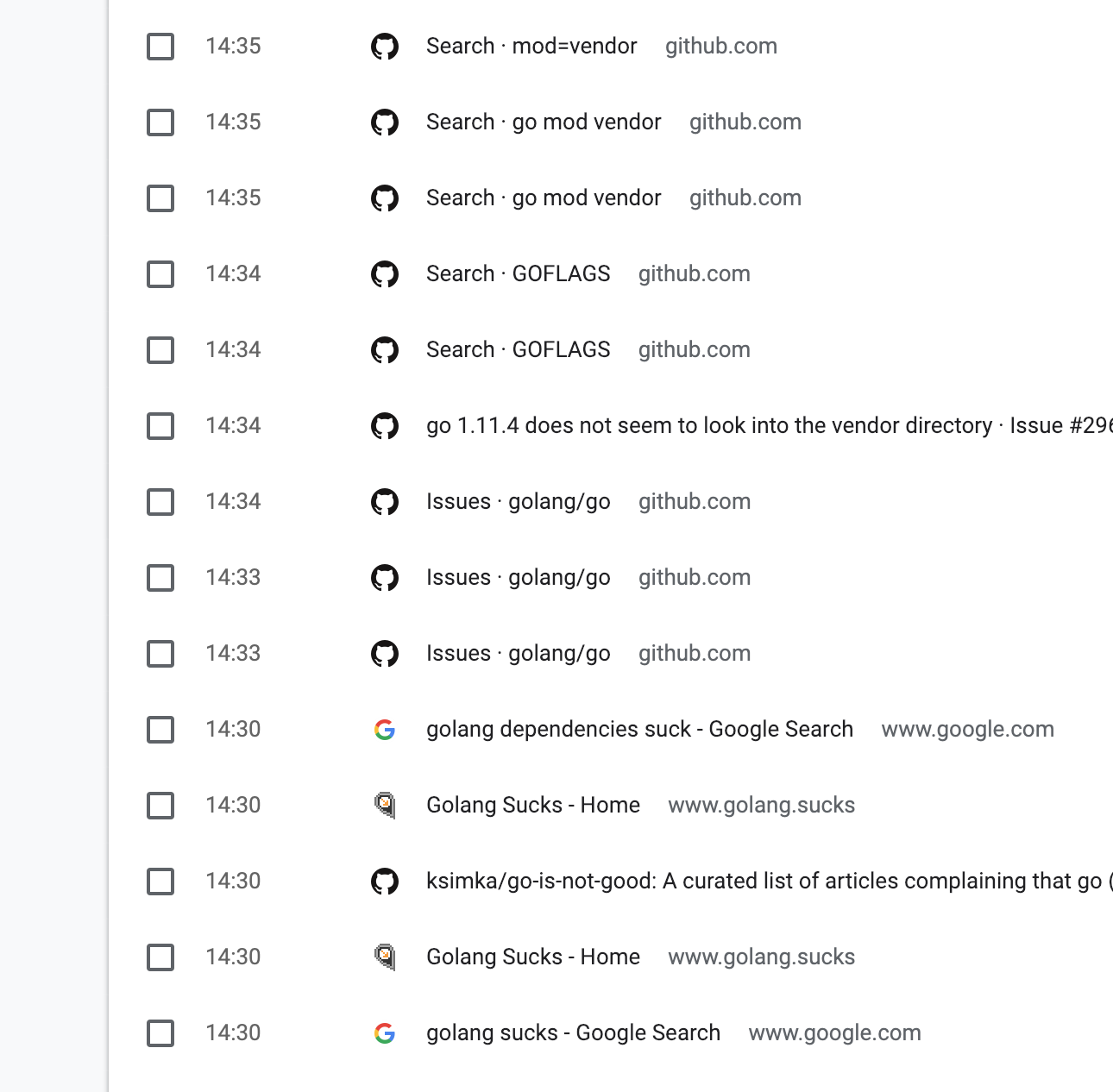
@iMichka I just searched the web until I found something that worked. 🙈
 claui
on 18 Jan 2019
claui
on 18 Jan 2019
I believe the official wiki is where I eventually found the lead to that variable.
claui
on 18 Jan 2019
I just searched the web until I found something that worked
I like that. I use exactly the same strategy for 99% of the packages here.
I also read some issues on their bugtracker, all this seems to be a common bug/source of confusion.
I believe the official wiki is where I eventually found the lead to that variable.
It's not totally clear when you have no clue what this whole thing is about. I'll keep your strategy until somebody yells and thinks that this is not how we should do it.
iMichka
on 18 Jan 2019
Fixed by #11301
iMichka
on 19 Jan 2019
Related issues
 half2me
·
7Comments
half2me
·
7Comments
 rwhogg
·
8Comments
rwhogg
·
8Comments
 hidvegin
·
6Comments
hidvegin
·
6Comments
 thedrow
·
5Comments
thedrow
·
5Comments
 dvdantunes
·
3Comments
dvdantunes
·
3Comments
Most helpful comment
I like that. I use exactly the same strategy for 99% of the packages here.
I also read some issues on their bugtracker, all this seems to be a common bug/source of confusion.
It's not totally clear when you have no clue what this whole thing is about. I'll keep your strategy until somebody yells and thinks that this is not how we should do it.