Linux: Kernel 5.8-rc6 no working usb ports
Non working usb 2.0 and 3.0 ports after booting into new kernel.
Connect via ssh with dmesg -w shows no activity if a mouse or keyboard is plugged in any usb port.
rpi4b 8G
64bit
Compiled native with gcc 9.3.0 using make bcm2711_defconfig
eeprom:
[ray@pi4 ~]$ sudo rpi-eeprom-update
BCM2711 detected
VL805 firmware in bootloader EEPROM
BOOTLOADER: up-to-date
CURRENT: Thu 16 Jul 2020 10:44:17 AM UTC (1594896257)
LATEST: Thu 16 Jul 2020 10:44:17 AM UTC (1594896257)
FW DIR: /lib/firmware/raspberrypi/bootloader/beta
VL805: up-to-date
CURRENT: 000138a1
LATEST: 000138a1
All mention of usb in dmesg including the errors:
[ray@pi4 ~]$ dmesg | grep usb
[ 0.129848] usbcore: registered new interface driver usbfs
[ 0.129906] usbcore: registered new interface driver hub
[ 0.130048] usbcore: registered new device driver usb
[ 1.751677] pci 0000:01:00.0: quirk_usb_early_handoff+0x0/0x8f0 took 94460 usecs
[ 1.870402] usbcore: registered new interface driver r8152
[ 1.872196] usbcore: registered new interface driver lan78xx
[ 1.873932] usbcore: registered new interface driver smsc95xx
[ 1.883228] usb usb1: New USB device found, idVendor=1d6b, idProduct=0002, bcdDevice= 5.08
[ 1.884938] usb usb1: New USB device strings: Mfr=3, Product=2, SerialNumber=1
[ 1.886625] usb usb1: Product: xHCI Host Controller
[ 1.888341] usb usb1: Manufacturer: Linux 5.8.0-rc6-v8 xhci-hcd
[ 1.890041] usb usb1: SerialNumber: 0000:01:00.0
[ 1.901686] usb usb2: New USB device found, idVendor=1d6b, idProduct=0003, bcdDevice= 5.08
[ 1.903382] usb usb2: New USB device strings: Mfr=3, Product=2, SerialNumber=1
[ 1.905077] usb usb2: Product: xHCI Host Controller
[ 1.906728] usb usb2: Manufacturer: Linux 5.8.0-rc6-v8 xhci-hcd
[ 1.908411] usb usb2: SerialNumber: 0000:01:00.0
[ 1.917683] usbcore: registered new interface driver uas
[ 1.919390] usbcore: registered new interface driver usb-storage
[ 1.944406] usbcore: registered new interface driver usbhid
[ 1.945126] usbhid: USB HID core driver
[ 2.231540] usb 1-1: new high-speed USB device number 2 using xhci_hcd
[ 2.359784] usb 1-1: device descriptor read/64, error -71
[ 2.595832] usb 1-1: device descriptor read/64, error -71
[ 2.831572] usb 1-1: new high-speed USB device number 3 using xhci_hcd
[ 2.959794] usb 1-1: device descriptor read/64, error -71
[ 3.195792] usb 1-1: device descriptor read/64, error -71
[ 3.303875] usb usb1-port1: attempt power cycle
[ 3.955565] usb 1-1: new high-speed USB device number 4 using xhci_hcd
[ 4.979573] usb 1-1: device not accepting address 4, error -22
[ 5.107576] usb 1-1: new high-speed USB device number 5 using xhci_hcd
[ 5.523564] usb 1-1: device not accepting address 5, error -22
[ 5.525298] usb usb1-port1: unable to enumerate USB device
[ 10.248757] dwc2 fe980000.usb: supply vusb_d not found, using dummy regulator
[ 10.249972] dwc2 fe980000.usb: supply vusb_a not found, using dummy regulator
[ 10.459650] dwc2 fe980000.usb: EPs: 8, dedicated fifos, 4080 entries in SPRAM
[ 10.461632] dwc2 fe980000.usb: DWC OTG Controller
[ 10.463377] dwc2 fe980000.usb: new USB bus registered, assigned bus number 3
[ 10.465238] dwc2 fe980000.usb: irq 14, io mem 0xfe980000
[ 10.466749] usb usb3: New USB device found, idVendor=1d6b, idProduct=0002, bcdDevice= 5.08
[ 10.468104] usb usb3: New USB device strings: Mfr=3, Product=2, SerialNumber=1
[ 10.469292] usb usb3: Product: DWC OTG Controller
[ 10.470362] usb usb3: Manufacturer: Linux 5.8.0-rc6-v8 dwc2_hsotg
[ 10.471439] usb usb3: SerialNumber: fe980000.usb
[ 10.852330] usbcore: registered new interface driver brcmfmac
 Dark-Sky
All 51 comments
It is working for me:
pi@pi4:~ $ uname -a
Linux domnfs 5.8.0-rc6-v7l+ #870 SMP Tue 21 Jul 18:11:37 BST 2020 armv7l GNU/Linux
pi@pi4:~ $ dmesg | grep usb
[    0.269926] usbcore: registered new interface driver usbfs
[    0.270064] usbcore: registered new interface driver hub
[    0.270318] usbcore: registered new device driver usb
[    2.555771] usbcore: registered new interface driver r8152
[    2.555945] usbcore: registered new interface driver lan78xx
[    2.556086] usbcore: registered new interface driver smsc95xx
[    2.563494] usb usb1: New USB device found, idVendor=1d6b, idProduct=0002, bcdDevice= 5.08
[    2.563569] usb usb1: New USB device strings: Mfr=3, Product=2, SerialNumber=1
[    2.563633] usb usb1: Product: xHCI Host Controller
[    2.563686] usb usb1: Manufacturer: Linux 5.8.0-rc6-v7l+ xhci-hcd
[    2.563741] usb usb1: SerialNumber: 0000:01:00.0
[    2.567172] usb usb2: New USB device found, idVendor=1d6b, idProduct=0003, bcdDevice= 5.08
[    2.567243] usb usb2: New USB device strings: Mfr=3, Product=2, SerialNumber=1
[    2.567307] usb usb2: Product: xHCI Host Controller
[    2.567359] usb usb2: Manufacturer: Linux 5.8.0-rc6-v7l+ xhci-hcd
[    2.567413] usb usb2: SerialNumber: 0000:01:00.0
[    2.573262] usbcore: registered new interface driver uas
[    2.573562] usbcore: registered new interface driver usb-storage
[    2.595133] usbcore: registered new interface driver usbhid
[    2.595185] usbhid: USB HID core driver
[    2.933477] usb 1-1: new high-speed USB device number 2 using xhci_hcd
[    3.116099] usb 1-1: New USB device found, idVendor=2109, idProduct=3431, bcdDevice= 4.21
[    3.116173] usb 1-1: New USB device strings: Mfr=0, Product=1, SerialNumber=0
[    3.116232] usb 1-1: Product: USB2.0 Hub
[    3.443453] usb 1-1.3: new high-speed USB device number 3 using xhci_hcd
[    3.575468] usb 1-1.3: New USB device found, idVendor=05e3, idProduct=0608, bcdDevice=32.98
[    3.575541] usb 1-1.3: New USB device strings: Mfr=0, Product=1, SerialNumber=0
[    3.575605] usb 1-1.3: Product: USB2.0 Hub
[    3.893455] usb 1-1.3.3: new high-speed USB device number 4 using xhci_hcd
[    4.025473] usb 1-1.3.3: New USB device found, idVendor=05e3, idProduct=0608, bcdDevice=32.98
[    4.025546] usb 1-1.3.3: New USB device strings: Mfr=0, Product=1, SerialNumber=0
[    4.025610] usb 1-1.3.3: Product: USB2.0 Hub
[    4.133512] usb 1-1.3.4: new high-speed USB device number 5 using xhci_hcd
[    4.265678] usb 1-1.3.4: New USB device found, idVendor=05e3, idProduct=0608, bcdDevice=32.98
[    4.265751] usb 1-1.3.4: New USB device strings: Mfr=0, Product=1, SerialNumber=0
[    4.265815] usb 1-1.3.4: Product: USB2.0 Hub
[    4.363451] usb 1-1.3.3.1: new low-speed USB device number 6 using xhci_hcd
[    4.501103] usb 1-1.3.3.1: New USB device found, idVendor=192f, idProduct=0616, bcdDevice= 2.00
[    4.501176] usb 1-1.3.3.1: New USB device strings: Mfr=0, Product=2, SerialNumber=0
[    4.501241] usb 1-1.3.3.1: Product: USB Optical Mouse
[    4.514856] input: USB Optical Mouse as /devices/platform/scb/fd500000.pcie/pci0000:00/0000:00:00.0/0000:01:00.0/usb1/1-1/1-1.3/1-1.3.3/1-1.3.3.1/1-1.3.3.1:1.0/0003:192F:0616.0001/input/input0
[    4.515553] hid-generic 0003:192F:0616.0001: input,hidraw0: USB HID v1.11 Mouse [USB Optical Mouse] on usb-0000:01:00.0-1.3.3.1/input0
[    4.593450] usb 1-1.3.4.2: new low-speed USB device number 7 using xhci_hcd
[    4.732505] usb 1-1.3.4.2: New USB device found, idVendor=0e8f, idProduct=0022, bcdDevice= 2.10
[    4.732578] usb 1-1.3.4.2: New USB device strings: Mfr=1, Product=2, SerialNumber=0
[    4.732642] usb 1-1.3.4.2: Product: USB KB V11
[    4.732694] usb 1-1.3.4.2: Manufacturer: GASIA
[    4.745788] input: GASIA USB KB V11 as /devices/platform/scb/fd500000.pcie/pci0000:00/0000:00:00.0/0000:01:00.0/usb1/1-1/1-1.3/1-1.3.4/1-1.3.4.2/1-1.3.4.2:1.0/0003:0E8F:0022.0002/input/input1
[    4.814390] hid-generic 0003:0E8F:0022.0002: input,hidraw1: USB HID v1.10 Keyboard [GASIA USB KB V11] on usb-0000:01:00.0-1.3.4.2/input0
[    4.825998] input: GASIA USB KB V11 Consumer Control as /devices/platform/scb/fd500000.pcie/pci0000:00/0000:00:00.0/0000:01:00.0/usb1/1-1/1-1.3/1-1.3.4/1-1.3.4.2/1-1.3.4.2:1.1/0003:0E8F:0022.0003/input/input2
[    4.893742] input: GASIA USB KB V11 System Control as /devices/platform/scb/fd500000.pcie/pci0000:00/0000:00:00.0/0000:01:00.0/usb1/1-1/1-1.3/1-1.3.4/1-1.3.4.2/1-1.3.4.2:1.1/0003:0E8F:0022.0003/input/input3
[    4.894141] hid-generic 0003:0E8F:0022.0003: input,hidraw2: USB HID v1.10 Device [GASIA USB KB V11] on usb-0000:01:00.0-1.3.4.2/input1
[   14.696341] usbcore: registered new interface driver brcmfmac
Mine is a 4G pi. You could try with total_mem=1024 in config.txt to rule out the extra memory causing an issue.
 popcornmix
on 22 Jul 2020
popcornmix
on 22 Jul 2020
total_mem=1024 did not help
I put the same sdcard in my pi4 4G and all works just fine. Other than the errors looking at the diff of the 8G and 4G dmesg this line is missing on the good boot of the 4G.
pci 0000:01:00.0: quirk_usb_early_handoff+0x0/0x8f0 took 94460 usecs
Guessing it does not make a diff but the 4G eeprom has not been updated in a while.
Dark-Sky
on 22 Jul 2020
@popcornmix Do you have an R6/rev 1.4 board to try (which a production 8GB board will be)?
 pelwell
on 22 Jul 2020
pelwell
on 22 Jul 2020
I think all my boards are pre-production. I think I have a 4GB R6 and an older 8GB. But I can't check until this evening.
popcornmix
on 22 Jul 2020
Same here. I think the R6-ness matters here, rather than the 8GB-ness.
pelwell
on 22 Jul 2020
My pi4 8G:
Model : Raspberry Pi 4 Model B Rev 1.4
Dark-Sky
on 22 Jul 2020
My pi4 4G:
Model : Raspberry Pi 4 Model B Rev 1.1
Dark-Sky
on 22 Jul 2020
Same here on the 4GB R6/1.4:
[    5.830193] xhci_hcd 0000:01:00.0: Setup ERROR: setup address command for slot 1.
[    6.042384] xhci_hcd 0000:01:00.0: Setup ERROR: setup address command for slot 1.
[    6.412298] usb 1-1: new high-speed USB device number 5 using xhci_hcd
[    6.412505] xhci_hcd 0000:01:00.0: Setup ERROR: setup address command for slot 1.
[    6.632382] xhci_hcd 0000:01:00.0: Setup ERROR: setup address command for slot 1.
Your grep for usb would have filtered these out.
pelwell
on 22 Jul 2020
It's not top priority at the moment since there are a few kernel versions to choose from, but this will get investigated.
pelwell
on 22 Jul 2020
My pi4 4G:
[ray@pi4 ~]$ dmesg | grep xhci_hcd
[ 1.760374] xhci_hcd 0000:01:00.0: xHCI Host Controller
[ 1.762012] xhci_hcd 0000:01:00.0: new USB bus registered, assigned bus number 1
[ 1.764522] xhci_hcd 0000:01:00.0: hcc params 0x002841eb hci version 0x100 quirks 0x0000002000000890
[ 1.780004] xhci_hcd 0000:01:00.0: xHCI Host Controller
[ 1.781644] xhci_hcd 0000:01:00.0: new USB bus registered, assigned bus number 2
[ 1.783278] xhci_hcd 0000:01:00.0: Host supports USB 3.0 SuperSpeed
[ 2.112093] usb 1-1: new high-speed USB device number 2 using xhci_hcd
Dark-Sky
on 22 Jul 2020
8G comparison:
[ray@pi4 ~]$ dmesg | grep xhci_hcd
[ 1.860822] xhci_hcd 0000:01:00.0: xHCI Host Controller
[ 1.862508] xhci_hcd 0000:01:00.0: new USB bus registered, assigned bus number 1
[ 1.865055] xhci_hcd 0000:01:00.0: hcc params 0x002841eb hci version 0x100 quirks 0x0000002000000890
[ 1.881065] xhci_hcd 0000:01:00.0: xHCI Host Controller
[ 1.882731] xhci_hcd 0000:01:00.0: new USB bus registered, assigned bus number 2
[ 1.884436] xhci_hcd 0000:01:00.0: Host supports USB 3.0 SuperSpeed
[ 2.216199] usb 1-1: new high-speed USB device number 2 using xhci_hcd
[ 2.816222] usb 1-1: new high-speed USB device number 3 using xhci_hcd
[ 3.940149] usb 1-1: new high-speed USB device number 4 using xhci_hcd
[ 4.549434] xhci_hcd 0000:01:00.0: Setup ERROR: setup address command for slot 1.
[ 4.756262] xhci_hcd 0000:01:00.0: Setup ERROR: setup address command for slot 1.
[ 5.092148] usb 1-1: new high-speed USB device number 5 using xhci_hcd
[ 5.093682] xhci_hcd 0000:01:00.0: Setup ERROR: setup address command for slot 1.
[ 5.300262] xhci_hcd 0000:01:00.0: Setup ERROR: setup address command for slot 1.
Dark-Sky
on 22 Jul 2020
@Dark-Sky Please try to reproduce with Mainline 5.8-rc6 ( multi_v7_defconfig + ARM_LPAE + BRCMSTB_PCIE ) on your Pi 4 (4G). In case it's reproducible report it to [email protected] and @vianpl
Thanks
 lategoodbye
on 25 Jul 2020
lategoodbye
on 25 Jul 2020
@Dark-Sky Please try to reproduce with Mainline 5.8-rc6 ( multi_v7_defconfig + ARM_LPAE + BRCMSTB_PCIE ) on your Pi 4 (4G). In case it's reproducible report it to [email protected] and @vianpl
Thanks
My Pi 4 (4G) worked fine with the new kernel; it was the Pi 4 (8G) that had the issue just so we are on the same page. I compiled and installed Mainline 5.8-rc6 and it boots up to a certain point and stops on both pi4 4G and 8G. Steps took:
make multi_v7_defconfig
Made sure ARM_LPAE + BRCMSTB_PCIE was enabled
Compiled and installed the kernel and copied over bcm2711-rpi-4-b.dtb to /boot
Commented out the fkms overlay and max_framebuffers=2 lines in config.txt
My cmdline.txt had more of the original stuff in it at first so I reduced it to what had booted in the past but still did not help it with fully booting:
root=LABEL=ROOT rw rootwait console=ttyAMA0,115200 console=tty1 kgdboc=ttyAMA0,115200
config.txt:
gpu_mem=64

 [pi4]
# My VIZIO tv can not provide EDID info for the RPi 4.
hdmi_mode:0=39
hdmi_drive:0=2
hdmi_group:0=2
hdmi_force_mode:0=1
hdmi_ignore_edid:0=0xa5000080
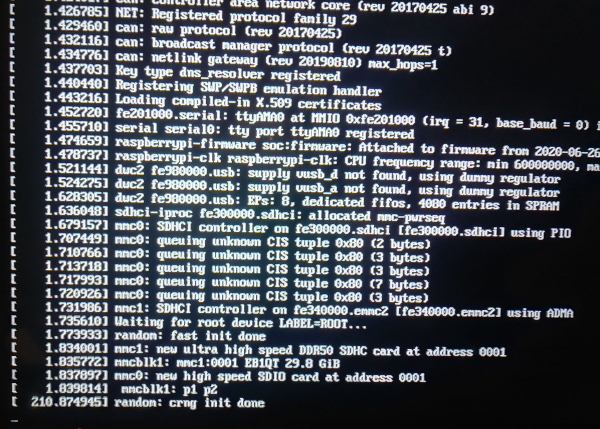
What am I missing?
Dark-Sky
on 25 Jul 2020
Update:
I double checked and BRCMSTB_PCIE is not in the generated .config after doing a make multi_v7_defconfig. I guess I never checked it.
Dark-Sky
on 25 Jul 2020
Found today that BRCMSTB_PCIE is actually PCIE_BRCMSTB so recompiling.
Dark-Sky
on 26 Jul 2020
Sorry about the confusion. Regarding the hang during boot, try to replace root=LABEL=ROOT with root=PARTUUID=<PARTUUID> while PARTUUID must be replaced with the partition UUID of the rootfs on your SD card
lategoodbye
on 26 Jul 2020
Is this ok when it dropped down to Q&A after make:
Transparent Hugepage Support (TRANSPARENT_HUGEPAGE) [N/y/?] (NEW) y
Transparent Hugepage Support sysfs defaults
- always (TRANSPARENT_HUGEPAGE_ALWAYS) (NEW)
- madvise (TRANSPARENT_HUGEPAGE_MADVISE) (NEW)
choice[1-2?]: 1
Read-only THP for filesystems (EXPERIMENTAL) (READ_ONLY_THP_FOR_FS) [N/y/?] (NEW) n
NVDIMM (Non-Volatile Memory Device) Support (LIBNVDIMM) [N/m/y/?] (NEW) n
HugeTLB file system support (HUGETLBFS) [N/y/?] (NEW) n
LSI Axxia platforms (ARCH_AXXIA) [N/y/?] (NEW) n
Dark-Sky
on 26 Jul 2020
Sounds strange, because i don't know why the config should have changed.
Take a look at https://gist.github.com/lategoodbye/c7317a42bf7f9c07f5a91baed8c68f75 which might help
lategoodbye
on 26 Jul 2020
Most likely because I made the changes in the .config instead of menuconfig. I choose what was in .config after making a bcm2711_defconfig in your tree. I tested on the kernel I had compiled previously using root=PARTUUID= and it booted just fine but no activie usb ports; so progress on the booting part.
Dark-Sky
on 26 Jul 2020
There is no bcm2711_defconfig in Mainline, so not sure you are using the right git tree.
lategoodbye
on 26 Jul 2020
I know I was trying to explain I was using the RPi tree .config to make my choices in the Q&A's on mainline.
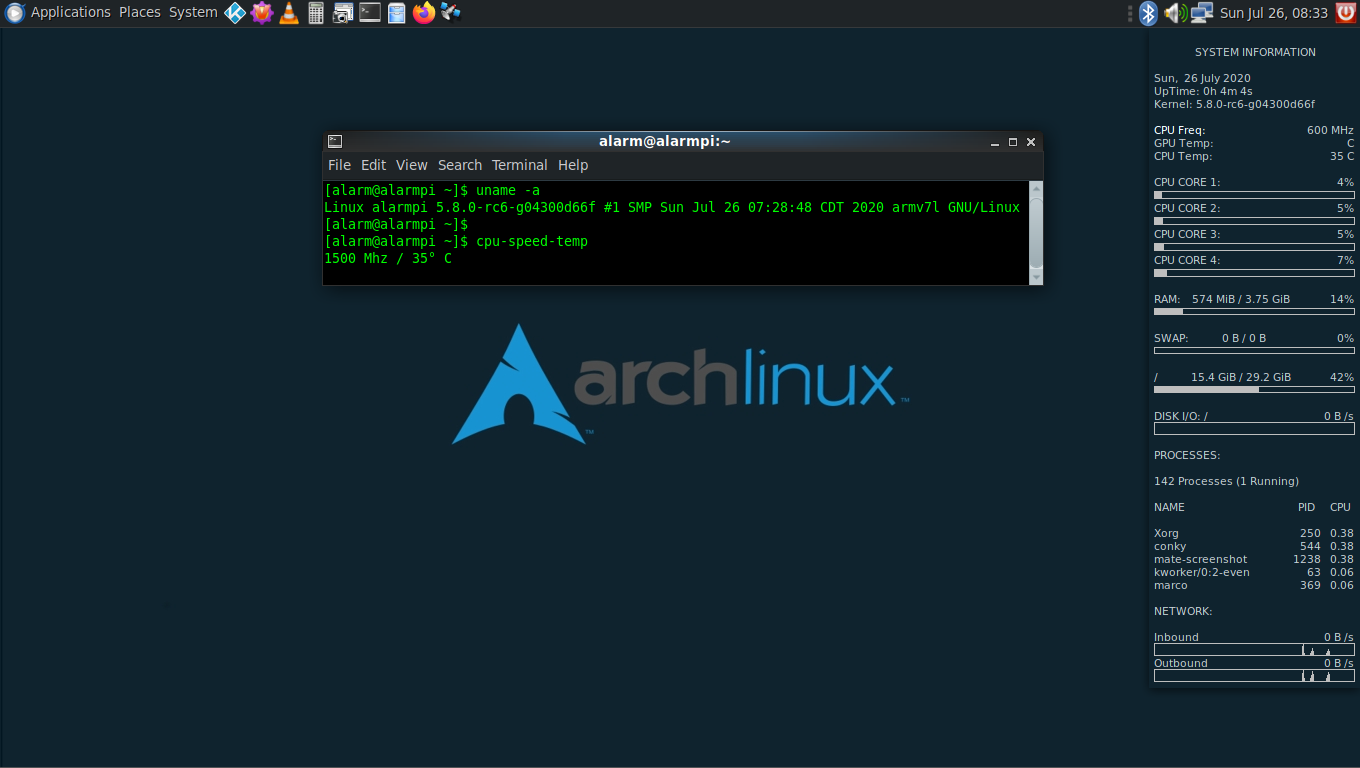
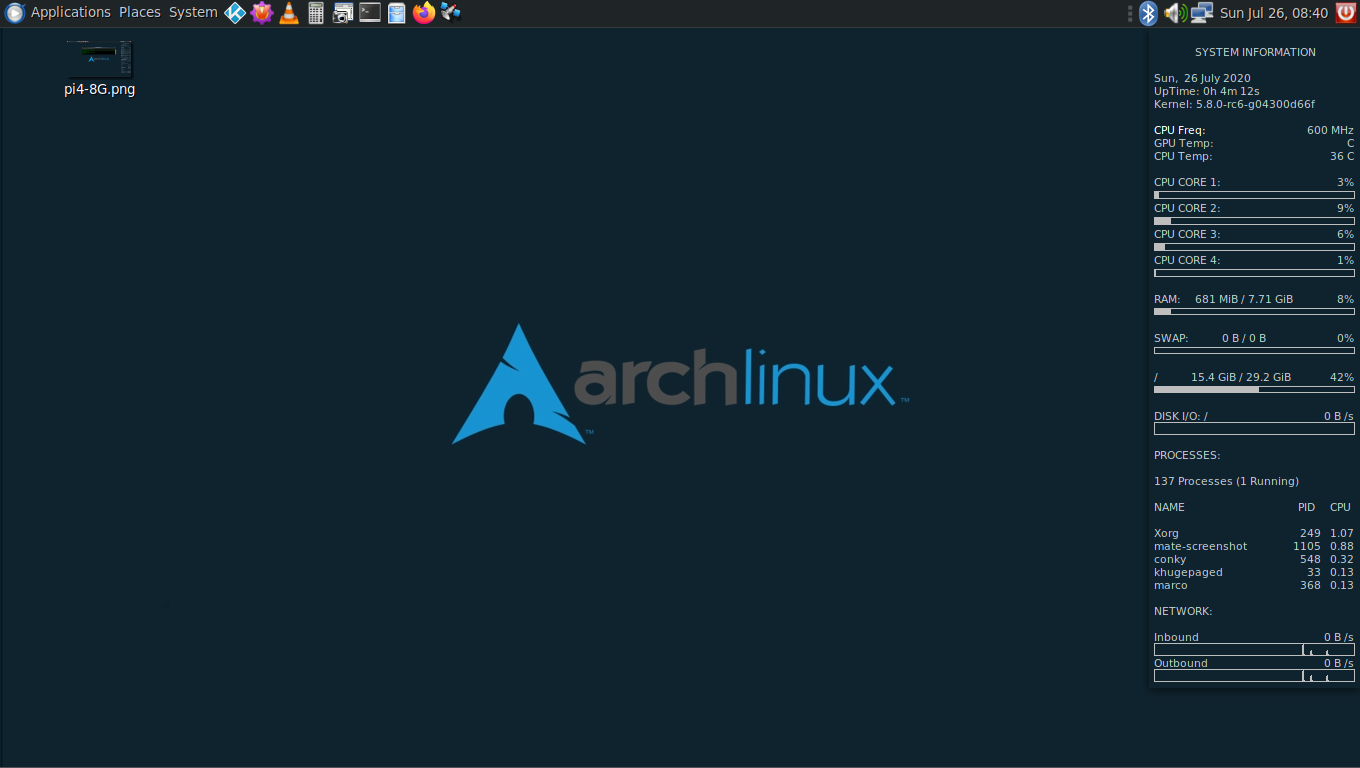
There is nothing wrong with the usb ports using the multi_v7_defconfig on the 5.8-rc6 upstream 32 bit kernel. Is there some way to see if there is an issue with the 64 bit kernel using the upstream tree's defconfig. That was where I had my original issue where the pi4 4G worked and the pi4 8G did not in the RPi tree.
pi4 4G:
pi4 8G:
Dark-Sky
on 26 Jul 2020
Checking back in the RPi tree on the 64 bit kernel I compiled there is no ARM_LPAE in bcm2711_defconfig or the generated .config it creates. Is it supposed to be that way?
Dark-Sky
on 26 Jul 2020
I am compiling the 64 bit upstream kernel. When looking over the defconfig I saw this was not enabled and enabled it.. Not seen it in the RPi configs I do not believe.
CONFIG_USB_BRCMSTB=y
Dark-Sky
on 26 Jul 2020
LPAE is unnecessary on AArch64 - all Physical Address are Large, so it doesn't need an Extension.
pelwell
on 26 Jul 2020
And Pi 4 does not use the BRCMSTB USB interface - it has an external VL805 connected via PCIe.
pelwell
on 26 Jul 2020
And Pi 4 does not use the BRCMSTB USB interface - it has an external VL805 connected via PCIe.
Uggg
I disabled and re-compiled. I get nothing but a black screen after the initial rainbow screen using the 64bit defconfig.
Dark-Sky
on 26 Jul 2020
Sorry, 64 bit only have a defconfig and already have PCIE_BRCMSTB. I thought you wanted to build 32 bit.
lategoodbye
on 26 Jul 2020
All is good. I needed a project today...
Dark-Sky
on 26 Jul 2020
I'm seeing the same issue on my 8G pi 4 with an arm64 kernel built with rpi tree:
$ uname -a
Linux qhe-rpi4 5.8.0-rc6-v8+ #1 SMP PREEMPT Thu Jul 30 10:45:45 PDT 2020 aarch64 GNU/Linux
$ dmesg | grep usb
[    0.138072] usbcore: registered new interface driver usbfs
[    0.138136] usbcore: registered new interface driver hub
[    0.138273] usbcore: registered new device driver usb
[    1.388731] pci 0000:01:00.0: quirk_usb_early_handoff+0x0/0x8f0 took 96530 usecs
[    1.520012] usbcore: registered new interface driver r8152
[    1.522912] usbcore: registered new interface driver lan78xx
[    1.525786] usbcore: registered new interface driver smsc95xx
[    1.539592] usb usb1: New USB device found, idVendor=1d6b, idProduct=0002, bcdDevice= 5.08
[    1.542453] usb usb1: New USB device strings: Mfr=3, Product=2, SerialNumber=1
[    1.545321] usb usb1: Product: xHCI Host Controller
[    1.548166] usb usb1: Manufacturer: Linux 5.8.0-rc6-v8+ xhci-hcd
[    1.550982] usb usb1: SerialNumber: 0000:01:00.0
[    1.569389] usb usb2: New USB device found, idVendor=1d6b, idProduct=0003, bcdDevice= 5.08
[    1.572248] usb usb2: New USB device strings: Mfr=3, Product=2, SerialNumber=1
[    1.575050] usb usb2: Product: xHCI Host Controller
[    1.577865] usb usb2: Manufacturer: Linux 5.8.0-rc6-v8+ xhci-hcd
[    1.580688] usb usb2: SerialNumber: 0000:01:00.0
[    1.605687] usbcore: registered new interface driver uas
[    1.608526] usbcore: registered new interface driver usb-storage
[    1.642849] usbcore: registered new interface driver usbhid
[    1.645583] usbhid: USB HID core driver
[    1.896301] usb 1-1: new high-speed USB device number 2 using xhci_hcd
[    2.028148] usb 1-1: device descriptor read/64, error -71
[    2.264159] usb 1-1: device descriptor read/64, error -71
[    2.499904] usb 1-1: new high-speed USB device number 3 using xhci_hcd
[    2.632154] usb 1-1: device descriptor read/64, error -71
[    2.868136] usb 1-1: device descriptor read/64, error -71
[    2.976297] usb usb1-port1: attempt power cycle
[    3.627956] usb 1-1: new high-speed USB device number 4 using xhci_hcd
[    4.657881] usb 1-1: device not accepting address 4, error -22
[    4.787946] usb 1-1: new high-speed USB device number 5 using xhci_hcd
[    5.211970] usb 1-1: device not accepting address 5, error -22
[    5.216101] usb usb1-port1: unable to enumerate USB device
[    5.316981] usbcore: registered new interface driver brcmfmac
 qhe
on 30 Jul 2020
qhe
on 30 Jul 2020
Tried mainline 5.8.0-rc7-v8 with bcm2711_defconfig copied from rpi tree (mainline only has one defconfig for arm64 it seems). The USB seems to properly enumerate although I'm seeing various other problems
qhe
on 31 Jul 2020
I compiled 5.8.1 today and the usb problem is still there. Before I was booting off the sdcard but today I had my ssd set up for msd boot and noticed the ssd boot worked just fine plugged into the usb 3.0 port. I had assumed before nothing would work off any usb port but that is not the case. So far my usb wireless mouse and my regular usb keyboard will not work on any port if this helps narrowing down the issue.
Dark-Sky
on 16 Aug 2020
It's now a known, reproducible problem. What was masking it before is that the USB failure only affects rev 1.4 boards because they lack the EEPROM for the VLI-805 XHCI controller - a change that requires careful coordination between the kernel and firmware.
pelwell
on 16 Aug 2020
The original, downstream support for loading the VL805 firmware was interfering with the newly upstreamed implementation. Reverting it fixed the issue.
pelwell
on 17 Aug 2020
There is no way this issue is related to #3779 ? We have issues with USB but on earlier boards with external USB hubs. We still don't know what's causing this.
 knro
on 17 Aug 2020
knro
on 17 Aug 2020
This issue only affects the 5.8 kernel. If you are seeing an issue on a stable kernel then it's not related.
popcornmix
on 17 Aug 2020
The original, downstream support for loading the VL805 firmware was interfering with the newly upstreamed implementation. Reverting it fixed the issue.
Awesome!
I tested on both rpi4 4G & 8G using a 64bit OS and both are now working as expected.
Thank you!
Dark-Sky
on 17 Aug 2020
@Dark-Sky
Come from https://archlinuxarm.org/forum/viewtopic.php?f=65&t=14734
However I am too clumsy to understand how you fixed it.
Could you give some tips?
 lihsai0
on 12 Oct 2020
lihsai0
on 12 Oct 2020
@lihsai0 AFAIK Arch Linux ARM/aarch64 uses the mainline kernel, so this kernel change / revert is not possible
lategoodbye
on 12 Oct 2020
@lategoodbye Sad to know that. Thanks!
lihsai0
on 13 Oct 2020
But i left a comment in the mentioned archlinuxarm thread.
lategoodbye
on 13 Oct 2020
@Dark-Sky
Come from https://archlinuxarm.org/forum/viewtopic.php?f=65&t=14734However I am too clumsy to understand how you fixed it.
Could you give some tips?
My kernels are all RPi tree based with some extra modules enabled but I did build out of curiosity to see where upstream was at with the pi4 a while back. The kernel was 5.9-rc4 and the usb ports worked then on my pi4 8G 64bit OS.
Sorry but I can not be much help other than is your eeprom up to date. I do not know if that would have any bearing on the issue though. Seems like other things were mentioned in that thread.
[ray@pi4 ~]$ sudo rpi-eeprom-update
BCM2711 detected
VL805 firmware in bootloader EEPROM
BOOTLOADER: up-to-date
CURRENT: Thu Sep  3 12:11:43 PM UTC 2020 (1599135103)
 LATEST: Thu Sep  3 12:11:43 PM UTC 2020 (1599135103)
 FW DIR: /lib/firmware/raspberrypi/bootloader/beta
VL805: up-to-date
CURRENT: 000138a1
 LATEST: 000138a1
@lihsai0 I think I found the issue here for the arch-arm issue not having usb. I installed their /boot and /usr/lib/modules on an existing image I had for brevity's sake.Their uboot PKGBUILD is out of date, it is now out of -rc stage. I did update in it to the latest uboot but still had no working usb. What I did find that worked is the PKGBUILD is out of date getting the RPi tree's affected .dtb's. Once I updated them to the latest in /boot and rebooted I had a working USB.
Dark-Sky
on 15 Oct 2020
@lihsai0 I think I found the issue here for the arch-arm issue not having usb. I installed their /boot and /usr/lib/modules on an existing image I had for brevity's sake.Their uboot PKGBUILD is out of date, it is now out of -rc stage. I did update in it to the latest uboot but still had no working usb. What I did find that worked is the PKGBUILD is out of date getting the RPi tree's affected .dtb's. Once I updated them to the latest in /boot and rebooted I had a working USB.
@Dark-Sky
Happy to hear some people has success, but I am till failed. T^T
I follow the guide https://archlinuxarm.org/platforms/armv8/broadcom/raspberry-pi-4
After sync, I do:
mv root/boot/* boot
sed -i 's/mmcblk0/mmcblk1/g' root/etc/fstab
cp ~/Downloads/bcm2711-rpi-4-b.dtb boot
umount boot root
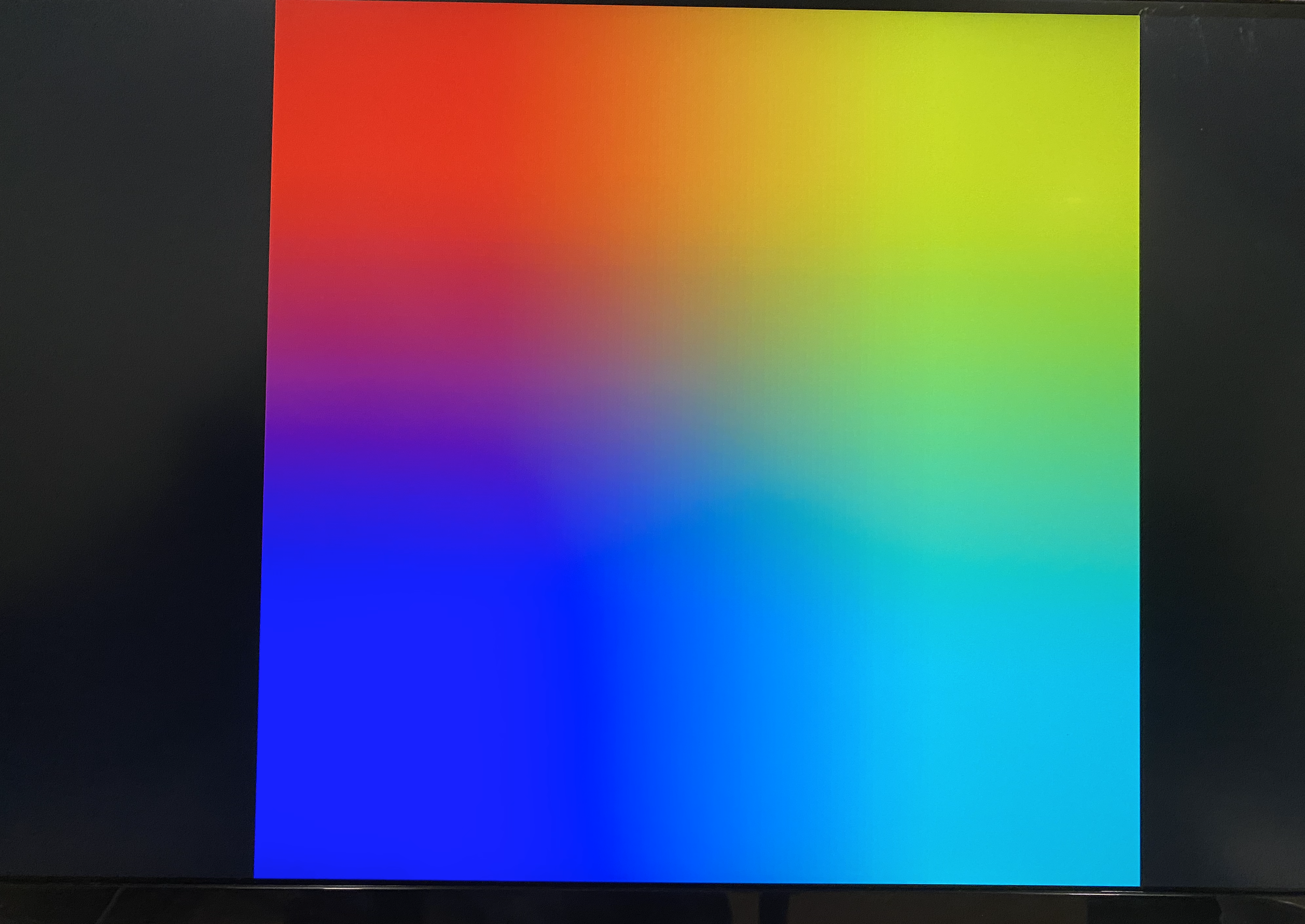
Then boot the board, and it shows a colorful square image.
I have tried bcm2711-rpi-4-b.dtb boot in commit b0f9870(HEAD for now) and 1a2131e
lihsai0
on 21 Oct 2020
@lihsai0 I think I found the issue here for the arch-arm issue not having usb. I installed their /boot and /usr/lib/modules on an existing image I had for brevity's sake.Their uboot PKGBUILD is out of date, it is now out of -rc stage. I did update in it to the latest uboot but still had no working usb. What I did find that worked is the PKGBUILD is out of date getting the RPi tree's affected .dtb's. Once I updated them to the latest in /boot and rebooted I had a working USB.
https://github.com/raspberrypi/firmware/tree/master/boot@Dark-Sky
Happy to hear some people has success, but I am till failed. T^T
I follow the guide https://archlinuxarm.org/platforms/armv8/broadcom/raspberry-pi-4
After
sync, I do:mv root/boot/* boot sed -i 's/mmcblk0/mmcblk1/g' root/etc/fstab cp ~/Downloads/bcm2711-rpi-4-b.dtb boot umount boot rootThen boot the board, and it shows a colorful square image.
I have tried bcm2711-rpi-4-b.dtb boot in commit b0f9870(HEAD for now) and 1a2131e
I did pretty much as you and the other guy on the forum that replied other than I re-made the uboot-raspberrypi package using the latest they had since it was out of the -rc stage now but that would not give you the rainbow screen. You have something else going on. Up above your order of using sync should have been the last thing you do before unmounting the boot and root partitions. I would also check and see if the files are all there in the boot partition on the sdcard.
Dark-Sky
on 22 Oct 2020
@Dark-Sky You are right!
The bcm2711-rpi-4-b.dtb is broken. It's work now!
How great you are! Thank you!
lihsai0
on 22 Oct 2020
@lihsai0 I'm also seeing the rainbow screen after loading bcm2711-rpi-4-b.dtb into /boot too. Your comment suggests you got it working with a non-broken bcm2711-rpi-4-b.dtb - I've tried the last two commits of bcm2711-rpi-4-b.dtb with no luck.
@Dark-Sky Sorry it's not clear to me if you got it working?
If anyone got it working, please advise the steps, and what commit version of bcm2711-rpi-4-b.dtb might have been used. Thanks.
PS: I'm using AArch64 with RPI4 8GB. I get 8GB but no USB. To get USB working I need total_mem=3072 or lower in /boot/config.txt - I'd like to have both USB and 8GB working.
 coletek
on 29 Oct 2020
coletek
on 29 Oct 2020
@lihsai0 I'm also seeing the rainbow screen after loading bcm2711-rpi-4-b.dtb into /boot too. Your comment suggests you got it working with a non-broken bcm2711-rpi-4-b.dtb - I've tried the last two commits of bcm2711-rpi-4-b.dtb with no luck.
@Dark-Sky Sorry it's not clear to me if you got it working?
If anyone got it working, please advise the steps, and what commit version of bcm2711-rpi-4-b.dtb might have been used. Thanks.
PS: I'm using AArch64 with RPI4 8GB. I get 8GB but no USB. To get USB working I need total_mem=3072 or lower in /boot/config.txt - I'd like to have both USB and 8GB working.
I have the latest eeprom flashed amd latest *.elf and *.dat files.
I re-built the ubooy-raspberrypi package with the latest
I have the latest bcm2711-rpi-4-b.dtb from the RPi repo.
Dark-Sky
on 29 Oct 2020
@lihsai0 I'm also seeing the rainbow screen after loading bcm2711-rpi-4-b.dtb into /boot too. Your comment suggests you got it working with a non-broken bcm2711-rpi-4-b.dtb - I've tried the last two commits of bcm2711-rpi-4-b.dtb with no luck.
@Dark-Sky Sorry it's not clear to me if you got it working?
If anyone got it working, please advise the steps, and what commit version of bcm2711-rpi-4-b.dtb might have been used. Thanks.
PS: I'm using AArch64 with RPI4 8GB. I get 8GB but no USB. To get USB working I need total_mem=3072 or lower in /boot/config.txt - I'd like to have both USB and 8GB working.
@coletek Sorry for replying so late.
Do you check the bcm2711-rpi-4-b.dtb md5 or sha-1?
The bcm2711-rpi-4-b.dtb I download on commit b0f9870 of https://github.com/raspberrypi/firmware :
md5sum bcm2711-rpi-4-b.dtb
7affe1d4fb20baf1b10844e3b32d97cd bcm2711-rpi-4-b.dtb

shasum bcm2711-rpi-4-b.dtb
6878407f5603833fc0ca42e3c146b4f3bf893f6b bcm2711-rpi-4-b.dtb
I didn't find your public email. I'm glad to send the file by a email, if you retry and still not work.
lihsai0
on 3 Nov 2020
Any one here still having this issue?
 r2d2agr
on 8 Dec 2020
r2d2agr
on 8 Dec 2020
popcornmix fixed it in the above commit but I do not use this kernel anymore.
Dark-Sky
on 8 Dec 2020
I make it run again playing with the cable adapter, appear to be a problem with usb 3.0 but no with 2.0 if you use a usb2.0 cable there is no problem, but apparently you lose speed!
r2d2agr
on 9 Dec 2020
Related issues
 HankB
·
8Comments
HankB
·
8Comments
 mi-hol
·
8Comments
mi-hol
·
8Comments
 dkerr64
·
7Comments
dkerr64
·
7Comments
 KevinStartup
·
6Comments
KevinStartup
·
6Comments
 XECDesign
·
6Comments
XECDesign
·
6Comments