Lightline.vim: When having one window and no NERDTree, lightline is not appearing
Hi,
Thank you for this nice plugin.
I have the following problem. When there is only one buffer open, on one window, and NERDTree is toggled off, then the status bar of ligthline is not appearing. How can I make it appear?
Thnx!
 dr-costas
All 9 comments
Could you share you vim/nvim version and configurations?
 yhu266
on 19 Jul 2020
yhu266
on 19 Jul 2020
Sure!
My lightline settings are:
" Set the options for lightline
let g:lightline = {
    \ 'colorscheme': 'darcula',
    \ 'active': {
    \   'left': [ [ 'mode', 'paste', 'readonly' ],
    \             [ 'fugitive', 'filename', 'modified' ] ],
    \   'right': [ [ 'lineinfo' ],
    \              [ 'percent' ],
    \              [ 'fileformat', 'fileencoding', 'filetype', ] ]
    \ },
    \ 'component_function': {
    \   'fugitive': 'LightlineFugitive',
    \   'filename': 'LightlineFilename'
    \ }
    \ }
" Function to check if the file has been modified
function! LightlineModified()
    return &ft =~# 'help\|vimfiler' ? '' : &modified ? '+' : &modifiable ? '' : '-'
endfunction
" Function to check the read-only property
function! LightlineReadonly()
    return &ft !~? 'help\|vimfiler' && &readonly ? 'RO' : ''
endfunction
" Function to get the current branch from Fugitive
function! LightlineFugitive()
    if &ft !~? 'vimfiler' && exists('*FugitiveHead')
        return FugitiveHead()
    endif
    return ''
endfunction
" Function to use the path of a file
" relative to current  dir.
function! LightlineFilename()
  let root = fnamemodify(get(b:, 'git_dir'), ':h')
  let path = expand('%:p')
  if path[:len(root)-1] ==# root
    return path[len(root)+1:]
  endif
  return expand('%')
endfunction
" EOF
And my Vim version is:
VIM - Vi IMproved 8.2 (2019 Dec 12, compiled Jul 10 2020 22:04:16)
macOS version
Included patches: 1-1169
Compiled by me@myComputer
Huge version without GUI.  Features included (+) or not (-):
+acl               +cmdline_info      -farsi             +langmap           +mouse_sgr         +profile           +tag_binary        +virtualedit
+arabic            +comments          +file_in_path      +libcall           -mouse_sysmouse    -python            -tag_old_static    +visual
+autocmd           +conceal           +find_in_path      +linebreak         +mouse_urxvt       +python3           -tag_any_white     +visualextra
+autochdir         +cryptv            +float             +lispindent        +mouse_xterm       +quickfix          -tcl               +viminfo
-autoservername    -cscope            +folding           +listcmds          +multi_byte        +reltime           +termguicolors     +vreplace
-balloon_eval      +cursorbind        -footer            +localmap          +multi_lang        +rightleft         +terminal          +wildignore
+balloon_eval_term +cursorshape       +fork()            -lua               -mzscheme          -ruby              +terminfo          +wildmenu
-browse            +dialog_con        -gettext           +menu              +netbeans_intg     +scrollbind        +termresponse      +windows
++builtin_terms    +diff              -hangul_input      +mksession         +num64             +signs             +textobjects       +writebackup
+byte_offset       +digraphs          +iconv             +modify_fname      +packages          +smartindent       +textprop          -X11
+channel           -dnd               +insert_expand     +mouse             +path_extra        -sound             +timers            -xfontset
+cindent           -ebcdic            +ipv6              -mouseshape        -perl              +spell             +title             -xim
-clientserver      +emacs_tags        +job               +mouse_dec         +persistent_undo   +startuptime       -toolbar           -xpm
+clipboard         +eval              +jumplist          -mouse_gpm         +popupwin          +statusline        +user_commands     -xsmp
+cmdline_compl     +ex_extra          +keymap            -mouse_jsbterm     +postscript        -sun_workshop      +vartabs           -xterm_clipboard
+cmdline_hist      +extra_search      +lambda            +mouse_netterm     +printer           +syntax            +vertsplit         -xterm_save
Could you confirm: when NERDTree is toggled off, the statusline is not appearing.
So what's the statusline when NERDTree is toggled on? What's the statusline when NERDTree is not loaded as all?
Also, it'll be better if you share the line set laststatus=2 and other NERDTree configurations. We recently had an UI issue with NERDTree, see #487.
yhu266
on 19 Jul 2020
Could you confirm: when NERDTree is toggled off, the statusline is not appearing.
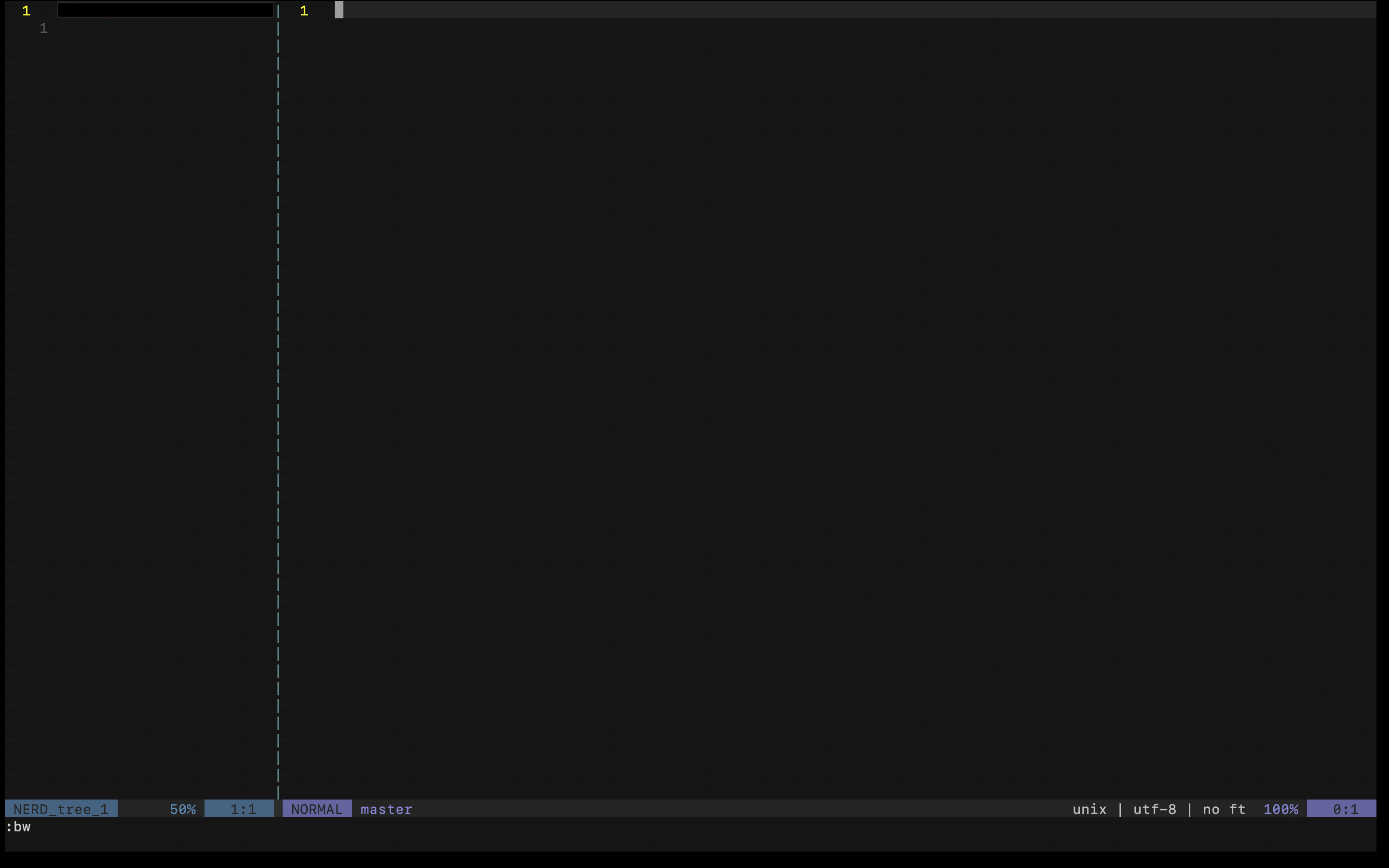
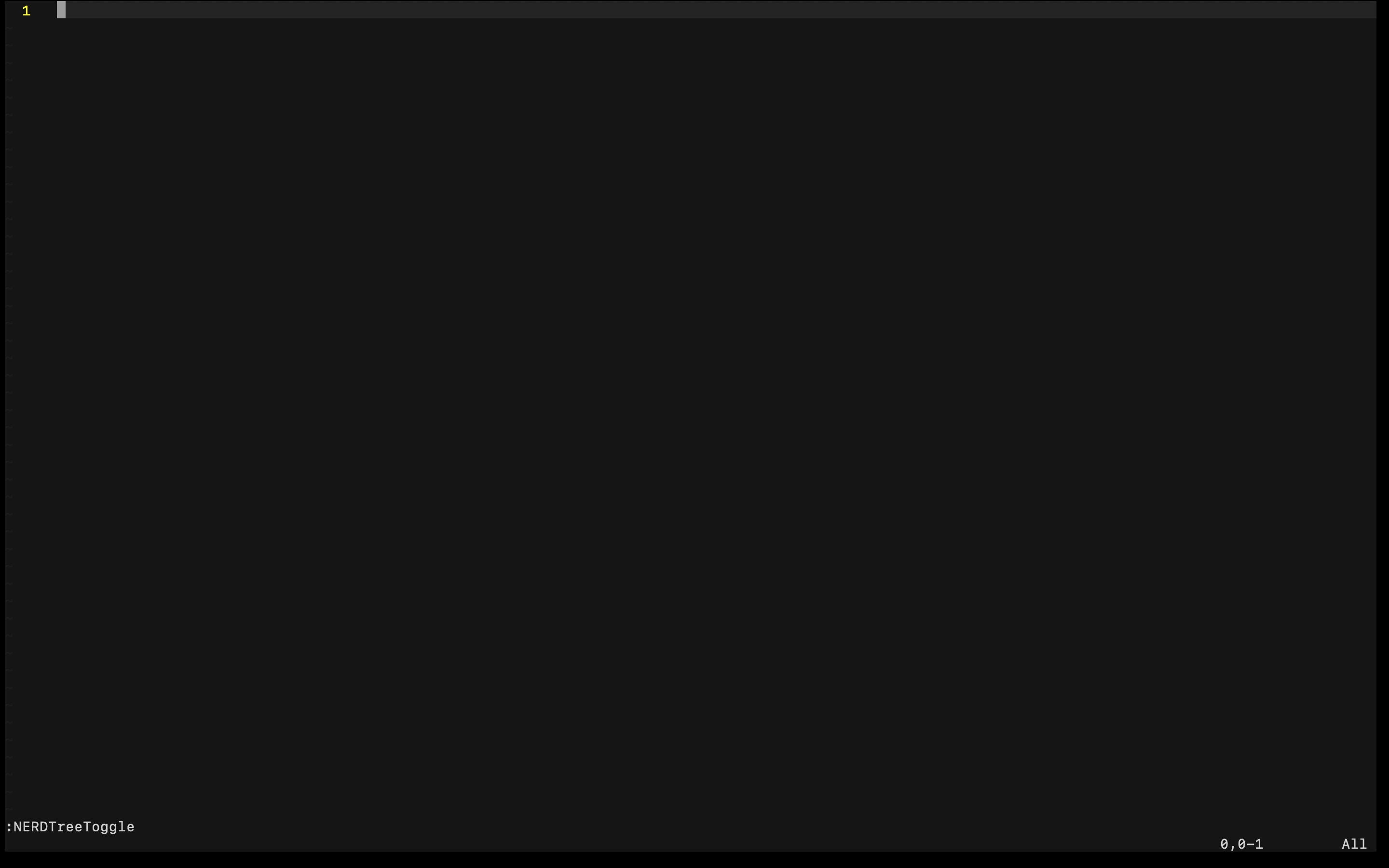
Yes. If NERDTree is toggled on, then the status line appears. When NERDTree is toggled off, status line goes off. For example, check the two screenshots.
My NERDTree settings are:
autocmd StdinReadPre * let s:std_in=1         " Open NERDTree automatically
" even no file is given at ViM
autocmd VimEnter * if argc() == 0 && !exists("s:std_in") | NERDTree | endif
"
autocmd VimEnter * wincmd p               " and jump to main window
"
let NERDTreeShowLineNumbers=1             " Line numbers on
"
autocmd FileType nerdtree setlocal relativenumber " Relative numbers on
"
let NERDTreeMinimalUI = 1             " Minimal UI
"
let NERDTreeDirArrows = 1             " Arrows in NERDTree
"
let NERDTreeShowHidden=1              " Show hidden files
"
let NERDTreeIgnore=['\.pyc$', '\~$', '__pycache__'] " File patterns to ignore
"
" Open/close NERDTree with F1
nmap <F1> :NERDTreeToggle<CR>
" EOF
When NERDTree is not loaded at all (I removed it from Plug), then the status line is not appearing at all.
dr-costas
on 19 Jul 2020
That's what I thought. It's related to the VimEnter * wincmd p line, where lightline will not be updated when you switch to the window prior of the NERDTree split.
Could you try with the solution mentioned in #487, and see if it'll fix the issue:
Replace
autocmd StdinReadPre * let s:std_in=1
autocmd VimEnter * if argc() == 0 && !exists("s:std_in") | NERDTree | endif
autocmd VimEnter * wincmd p
with
augroup NERD
    au!
    autocmd StdinReadPre * let s:std_in=1
    autocmd VimEnter * if argc() == 0 && !exists("s:std_in") | NERDTree | endif
    autocmd VimEnter * wincmd p
    autocmd VimEnter * call lightline#update()
augroup END
Nope. I replace it and still the same.
The problem exists even if I open a specific file with Vim, where NERDTree doesn't open. Also, the problem exists even if I remove NERDTree completely.
dr-costas
on 19 Jul 2020
Do you have the line set laststatus=2 in configurations?
yhu266
on 19 Jul 2020
Nope.
I added it and now it is OK. Thnx!
dr-costas
on 19 Jul 2020
Related issues
 mckellyln
·
5Comments
mckellyln
·
5Comments
 linus345
·
3Comments
linus345
·
3Comments
 ayutheos
·
4Comments
ayutheos
·
4Comments
 Char-Aznable
·
4Comments
Char-Aznable
·
4Comments
 ghost
·
3Comments
ghost
·
3Comments
Most helpful comment
Do you have the line
set laststatus=2in configurations?