Lightline.vim: I'm making a custom colourscheme, but I can't seem to make some parts transparent in a transparent terminal.
I'd like to make the middle of the bottom bar transparent, and the empty space to the right of the tabs as well. I have tried setting these values to 'NONE', 'default', '0', 'black', and 'rgba(0, 0, 0, 0)' etc, but nothing has worked.
 krompus
All 7 comments
How about this configuration?
let s:p.normal.middle = [ [ '#ffffff', 'NONE', 255, 'NONE' ] ]
let s:p.inactive.middle = [ [ '#ffffff', 'NONE', 255, 'NONE' ] ]
let s:p.tabline.middle = [ [ '#ffffff', 'NONE', 255, 'NONE' ] ]
 itchyny
on 15 Apr 2016
itchyny
on 15 Apr 2016
You bet! :)
Thanks so much for the amazing plugin!
krompus
on 15 Apr 2016
Oh! One other thing: is there a way to remove the little vertical separators on the bottom right? unix | utf-8 | >>> unix utf-8
krompus
on 15 Apr 2016
Add the following configuration to your vimrc.
let g:lightline = { 'subseparator': { 'right': '' } }
Perfect! Thanks again!
krompus
on 15 Apr 2016
@itchyny I'm sorry, what I'm doing wrong?
I've pasted this in my .vimrc
let s:p.normal.middle = [ [ '#ffffff', 'NONE', 255, 'NONE' ] ]
let s:p.inactive.middle = [ [ '#ffffff', 'NONE', 255, 'NONE' ] ]
let s:p.tabline.middle = [ [ '#ffffff', 'NONE', 255, 'NONE' ] ]
and it says:
Undefined variable: s:p
UPD: Oh I think I got it, I should place it in colorscheme file, I did, but unfortunately it doesn't work, can you help me?
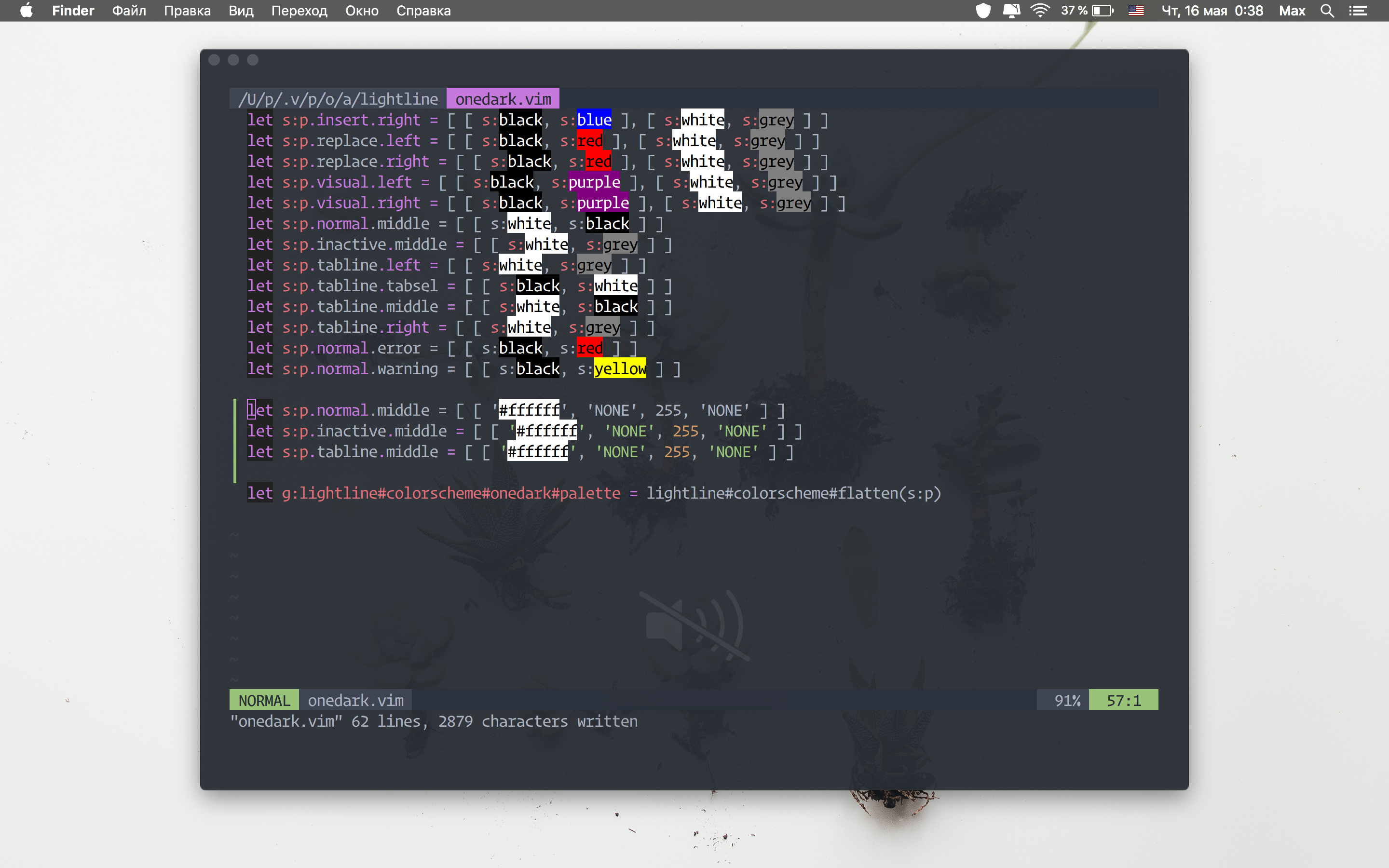
UPD2: I find out that I need to modify other theme, but here is the error:
Color name or number not recognized: ctermfg=O ctermbg=235
 karambaq
on 15 May 2019
karambaq
on 15 May 2019
@karambaq Please create a new issue with your configuration and what you want.
itchyny
on 16 May 2019
Related issues
 ghost
·
3Comments
ghost
·
3Comments
 linus345
·
3Comments
linus345
·
3Comments
 dongsibo
·
4Comments
dongsibo
·
4Comments
 kiryph
·
3Comments
kiryph
·
3Comments
 ayutheos
·
4Comments
ayutheos
·
4Comments