Lighthouse: a11y: off-screen contrast ratio report
Provide the steps to reproduce
- Run LH on https://deckdeckgo.com
What is the current behavior?
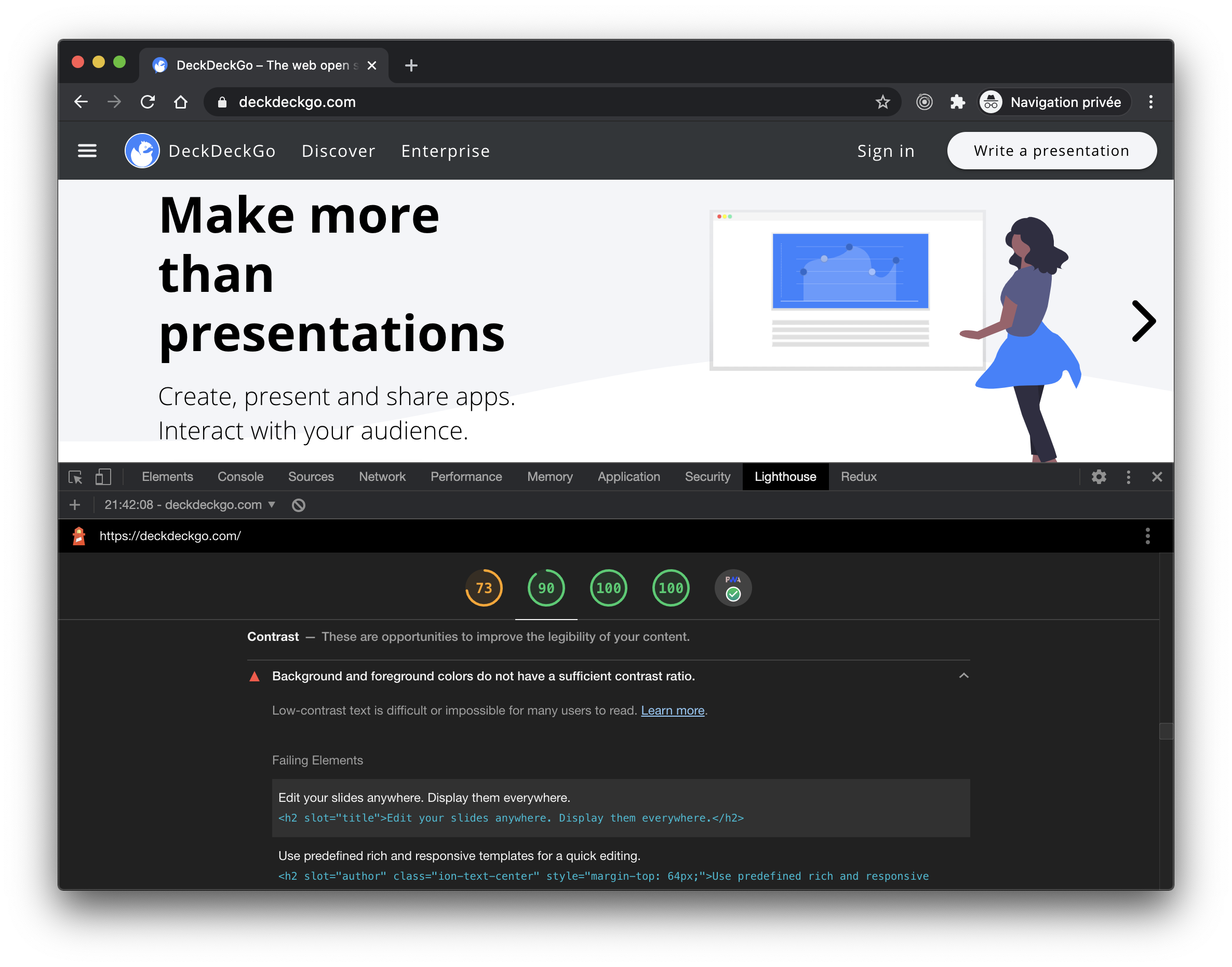
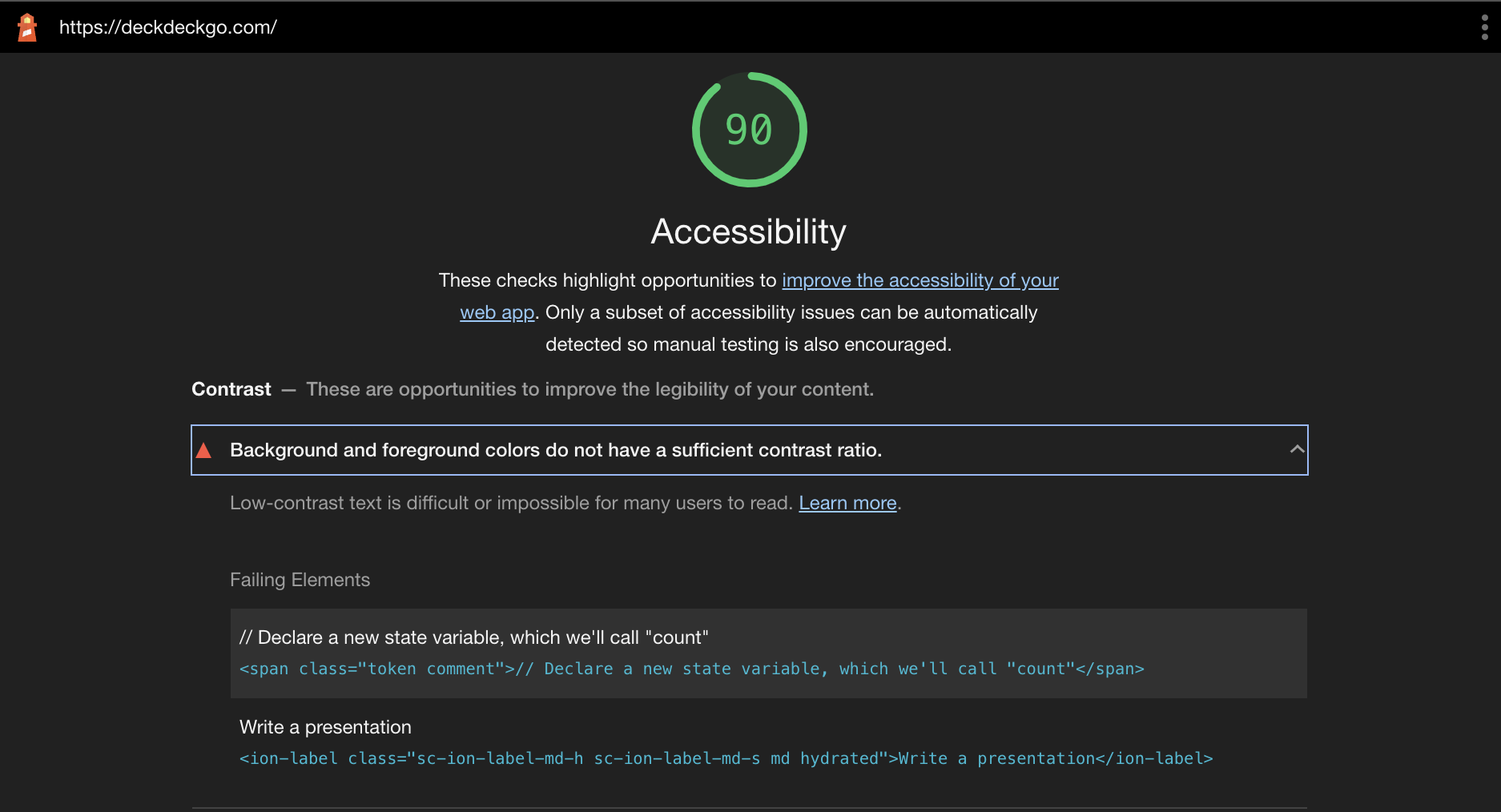
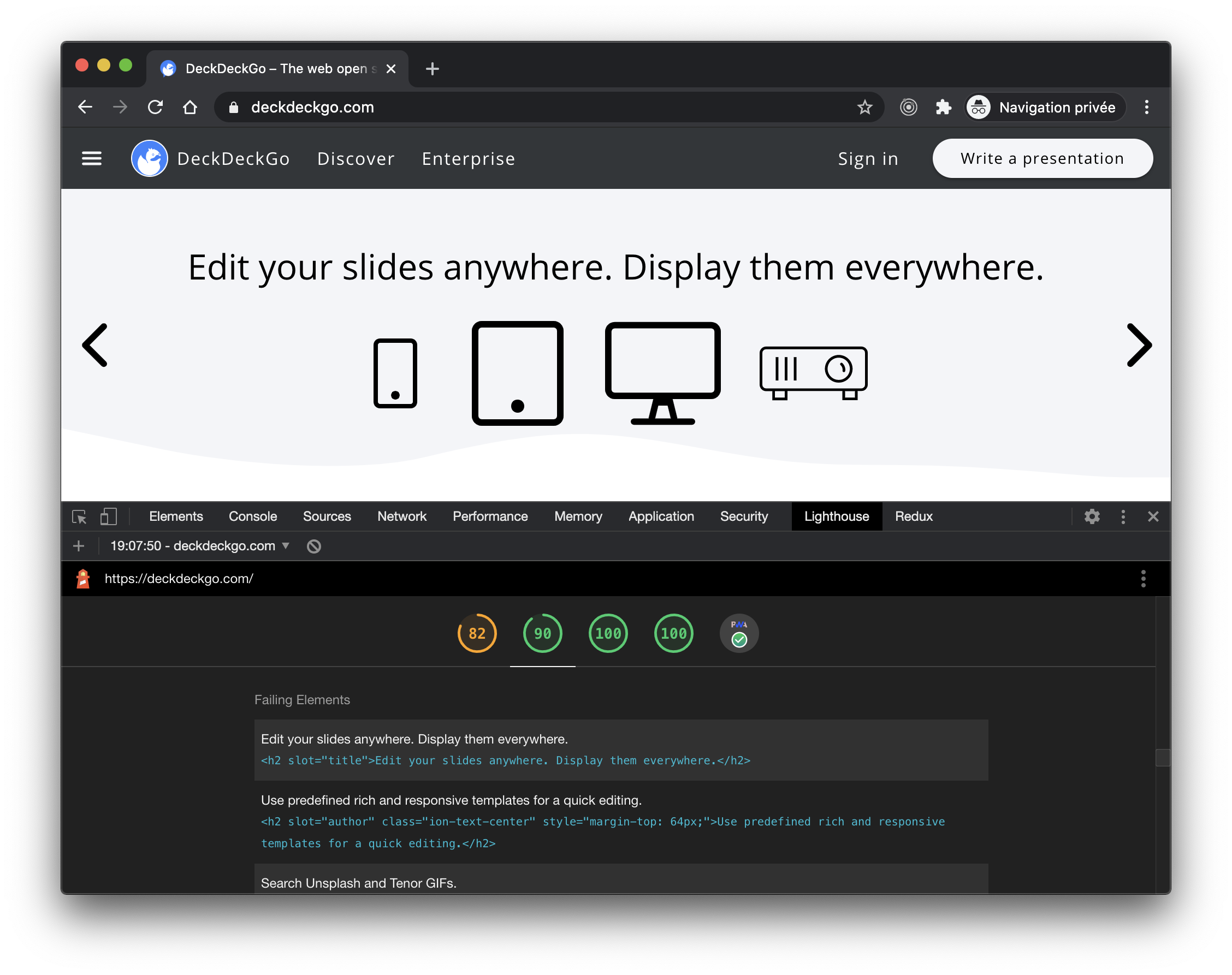
LH is reporting contrast ratio issues for text finding place off-screen but having a valid contrast ratio according the Chrome debugger.
What is the expected behavior?
Not contrast ratio error on such elements.
Environment Information
- Affected Channels: Both CLI (v6.2.0) as in Chrome v84
Screenshots


 peterpeterparker
All 12 comments
Thanks for filing @peterpeterparker! I can reproduce this with Lighthouse but not axe-core alone so it's something we'll need to look into.
 patrickhulce
on 17 Aug 2020
patrickhulce
on 17 Aug 2020
Thank you for the feedback @patrickhulce. Let me know if you need more information.
peterpeterparker
on 17 Aug 2020
@patrickhulce What method did you use to test the page with just axe-core. The axe chrome extension results back up the results in the Lighthouse report even though devtools reports contrast as good.
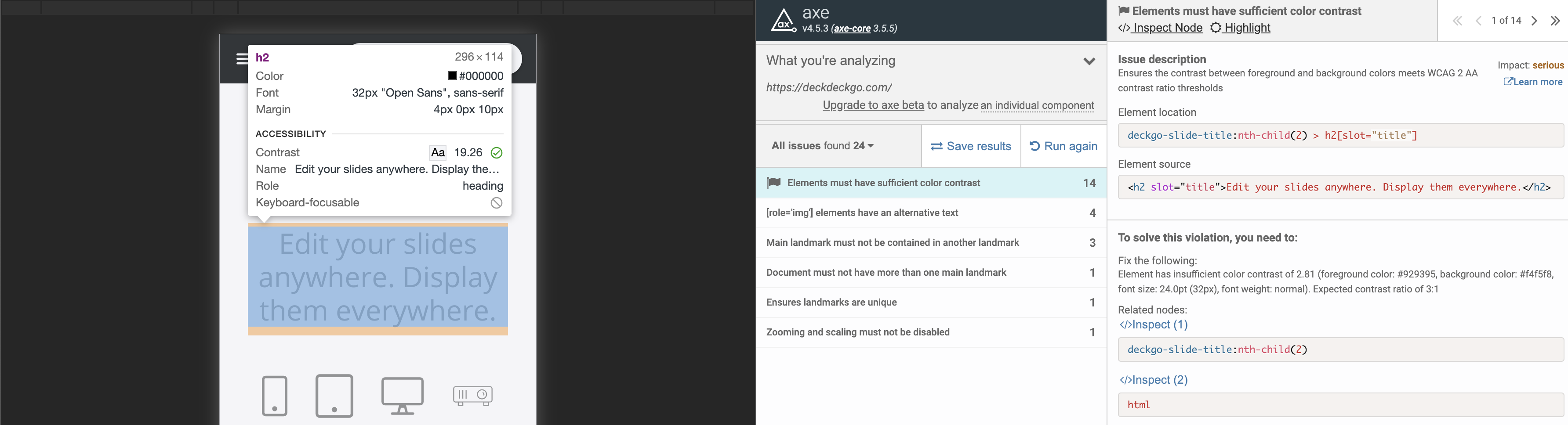
It appears that devtools is comparing CSS values while axe is comparing the actual display color (after opacity, filter, etc.)
 adamraine
on 18 Sep 2020
adamraine
on 18 Sep 2020
tl;dr I can't reproduce this anymore.
- Based on the OP's screenshots I was testing the desktop version of the page.
- I only see 2 violations, one for the comment at the end of the slides and one for the "Write a presentation" button at the bottom.
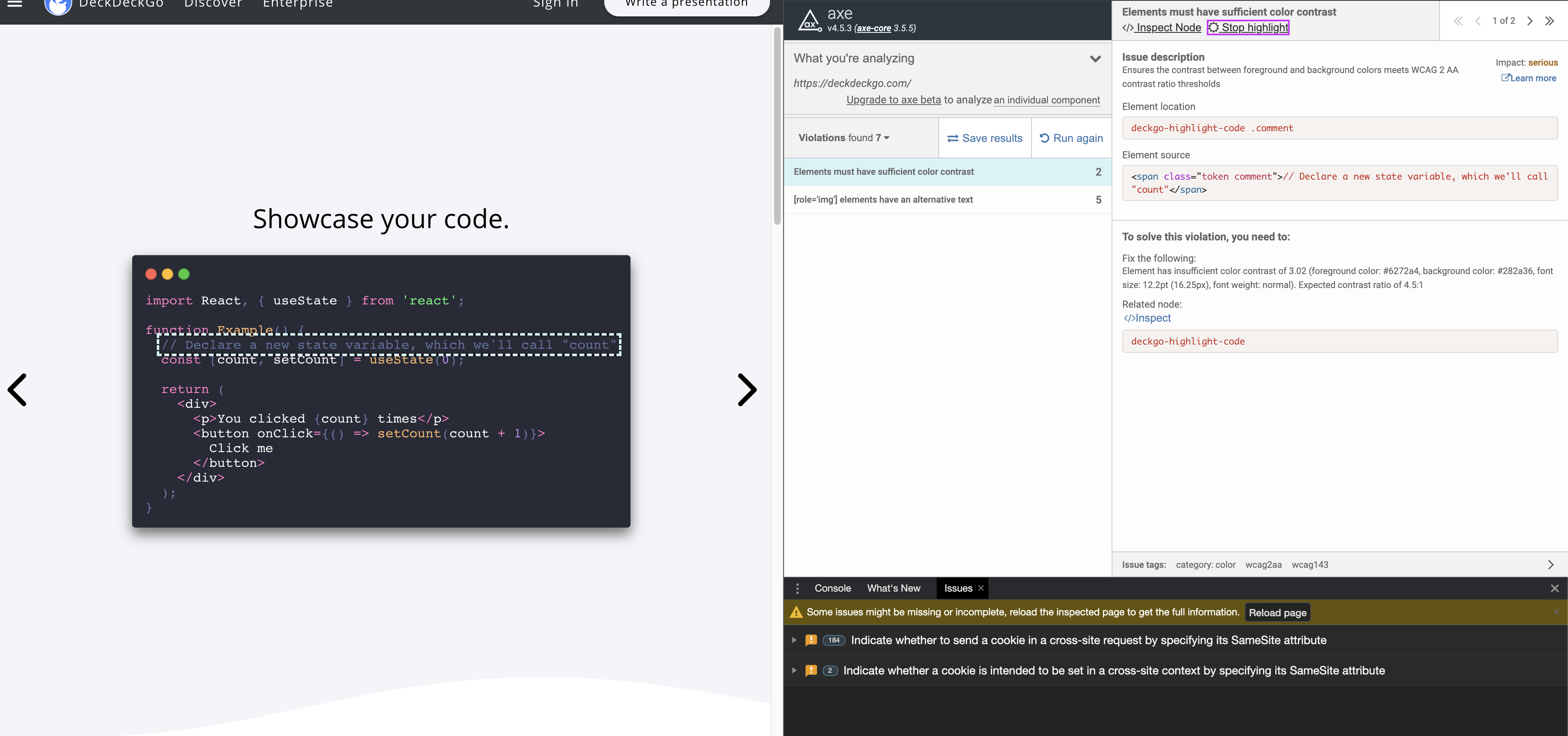
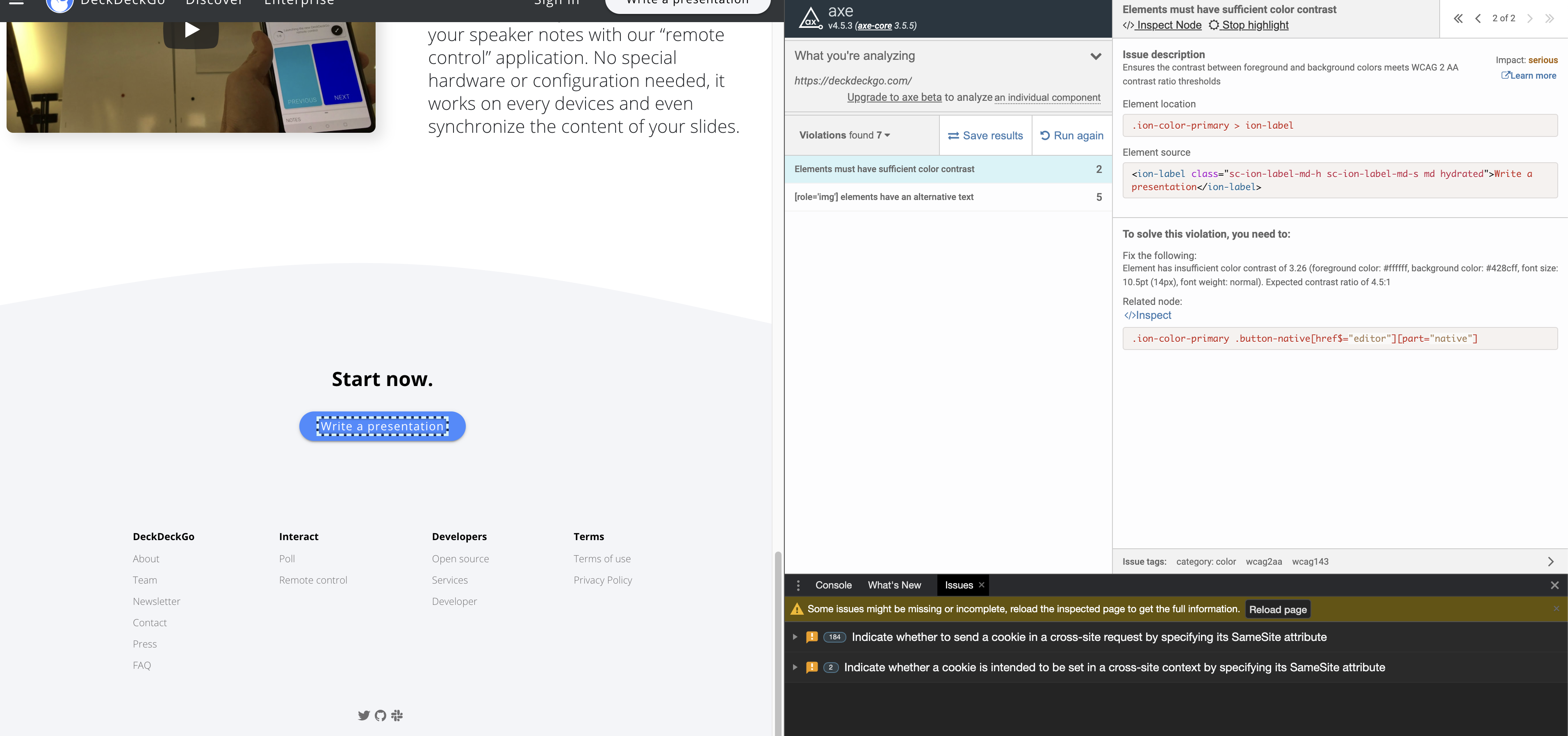
- Now Lighthouse actually matches axe-core results but I still don't see "Edit your slides anywhere. Display them everywhere" flagged at all.
patrickhulce
on 18 Sep 2020
Can confirm I still notice it with Chrome v85.0.4183.102
Fresh screenshot (note that I swiped the slider to slide 2, which was offscreen, on that screenshot)
peterpeterparker
on 18 Sep 2020
@peterpeterparker are you running Lighthouse on the mobile or desktop site?
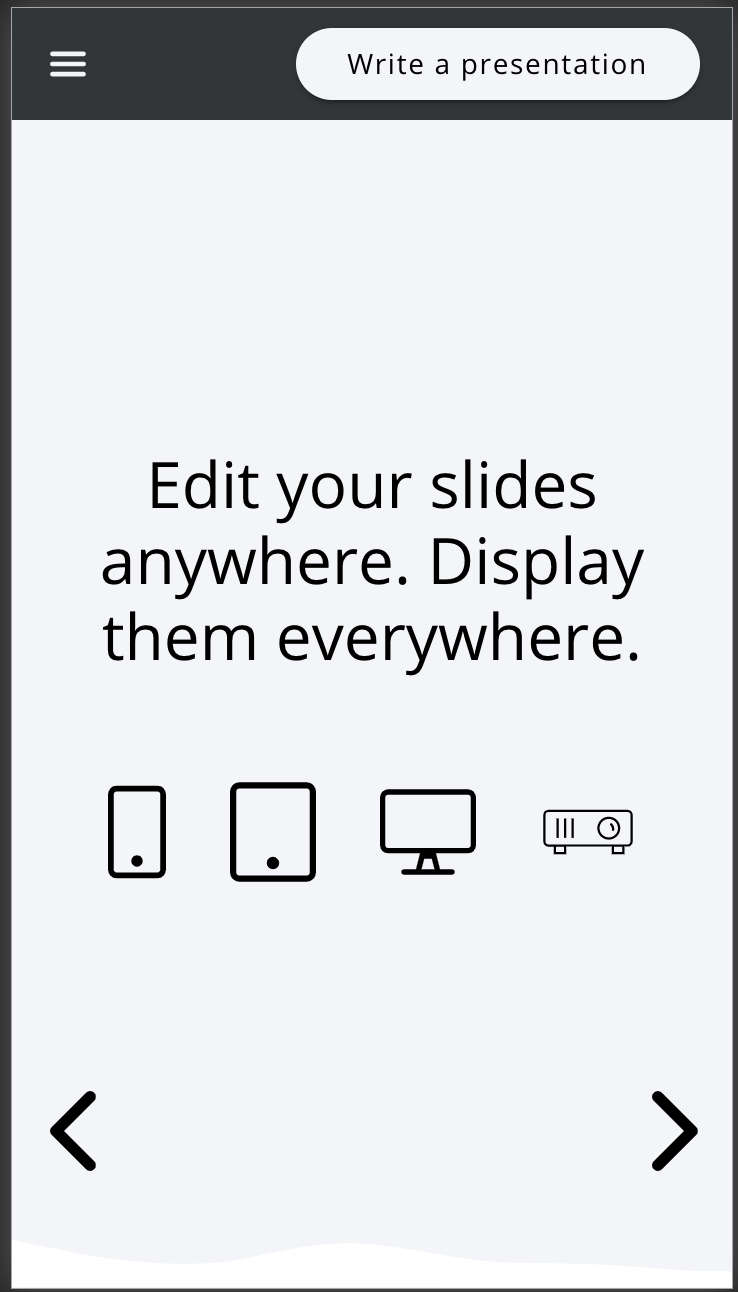
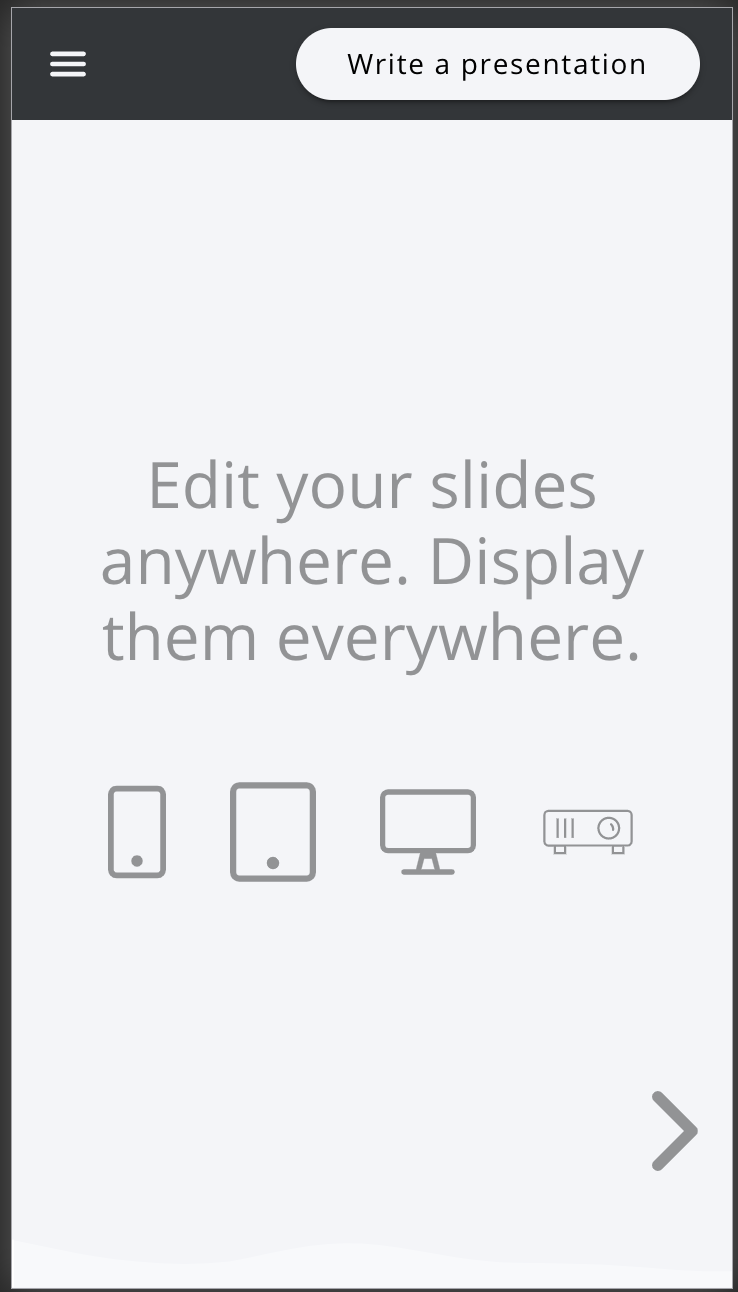
On the mobile site, it appears some of the text elements are getting dimmed when they are out of view which might be causing axe to throw a contrast violation:
When brought into view normally vs being focused using devtools:
adamraine
on 18 Sep 2020
Indeed I run lighthouse on desktop.
Note that the fact that the elements are dimmed outside view on mobile is also correct (these are dimmed when outside view / window to apply a fade effect on transition from a slide to another).
peterpeterparker
on 18 Sep 2020
When you say you are running on desktop, do you mean you are testing from a desktop computer or you have set Lighthouse to test the desktop site instead of the mobile site?
Lighthouse will test the mobile site by default and to test the desktop site you need to select the "Desktop" radio button before running Lighthouse. It looks like you have Lighthouse set to test the mobile site in one of your screenshots (third picture in first comment):
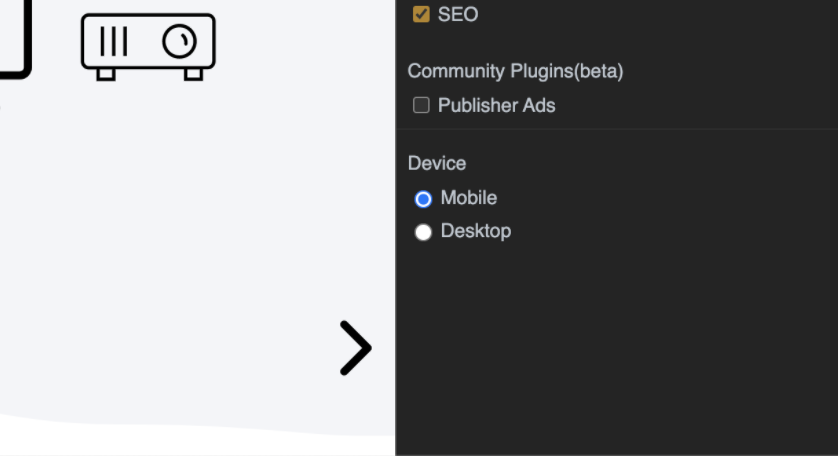
I just want to confirm since I am unable to replicate this for the desktop site but I can replicate it for the mobile site.
adamraine
on 18 Sep 2020
you are right, sorry @adamraine for mixing the information or not being precise enough
I run lighthouse in Chrome v85 on Mac desktop with the default settings aka "test the device mode"
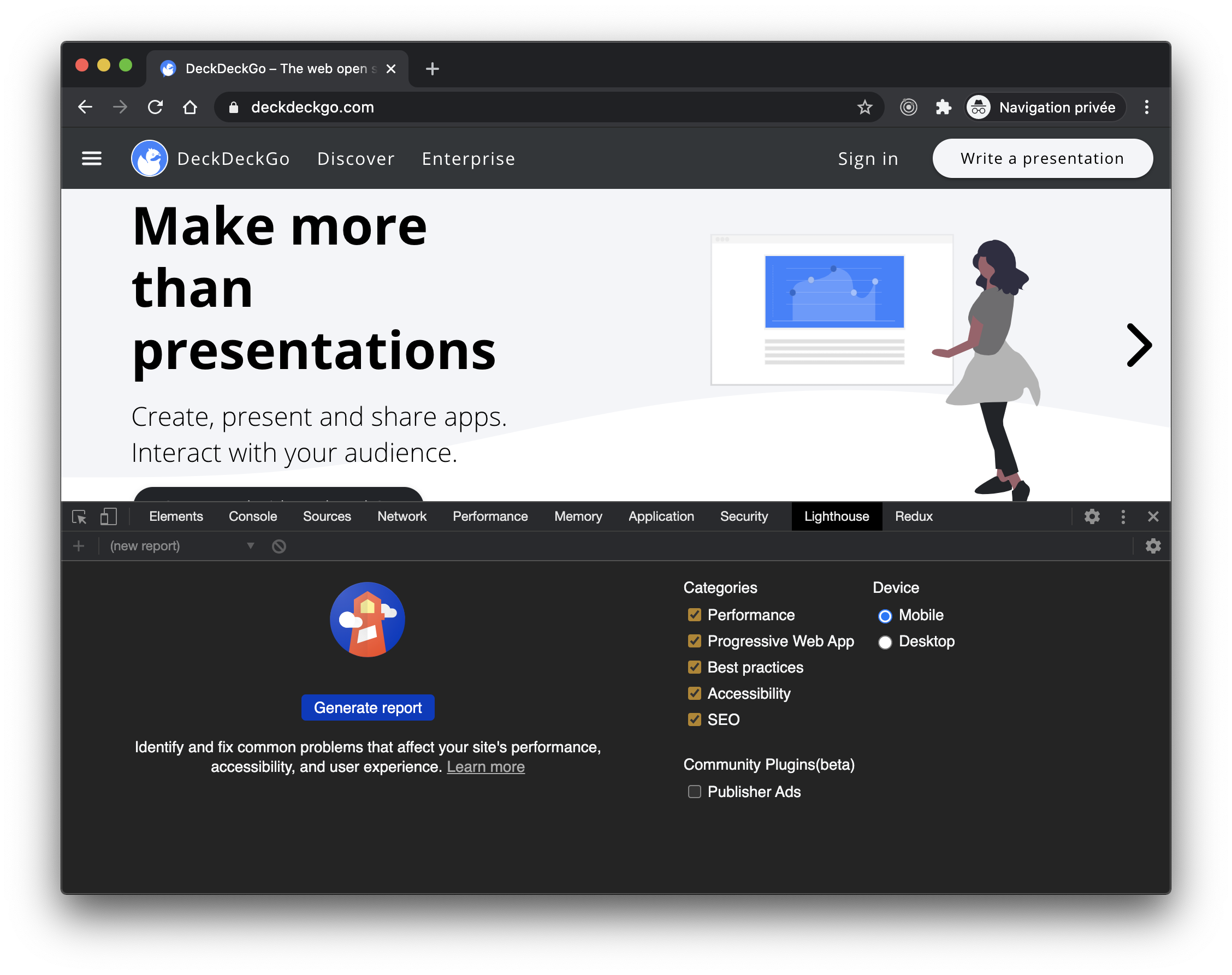
peterpeterparker
on 18 Sep 2020
note: if that would ease the debugging, I can set up our website to behaves the same way on desktop as on mobile, that would be a quick setting
peterpeterparker
on 18 Sep 2020
you are right, sorry @adamraine for mixing the information or not being precise enough
It's no problem, I should have clarified the question better the first time :)
I can set up our website to behaves the same way on desktop as on mobile
Changing the deployed website shouldn't be necessary. You can just pull up a test build of the site with the fade transition disabled, then run Lighthouse on that. The results for the color contrast audit on the mobile site should now match the desktop site results.
Regardless, I'm pretty sure I understand the issue. Axe is flagging off screen text because of the dimming effect even though the dimming is removed when the text is in view.
You could file this as an issue under axe-core, but accounting for this specific case might be complicated. Either way, I don't think this is an issue with Lighthouse.
adamraine
on 18 Sep 2020
Giving the fact that it is probably not a lighthouse issue and also probably too complicated, or not worth, to be fixed, as it is kind of an edge and marginal case, I will try to find a solution on my side aka not use these dimming effects for mobile website and apply another style. I can, and probably our users too, live with that.
Therefore, I close this issue.
Thank you a lot for all your time and help @adamraine and @patrickhulce !
peterpeterparker
on 18 Sep 2020
Related issues
 bitttttten
·
3Comments
bitttttten
·
3Comments
 radum
·
3Comments
radum
·
3Comments
 muuvmuuv
·
3Comments
muuvmuuv
·
3Comments
 nl-igor
·
3Comments
nl-igor
·
3Comments
 motiejuss
·
3Comments
motiejuss
·
3Comments