Lighthouse: axe bugs in LH 6.0 (null accessibility score)
We are using Lighthouse 6 programmatically using node module to get performance, accessibility and SEO scores. For few URLs listed below, it returns null accessibility scores when tested for desktop with no apparent errors. Lighthouse v5 worked fine for us and we have been using it for less than 2 years.
It does return accessibility scores for some URLs such as google.com, abc.com etc.
Provide the steps to reproduce
- Run Lighthouse 6.0.0 with node module "lighthouse" and "chrome-launcher" OR "puppeteer" for below URLs
- https://quickbooks.intuit.com
- https://quickbooks.intuit.com/pricing
- https://quickbooks.intuit.com/online/
Check Results object
accessibility score is null.
Example:
"accessibility": {
    "title": "Accessibility",
    "description": "These checks highlight opportunities to [improve the accessibility of your web app](https://developers.google.com/web/fundamentals/accessibility). Only a subset of accessibility issues can be automatically detected so manual testing is also encouraged.",
    "manualDescription": "These items address areas which an automated testing tool cannot cover. Learn more in our guide on [conducting an accessibility review](https://developers.google.com/web/fundamentals/accessibility/how-to-review).",
    "auditRefs": [
      {
        "id": "accesskeys",
        "weight": 0,
        "group": "a11y-navigation"
      },
      {
        "id": "aria-allowed-attr",
        "weight": 10,
        "group": "a11y-aria"
      },
      {
        "id": "aria-hidden-body",
        "weight": 10,
        "group": "a11y-aria"
      },
      {
        "id": "aria-hidden-focus",
        "weight": 3,
        "group": "a11y-aria"
      },
      {
        "id": "aria-input-field-name",
        "weight": 0,
        "group": "a11y-aria"
      },
      {
        "id": "aria-required-attr",
        "weight": 10,
        "group": "a11y-aria"
      },
      {
        "id": "aria-required-children",
        "weight": 10,
        "group": "a11y-aria"
      },
      {
        "id": "aria-required-parent",
        "weight": 10,
        "group": "a11y-aria"
      },
      {
        "id": "aria-roles",
        "weight": 10,
        "group": "a11y-aria"
      },
      {
        "id": "aria-toggle-field-name",
        "weight": 0,
        "group": "a11y-aria"
      },
      {
        "id": "aria-valid-attr-value",
        "weight": 10,
        "group": "a11y-aria"
      },
      {
        "id": "aria-valid-attr",
        "weight": 10,
        "group": "a11y-aria"
      },
      {
        "id": "button-name",
        "weight": 10,
        "group": "a11y-names-labels"
      },
      {
        "id": "bypass",
        "weight": 3,
        "group": "a11y-navigation"
      },
      {
        "id": "color-contrast",
        "weight": 3,
        "group": "a11y-color-contrast"
      },
      {
        "id": "definition-list",
        "weight": 0,
        "group": "a11y-tables-lists"
      },
      {
        "id": "dlitem",
        "weight": 0,
        "group": "a11y-tables-lists"
      },
      {
        "id": "document-title",
        "weight": 3,
        "group": "a11y-names-labels"
      },
      {
        "id": "duplicate-id-active",
        "weight": 3,
        "group": "a11y-navigation"
      },
      {
        "id": "duplicate-id-aria",
        "weight": 10,
        "group": "a11y-aria"
      },
      {
        "id": "form-field-multiple-labels",
        "weight": 0,
        "group": "a11y-names-labels"
      },
      {
        "id": "frame-title",
        "weight": 3,
        "group": "a11y-names-labels"
      },
      {
        "id": "heading-order",
        "weight": 2,
        "group": "a11y-navigation"
      },
      {
        "id": "html-has-lang",
        "weight": 3,
        "group": "a11y-language"
      },
      {
        "id": "html-lang-valid",
        "weight": 3,
        "group": "a11y-language"
      },
      {
        "id": "image-alt",
        "weight": 10,
        "group": "a11y-names-labels"
      },
      {
        "id": "input-image-alt",
        "weight": 0,
        "group": "a11y-names-labels"
      },
      {
        "id": "label",
        "weight": 10,
        "group": "a11y-names-labels"
      },
      {
        "id": "layout-table",
        "weight": 0,
        "group": "a11y-tables-lists"
      },
      {
        "id": "link-name",
        "weight": 3,
        "group": "a11y-names-labels"
      },
      {
        "id": "list",
        "weight": 3,
        "group": "a11y-tables-lists"
      },
      {
        "id": "listitem",
        "weight": 3,
        "group": "a11y-tables-lists"
      },
      {
        "id": "meta-refresh",
        "weight": 0,
        "group": "a11y-best-practices"
      },
      {
        "id": "meta-viewport",
        "weight": 10,
        "group": "a11y-best-practices"
      },
      {
        "id": "object-alt",
        "weight": 0,
        "group": "a11y-names-labels"
      },
      {
        "id": "tabindex",
        "weight": 3,
        "group": "a11y-navigation"
      },
      {
        "id": "td-headers-attr",
        "weight": 3,
        "group": "a11y-tables-lists"
      },
      {
        "id": "th-has-data-cells",
        "weight": 3,
        "group": "a11y-tables-lists"
      },
      {
        "id": "valid-lang",
        "weight": 0,
        "group": "a11y-language"
      },
      {
        "id": "video-caption",
        "weight": 0,
        "group": "a11y-audio-video"
      },
      {
        "id": "video-description",
        "weight": 0,
        "group": "a11y-audio-video"
      },
      {
        "id": "logical-tab-order",
        "weight": 0
      },
      {
        "id": "focusable-controls",
        "weight": 0
      },
      {
        "id": "interactive-element-affordance",
        "weight": 0
      },
      {
        "id": "managed-focus",
        "weight": 0
      },
      {
        "id": "focus-traps",
        "weight": 0
      },
      {
        "id": "custom-controls-labels",
        "weight": 0
      },
      {
        "id": "custom-controls-roles",
        "weight": 0
      },
      {
        "id": "visual-order-follows-dom",
        "weight": 0
      },
      {
        "id": "offscreen-content-hidden",
        "weight": 0
      },
      {
        "id": "use-landmarks",
        "weight": 0
      }
    ],
    "id": "accessibility",
    "score": null
  }
What is the current behavior?
Accessibility score is null for desktop device for bunch of URLs when analyzed through node module of LH 6
What is the expected behavior?
Accessibility score should be between 0 to 1.
Environment Information
- Affected Channels: Node
- Lighthouse version: 6.0.0
- Chrome version:
chrome-launcher ^0.13.2 - Node.js version: 10.20.1
- Operating System: Mac OS High Sierra
Related issues
 bhavin7181
All 27 comments
Thanks for filing @bhavin7181! I'm not able to reproduce this issue unfortunately.
It's null when an audit in the category that was scored threw an exception. The audit that threw should have scoreDisplayMode: 'error' and a message explaining what happened. Could you provide that message you're seeing for the errored audits?
 patrickhulce
on 4 Jun 2020
patrickhulce
on 4 Jun 2020
If I'm reading this correctly, I think this is the exact same issue we're experiencing with our sites too.
Lighthouse v5 reported accessibility issues fine but now we get a '0' or '?' result with no reason to why this is happening.
 spacedawwwg
on 5 Jun 2020
spacedawwwg
on 5 Jun 2020
@spacedawwwg hey again! good to see you over here. :)
could you share a URL that we can reproduce this on? Or the report JSON or HTML?
 paulirish
on 5 Jun 2020
paulirish
on 5 Jun 2020
Hi,
@paulirish Getting the same issue ("?" accessibility score) when running lighthouse 6.0 (via web.dev) on a number of websites, including https://praesens.co
Gist with the JSON:
https://gist.github.com/widmanski/b109cd65de96a7dc681474713f120454
Seems like it fails on parsing the viewport tag (we do not have "user-scalable: no" or a maximum-scale in the tag)

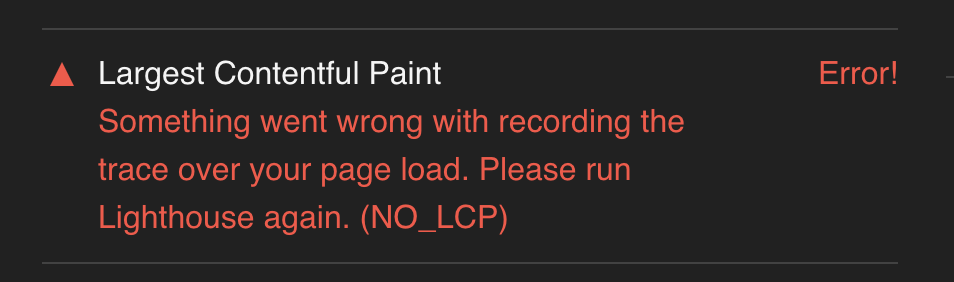
(Update: seeing the following is already addressed in #10877) Interestingly, lighthouse also errors on calculating the LCP, and also returns a "?" / 0 on performance (I will see if there are existing issue reports and add this there too).
cc @spacedawwwg
Update I'm pretty sure the error resulted from axe-core failing to parse our viewport tag due to legacy / invalid content (we copied it over from the previous version of the website) - <meta name="viewport" content="width=device-width,initial-scale=1,minimal-ui"> - minimal-ui is likely what causes this. We'll be removing it soon, so lighthouse may actually start to correctly score accessibility on the reported page once you read this.
 widmanski
on 5 Jun 2020
widmanski
on 5 Jun 2020
@widmanski awesome. Super useful detail.
i've just filed https://github.com/dequelabs/axe-core/issues/2274 upstream in axe-core. I'm hoping we'll see a response soon. 😎
paulirish
on 5 Jun 2020
Thanks @paulirish !
Confirming that removing the minimal-ui from meta viewport allowed the audit to go through, and we now get a correct reading on the Accessibility score.
widmanski
on 5 Jun 2020
@patrickhulce @paulirish Thanks guys for the quick response!
In my case, view-port isn't causing this issue. Here is the full results json - https://gist.github.com/bhavin7181/ed97770e37bb8ea7087ae4977f9f618b#file-lighthouse-results-json-L4653
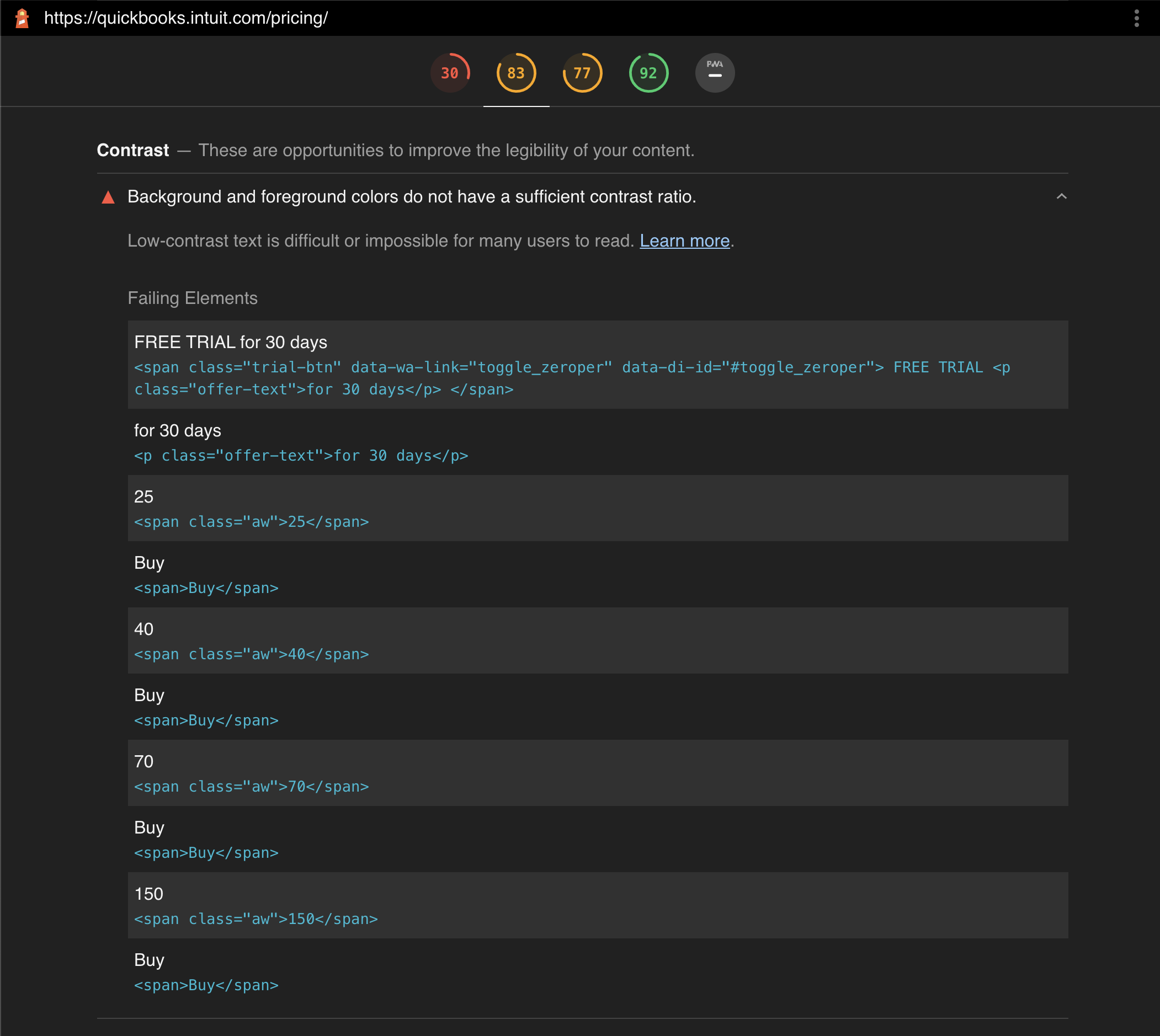
Follow the line #4653 to find the error message "axe-core Error: Cannot read property 'cells' of undefined"
bhavin7181
on 5 Jun 2020
I still can't reproduce that error on that quickbooks page :/
Does it happen every time for you?
Is it possible you're receiving a different version of the page than I am?
We'd definitely like to fix this but if we can't provide a repro case to axe-core than I don't know how they're going to be able to fix it.
patrickhulce
on 5 Jun 2020
can you try with this URL - https://quickbooks.intuit.com/pricing
It happens each time for this page.
Results - https://gist.github.com/bhavin7181/ed97770e37bb8ea7087ae4977f9f618b#file-lighthouse-results-json-L4653
bhavin7181
on 5 Jun 2020
@patrickhulce I got response from axe-core that its known issue and will be resolved in next major version 4.0 in early Aug.
@paulirish do you want to update the title to reflect color-contrast issue as well for tracking?
bhavin7181
on 5 Jun 2020
Thanks @bhavin7181!
That is the URL I've been trying
But glad to hear you've got a response from axe 👍 Yours was actually the original issue, so really I think the other one should have been split out. Either way if they're both fixed in 4.0 it doesn't really matter.
patrickhulce
on 5 Jun 2020
Not sure this can be 6.0.1 or a P0 if they're not fixing it until early August :/
patrickhulce
on 5 Jun 2020
Alright, so:
- viewport minimal-ui bug. fix landed https://github.com/dequelabs/axe-core/pull/2238
Cannot read property 'cells' of undefinedin color contrast bug. root issue suspected to be either https://github.com/dequelabs/axe-core/issues/2262 or https://github.com/dequelabs/axe-core/issues/2261- @spacedawwwg's bug? we don't have the error message yet, though my money is on minimal-ui
The minimal-ui one is significant enough for a LH release, IMO.
However axe-core is in the midst of a huge codebase refactor to ES Modules and are not planning on shipping until their 4.0 in August.
So...
I went and created a a v3.5x branch on their behalf. :)
https://github.com/paulirish/axe-core/commits/v3.5.x
It has every bugfix that's landed in the develop branch since 3.5.3, with one exception (porting that one would take an hour or two. meh).
I'm happy to ship this publish this branch to NPM if they're not interested.
paulirish
on 6 Jun 2020
I asked axe to ship another 3.5x release: https://github.com/dequelabs/axe-core/issues/2280
We'll see.
paulirish
on 6 Jun 2020
- @spacedawwwg's bug? we don't have the error message yet, though my money is on minimal-ui
Hey, @paulirish! Sorry, I've been absolutely swamped today (so here I am at 01.20am GMT)
We're not actually using minimal-ui, this is our viewport tag:
<meta name="viewport" content="width=device-width, initial-scale=1, viewport-fit=cover">
I'm wondering if it's viewport-fit in this case though 🤔
Unfortunately, I can't really share a URL right now either with the project being private. I'll see if I can spin up a white labeled version with the same issue.
UPDATE: It isn't the viewport-fit
spacedawwwg
on 6 Jun 2020
@paulirish Ok, so I've managed to narrow it down to CSS causing the issue (see selector below)
.c-header-nav {
  position: fixed;
  top: var(--header-height-sm);
  right: 0;
  left: 0;
  z-index: 2;
  background: var(--color-white);
  /* height: 0; */
  overflow: hidden;
}
For some reason when I include height: 0; it causes Lighthouse Accessibility to error with:
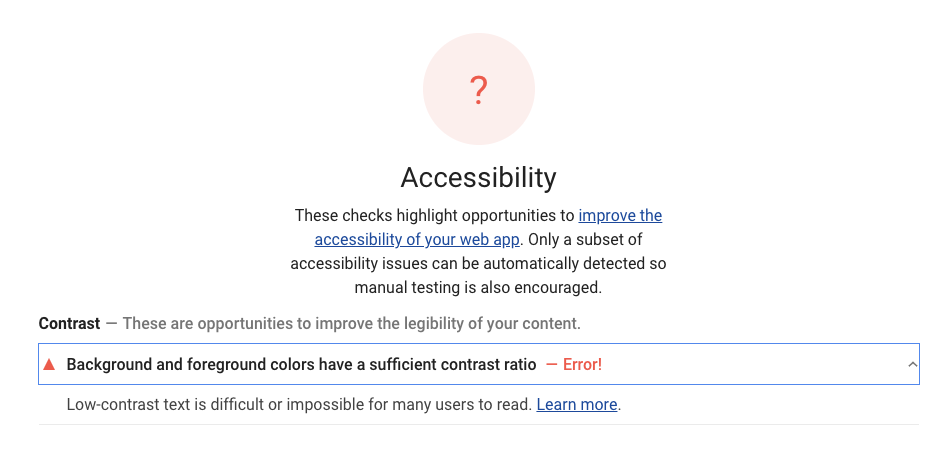
I've tried a few different '0' values; 0px, 0%, 0rem, 0em… all of which cause the error. I have been able to 'cheat' it using height: 0.1%; but the error seems to be associated with the use of a zero value.
spacedawwwg
on 6 Jun 2020
Thanks for digging in @spacedawwwg! That's captured by https://github.com/dequelabs/axe-core/issues/2262 and we've requested another 3.5.x release to fix it sooner in @paulirish 's issue.
patrickhulce
on 6 Jun 2020
@paulirish we're also facing nullish accessibility score issue with v6.0 on web.dev
Url: https://www.99acres.com/aba-cherry-county-techzone-4-greater-noida-west-npxid-r4462
 immohitrathi
on 9 Jun 2020
immohitrathi
on 9 Jun 2020
I can reproduce this problem with the Lighthouse 6.0 command line. I run lighthouse to an attached headless Chrome. The accessibility score is "null". However the other reports like the performance, best-practiques... are working correct.

 juanparati
on 11 Jun 2020
juanparati
on 11 Jun 2020
@juanparati, without a URL or even the error message (hover over the gauge or look in the JSON) this doesn't give us any additional information. Your case will likely be resolved by https://github.com/dequelabs/axe-core/issues/2280
 connorjclark
on 11 Jun 2020
connorjclark
on 11 Jun 2020
I'm also seeing a null accessibility score on Lighthouse 6.0.0 at https://gregives.co.uk/blog/optimising-the-fonts-on-my-website/.

Here's the JSON report: https://gist.github.com/gregives/1063e75e8e0b138be2a641d87e4d9e11
I'm unsure why it's happening but I'll try to narrow down what is causing it.
 gregives
on 22 Jun 2020
gregives
on 22 Jun 2020
When will LH6.1 be available on web.dev?
 Adifmac
on 29 Jun 2020
Adifmac
on 29 Jun 2020
@Adifmac see https://github.com/GoogleChrome/lighthouse/releases/tag/v6.1.0
We expect this release to ship to DevTools in Chrome 85, and to PageSpeed Insights within 2 weeks.
so within 2 weeks
patrickhulce
on 29 Jun 2020
Marking this as closed since 6.1 has shipped with these fixes in #10986 🎉
patrickhulce
on 29 Jun 2020
Hi @paulirish,
We're seeing this error with Lighthouse 6.3 and Axe 3.5.5 (locally), and this is also replicated on web.dev: https://lighthouse-dot-webdotdevsite.appspot.com//lh/html?url=https%3A%2F%2Fbilletto.dk%2F

The command run for us is:
$ lighthouse --no-enable-error-reporting --output json --output html --output-path=/home/chrome/reports/1601558230 --chrome-flags='--headless --no-sandbox --disable-dev-shm-usage' --emulated-form-factor=mobile https://billetto.dk/
I've attached both the JSON and HTML output:
1601560061-reports.zip
 kaspergrubbe
on 1 Oct 2020
kaspergrubbe
on 1 Oct 2020
@kaspergrubbe that's a separate axe bug that hasn't been fixed (see https://github.com/dequelabs/axe-core/issues/2483) this issue was for the set of bugs fixed in 3.5.5
patrickhulce
on 1 Oct 2020
@patrickhulce I wasn't aware of that, thanks! I will monitor that one.
kaspergrubbe
on 1 Oct 2020
Related issues
 sanprieto
·
3Comments
sanprieto
·
3Comments
 motiejuss
·
3Comments
motiejuss
·
3Comments
 johnfrancisli
·
3Comments
johnfrancisli
·
3Comments
 dkajtoch
·
3Comments
dkajtoch
·
3Comments
 devrsi0n
·
3Comments
devrsi0n
·
3Comments
Most helpful comment
Thanks for digging in @spacedawwwg! That's captured by https://github.com/dequelabs/axe-core/issues/2262 and we've requested another 3.5.x release to fix it sooner in @paulirish 's issue.