Lighthouse: Make image links clickable
Feature request summary
In audits relating to images, it would be nice to make the image links clickable which automatically takes to the image that's failing the audit.
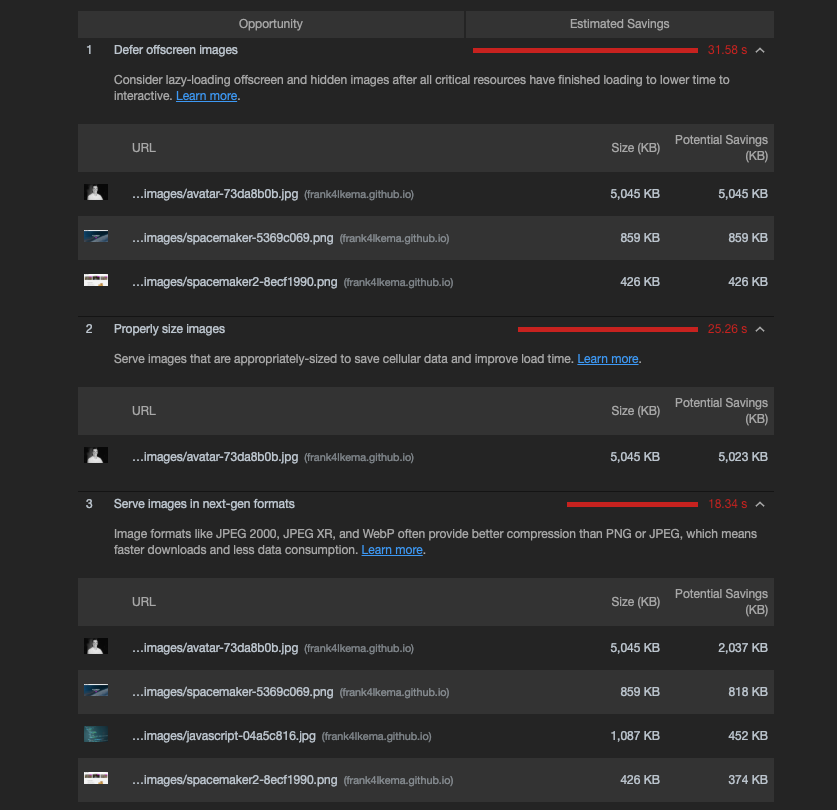
Another alternative would be to have a "link opens in new tab" (top-right arrow) icon that will open the image
I would love to work on this new feature
What is the motivation or use case for changing this?
When debugging sites with large and/or dynamic images, this makes it much easier to find (and get a link) of the image that's failing the audit.
Most of the times, image links are quite long so they get trimmed and you can't copy them and then you have to find them in the Network tab
How is this beneficial to Lighthouse?
Improved Developer Experience 😄
 jadjoubran
All 9 comments
Should be easy enough thanks for filing and volunteering @jadjoubran !
The code you're looking for is
https://github.com/GoogleChrome/lighthouse/blob/7f55977b2a8aa13633c95a1d97b546b0bd74c8be/lighthouse-core/report/html/renderer/details-renderer.js#L193-L206
You'll probably want to wrap that in an a and set the href/target to the URL/_blank.
 patrickhulce
on 17 Nov 2018
patrickhulce
on 17 Nov 2018
Awesome, I'll take a look at the contributing guidelines and start working on it next week
Expect a PR soon, and thanks a lot for pointing out which file, that saves a lot of time!
jadjoubran
on 17 Nov 2018
Would it also be useful to link to the DOM element? Some parts of the report currently link to the failing elements, but not all. For example, the font-size audit does not (yet - #6436).
 connorjclark
on 19 Nov 2018
connorjclark
on 19 Nov 2018
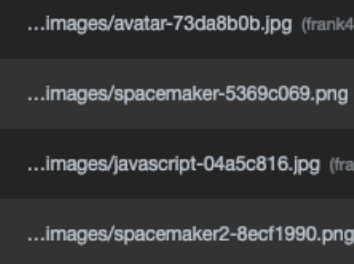
maybe then it makes sense to link the trimmed link (screenshot below) to the image (opens in a new tab)
and then a future PR would link the image preview (screenshot below) to the DOM element
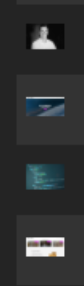
What do you think?
jadjoubran
on 19 Nov 2018
We've been thinking about making the trimmed link link out for a while now across the board, so that'd be cool!
Linking to the DOM element has always been somewhat trickier but very useful. Definitely start with the trimmed link, and we can handle DOM element next :)
patrickhulce
on 19 Nov 2018
Sounds good, just to double check and avoid confusion (because you linked me to the thumbnail)
trimmed link => should link to the image in a new tab
correct?
jadjoubran
on 19 Nov 2018
No, the part I linked was for the old plan. The functionality to turn the trimmed links into real links is actually already there you just need to change the type: of the details items we're producing. You'll take a look at the image audit files in lighthouse-core/audits and change the type: 'url' into type: 'link'
patrickhulce
on 19 Nov 2018
https://github.com/GoogleChrome/lighthouse/pull/6625#issuecomment-470675315
@brendankenny
there has been even more rethinking about how to linkify URLs in the report, so let's close for now and reopen when we nail down exactly what we want to do.
we should just make all urls in detail items clickable, ya?
connorjclark
on 7 May 2019
duping into #5443
connorjclark
on 7 May 2019
Related issues
 timj2
·
3Comments
timj2
·
3Comments
 devrsi0n
·
3Comments
devrsi0n
·
3Comments
 etelai
·
3Comments
etelai
·
3Comments
 Simply007
·
3Comments
Simply007
·
3Comments
 workjalexanderfox
·
3Comments
workjalexanderfox
·
3Comments
Most helpful comment
Awesome, I'll take a look at the contributing guidelines and start working on it next week
Expect a PR soon, and thanks a lot for pointing out which file, that saves a lot of time!