Lighthouse: Lighthouse 2.9.0 Chrome extension is broken
Hi,
Lighthouse does not stop showing "Lighthouse is debugging this browser" I get no report either.
Anyone else facing this issue?
 ChrisJohn1990
All 11 comments
Thanks for a report. Can you please let us know:
- how are you running Lighthouse (extension, from DevTools, from console)?
- what version of Lighthouse are you running?
- what page are you trying to audit?
- does report pass if you disable 'accessibility' category?
 kdzwinel
on 8 Feb 2018
kdzwinel
on 8 Feb 2018
Hi,
Replying point by point
- Extension
- 2.9.0
- www.evolveback.com & www.coorgmisty.com
- I do not have that option
Regards
https://www.avast.com/sig-email?utm_medium=email&utm_source=link&utm_campaign=sig-email&utm_content=webmail
Virus-free.
www.avast.com
https://www.avast.com/sig-email?utm_medium=email&utm_source=link&utm_campaign=sig-email&utm_content=webmail
<#DAB4FAD8-2DD7-40BB-A1B8-4E2AA1F9FDF2>
On Thu, Feb 8, 2018 at 1:54 PM, Konrad Dzwinel notifications@github.com
wrote:
Thanks for a report. Can you please let us know:
- how are you running Lighthouse (extension, from DevTools, from
console)?- what version of Lighthouse are you running?
- what page are you trying to audit?
- does report pass if you disable 'accessibility' category?
—
You are receiving this because you authored the thread.
Reply to this email directly, view it on GitHub
https://github.com/GoogleChrome/lighthouse/issues/4466#issuecomment-364036669,
or mute the thread
https://github.com/notifications/unsubscribe-auth/AilCIBGq58IuyljPsHpEnzSk6mSeA-8hks5tSq9agaJpZM4R97PX
.
ChrisJohn1990
on 8 Feb 2018
I too am having issues with the new extension from webstore (2.9.0). I'm on Windows 10 64bit, and Chrome 64.0.3282.140.
If I run the audit on google.com the URL changes to:
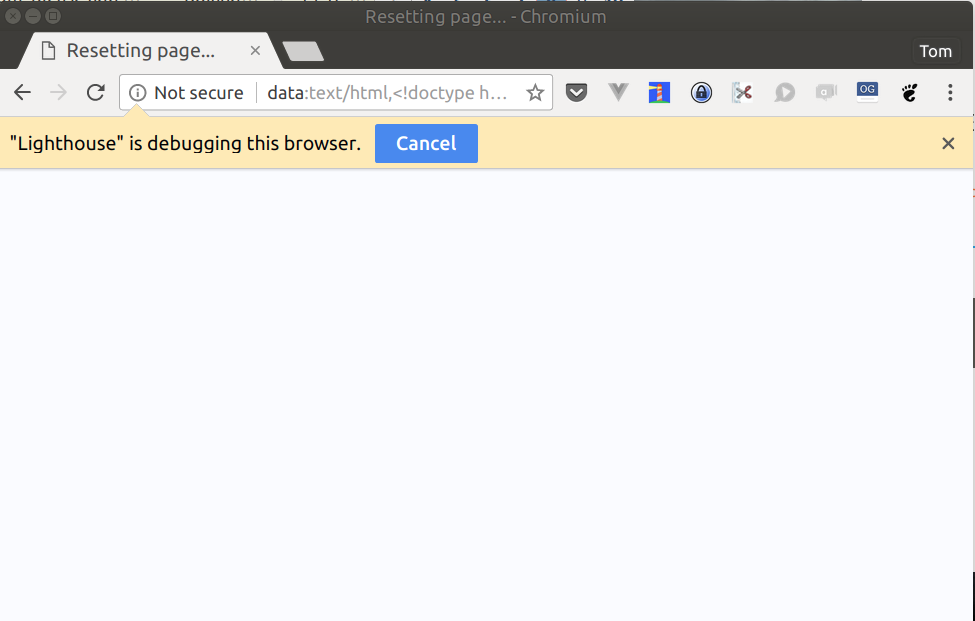
data:text/html,<!doctype html>%0A<html>%0A<meta charset="utf-8">%0A<meta name="viewport" content="width=device-width">%0A<title>Resetting page...</title>%0A<style>%0A html, body {%0A height: 100%;%0A background: hsl(231, 99%, 99%);%0A overflow: hidden;%0A }%0A</style>%0A<body>
and it never completes.
I've also tested on my iMac (High Sierra) with latest Chrome and the latest Chrome extension update (2.9.0) and can no longer get it to complete at all. Stuck as 'Initializing'. Also tested in Incognito mode with no other extensions and still no joy.
 coliff
on 8 Feb 2018
coliff
on 8 Feb 2018
Sorry everyone, it looks like version 2.9 of the extension is broken. We are working on a fix.
kdzwinel
on 8 Feb 2018
Google Should pay me for this shiz.
Thanks Konrad!
On Thu, Feb 8, 2018 at 3:32 PM, Konrad Dzwinel notifications@github.com
wrote:
Sorry everyone, it looks like version 2.9 of the extension is broken. We
are working on a fix.—
You are receiving this because you authored the thread.
Reply to this email directly, view it on GitHub
https://github.com/GoogleChrome/lighthouse/issues/4466#issuecomment-364061495,
or mute the thread
https://github.com/notifications/unsubscribe-auth/AilCIAMFVj3nCAEHNHOV25VF7OProaRVks5tSsXkgaJpZM4R97PX
.
ChrisJohn1990
on 8 Feb 2018
I've shipped a new chrome extension version to CWS: _2.9.0.280_
It's a revert back to 2.8.0, while we sort out the issue. (@kdzwinel did most of the investigation already in #4470)
Holler if you're still encountering problems after you have 2.9.0.280! Thanks very much everyone for reporting. Appreciate it.
Oh, and for @ChrisJohn1990: 💰💰💰💰💰 😜
 paulirish
on 8 Feb 2018
paulirish
on 8 Feb 2018
_- how are you running Lighthouse (extension, from DevTools, from console)?_
Starting the Lighthouse extension from Chrome and Chromium. Tried both on Ubuntu 17.10 and Windows 8, both same freeze.
_- what version of Lighthouse are you running?_
2.9.0
_- what page are you trying to audit?_
breaks on any page, but focussing on https://www.lorinthe.com
_- does report pass if you disable 'accessibility' category?_
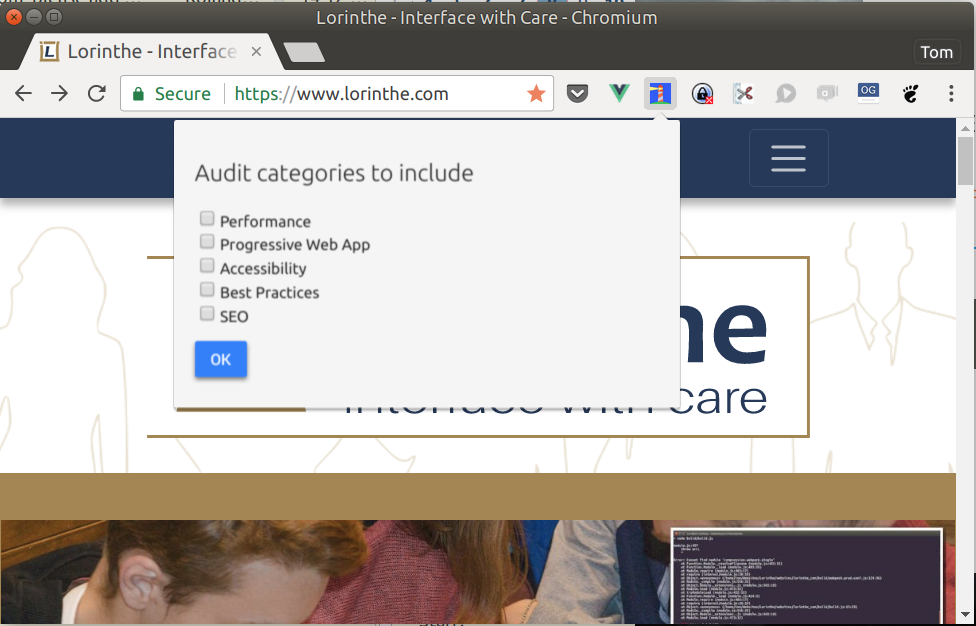
No. Worse it freezes with no category checked even!
Settings
Forever freeze Result:
 tvld
on 8 Feb 2018
tvld
on 8 Feb 2018
IMPORTANT
@kdzwinel Its working fine, when using it with _inspect element_. BUT not, when generating report directly through the extension icon.
 arjunthakur08
on 8 Feb 2018
arjunthakur08
on 8 Feb 2018
@tvld @arjun0108 thanks for reporting. As Paul mentioned above the issue was fixed, please make sure that you have version 2.9.0.280 of the extension. (if needed, you can force-update the extension as described here)
kdzwinel
on 8 Feb 2018
@kdzwinel Thanks... can confirm that 2.9..0.280 is working again. Although we are now getting:
Optimize images
Audit error: Required OptimizedImages gatherer encountered an error: All image optimizations failed

Serve images in next-gen formats
Audit error: Required OptimizedImages gatherer encountered an error: All image optimizations failed
But not sure it's related...
tvld
on 8 Feb 2018
Killer. thanks for the update.
(And yes, All image optimizations failed is a separate issue. just filed it as #4483)
paulirish
on 8 Feb 2018
Related issues
 dkajtoch
·
3Comments
dkajtoch
·
3Comments
 asistapl
·
3Comments
asistapl
·
3Comments
 motiejuss
·
3Comments
motiejuss
·
3Comments
 sanprieto
·
3Comments
sanprieto
·
3Comments
 codepodu
·
3Comments
codepodu
·
3Comments
Most helpful comment
Sorry everyone, it looks like version 2.9 of the extension is broken. We are working on a fix.