Lighthouse: Chrome's infobars distort screenshots
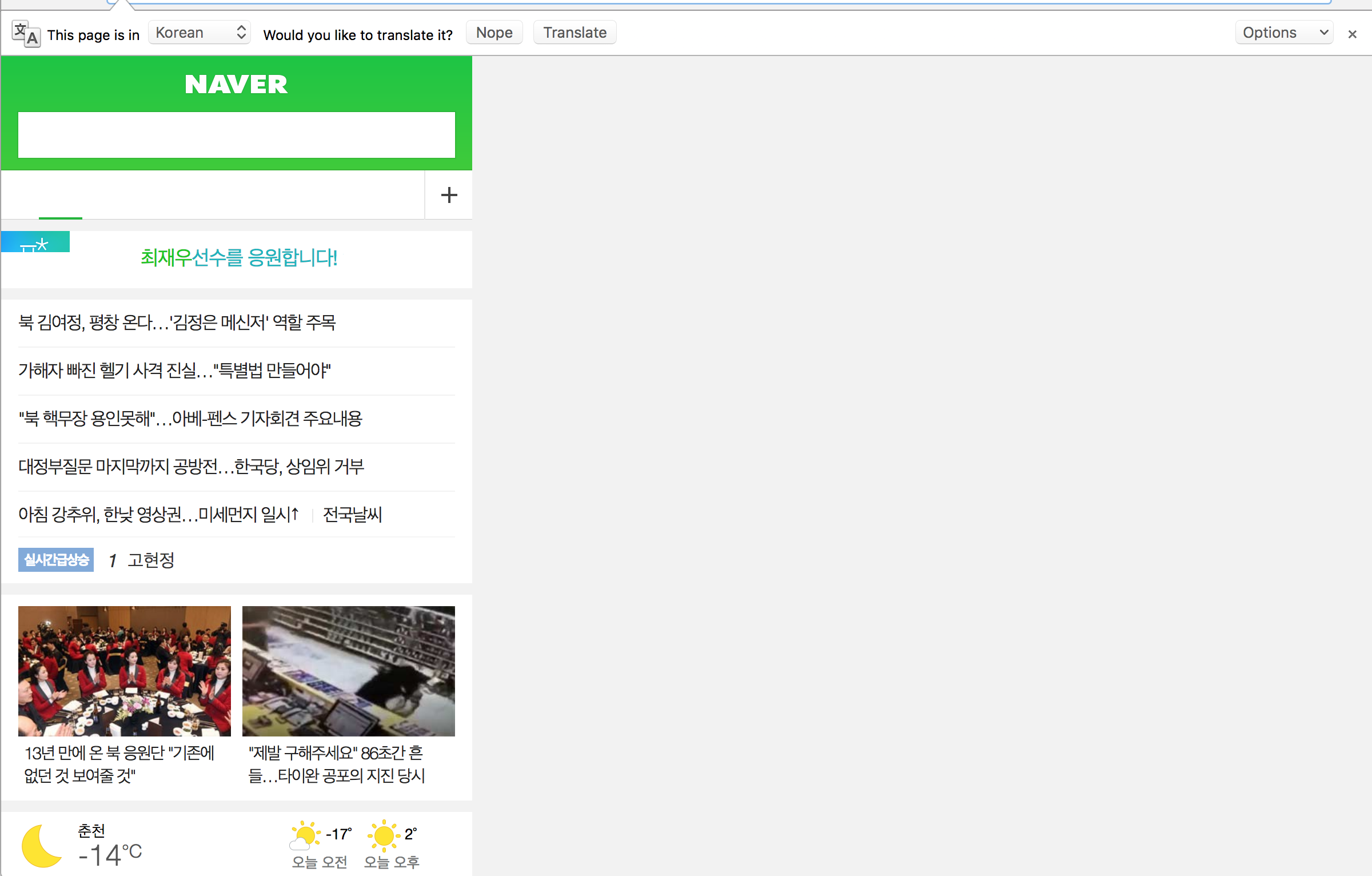
Some indicators are not normal due to "Auto Translate". The screenshots too.
I have to deal with pwmetrics#140 to solve this issue.
Enable auto translate

Disable auto translate

Do you have any plan for this issue?
Thanks.
ps. My env is
Chrome Version 66.0.3342.0 (Official Build) canary (64-bit)lighthouse 2.8.0
ref.
 mixed
mixed
All 12 comments
thanks for reporting! does --disable-infobars fix the bad screenshots?
 paulirish
on 7 Feb 2018
paulirish
on 7 Feb 2018
@paulirish
Yes. It is still not disabled auto translate. 😢
mixed
on 7 Feb 2018
hmm.. still trying to understand.
two questions:
1) do you see an infobar like this one show up when LH is loading this page?

2) does chrome actually change the page contents (translating them to english or another language)?
paulirish
on 7 Feb 2018
1.do you see an infobar like this one show up when LH is loading this page?
---> Yes
2.does chrome actually change the page contents (translating them to english or another language)?
---> No
mixed
on 7 Feb 2018
And My OS is Mac(OS X El Capitan - 10.11.4).
Show infobar and Not translate.
mixed
on 7 Feb 2018
A ha!
The infobar is messing up the screenshots (which will also mess up our speed index calculations).
And this is why we have bad screenshots in the extension. Because it always has a infobar while it's doing its thing.
paulirish
on 7 Feb 2018
@paulirish
Yes. You're Right. Currently I have to deal with https://github.com/paulirish/pwmetrics/issues/140#issuecomment-343197696 to solve this issue. Do you recommend setting the profile?
mixed
on 7 Feb 2018
Ah! so --disable-infobars was also removed! oh boy.
@mixed a shortterm fix for you: --enable-translate-new-ux. This uses a different dialog instead of the infobar and so screenshots are fixed.
I'll still look into:
1) how we can avoid all infobars
2) if we can fix screenshots while infobars are shown.
paulirish
on 7 Feb 2018
Oh. Thanks @paulirish
I fixed using --enable-translate-new-ux more easy.
mixed
on 7 Feb 2018
seems like this is fixed now with the new translate UI now used everywhere?
 brendankenny
on 26 Jun 2019
brendankenny
on 26 Jun 2019
Ah. Yes the translate stuff is good now since it uses a diff infobar.
However the Chrome extension still trigger a full-width infobar which still messes up the screenshots.

So mixed's original issue is resolved, but this ticket is now tracking the generalized chrome extension issue.
paulirish
on 26 Jun 2019
sounds perfect for #2287 :)
brendankenny
on 26 Jun 2019
Related issues
 bitttttten
·
3Comments
bitttttten
·
3Comments
 sanprieto
·
3Comments
sanprieto
·
3Comments
 mjara74
·
3Comments
mjara74
·
3Comments
 dkajtoch
·
3Comments
dkajtoch
·
3Comments
 motiejuss
·
3Comments
motiejuss
·
3Comments
Most helpful comment
Ah! so
--disable-infobarswas also removed! oh boy.@mixed a shortterm fix for you:
--enable-translate-new-ux. This uses a different dialog instead of the infobar and so screenshots are fixed.I'll still look into:
1) how we can avoid all infobars
2) if we can fix screenshots while infobars are shown.