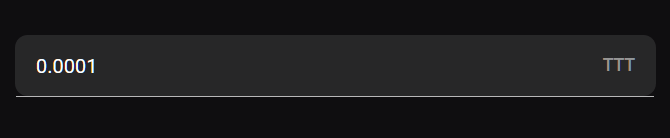
Light-client: Don't show the red line under the amount input field
Thanks for filing a bug report :-)
Steps to Reproduce
- Connect new token
- Enter a hub address
- Click on Select Hub
Expected Result
- No red line on the amount input field
Actual Result
Red line on the amount input field

There is also a blue line, if I have added an amount + the field is active

... and a grey line if the field is inactive
Additional Infos (Optional)
- Firefox
 christianbrb
All 8 comments
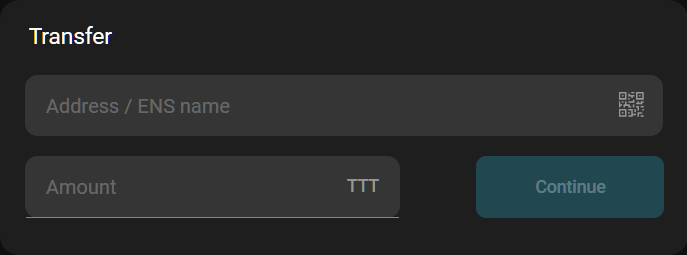
Same for the amount field on the transfer screen
christianbrb
on 25 Aug 2020
It applies for all amount input fields.
christianbrb
on 25 Aug 2020
Thomas once fixed that: https://github.com/raiden-network/light-client/pull/708
christianbrb
on 25 Aug 2020
This does not seem to be an issue anymore (latest master), I cannot reproduce it, neither on Firefox nor Chrome. @agatsoh could you take a look an see if you are experiencing these issues.
 taleldayekh
on 2 Sep 2020
taleldayekh
on 2 Sep 2020
Yes i confirm that the red line is not shown either in chrome or in firefox. I think this issue can be safely closed.
 agatsoh
on 2 Sep 2020
agatsoh
on 2 Sep 2020
I'm reopening this issue. Apparently this is a problem on staging. I don't see any red line when serving the dApp locally (latest master) but for some reason, the red line happens on staging.
taleldayekh
on 4 Sep 2020
Incredibly hard to debug since staging gets deployed in production mode. So eventually there is something broken about the $route query parameters. I don't know why this should happen, but the treatment of these parameters is not too stable...
 weilbith
on 15 Sep 2020
weilbith
on 15 Sep 2020
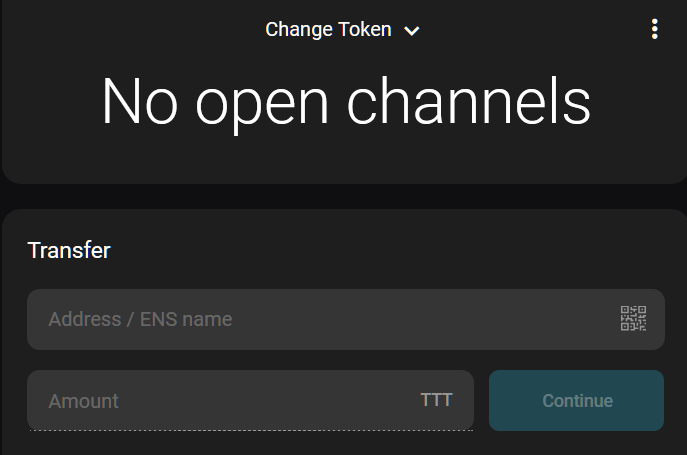
If the channel is closed the line looks different (see screenshot below)
christianbrb
on 22 Sep 2020
Related issues
christianbrb
·
3Comments
agatsoh
·
4Comments
 andrevmatos
·
4Comments
andrevmatos
·
4Comments
 nephix
·
3Comments
christianbrb
·
5Comments
nephix
·
3Comments
christianbrb
·
5Comments