Light-client: I want to upload the state
User Story
As Chris I want to upload the state so that I can use a state I have saved.
Acceptance criteria
- On the same screen where I download the state
- It needs to be checked if the state is from the same Raiden account
Tasks
 christianbrb
All 13 comments
@andrevmatos to write down the requirements
christianbrb
on 24 Mar 2020
Some of the things to consider when implementing this:
- Upload state is to be done for a specific account, although before it is started
- If there's a mismatch between that specific selected account and the state being uploaded,
Raiden.createwill reject with an error - Account used can be set in different places, so we need to keep that in mind:
- Metamask account selection (outside dApp)
- Main vs Subkey selection (inside dApp, before Connect)
- The dApp can not be started to check address or anything before uploading the state, this needs to be done on the same operation to ensure the state won't get outdated
- So far,
Generalscreen contains details of the account being used, which would require it to be started, which would make it hard/impossible to include the State Upload functionality inside
My main proposal would be simply to let the user select a file to be uploaded before clicking on Connect Main or Subkey, and let it fail if they select the wrong account or wrong state file, showing the relevant error in this case. At least this way we ensure an atomic operation on it.
 andrevmatos
on 24 Mar 2020
andrevmatos
on 24 Mar 2020
Great, thanks @andrevmatos .
 taleldayekh
on 24 Mar 2020
taleldayekh
on 24 Mar 2020
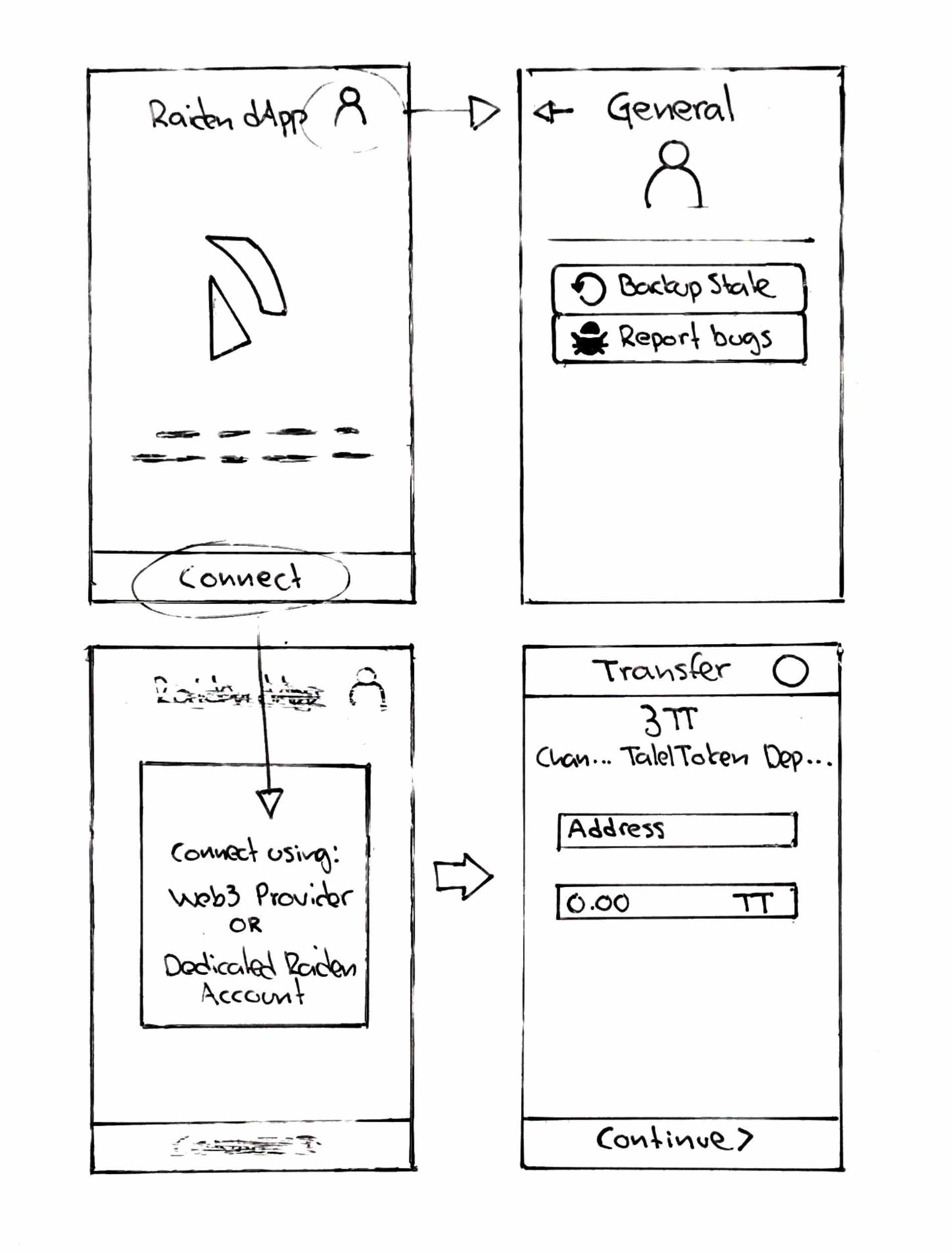
Proposal 1
Replaces our _splash screen_ with the dApp window.
- The user is not connected
- Display the Raiden logo and disclaimer text
- Display Connect button
- Display dialog with option to connect using Web3 Provider or Dedicated Raiden Account when the user clicks the Connect button
- Display a person-icon instead of identicon on upper right side (this icon gets replaced with the identicon once user is connected).
- Display General screen when person-icon is clicked
- General menu does not display accounts details (since the user is not yet connected)
- General menu displays menu items that are actionable for a non-connected user (like uploading state)
taleldayekh
on 25 Mar 2020
My only comment is that we would have to educate the users on how they can restore the state somehow. If I didn't know the flow and it would not be obvious to me that I can go there and restore the state. But otherwise, it looks really nice :)
 kelsos
on 25 Mar 2020
kelsos
on 25 Mar 2020
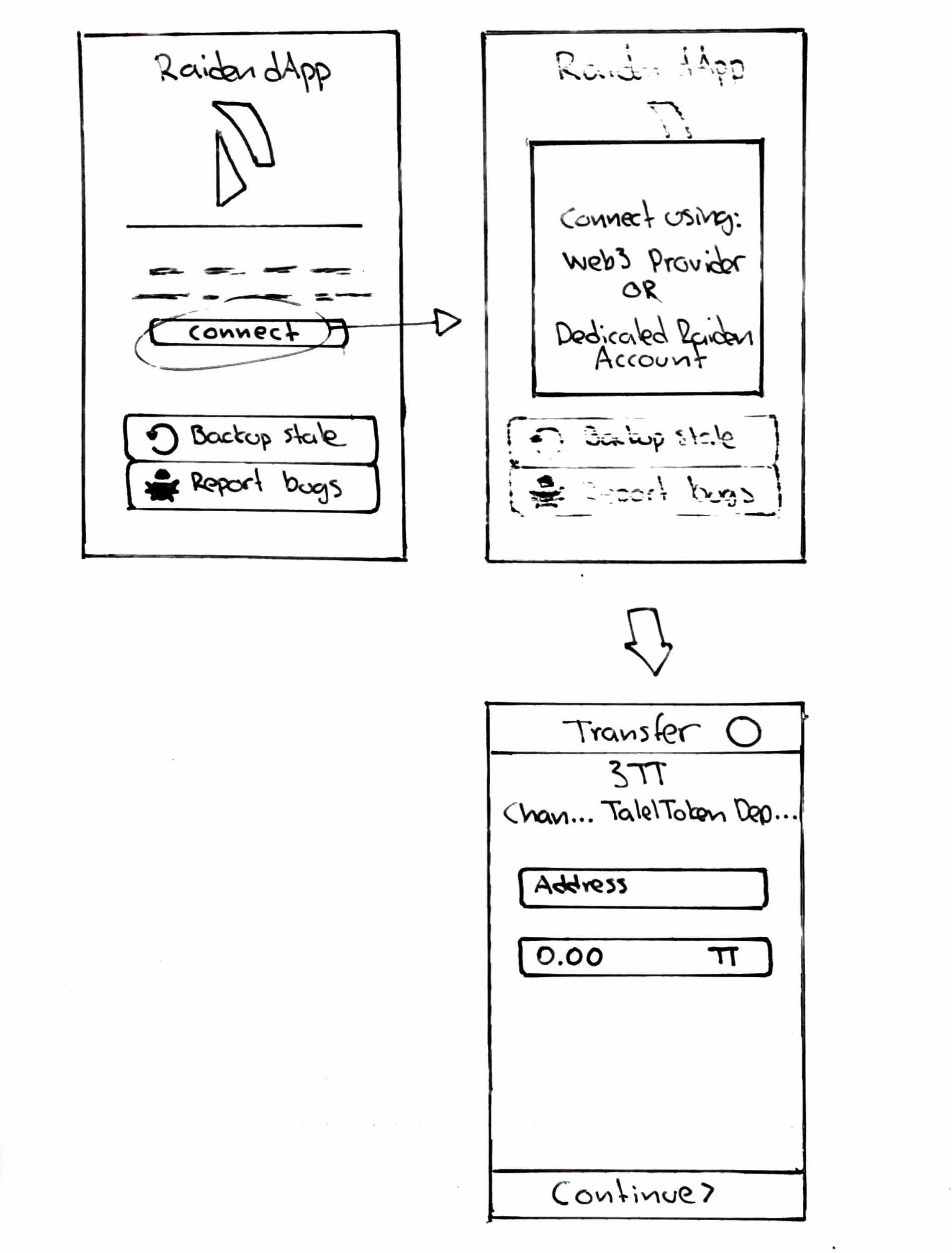
Proposal 2
Replaces or splash screen with the dApp general screen modal.
- The user is not connected
- Display the general screen modal replacing the General heading with Raiden dApp and the identicon with the Raiden logo
- Display Connect button
- Display dialog with option to connect using Web3 Provider or Dedicated Raiden Account when the user clicks the Connect button
- Display menu items that are actionable for a non-connected user (like uploading state)
taleldayekh
on 25 Mar 2020
My only comment is that we would have to educate the users on how they can restore the state somehow. If I didn't know the flow and it would not be obvious to me that I can go there and restore the state. But otherwise, it looks really nice :)
I agree. The way I see it is that uploading the state is not necessarily the default action a user would do when connecting to the dApp. For uploading/downloading state they are probably already familiar with what the state does.
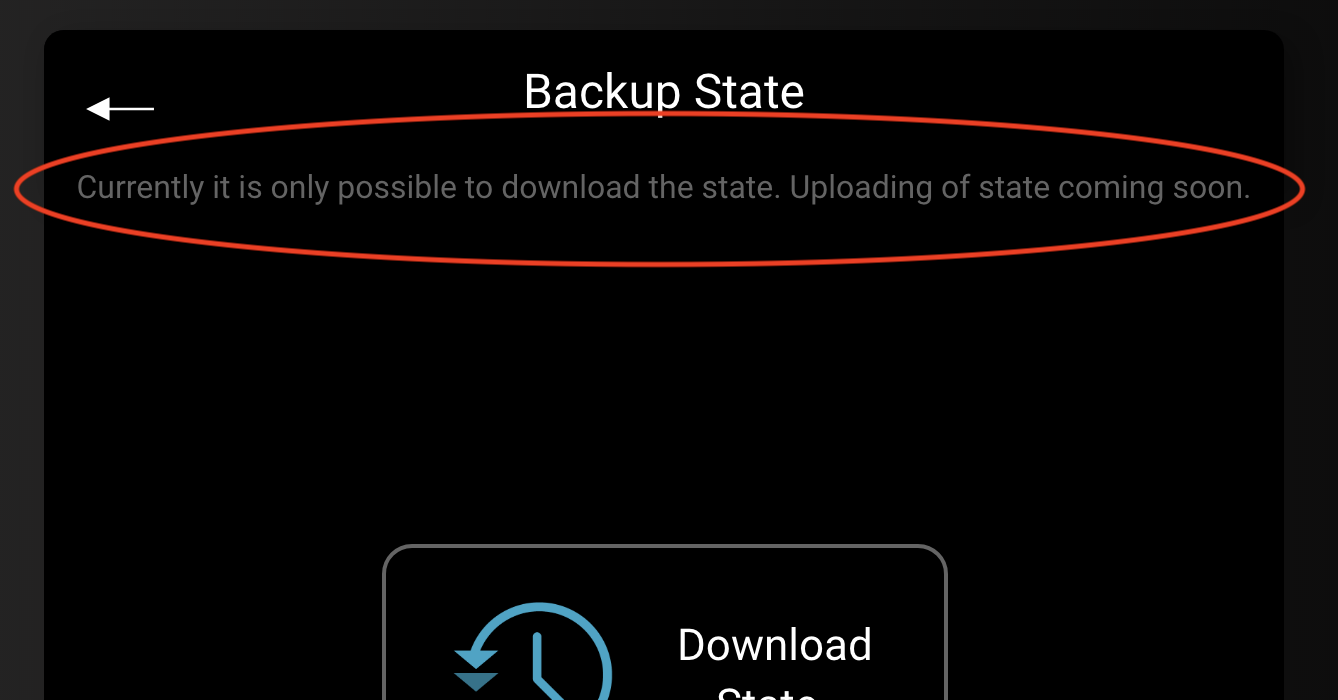
My idea is to have an informative text describing the state in the Backup state menu. In this way, a user will get informed about the state and its purpose when exploring the dApp and encountering this menu.
taleldayekh
on 25 Mar 2020
@taleldayekh Looks good, like this we could make a release :)
christianbrb
on 25 Mar 2020
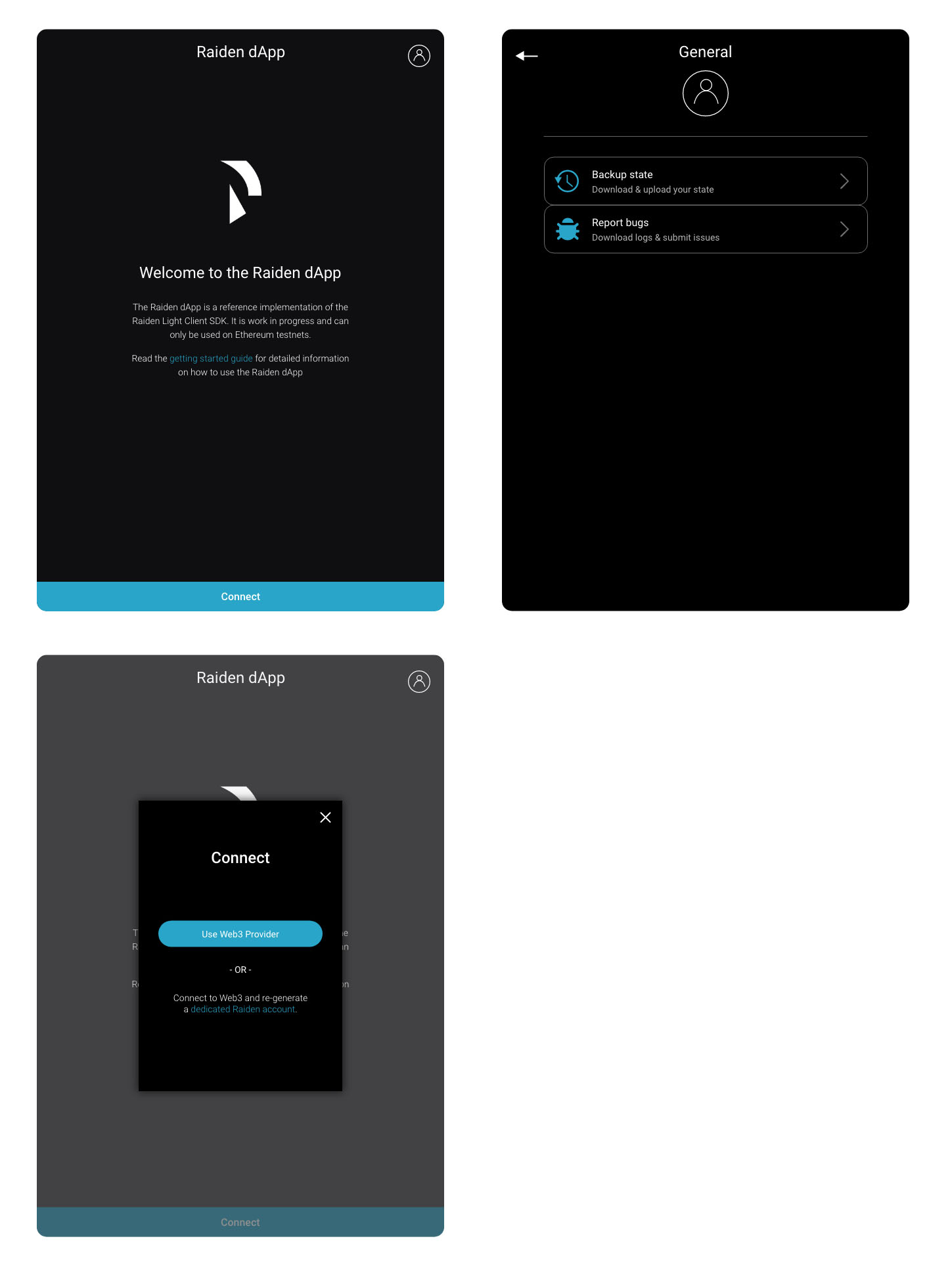
Mockup
taleldayekh
on 27 Mar 2020
Looks good, I like it! Might make sense to somehow indicate in the general screen (when disconnected) that the light client is currently disconnected
 nephix
on 27 Mar 2020
nephix
on 27 Mar 2020
@nephix maybe connected show the identicon instead of the human icon?
kelsos
on 27 Mar 2020
@kelsos yeah identicon + green border indicates online and human icon + gray border could indicate offline or something like that
nephix
on 27 Mar 2020
@kelsos yeah identicon + green border indicates online and human icon + gray border could indicate offline or something like that
Yes, sounds good, let's do it like that.
taleldayekh
on 27 Mar 2020
Related issues
christianbrb
·
3Comments
christianbrb
·
5Comments
 agatsoh
·
3Comments
agatsoh
·
4Comments
christianbrb
·
3Comments
agatsoh
·
3Comments
agatsoh
·
4Comments
christianbrb
·
3Comments
Most helpful comment
Mockup