Light-client: Channel Management
Description
Container to collect ideas, screen flows, etc. for an improved channel management
## Acceptance criteria
-
Tasks
- [ ]
 christianbrb
All 6 comments
Roy's mockups for channel management proposal
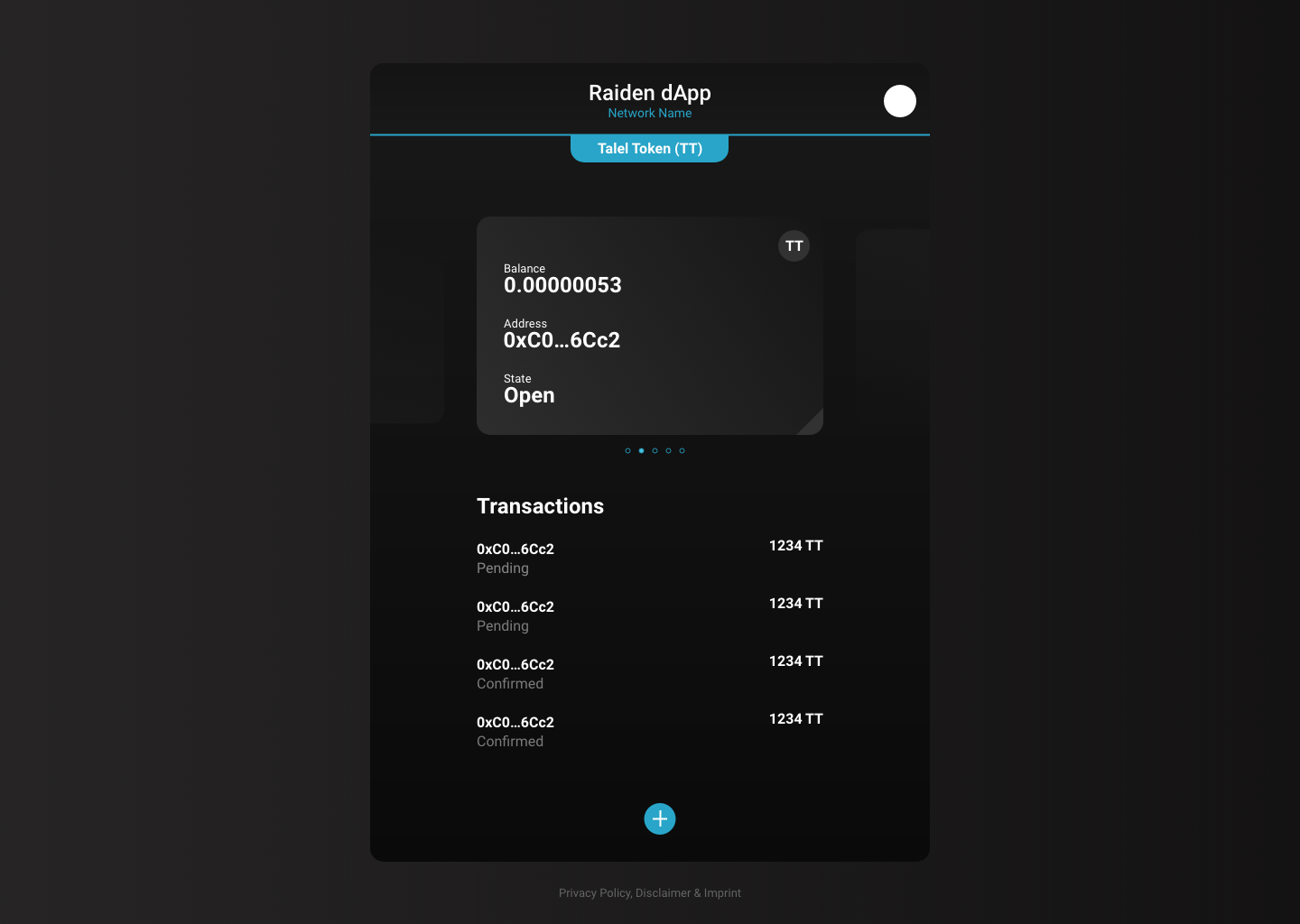
All channels for a selected token are visualised as cards. The user shifts between channels by swiping through the cards.
Underneath is a list with the transaction history for the coresponding channel. Similar to what is currently being discussed in issue #426 .
A main menu is added (the + button in the bottom)
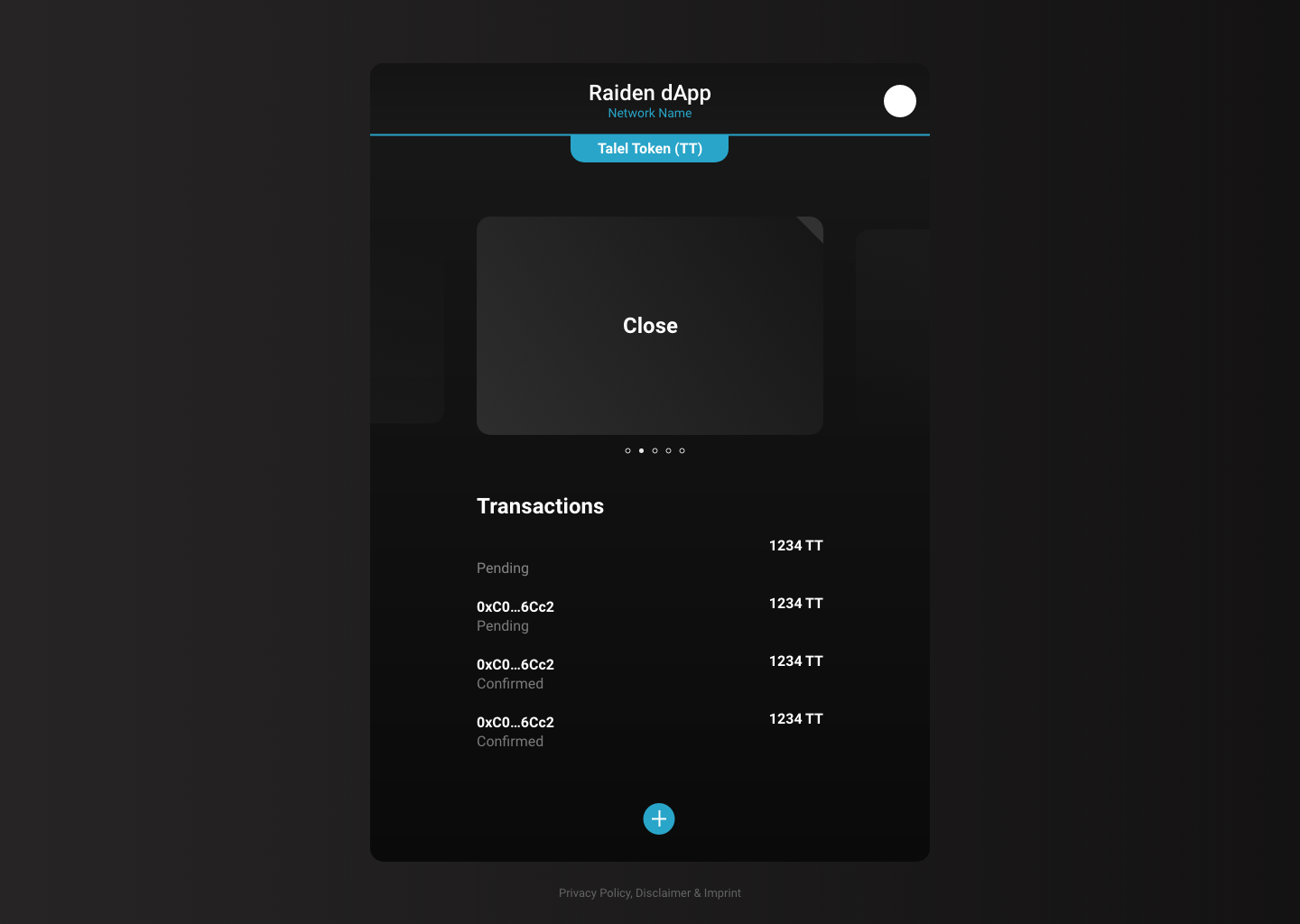
The user can "flip" each card (channel) and access options for closing and settling the channel.
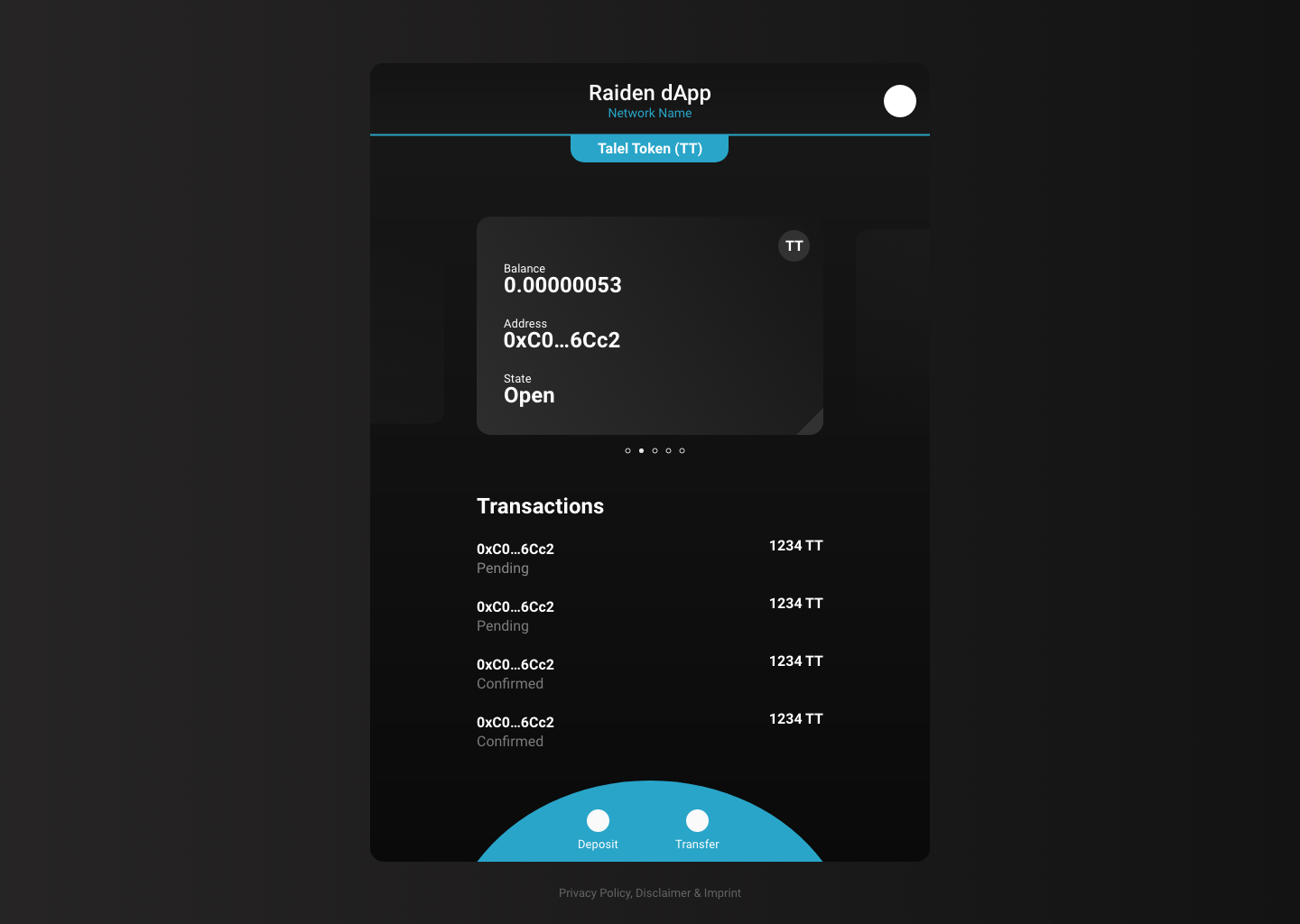
The user performs payments and deposits by accessing those options from the main menu.
 taleldayekh
on 21 Nov 2019
taleldayekh
on 21 Nov 2019
@taleldayekh and @christianbrb
Proposal:
First step towards the card design. Channels can be shifted left and right.
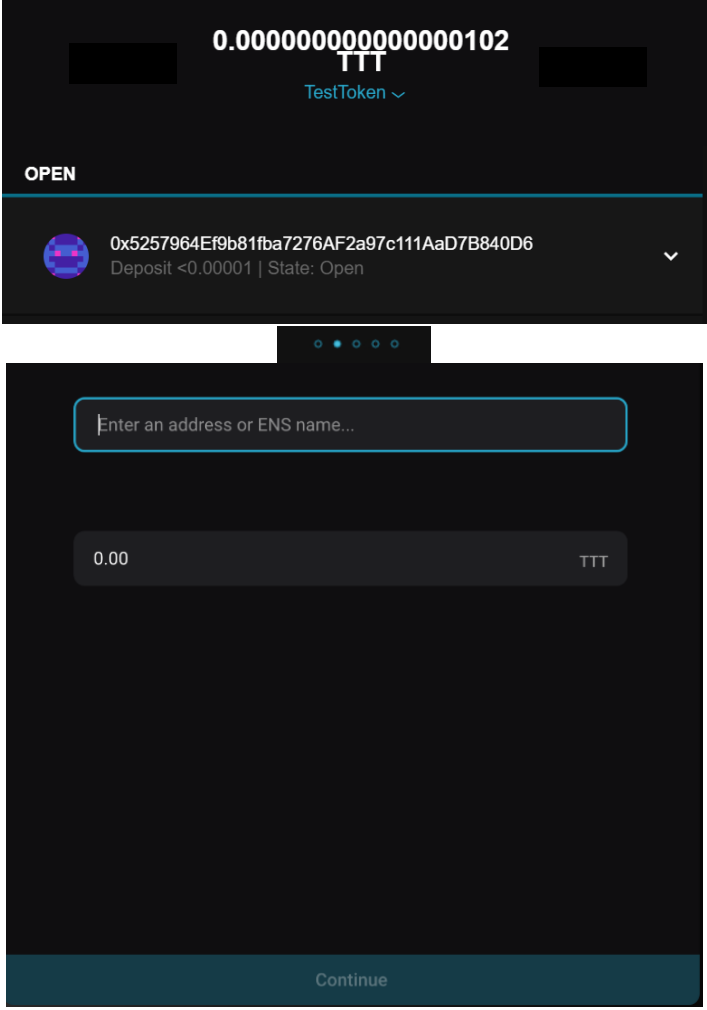
Questions:
- Do we want to keep the automatic selection of the channel with the highest capacity?
- We think it is nicer, if the channel
- What is the capacity above „TestToken“ on the top?
- If it is the total capacity of all channels we keep it
christianbrb
on 25 Nov 2019
Currently, the channel actually used for transfer is either direct channel (if available) or the one informed by PFS, which can then be selected as per the available routes.
The auto selection is only to show relevant capacity. We need to show a single one, because there's no point into summing them if you can't make a single transfer that big, so we show the highest one which is the one with highest capacity and chance of being picked by PFS.
Notice we didn't put much effort into improving on this because usually it shouldn't matter much, as we expect the common case to be a single channel per token network, so it's the same used for capacity above and the only one pickable by PFS.
 andrevmatos
on 25 Nov 2019
andrevmatos
on 25 Nov 2019
The user can "flip" each card (channel) and access options for closing and settling the channel.
What are steps in the UI to close/settle a channel from the slider?
 nephix
on 26 Nov 2019
nephix
on 26 Nov 2019
If we, as a first step, only are moving the current channels to the transfer view then perhaps the best is to keep the close/settle as it is in the dropdown for each channel.
taleldayekh
on 27 Nov 2019
Good collection an discussion, but not actionable. Closing.
christianbrb
on 4 May 2020
Related issues
 eorituz
·
4Comments
christianbrb
·
5Comments
eorituz
·
4Comments
christianbrb
·
5Comments
 kelsos
·
6Comments
kelsos
·
6Comments
 agatsoh
·
6Comments
christianbrb
·
3Comments
agatsoh
·
6Comments
christianbrb
·
3Comments
Most helpful comment
Roy's mockups for channel management proposal
All channels for a selected token are visualised as cards. The user shifts between channels by swiping through the cards.
Underneath is a list with the transaction history for the coresponding channel. Similar to what is currently being discussed in issue #426 .
A main menu is added (the + button in the bottom)

The user can "flip" each card (channel) and access options for closing and settling the channel.

The user performs payments and deposits by accessing those options from the main menu.
