Libvips: Possible to add padding and keep 1 to 1 aspect ratio?
Hi there,
Just started recently using this code base and would like to state that its working great so far! Thank you very much.
I would like to see if its already possible to or if its in the works to be able to add padding to an image and preserve the aspect ratio. We use a tool that does this but tends to be very very slow. As you can see, in the second image, it adds the padding and finds the most weighted color to use.
For example:
Original image:

Padded image with 1 to 1 aspect ratio:
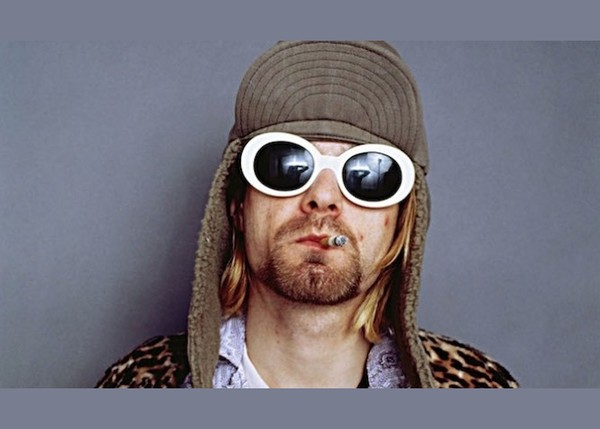
Thanks and hope all this makes sense :)
 Boojs
Boojs
All 5 comments
It wouldn't be hard in something like pyvips / ruby-vips / etc.
I suppose I'd crop off the edges, take a 3D histogram, find the peak (which would be the most common colour in the edge areas), then use that colour to expand the original.
 jcupitt
on 30 Oct 2017
jcupitt
on 30 Oct 2017
@jcupitt Thanks for your quick reply!
Would I be asking to much to get this added as a feature by any chance? I'm going to be poking around to see what I can find/accomplish . Cant say I'm an expert but gonna give it a try!
Boojs
on 30 Oct 2017
I made you a tiny pyvips program to do this:
import sys
import pyvips

im = pyvips.Image.new_from_file(sys.argv[1])

# the margin of pixel we extract to get the average edge
margin = 10

# paste black over the centre, take the histogram of the whole image
square = pyvips.Image.black(im.width - 2 * margin, im.height - 2 * margin)
hist = im.insert(square, margin, margin).hist_find()

# zap the 0 column to remove the black square
onepx = pyvips.Image.black(1, 1)
hist = hist.insert(onepx, 0, 0)

# then the histogram peak is the most common value in each band
bg = [x.maxpos()[1] for x in hist.gaussblur(1).bandsplit()]

# extend image out with that background
size = max(im.width, im.height)
im = im.embed((size - im.width) / 2, (size - im.height) / 2, size, size,
              extend='background', background=bg)

im.write_to_file(sys.argv[2])
Run it like this:
john@kiwi:~/try$ python extend_avg.py ~/pics/greybg.png x.png
For your test image, I get:

jcupitt
on 30 Oct 2017
@jcupitt you're the man, thank you very much for doing this! +1 +1 +1
Boojs
on 30 Oct 2017
No problem, I'll close.
jcupitt
on 24 Nov 2017
Related issues
 felixbuenemann
·
4Comments
felixbuenemann
·
4Comments
 huskier
·
4Comments
huskier
·
4Comments
 revathi-murali
·
3Comments
revathi-murali
·
3Comments
 AKlein920
·
3Comments
AKlein920
·
3Comments
 BorntraegerMarc
·
3Comments
BorntraegerMarc
·
3Comments
Most helpful comment
I made you a tiny pyvips program to do this:
Run it like this:
For your test image, I get: