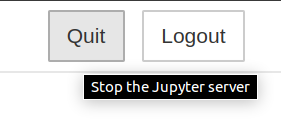
Libertem: Button to make the server stop
An example as in Jupyter notebook :
 twentyse7en
All 12 comments
Is this more of a "nice to have" or does it solve a specific issue?
 uellue
on 9 Apr 2020
uellue
on 9 Apr 2020
"nice to have"
twentyse7en
on 9 Apr 2020
does it solve a specific issue?
Possibly the issue of stopping the LiberTEM server if you didn't start it from a terminal, for example via https://github.com/sk1p/libertem-jupyter-proxy
 sk1p
on 9 Apr 2020
sk1p
on 9 Apr 2020
does it solve a specific issue?
Possibly the issue of stopping the LiberTEM server if you didn't start it from a terminal, for example via https://github.com/sk1p/libertem-jupyter-proxy
Ok, good point!
uellue
on 9 Apr 2020
Possibly the issue of stopping the LiberTEM server if you didn't start it from a terminal, for example via https://github.com/sk1p/libertem-jupyter-proxy
I would like to work on this, can you give some details regarding jupyter part.
twentyse7en
on 12 Apr 2020
You can try this yourself: run LiberTEM from jupyterlab, and kill the libertem-server process. What happens: does libertem-server stay dead, or is it revived? If it is revived, why is that? Example: the GUI keeps doing HTTP/websocket requests → this is easily fixable, other example: jupyter-proxy-server or how it's called just restarts any child processes → not so easy to fix, as it means we need to tell it to stop somehow
sk1p
on 12 Apr 2020
>
You can try this yourself: run LiberTEM from jupyterlab, and kill the libertem-server process.
actually how to kill libertem-server process alone :sweat_smile: . jupyter lab shows options to shutdown terminal and kernel session only.
twentyse7en
on 23 Apr 2020
kill libertem-server process alone
Using the process manager of the operating system, or, for example, kill on Linux.
sk1p
on 23 Apr 2020
Hey @AnandBaburajan can we collaborate on this issue?
twentyse7en
on 5 May 2020
Hey @AnandBaburajan can we collaborate on this issue?
Sure! I'll check the details and get back to you.
 AnandBaburajan
on 5 May 2020
AnandBaburajan
on 5 May 2020
@twentyse7en So which part do you want me to focus on? Stopping the server or the button GUI part?
Edit: I don't think I can help you with this right now as my project schedule is a bit tight. I can definitely try after GSoC is over!
AnandBaburajan
on 5 May 2020
No problem, I will give a try.
twentyse7en
on 5 May 2020
Related issues
sk1p
·
7Comments
uellue
·
7Comments
uellue
·
9Comments
 fedorov
·
5Comments
uellue
·
9Comments
fedorov
·
5Comments
uellue
·
9Comments