Lens: Lens gets stucked in changelog notes
Describe the bug
After the upgrade to 3.6.0, in Ubuntu 20.04, using snap, the program start gets stucked in the changelog page. It allows you to scroll and access the upper menu, but does nothing else.
To Reproduce
Steps to reproduce the behavior:
Not sure if this is reproducible. I already had a configured cluster.
Expected behavior
Open lens.
Screenshots
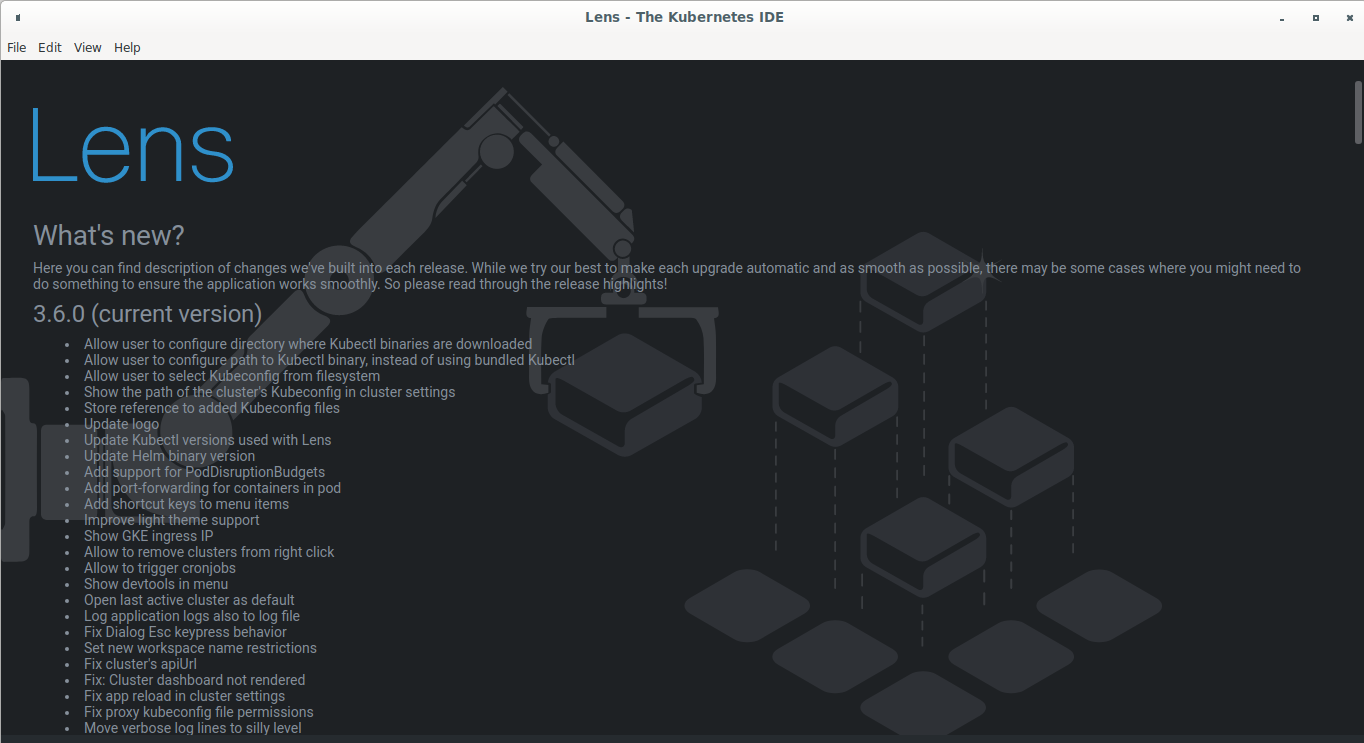
Environment (please complete the following information):
- Lens Version: 3.6.0
- OS: Ubuntu 20.04
- Installation method (e.g. snap or AppImage in Linux): snap
Logs:
When you run the application executable from command line you will see some logging output. Please paste them here:
info: [IPC]: setup channel "cluster:activate"
info: [IPC]: setup channel "cluster:disconnect"
info: [IPC]: setup channel "cluster:install-feature"
info: [IPC]: setup channel "cluster:uninstall-feature"
info: [IPC]: setup channel "cluster:upgrade-feature"
info: 🚀 Starting Lens from "/home/gabriel/snap/kontena-lens/116/.config/Lens"
info: SNAP env is defined, updater is disabled
info: [STORE]: LOADED from /home/gabriel/snap/kontena-lens/116/.config/Lens/config.json
info: [STORE]: LOADED from /home/gabriel/snap/kontena-lens/116/.config/Lens/lens-cluster-store.json
info: [STORE]: LOADED from /home/gabriel/snap/kontena-lens/116/.config/Lens/lens-workspace-store.json
info: LensProxy server has started at http://localhost:36971
 gabrielmcf
All 6 comments
So you don't see Ok, got it! button?
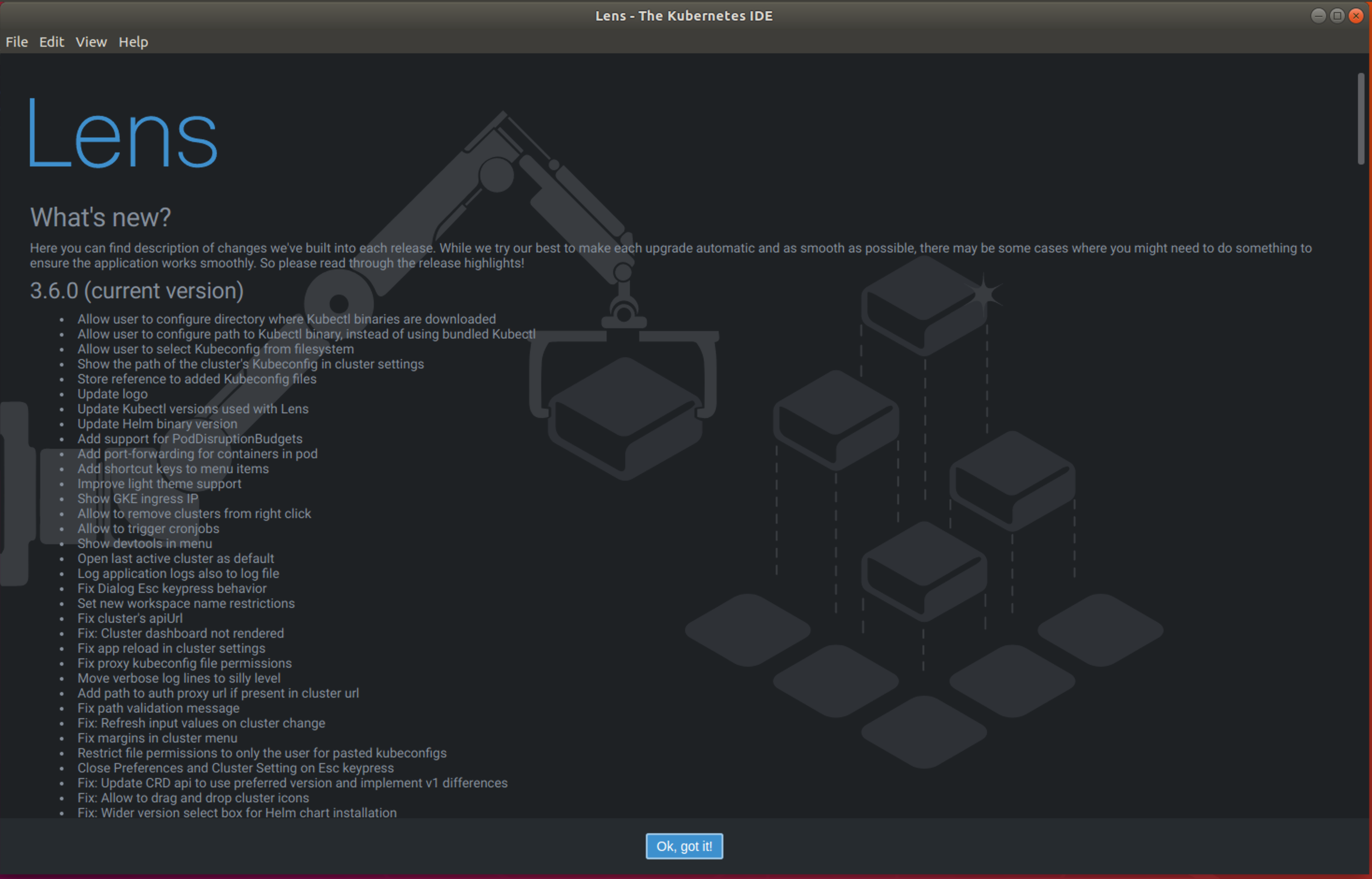
 nevalla
on 16 Sep 2020
nevalla
on 16 Sep 2020
I experience the problem as well and I'm also not seing the mentioned button.The window's lower border is not visible for me.
Edit: Resizing the window did not work but launching with ./Downloads/Lens-3.6.0.AppImage --no-sandbox --disable-gpu --force-device-scale-factor=1.2 worked for my specific Linux window manager setup.
 cmur2
on 16 Sep 2020
cmur2
on 16 Sep 2020
No, I don't see the lower bar
gabrielmcf
on 17 Sep 2020
No, I don't see the lower bar
Changing to full screen mode did the trick for me
 evelyntavares
on 17 Sep 2020
evelyntavares
on 17 Sep 2020
I've opened the dev mode and typed $(".Button.primary").click() in the console. It worked for me.
gabrielmcf
on 17 Sep 2020
Looks like this is an issue for small screens. Is this happening for anyone having a screen with a height greater than 768 pixels?
 jim-docker
on 17 Sep 2020
jim-docker
on 17 Sep 2020
Related issues
 mhobotpplnet
·
4Comments
mhobotpplnet
·
4Comments
 diemus
·
3Comments
diemus
·
3Comments
 headcr4sh
·
5Comments
headcr4sh
·
5Comments
 PhanSon95
·
4Comments
PhanSon95
·
4Comments
 spyro2000
·
3Comments
spyro2000
·
3Comments