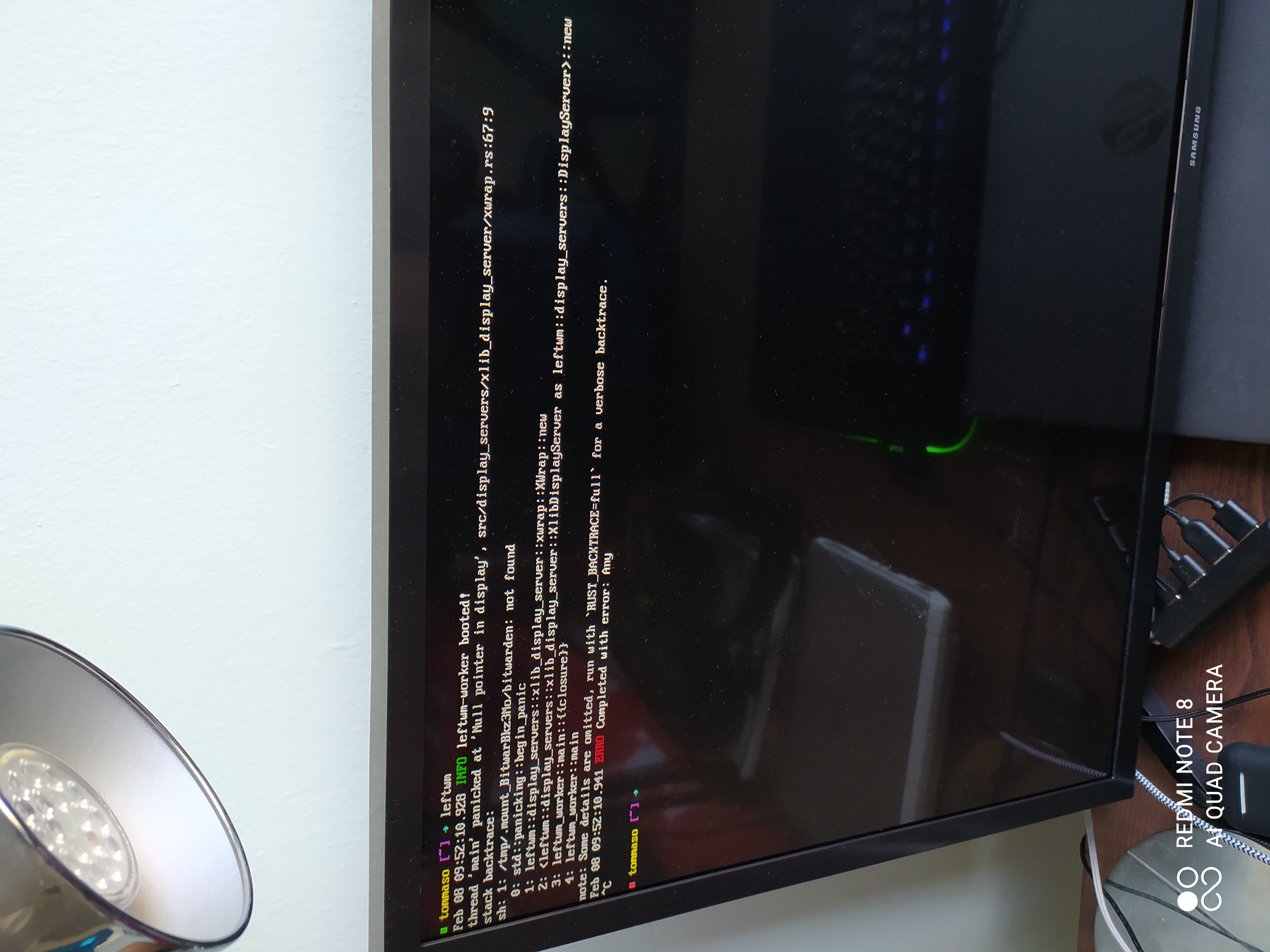
When I try to start a LeftWM instance it returns this error. How I can fix?
 tommasoxd
All 4 comments
You get this error because you're starting leftwm without a X server.
Go into your ~/.xinitrc and start leftwm in the last line using the command 'exec dbus-launch leftwm'
After that you can start leftwm with 'startx'
 EmanuelBoehm
on 8 Feb 2021
EmanuelBoehm
on 8 Feb 2021
You get this error because you're starting leftwm without a X server.
Go into your ~/.xinitrc and start leftwm in the last line using the command 'exec dbus-launch leftwm'
After that you can start leftwm with 'startx'
Thanks for the fix, it works. I've another question, how I can auto-start apps at the startup with LeftWM?
tommasoxd
on 8 Feb 2021
LeftWM will autostart anything defined in a .desktop file in your \~/.config/autostart folder, and it will also run your current theme's "up" script. You're likely looking for the autostart method, so just add a file called (app name).desktop with the following, replacing (app name) and (/path/to/application) as needed:
_~/.config/autostart/(appname).desktop_
[Desktop Entry]
Version=1.0
Type=Application
Encoding=UTF-8
Name=(app name)
Exec=(/path/to/application)
Terminal=false
StartupNotify=true
Thats it! LeftWM should start that application on next startup (it won't re-run the application if you just soft reset LeftWM with MOD+SHIFT+R).
If you need it to restart with MOD+SHIFT+R or whenever your theme boots (such as a bar), add it to your config's up file (substantial portions omitted for brevity).
_~/.config/leftwm/themes/current/up_
#!/bin/bash
# Set background
...
/path/to/application #<---- likely the best place to put your application, but depends on the application
# Conky
...
Edit: paths
 mautamu
on 9 Feb 2021
mautamu
on 9 Feb 2021
Thanks so
LeftWM will autostart anything defined in a .desktop file in your ~/.config/autostart folder, and it will also run your current theme's "up" script. You're likely looking for the autostart method, so just add a file called (app name).desktop with the following, replacing (app name) and (/path/to/application) as needed:
_~/.config/autostart/(appname).desktop_[Desktop Entry] Version=1.0 Type=Application Encoding=UTF-8 Name=(app name) Exec=(/path/to/application) Terminal=false StartupNotify=trueThats it! LeftWM should start that application on next startup (it won't re-run the application if you just soft reset LeftWM with MOD+SHIFT+R).
If you need it to restart with MOD+SHIFT+R or whenever your theme boots (such as a bar), add it to your config's up file (substantial portions omitted for brevity).
_~/.config/leftwm/themes/current/up_#!/bin/bash # Set background ... /path/to/application #<---- likely the best place to put your application, but depends on the application # Conky ...Edit: paths
Thank you so much for the reponse, I'll close this issue, thank you for your time.
tommasoxd
on 9 Feb 2021
Related issues
 Stanislav-Lapata
·
6Comments
Stanislav-Lapata
·
6Comments
 cjwyett
·
4Comments
cjwyett
·
4Comments
 rigoletto-freebsd
·
8Comments
rigoletto-freebsd
·
8Comments
 sillen102
·
3Comments
sillen102
·
3Comments
 Haruno19
·
7Comments
Haruno19
·
7Comments
Most helpful comment
You get this error because you're starting leftwm without a X server.
Go into your ~/.xinitrc and start leftwm in the last line using the command 'exec dbus-launch leftwm'
After that you can start leftwm with 'startx'