Ledger-live-desktop: Add a warning before restarting the onboarding
- [x] I have checked this feature was not yet requested.
It would be nice add a warning that appears before you restart the onboarding
Part of the application
Settings
 Luuk2016
All 8 comments
the real problem you are meeting is you accidentally clicked on it and you have to do onboarding again to pass the screens?
one acceptable solution is that, if you close the app, and open it again, you should not be on onboarding again if it was from a "relaunch. We already have a flag in onboarding reducers to know if it's a relaunch.
Pull Requests are open to fix this, i can't give an ETA on when this is fixed but community can help 🙏
 gre
on 16 Jul 2018
gre
on 16 Jul 2018
Because whats the reason you've added the 'Onboarding' button?
If you press 'Reset Ledger Live' you will get the same result.
Luuk2016
on 16 Jul 2018
@Luuk2016 you can see the reason here https://github.com/LedgerHQ/ledger-live-desktop/issues/1055 .
no Reset Ledger Live trash all your accounts, this one does not. it's a real usecase coming frmm many users that want to "do the recovery sheet workflow & genuine check again"
simply don't use the feature if you don't need ;)
gre
on 16 Jul 2018
Then wouldn't it be better to display a popup where the user can do the recovery sheet workflow & genuine check again. How can a user go back to his other account if he verified it using the "Onboarding" button?
Luuk2016
on 16 Jul 2018
it would be much work to implement. maybe if a user can at any time leave the "relaunched" onboarding with a "X" on top right, that would work.
reimpl the all workflow into a modal is asking more work to devs for not much benefit. (e.g. the genuine check itself is a modal, etc..)
gre
on 16 Jul 2018
we can take this via PR. our team for now are focused on more important bugs and features
gre
on 16 Jul 2018
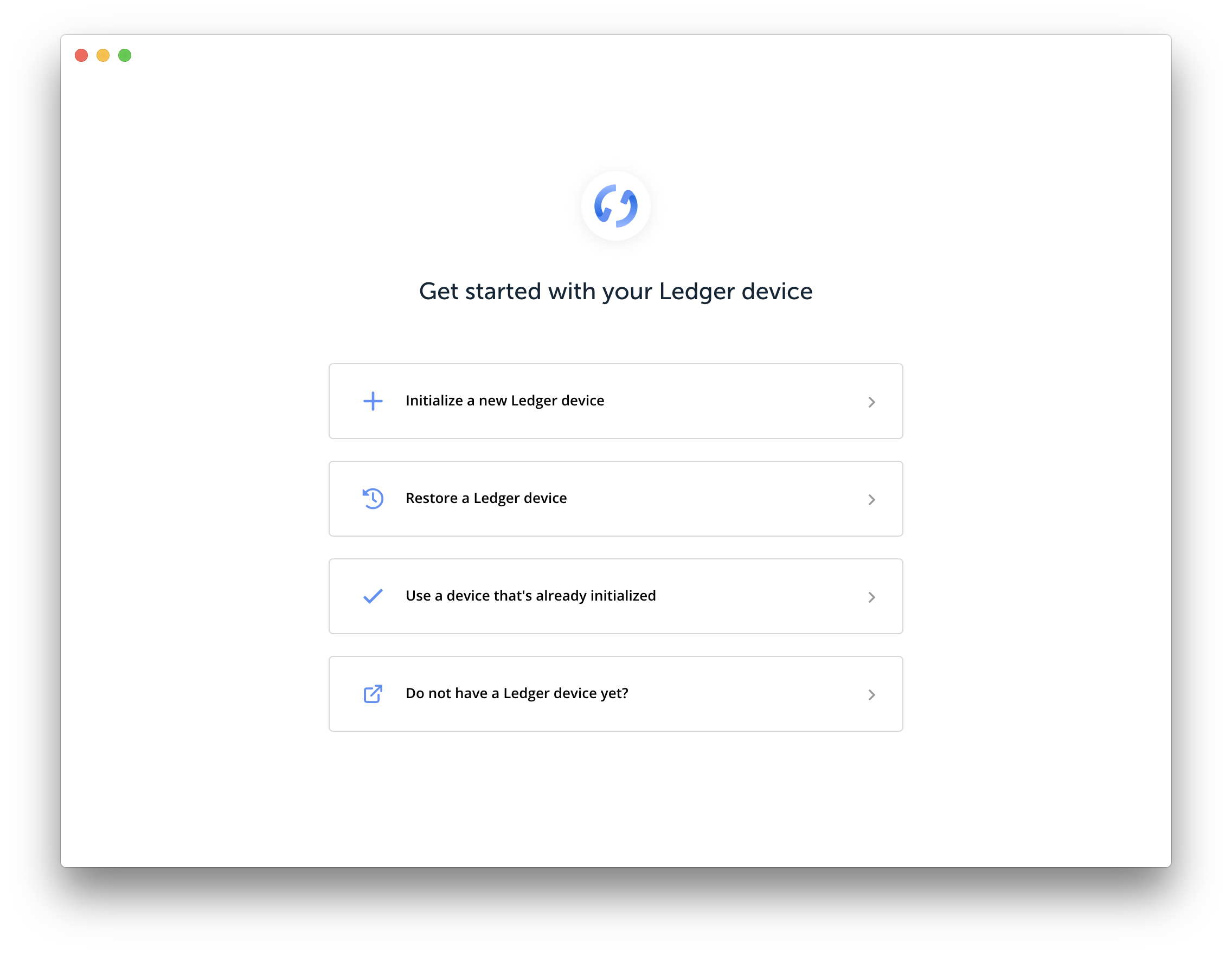
The main problem is that once you clicked on the onboarding button, you cannot abort it unless you complete the process (which requires to have a device on hand). Restarting the app doesn't abort the onboarding, so you are stuck.
My recomendation is to add a top right "cancel" cross on the main onboarding screen (see below)
 EricLarch
on 16 Jul 2018
EricLarch
on 16 Jul 2018
When i accidentally pressed the "reboard" button i got back by changing the value of "hasCompletedOnboarding" in the settings.json file.
Luuk2016
on 16 Jul 2018
Related issues
 BTCYamakaza
·
4Comments
BTCYamakaza
·
4Comments
 NicolasDorier
·
4Comments
NicolasDorier
·
4Comments
 Buttaa
·
4Comments
Buttaa
·
4Comments
 Camiyo
·
3Comments
Camiyo
·
3Comments
 ghost
·
4Comments
ghost
·
4Comments
Most helpful comment
we can take this via PR. our team for now are focused on more important bugs and features