Learn-to-send-email-via-google-script-html-no-server: Don't work anymore :'(
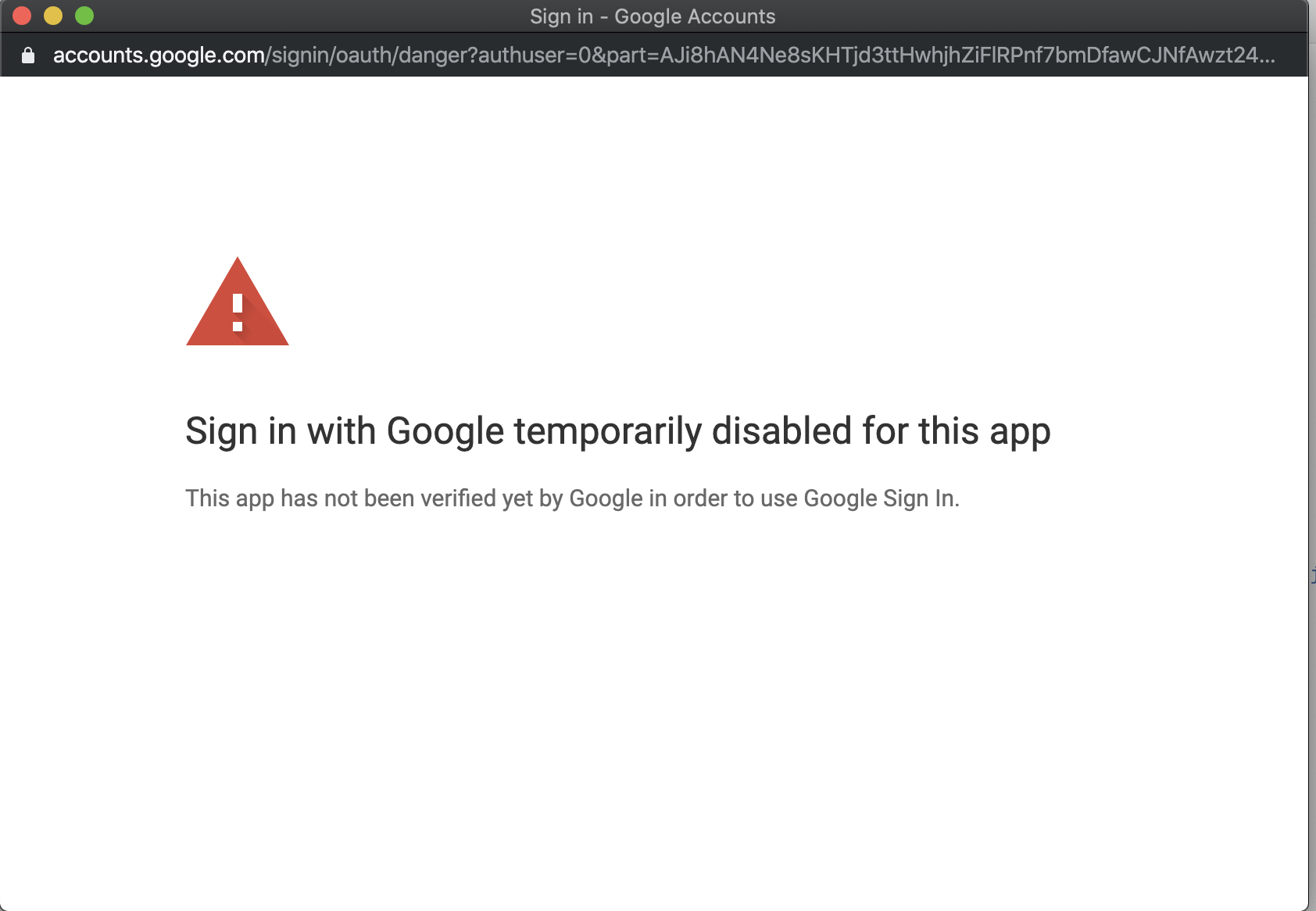
Doing steps (who worked before), give me only :
Sign in with Google temporarily disabled for this app
This app has not been verified yet by Google in order to use Google Sign In.
:'(
 Ghostfly
All 6 comments
I believe this is covered in step 6. https://github.com/dwyl/learn-to-send-email-via-google-script-html-no-server#6-authorize-the-script-to-send-emails
You simply have to click on the link at the bottom of the "Advanced..." section. Or verify your app/script with Google if you want to disable this warning.
 mckennapsean
on 22 Dec 2019
mckennapsean
on 22 Dec 2019
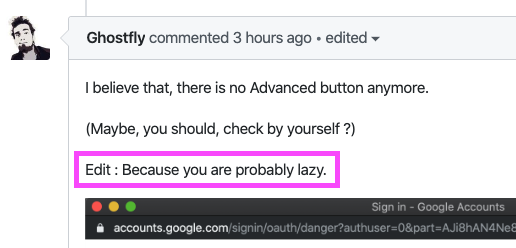
I believe that, there is no Advanced button anymore.
(Maybe, you should, check by yourself ?)
Edit : Because you are probably lazy.
Ghostfly
on 22 Dec 2019
Thanks for posting an image of what you are seeing.
I checked on my personal Gmail account, and the "Advanced" option still appears, so there would be no way for me to verify/see what is wrong.
Also, most of this is beyond our control; it is entirely up to Google (who owns Google Script & Google Drive/Sheets) what displays here.
It is possible that if you are using an enterprise account where options may be locked down for your domain (and if so, reach out to your enterprise admin to pursue verifying the app for use within your organization or re-enabling the advanced options here). Or maybe Google has disabled all of these for enterprise accounts. Not sure.
It is also possible that there is some AB test or rollout of this removal (or possibly a Chrome flag?), and you could do some digging to figure out what it would take to make this show up again.
Update: I loaded up my company's enterprise account, and there was actually no warning screen but it went straight to the permissions step without this warning. It may be that the company needs to register yourselves with Google to deploy these apps. I'm not my company's enterprise account admin, so I'm afraid I cannot really verify further in that regard (I just know it is in theory possible to do this even with an enterprise account, just may require further steps that I do not know how to document - if we find those out, it'd be awesome to share with the community for others in a similar bind).
mckennapsean
on 22 Dec 2019
I'm connected on my personal Gmail account, thus, what you say is wrong, I think. (Don't want to know for the A/B Testing)
Using formspree instead seems to be the way for me ;)
I just really don't like your message "read the docs", I said in the first post of this issue that I have some scripts already running, and so, I know the steps.
So. Please read carefully next time ;)
Ghostfly
on 22 Dec 2019
Thanks! I don't know why we would be getting two different experiences for personal accounts beyond what I mentioned. I am also on the latest Chrome (v79).
Glad to hear you found an alternative that works for you!
My apologies that you did not like my first response to your GitHub issue post. I read and saw that you had gone through steps before, but the initial post was lacking details for me to take action upon. Step 6 is a common point of confusion for many users, and it is one that has changed over time due to Google adding this warning dialog (which is a bit of a pain). Thus, our older users may have not seen this step or could simply have forgotten the annoyance of how to navigate to find the correct options to continue forward (and those options too have changed visually over time I think). Plus, older versions of our readme (such as on NPM) may have out of date instructions.
I do appreciate the heads up so we can keep an eye out if they do end up altering this screen for all users.
If anyone else encounters the missing "Advanced" options, please let us know!
mckennapsean
on 22 Dec 2019
For the avoidance of any doubt for anyone else reading this thread,
we are using this in production @dwyl on several projects and received emails today (5 minutes ago)
so it _definitely_ still works.
What _appears_ to be the case is that for new Apps Google may be requiring more verification.
If the Google Apps Script is not working for you, do not rule out the possibility that Google has blocked your account due to activities that their algorithm has identified. (_your account/form has been used for spam_)
Also, for future reference, when someone takes the time to answer your question on GitHub,
don't accuse them of being "lazy" ...
For the most part Open Source is a community of _volunteers_ who are _giving_ their time away for _free_.
We are not a Google support team who get paid to resolve anyone's problems with using this functionality.
If you (_or anyone else_) needs technical support from Google, please open an issue directly on the Google Issue Tracker: https://issuetracker.google.com/issues?q=status:open
Thanks! 🌻
 nelsonic
on 23 Dec 2019
nelsonic
on 23 Dec 2019
Related issues
 ThomasSalty
·
4Comments
ThomasSalty
·
4Comments
 Herbert2122
·
4Comments
Herbert2122
·
4Comments
 sidbatra
·
4Comments
sidbatra
·
4Comments
 jchesner
·
3Comments
jchesner
·
3Comments
 eleosa
·
4Comments
eleosa
·
4Comments
Most helpful comment
For the avoidance of any doubt for anyone else reading this thread,
we are using this in production @dwyl on several projects and received emails today (5 minutes ago)
so it _definitely_ still works.
What _appears_ to be the case is that for
newApps Google may be requiring more verification.If the Google Apps Script is not working for you, do not rule out the possibility that Google has blocked your account due to activities that their algorithm has identified. (_your account/form has been used for spam_)
Also, for future reference, when someone takes the time to answer your question on GitHub,

don't accuse them of being "lazy" ...
For the most part Open Source is a community of _volunteers_ who are _giving_ their time away for _free_.
We are not a Google support team who get paid to resolve anyone's problems with using this functionality.
If you (_or anyone else_) needs technical support from Google, please open an issue directly on the Google Issue Tracker: https://issuetracker.google.com/issues?q=status:open
Thanks! 🌻