Hi,
When loading a map in chrome, the text and lines are slightly blurry. The blurriness changes as the map is zoomed. IE and Firefox do not that be the same issue are a re clear and distinct at all zoom levels. I think it might have something to do with the transform property not correctly getting tagged as -webkit.
 colm-quinn
All 30 comments
Could you provide Chrome version and OS. Preferrably screenshots, as well.
Also, are you seeing this issue on the Leaflet demo map on the Leaflet site, or where do you see it?
 perliedman
on 10 Mar 2015
perliedman
on 10 Mar 2015
Made a comparison myself, this is from Chrome 40.0.2214.115 on Windows:

Compared to Internet Explorer 11 on the same machine:

Map is from Leaflet's homepage: http://leafletjs.com/
As can be seen, Chrome is visibly blurrier, and also the popup har som small artifact around the popup's arrow. However, it's not only the map that is blurry, the font rendering is also much blurrier, which should be outside Leaflet's control. Also worth noting is that these screenshots are from a setup with dual monitors, of which one is high-DPI, so the blurriness might be related to Chrome scaling things.
@molcochet, how does this compare to the issue you're seeing? What equipment do you use, etc.?
perliedman
on 10 Mar 2015
Hi,
Sorry for the lack of detail earlier. I also used http://leafletjs.com/ to recreate after noticing it on my configuration. Your screenshots are exactly the issue I have observed.
My test configuration:
Browsers:
Chrome 40.0.2214.115 m
Firefox: Developer 38.0a2 (2015-03-06)
IE: IE11 11.0.9600.17633
OS: Windows 7 SP1
Hardware:
Dual Monitor, one High DPI. Also recreated using only low DPI configuration (disconnected High DPI monitor and restarted chrome to verify.
Leaflet:
0.7.3 & 0.8-Dev & whichever version is currently running the website as a stable base for comparison
Additional plugins:
Leaflet-label
colm-quinn
on 10 Mar 2015
I tried an older version of our product, using 0.7.2, and the issue does not occur. Screenshots below.
Chome, Leaflet 0.7.2:

Chrome, Leaflet 0.7.3:

Also, if you look closely, you will notice a gap between the tiles appears.
Strangely, now I don't see the issue in the website, lending credence to your DPI observation earlier.
colm-quinn
on 10 Mar 2015
Hmm, not reproducible for me on Chrome / OS X, weird...
 mourner
on 10 Mar 2015
mourner
on 10 Mar 2015
I know Chrome and webkit do transforms differently, so I'm wondering is there anything that has changed in that area over the last versions. I my own code, I usually have to put all -transform options in the css, though I can see you do a browser capability detect in leaflet to insert the correct markup.
It's a strange one alright...
colm-quinn
on 10 Mar 2015
@molcochet can you try finding the culprit commit between 0.7.2 and 0.7.3 with git bisect?
mourner
on 10 Mar 2015
Also, does the problem exist in master version?
mourner
on 10 Mar 2015
I'll try to get a slot of time tomorrow to give have a look at the git bisect.
Regarding version, I have tried 0.7.2, 0.7.3 and 0.8-dev(which I believe is master?) all from the website.
I'll need to make a separate test page to start cycling through the versions, to remove third party plugins like label from the tests also.
colm-quinn
on 10 Mar 2015
I fought the same issue in another project. Such a headache.
It's a known issue in Chrome that fractional pixel values in size or position could lead to blurry text and some other glitches when applying CSS transforms. When using percent values, the blurry effect depends on the size of the window or parent element, that's why it's hard to reproduce in a different environment.
One way to go is to use CSS calc to force a value rounding. Something like:
height: 100%;   /* for browser which don't support calc function*/
height: calc(100% + 1px);
Or Math.round(yourheightvalue) if set from JavaScript.
 AbelVM
on 22 Mar 2015
AbelVM
on 22 Mar 2015
Hi there - has this been resolved? I can't get the CSS calc to work on my map. I tried to find 0.7.2 to download and use instead of 0.7.3 but couldn't find it online.
Here is what it looks like locally in Chrome:

Here is what it looks like in Chrome hosted on Bluehost:

It looks fine in Safari either way.
Thanks for your help!
C
 cnmillar
on 2 Apr 2015
cnmillar
on 2 Apr 2015
@molcochet have you had a chance to bisect the issue?
Or anyone here? It's git bisect between tags v0.7.2 and v0.7.3.
mourner
on 23 Apr 2015
No, I haven't gotten around to this yet. I'm being pulled between projects, so haven't gotten a chunk of time together to recreate in the different environments so I can see a clear before and after for isolating in conjunction with the bisect.
colm-quinn
on 23 Apr 2015
I just noticed that this seems to be fixed in Chrome now! Thanks so much to whoever is responsible!

cnmillar
on 8 May 2015
@cnmillar interesting! I'm not entirely sure this is fixed though — there are two possibilities: 1) latest Chrome 42 fixed the issue, and 2) issue is still there but isn't reproduced consistently, i.e. depends on map pixel width/height and center.
@molcochet can you check if the issue is still there?
mourner
on 8 May 2015
Cannot reproduce so I'll assume this was fixed in Chrome, but if turns out that it's not, I'll reopen the issue.
mourner
on 11 May 2015
Hi!
I want to open this issue again !
I have the same problem only in chrom the leaflet map doesnt show properly when i use polymer 2 but it work fine on firefox and IE and chrome when i write the program outside the polymer !
thnk for helping me!
 zhen1991
on 20 Mar 2018
zhen1991
on 20 Mar 2018
@zhen1991 from your description, it sounds more like the issue is with the combination of Leaflet and Polymer, than with Leaflet itself.
I'm sorry to say we do not have the resources to track down issues in combination with other frameworks. If you can create an example that shows this issue with only Leaflet, we are happy to have a look.
perliedman
on 20 Mar 2018
thnx for helping!
but i can run the leaflet alone outside polymer and i dont get any error but when i run with polymer 2 i get problem !can u recommend any site that will help me !
thnx again:)
zhen1991
on 20 Mar 2018
I have been noticing this issue in Chrome only. It is most noticeable on graphics and icons that contain thin lines. It appears to me that alternate lines of pixels are skipped when re-scaling is done.
 kwankong
on 30 Apr 2018
kwankong
on 30 Apr 2018
I discovered the problem right now in my IONIC app, and I cannot avoid to use Chrome over android device.. this is very annoying...
 jakodev
on 5 May 2018
jakodev
on 5 May 2018
This is a closed issue. If you believe this should be reopened, please submit steps to reproduce the problem, clearly showing that this is still an issue.
From what I can tell, it's apparent that Leaflet generally works in Chrome without blurry maps, so we need more information under which circumstances this is actually a problem.
perliedman
on 7 May 2018
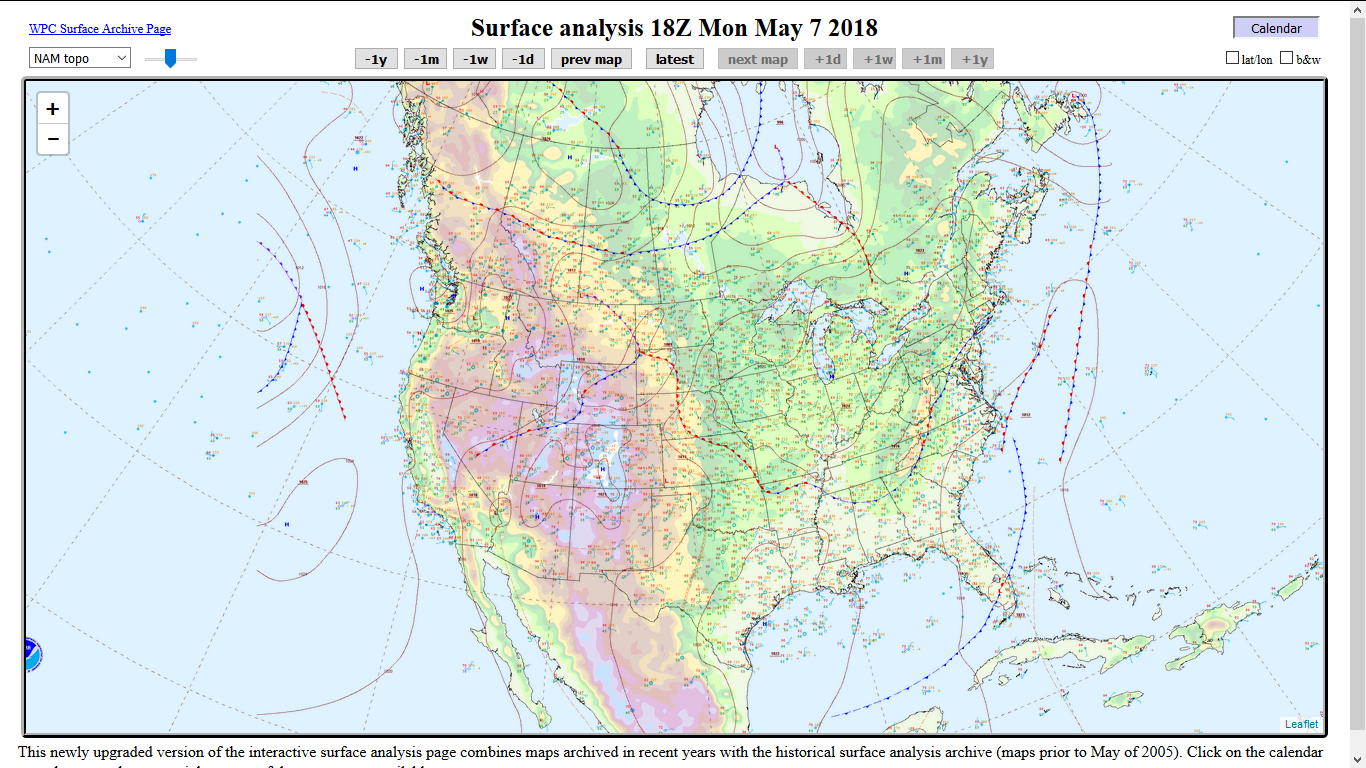
This may be browser related rather than Leaflet. But I don't know Leaflet deep enough to be sure. I am attaching two images--one from Chrome and the other from Firefox. The problem is noticeable only when auto-shrinking is applied to images, including image icons. You can see that the thin lines rendered on Chrome appear broken because only some pixels seem to have been sampled when the image is zoomed out or shrunk. But the same thin lines on Firefox appear more complete because some interpolations appeared to have been applied.
Chrome:

Firefox:
kwankong
on 8 May 2018
@kwankong hard to say for certain, but I'm tempted to say that this is the effect of different image scaling algorithms in Chrome and Firefox. Either way, it sounds like a different issue than the one we originally were discussing here: blurry tiles for _non scaled_ images.
perliedman
on 8 May 2018
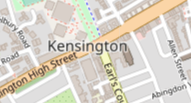
Hi @perliedman ! The bug is very easy to reproduce. And it happens, right now, on the Leaflet official website (https://leafletjs.com/). Of course, you need Chrome Version 67.0.3396.99 (Build officiel) (64 bits) on a Mac OS Sierra.
So, to reproduce the bug, simply move the map around (by drag and drop) a few times. The render is different from one move to another, as the images below prove it.

 jpbecotte
on 28 Jun 2018
jpbecotte
on 28 Jun 2018
@jpbecotte hm, I can't reproduce on Windows, Chrome Version 67.0.3396.99 (Official Build) (64-bit). Of course not impossible this would be platform dependent, but a bit weird. I'll hopefully find some time to try it out on Linux later today.
perliedman
on 29 Jun 2018
This article should shed some light on this problem. It's related to the pixel-rendering methods used in the browser, and it's still highly browser-dependent.
https://css-tricks.com/almanac/properties/i/image-rendering/
kwankong
on 29 Jun 2018
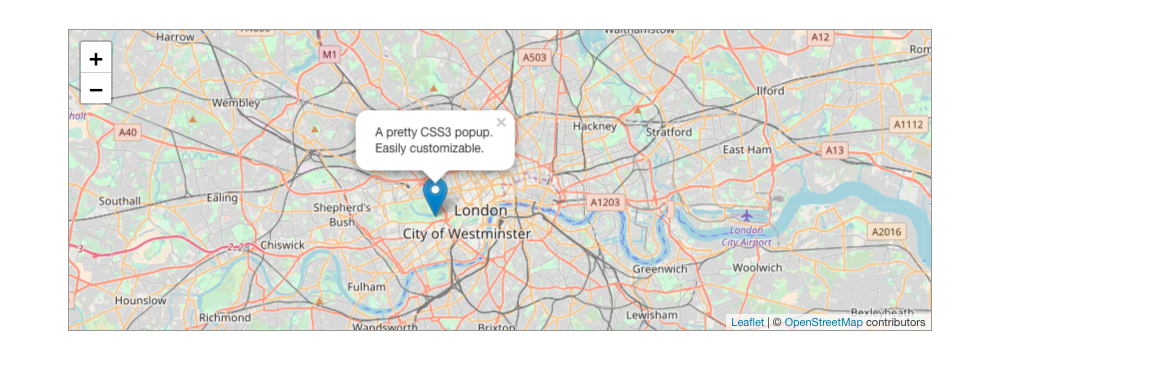
Chrome on MacOS
Firefox
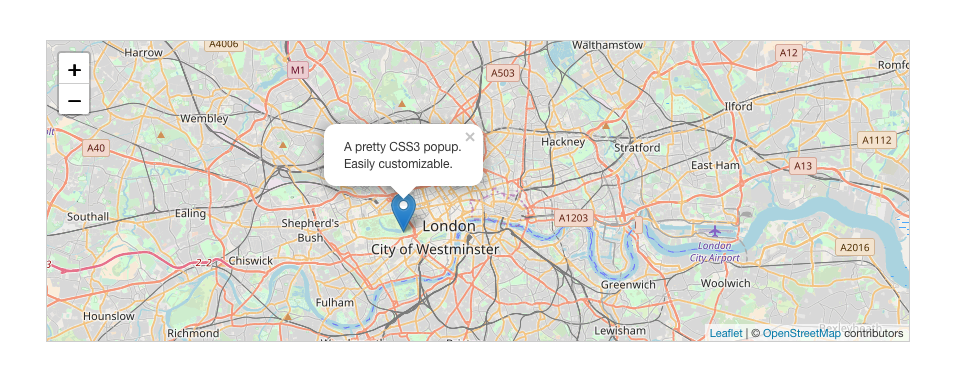
You can see that the text and popup is blurred in chrome. I believe that's happening because of transform positioning.
 EugenRakhimov
on 10 Jul 2018
EugenRakhimov
on 10 Jul 2018
It has to do with they map layers, I can get blurry and sharp on chrome depending on which layer are enabled. I can post screenshots later. While on IE its sharp and nice!
Meanwhile check this link https://www.bikedayton.net/routearchive.php?route=90 and try enable and disable the layers
 aero77
on 14 Apr 2020
aero77
on 14 Apr 2020
Still have this problem. Is there a line of code I can add to my leafletJS map to fix this?
 PaulMcPython18
on 12 Sep 2020
PaulMcPython18
on 12 Sep 2020
Related issues
 ghost
·
21Comments
ghost
·
21Comments
 zzolo
·
31Comments
zzolo
·
31Comments
 apachemaven
·
34Comments
apachemaven
·
34Comments
 Ceremony64
·
30Comments
Ceremony64
·
30Comments
 ArminMueller
·
90Comments
ArminMueller
·
90Comments
Most helpful comment
Still have this problem. Is there a line of code I can add to my leafletJS map to fix this?