Leaflet: Fill opacity of circle/semiCircle markers in canvas element changes when zooming in and out.
Hello,
I am facing this issue since some time. In fact I am not aware whether it existed before, because I am a new user to Leaflet.
My map is populated with 100.000+ semiCircles, which are stored in canvas layer. I define different radius sizes depending on the current zoom level. My observation is that when I zoom in closely to the maximum zoom and then start to zoom out the fill opacity of my markers change to darker tones. In many cases only some part of the marker surface is with these darker tones. Whenever I move the map even slightly the fill opacity gets back to the desgined levels. I raised a question in following Stackoverflow thread. There you can find screenshots showing the problem.
Reproduction of the problem can be found in following JS bin.
I am setting the new radius as follows:
layerSites1.eachLayer(function(layer) {
        return layer.setRadius(rad1);
 });
User nikoshr was kind to help me with a work-around of the problem and suggested to me that it might be worth opening an issue here. His temporary solution was to use setTimeout as follows:
setTimeout(function() {
          layerSites1.eachLayer(function(layer) {
            return layer.setRadius(rad1);
          });
}, 0);
A working example of his modification can be found in another JS bin.
This solution works very good when zooming in and out. But as usually happens another problem appeared - once you move slightly the map the distored fill opacity is drawn again (this is just oposite to the recovery process from top of the description when this moving fixed the things). Unfortunately this problem cannot be reproduced in the second JS bin example.
Is there any way to get rid of that problem? Thanks a lot!
 idenchev
All 4 comments
Hello guys,
I just need a piece of advice, whether the problem is in my code or somewhere else. In case this is not the right place for posting this problem, you can close the issue.
Specifying explicitly the fillOpacity value when initially drawing the marker and on each zoom level has no positive effect. Now the problem of changed fillOpacity appears all the time when I zoom in or zoom out. As mentioned in original post after zoom event moving slightly the map restores the correct opacity. But not all the time it works like that. Many times the map move changes the distorted fillOpacity not back to normal density but to a medium density between the distorted one and the designed (correct) one.
Some screenshots are below.
Directly after zoom in event we have distorted opacity:

After a slight map move it is restored:
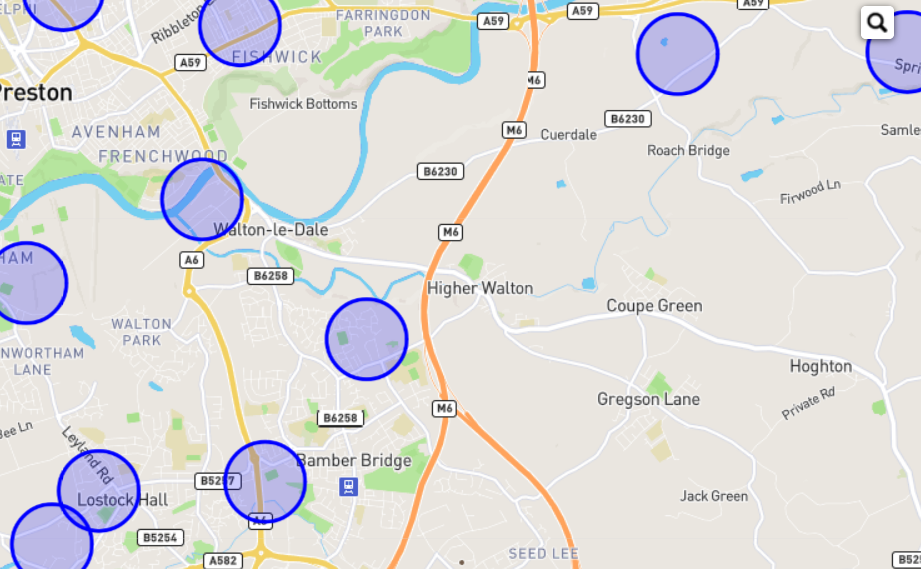
Anothere example is below - it shows the marker appearance after zooming in and out in the same spot.
After zoom in:
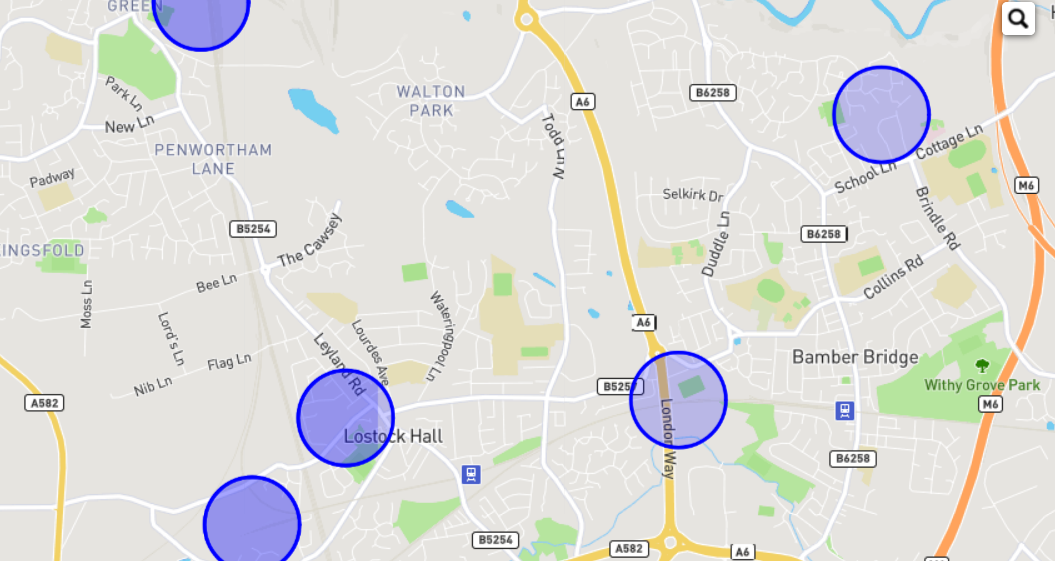
After zoom out:
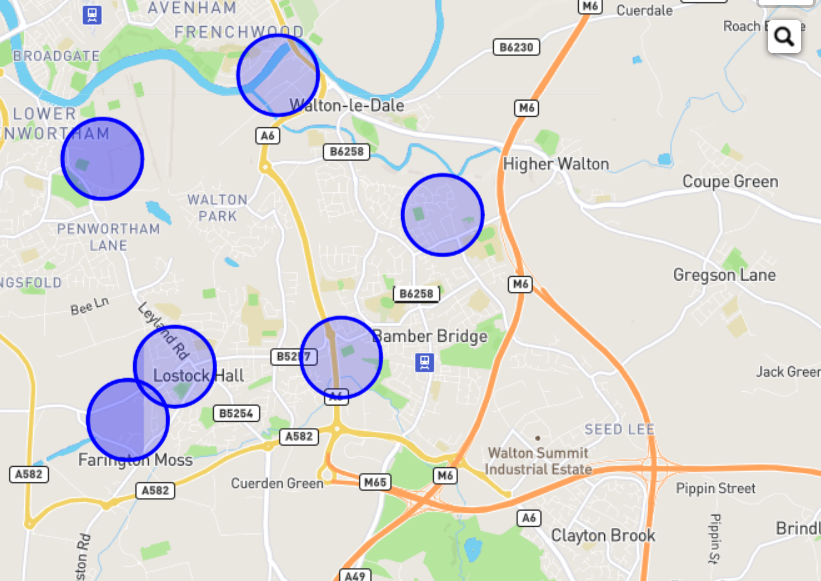
Thank you!
idenchev
on 25 Apr 2018
I'm also seeing the same thing when I tie some polyline width changes to a zoomend event. Did you ever find a satisfactory resolution?
 bluecorridor
on 16 Feb 2019
bluecorridor
on 16 Feb 2019
I've this problem too.
I've map full of rectangles and when _zoomend_ event happens the map is set to either make smaller or larger rectangles. This is done by first clearing the _featuregroup_, then adding layers to the group and then adding the _featuregroup_ to the map.
I see the same lines across my rectangles as @idenchev sees across the circles.
Any solutions to this bug ?
 mbunger
on 4 Apr 2019
mbunger
on 4 Apr 2019
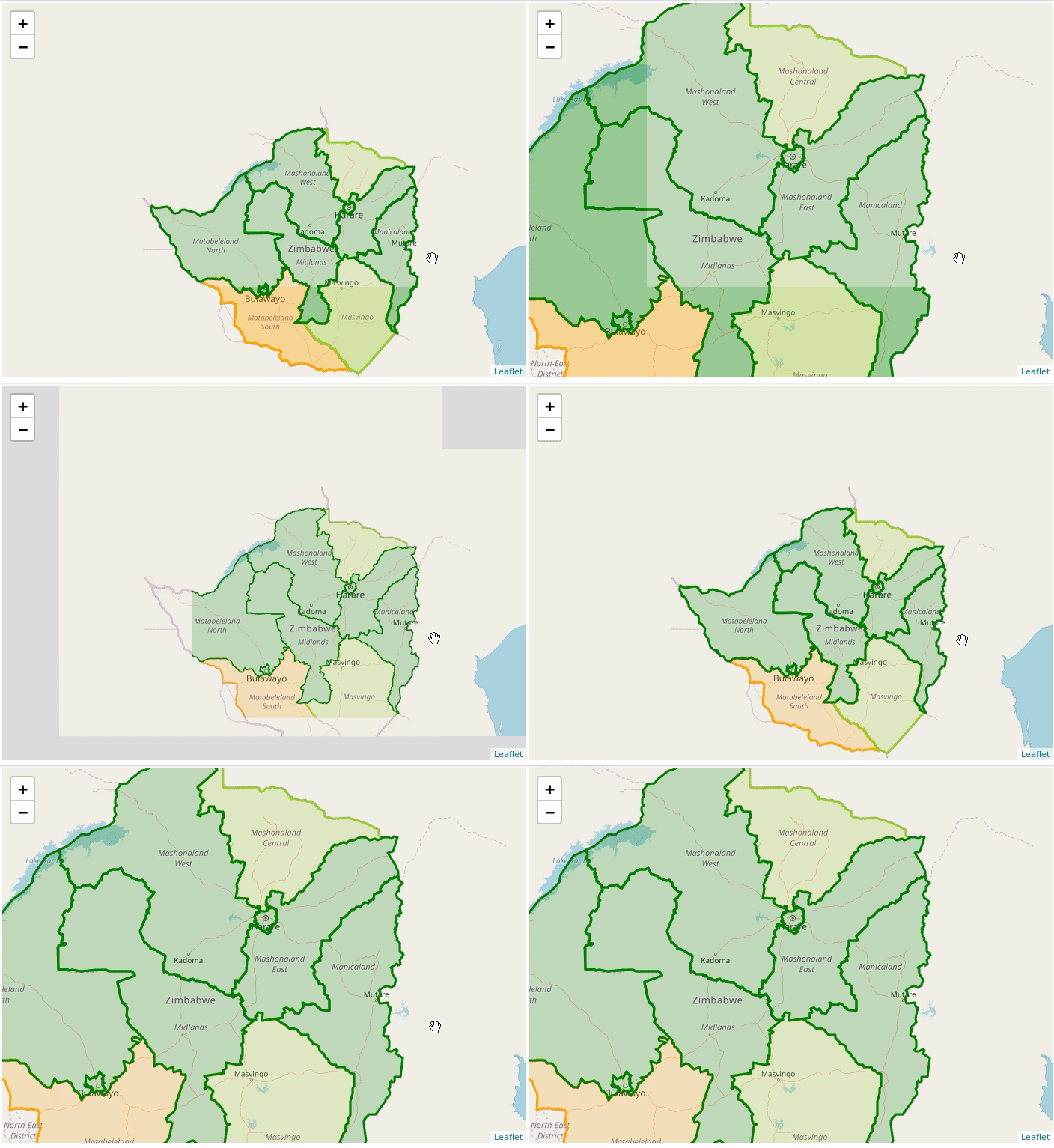
Hi, I think I got the exact same bug on a simple geojson chronopleth.
I am not doing any styling on zoom end.
Here is a gif showing the bug. Notice how the opacity problem appear in a fixed area on the viewport.
The bug only shows after playing around with the map so my best guest is that there is a canvas rendering optimization based on viewport, but this viewport is "shifting".
I am using leaflet 1.5.1.
Best regards.
 austil
on 24 Jun 2019
austil
on 24 Jun 2019
Related issues
 gdbd
·
3Comments
gdbd
·
3Comments
 broofa
·
4Comments
broofa
·
4Comments
 jcarenza
·
3Comments
jcarenza
·
3Comments
 zdila
·
3Comments
zdila
·
3Comments
 ssured
·
3Comments
ssured
·
3Comments
Most helpful comment
Hello guys,
I just need a piece of advice, whether the problem is in my code or somewhere else. In case this is not the right place for posting this problem, you can close the issue.
Specifying explicitly the fillOpacity value when initially drawing the marker and on each zoom level has no positive effect. Now the problem of changed fillOpacity appears all the time when I zoom in or zoom out. As mentioned in original post after zoom event moving slightly the map restores the correct opacity. But not all the time it works like that. Many times the map move changes the distorted fillOpacity not back to normal density but to a medium density between the distorted one and the designed (correct) one.
Some screenshots are below.
Directly after zoom in event we have distorted opacity:

After a slight map move it is restored:

Anothere example is below - it shows the marker appearance after zooming in and out in the same spot.
After zoom in:

After zoom out:

Thank you!