How to reproduce
- Leaflet version I'm using: Latest version
- Browser (with version) I'm using: Chrome
- OS/Platform (with version) I'm using: MacOS
What behaviour I'm expecting and which behaviour I'm seeing
Blurry maps
I noticed this issue in several topics but all of them were closed, is it me or leaflet maps are blurry?
here is the example from the site:
http://leafletjs.com/examples/geojson/

here is an example from mapbox:
https://www.mapbox.com/maps/light-dark/

clearly the leaflet map is blurry,
is this a known issue? any way to fix this?
 ghost
ghost
All 14 comments
What's your exact tile source and DevicePixelRatio?
 IvanSanchez
on 23 Feb 2018
IvanSanchez
on 23 Feb 2018
@IvanSanchez
I am on Macbook Pro Retina
ghost
on 23 Feb 2018
Chrome seems to have changed _something_ under the hood which is causing this along with sporadic other leaflet-related issues for me (getView() after setView() returning subtly different coordinates, but that's another issue).
The blurriness stems from a fractional transform on leaflet-map-pane.

- Leaflet 1.2.0
window.devicePixelRatiois2- Chrome Version 64.0.3282.167
- Chrome Version 64.0.3282.186
 brianreavis
on 24 Feb 2018
brianreavis
on 24 Feb 2018
You are comparing raster tiles used in Leaflet example with vector tiles in Mapbox.
Of course, raster tiles are blurry on retina screens.
Use TileLayer's detectRetina option to avoid that.
 cherniavskii
on 24 Feb 2018
cherniavskii
on 24 Feb 2018
@cherniavskii You're oversimplifying the problem. I'm using 512x512px raster tiles that have always looked just fine on retina (and non-retina, for that matter). The fractional translate causes interpolation, which causes blurring even on a non-retina screens.
brianreavis
on 24 Feb 2018

This can also lead to subtle seam artifacts, depending on how you've panned.
brianreavis
on 24 Feb 2018
@brianreavis Well, TS provided link to Leaflet geojson example, which has detectRetina disabled by default.
Looks like you are experiencing different issue, since it affects also non-retina screens. If so, please open a new issue
cherniavskii
on 24 Feb 2018
Fair enough – didn't realize the reference point of this issue was comparing to vector maps.
brianreavis
on 24 Feb 2018
@cherniavskii
if I set detedRetina to true the text becomes small
so here is an example map with retina set to true
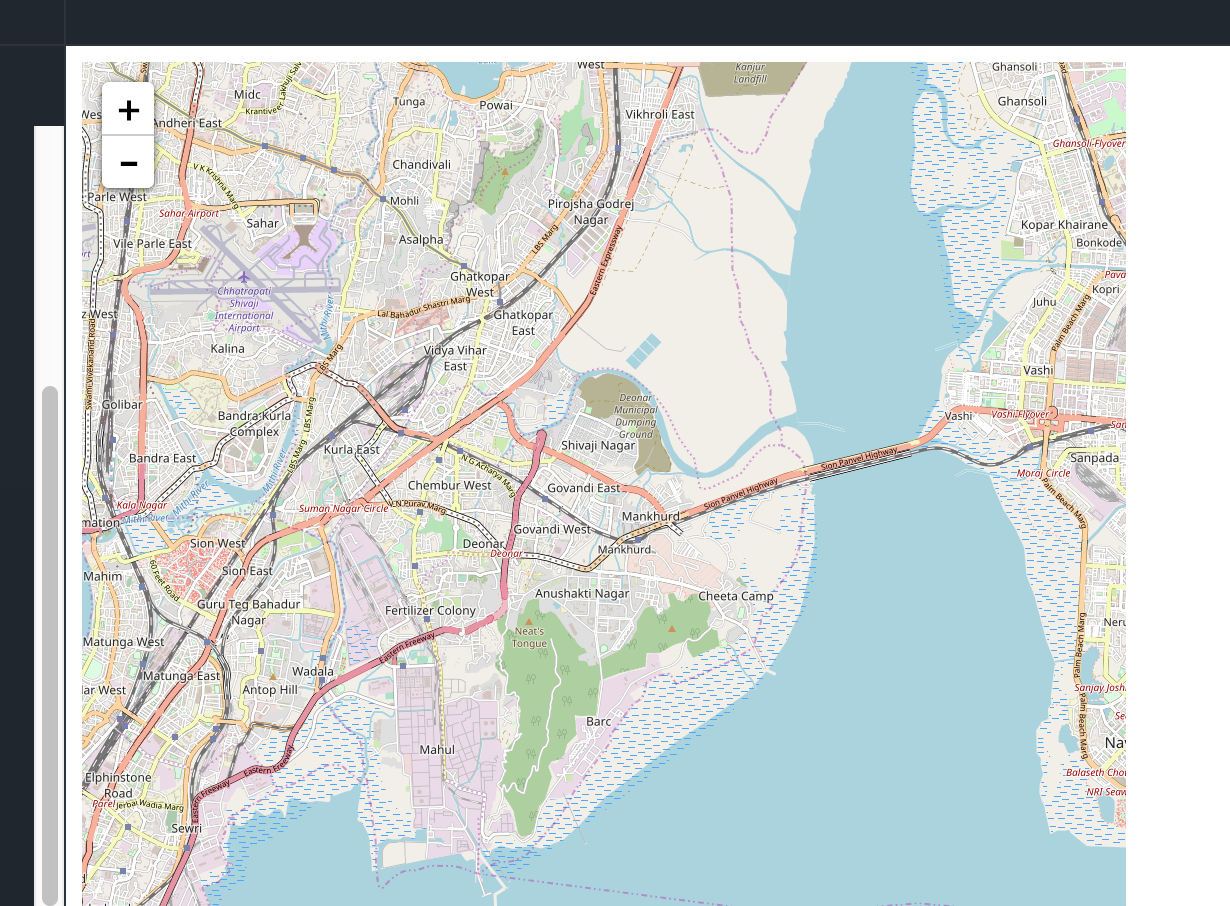
sample map without retina:
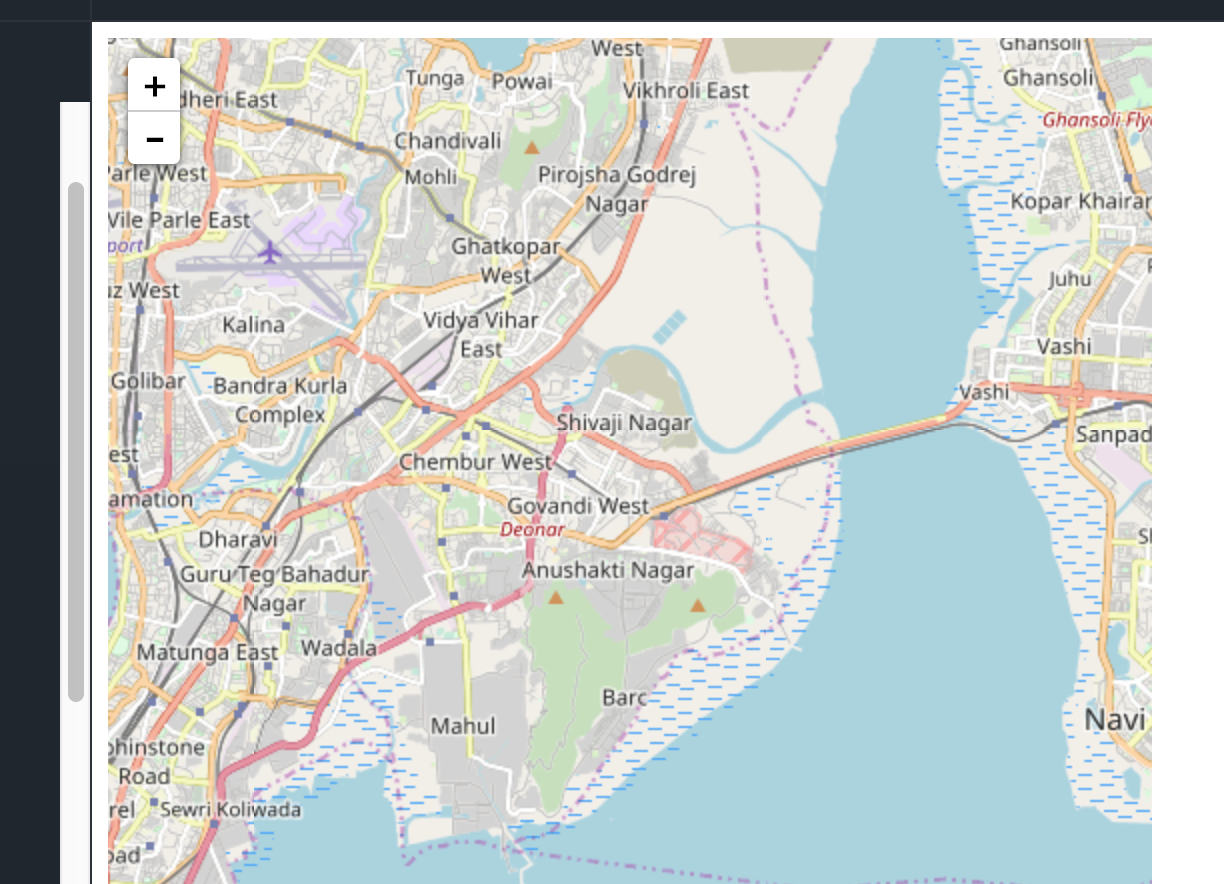
http://jsfiddle.net/dm93f059/1/
as it can been, the text and zoom level somehow changed
ghost
on 25 Feb 2018
@LittleHamster This is expected. If you don't want blurriness and don't want small text (caused by tiles being scaled to achieve retina screen dpi), you need a tile provider that supports high-resolution tiles (512x512px instead of 256x256px). This isn't a problem with leaflet.
brianreavis
on 25 Feb 2018
@LittleHamster Did you resolve that?
 gabrielpeixoto
on 22 Sep 2018
gabrielpeixoto
on 22 Sep 2018
We're also seeing this behaviour. Here is a screenshot comparing on the same screen:
- The map in QGis
- The WMS tile opened in new tab
- The map in leaflet
Notice how number 3 is more blurry than the others (click image for full size).

The screenshots are in Edge, but we're seeing the same result in Chrome, Firefox and IE as well.
Unfortunately the tile is from a paid service, so it can't be accessed from outside.
My DevicePixelRation is 1.
 MikaelEdebro
on 11 Jan 2019
MikaelEdebro
on 11 Jan 2019
The problem is still there.
with
{tileSize: 512,
zoomOffset: -1,
detectRetina:true}
the labels are too small.
Without it - the size is ok, but it is blurry.
I am using mapbox as a provider.
 kasper747
on 26 Jan 2020
kasper747
on 26 Jan 2020
I experience the same issue on 1.7.1 with OpenStreetMap (Map Box is acceptable). Either the tiles are neat but with a (too) small font size, or pixelated if I change the tile size with the following option:
{
    tileSize: 512,
    zoomOffset: -1
}
Has someone found a solution/workaround ?
 MathieuSchopfer
on 16 Dec 2020
MathieuSchopfer
on 16 Dec 2020
Related issues
 brambow
·
3Comments
brambow
·
3Comments
 pgeyman
·
3Comments
pgeyman
·
3Comments
 timwis
·
3Comments
timwis
·
3Comments
 piehei
·
3Comments
piehei
·
3Comments
 viswaug
·
4Comments
viswaug
·
4Comments
Most helpful comment
The problem is still there.
with
{tileSize: 512,
zoomOffset: -1,
detectRetina:true}
the labels are too small.
Without it - the size is ok, but it is blurry.
I am using mapbox as a provider.