Leaflet: Do not round to the nearest integer
Unfortunately, leaflet rounds path coordinates to the closest integer before drawing. This works okay for most cases, unless you have a grid like drawing. In my case, I am drawing solar panels, which just look awkward:

Quick and dirty, I changed the code, so that the shape gets rounded to the first decimal place, and it looked just great:

I am unsure about the performance impact, however I noticed no (additional) impact on performance, even after playing around with over 7000 of these polygons.
Same issue when using the method latLngToLayerPoint:
Rounded integer X/Y values of LatLng points are inaccurate, especially at low zoom levels.
I am not sure why these are being rounded in the first place.
 Ceremony64
All 30 comments
Rounding Path coords to nearest integer do provide crisper line (and potentially better performance since browser don't have draw additional pixels for anti-aliasing).
In your case, perhaps an option in Path that hint at the renderer to not round the coordinates?
 SuberFu
on 3 Aug 2016
SuberFu
on 3 Aug 2016
The trade-off for this "optimization" is accuracy, which isn't a price one should pay. The rounding doesn't even seem to optimize anything:
The image is not necessarily crisper, as the browser draws anti-aliased pixels for all lines, as the line seems to be between pixels and not on them? At least this is the case for polygons.
I guess this is why I noticed no subjective difference in speed between with and without rounding as it is all the same for the browser...
Ceremony64
on 4 Aug 2016
Rounding the coordinates is an artifact to make things render right in some browsers (think old IE). Having non-integer values for some CSS transforms might break things.
So, even if this is a good idea, I don't think it can make it to 1.0, an it will need testing.
@Ceremony64 Please state the version of Leaflet you're using, and consider sending a pull request with your changes - that would make things easier.
 IvanSanchez
on 9 Aug 2016
IvanSanchez
on 9 Aug 2016
Oh, BTW, Safari will be the major source of headaches related to this, see e.g. https://twitter.com/Rich_Harris/status/762820715439591424

IvanSanchez
on 9 Aug 2016
I was on 1.0 RC2 and just updated to RC3 today. Heres the pull: https://github.com/Leaflet/Leaflet/pull/4808
Theres another instance of ._round() in line 1095, but I am unsure about its impact.
Ceremony64
on 9 Aug 2016
This is an old post, but possibly gives yet another reason path coordinates are rounded: https://www.mapbox.com/osmdev/2012/11/20/getting-serious-about-svg/
If you scroll down to the heading "Rounded pixels give a boost", you can see that it gives @mourner as the source for this 20% performance boost.
Would be interesting to benchmark if this is still true in modern browsers.
 perliedman
on 9 Aug 2016
perliedman
on 9 Aug 2016
I've been using this example as a performance test, together with Chrome's timeline feature: http://playground-leaflet.rhcloud.com/tija/edit?html,output
From this small test, I can not measure any significant difference in using round or not using round, timing numbers for rendering time are identical up to the precision of the measurement.
One thing to note though is that the data looks _much better_ without the rounding.
We still have to do the browser testing mentioned by @IvanSanchez in #4808, though.
perliedman
on 27 Aug 2016
Small compatibility update:
I had no (reported) issues running my modified leaflet version (now running 1.2) and was able to test it with all up to date browser versions (except Safari for Mac, which I couldnt test). I didn't notice any additional slow downs either.
I have not tested it using the canvas renderer tho, only the default SVG renderer.
Ceremony64
on 28 Aug 2017
@Ceremony64 the problem here is mostly that Leaflet still maintains compatibility with very, very _not_ up to date browsers, primarily IE8, 9 and 10. Safari on Mac is definitely also very important for us to test.
Except for that, I'd love to see us moving ahead on this!
perliedman
on 28 Aug 2017
I have no means to test on Mac, cuz I don't own one. I could test Safari on iOS tho! (no issues)
Also, I believe it is time to abandon IE, just like MS did the moment they released it... lol
Only Windows XP comes with IE8 and below, all of which is also no longer supported by MS. Windows Vista got the update for up to IE9, but Vista is a rarity as it was a market failure and I am not sure if that IE version is still getting security updates either... All those Windows versions that that got IE10 also received the free update to IE11. (Except for Windows Phones, which were also a failure and have basically no market share)
So I recommend dropping support for IE8 at the very least, maybe also dropping support for IE9 and 10.
P.S. my usecase doesn't support IE10 and below, as I use google maps within leaflet, which requires DOM mutation observer, which is only supported by IE11 and good browsers
Ceremony64
on 28 Aug 2017
@perliedman @Ceremony64 how can help you moving this ahead? I have a Mac so I can help you with this one
 giacomoburattini
on 20 Oct 2017
giacomoburattini
on 20 Oct 2017
@giacomoburattini we need to check all the boxes in #4808! Major problem is testing all the old IE versions.
perliedman
on 20 Oct 2017
@perliedman what's the output you expect exactly?
I just need to run the tests by opening spec/index.html on the listed browsers? Do I need to provide screenshot comparison for some particular tests? Do I need to provide performance regression results comparison with the fix? (if so, can you give me some more details?)
giacomoburattini
on 20 Oct 2017
@perliedman I think we can scrap IE8 support already, as Leaflet 1.2 no longer works in that ancient browser:
Error: Expected identifier
File: leaflet-src.js, Line: 9020, Column: 7
@giacomoburattini I created a crude test: https://a.uguu.se/AtGM4ieiYR35_leaflet.zip (24hour limit... couldn't find a decent hoster behind company fw...)
Unpack and compare leaflet.html vs leaflet-patched.html. HTML contains both the regular SVG renderer (left) and the canvas renderer (right). Sources included are based on the latest stable release 1.2.
IE9 and up, FF and Chrome all seem to work just fine without rounding. I didn't test any mobile browsers or safari, tho.
Ceremony64
on 20 Oct 2017
@perliedman can you please confirm whether IE8 is supported yet? Can you also please confirm that running the test provided by @Ceremony64 is enough?
giacomoburattini
on 25 Oct 2017
Hi guys,
IE8 is officially supported - our front page says "IE 7–11", and I'm not at liberty to just change that at a whim, no matter how much I dislike it and its ill behaved brothers.
If the latest version actually doesn't work in IE8, that's an issue we should address, not a reason to drop the claimed support. That no one has complained about this might however be an indication that we should consider dropping the support for future versions; again, that is not my decision in that case, although I could certainly weigh in.
As for the test, unfortunately it looks like it's lost for now. I'm pressed for time at the moment, so I can't throw together a test example just now.
perliedman
on 25 Oct 2017
@perliedman I downloaded the example test prepared by @Ceremony64 and I uploaded it to Dropbox, (here the link https://www.dropbox.com/s/7c6lhiy4erc1x81/AtGM4ieiYR35_leaflet.zip?dl=0) so I can run the tests on the requested browsers.
My question is: is enough to run that test on the listed browsers or I have to take screenshots of the running tests?
I' m ok with IE8, I can also run the example test on that browser and if something is broken I can file a new issue and try to fix the problem there.
Thanks
giacomoburattini
on 25 Oct 2017
@giacomoburattini
thanks for rehosting it!
@perliedman
Time spent on fixing IE8 bugs is time wasted. Not starting a discussion and this will be my last comment regarding IE8 and what to support (and what not), but you should srsly consider officially scrapping support for outdated browsers:
Only XP has IE8 as the latest version and not even MS is supporting that OS anymore. MS also no longer supports Vista, which got IE9 as the latest version. Tho, nobody ever used Vista anyhow. Only Win7 and above get IE11. IE itself now is frozen with the release of MS Edge. If someone really needs old IE support, one can still pick one of the older versions and live with the consequences.
Ceremony64
on 26 Oct 2017
@perliedman I'm sorry to bother you again, but this fix is something that I would like to move on.
It looks like we just need a final push in the right direction to merge it. We all agree that the fix looks correct and we should get it tested in the listed browser (IE8 deprecation discussion does not belong to this thread).
But what's the output you expect from @giacomoburattini regarding the tests to do?
Do you just need a smoke test like opening the script linked here and posting the screenshots of the rendered page for all the various browsers? or do you require some more in-depth kind of tests?
Just for the sake of the discussion, for the future would be awesome to think about having some structured integration tests (maybe based on image comparison?) to prevent regressions from this kind of changes (sauce labs for example offers a "free for open source" service to run the functional tests in all the browsers we need)
 danydev
on 30 Oct 2017
danydev
on 30 Oct 2017
@danydev For me, screenshots or whatever to just make sure vectors actually still work after this change is ok. While I don't think we care _too_ much about performance in old IE versions, it's also important that it's still usable in those browsers, of course.
perliedman
on 1 Nov 2017
@perliedman @Ceremony64 here the screenshots for the requested browsers. The patched version works well. Please note that IE8 appears to be broken. I'll file a separate issue for that, since I've IE8 VM I can try to figure out the issue.
Update: after some investigation I discovered that the issue with IE8 was due to the usage of class word in _initImage method in the VideoOverlay class. The issue has been fixed with https://github.com/Leaflet/Leaflet/pull/5785/files#diff-1dcd34332bab42a8b1cabcc4ebde9a37L42
and the fix is available on master branch.

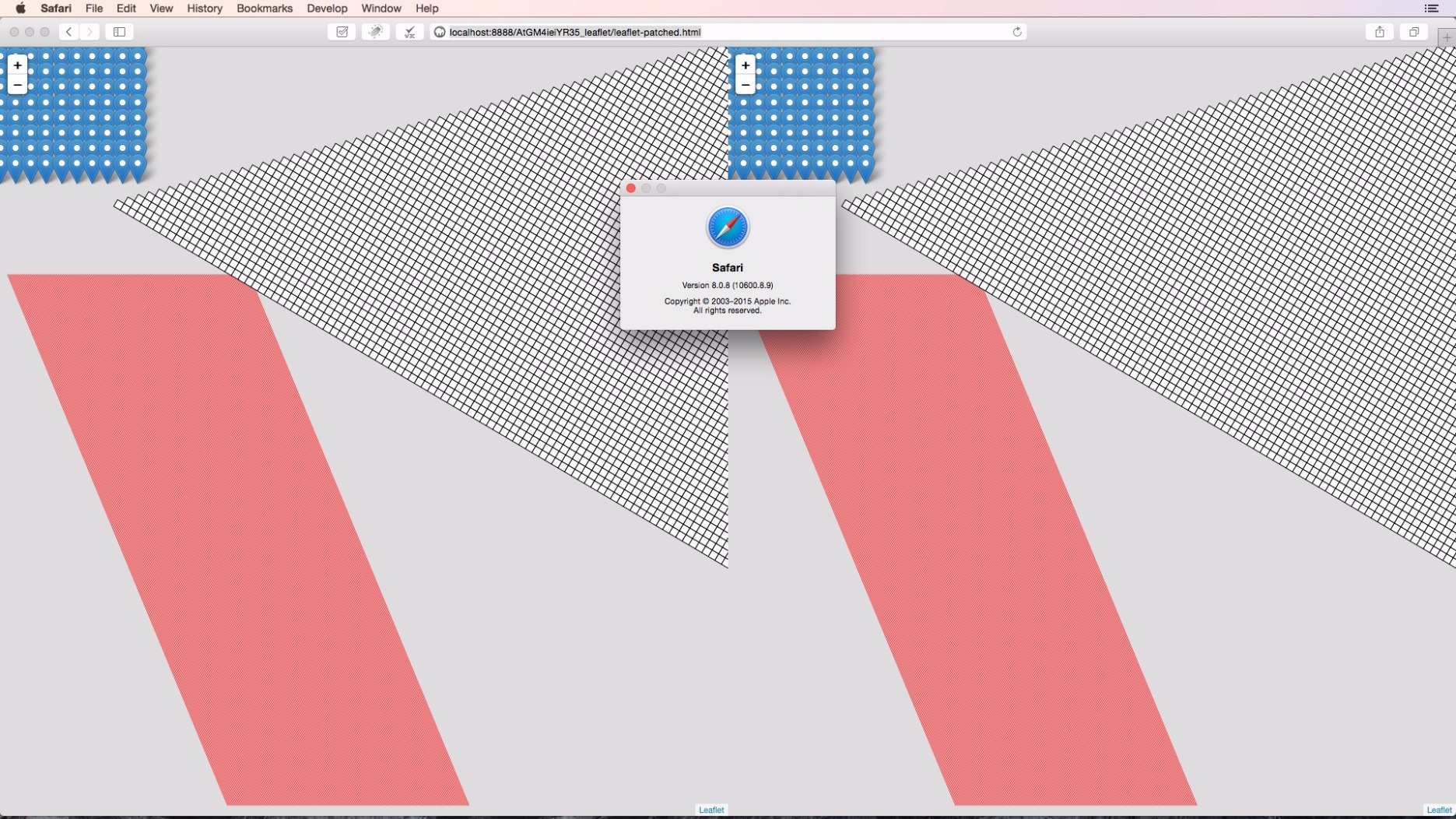
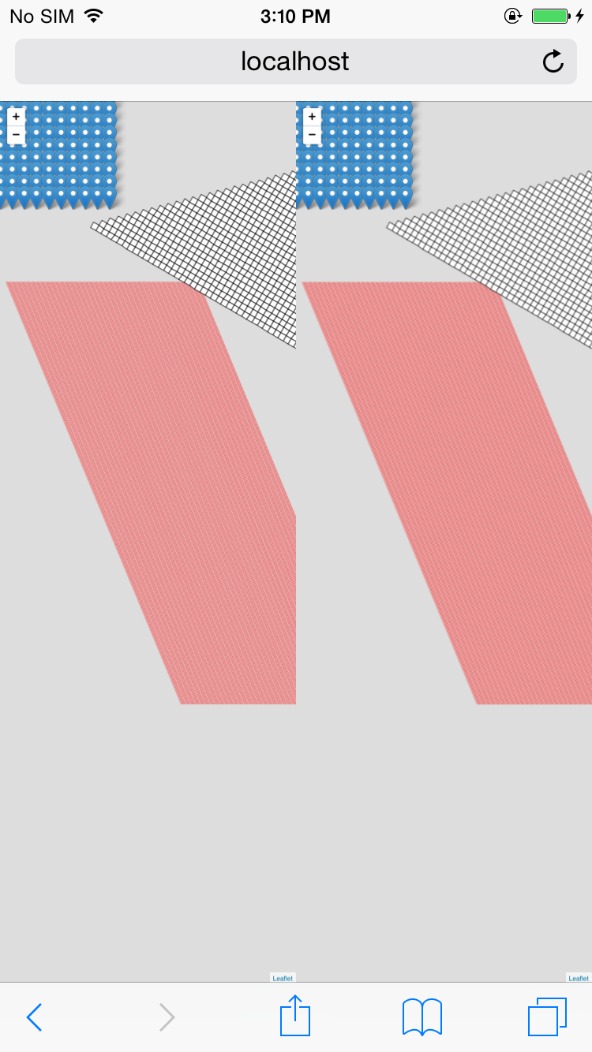
iPhone 6 iOS 8
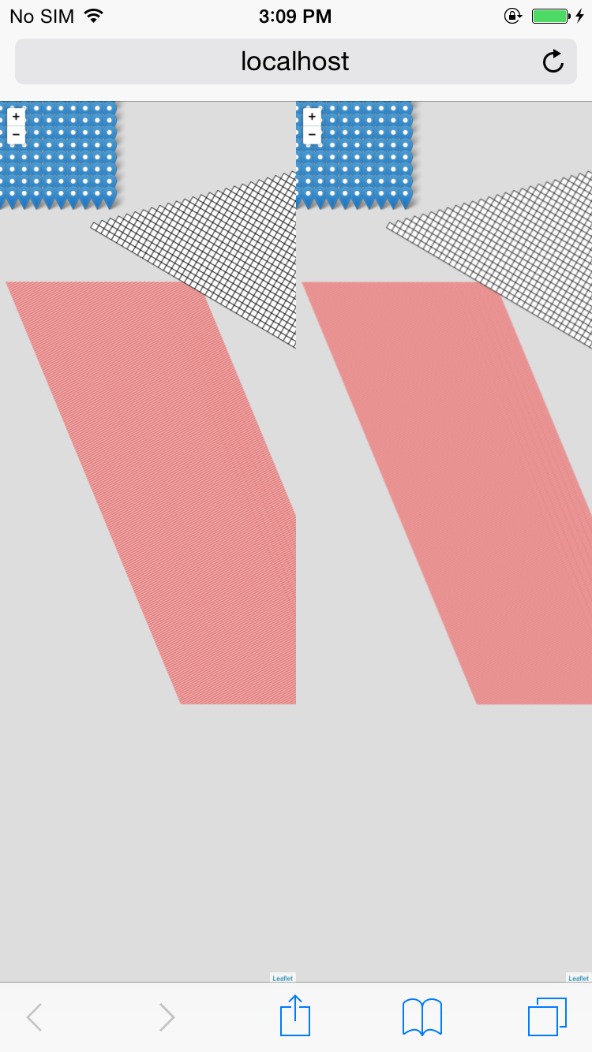
iPhone 6 iOS 8
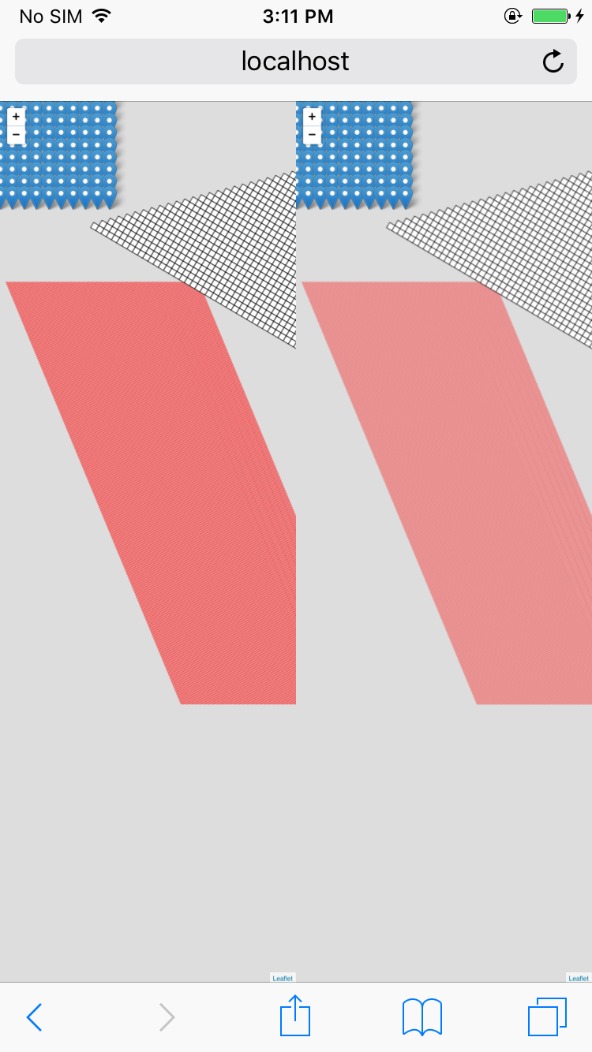
iPhone 6s iOS 9
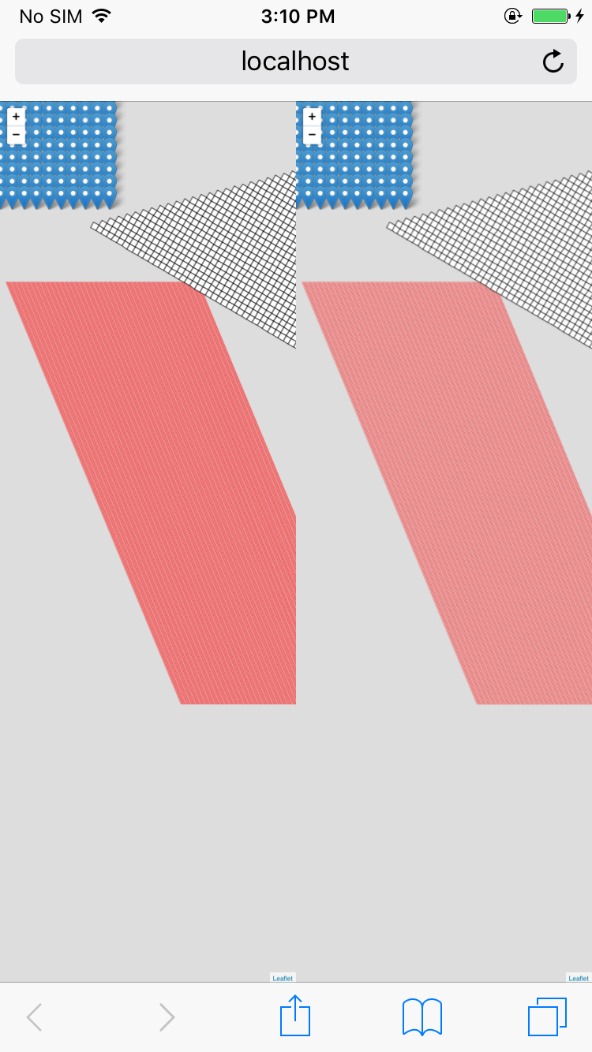
iPhone 6s iOS 9
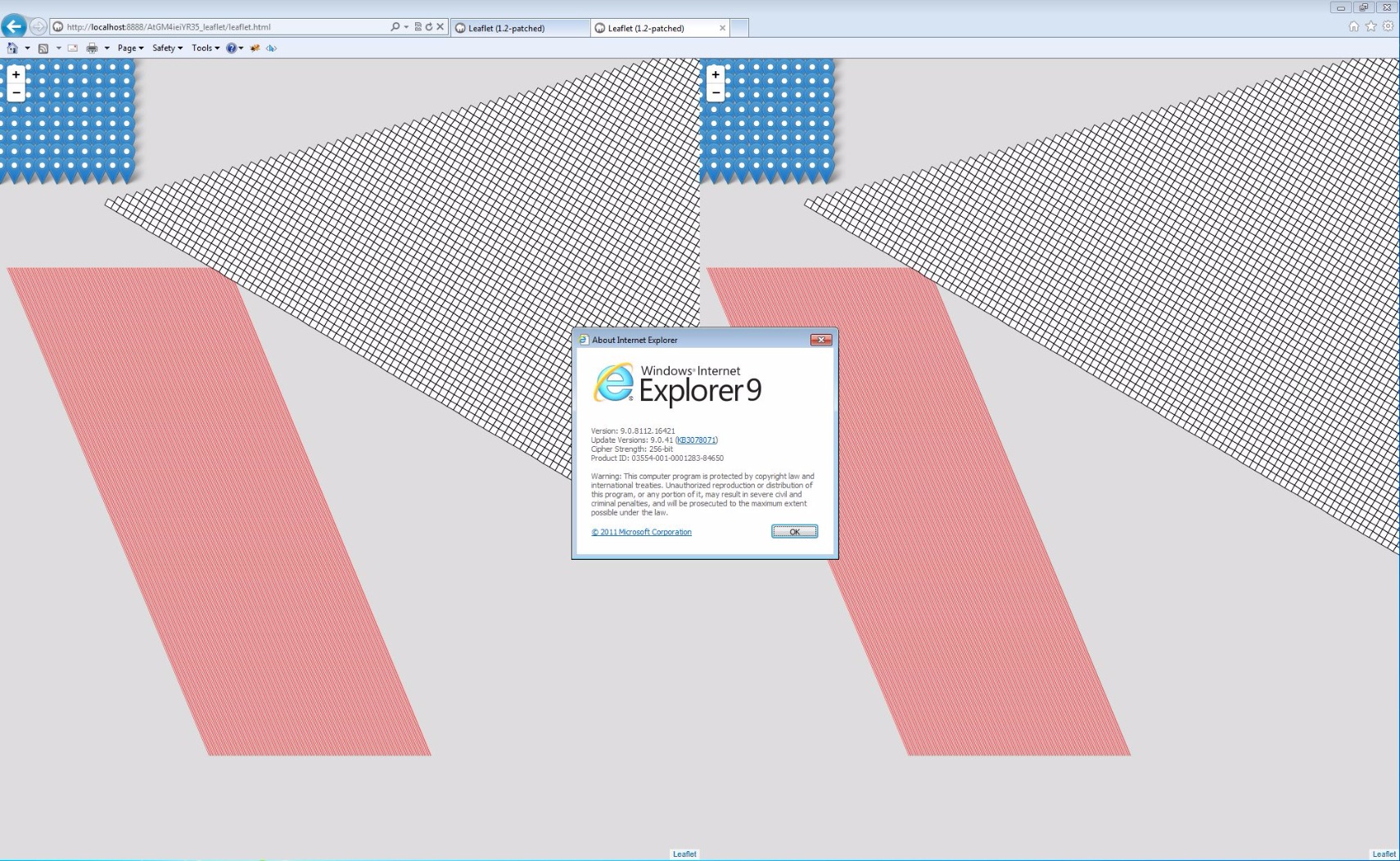
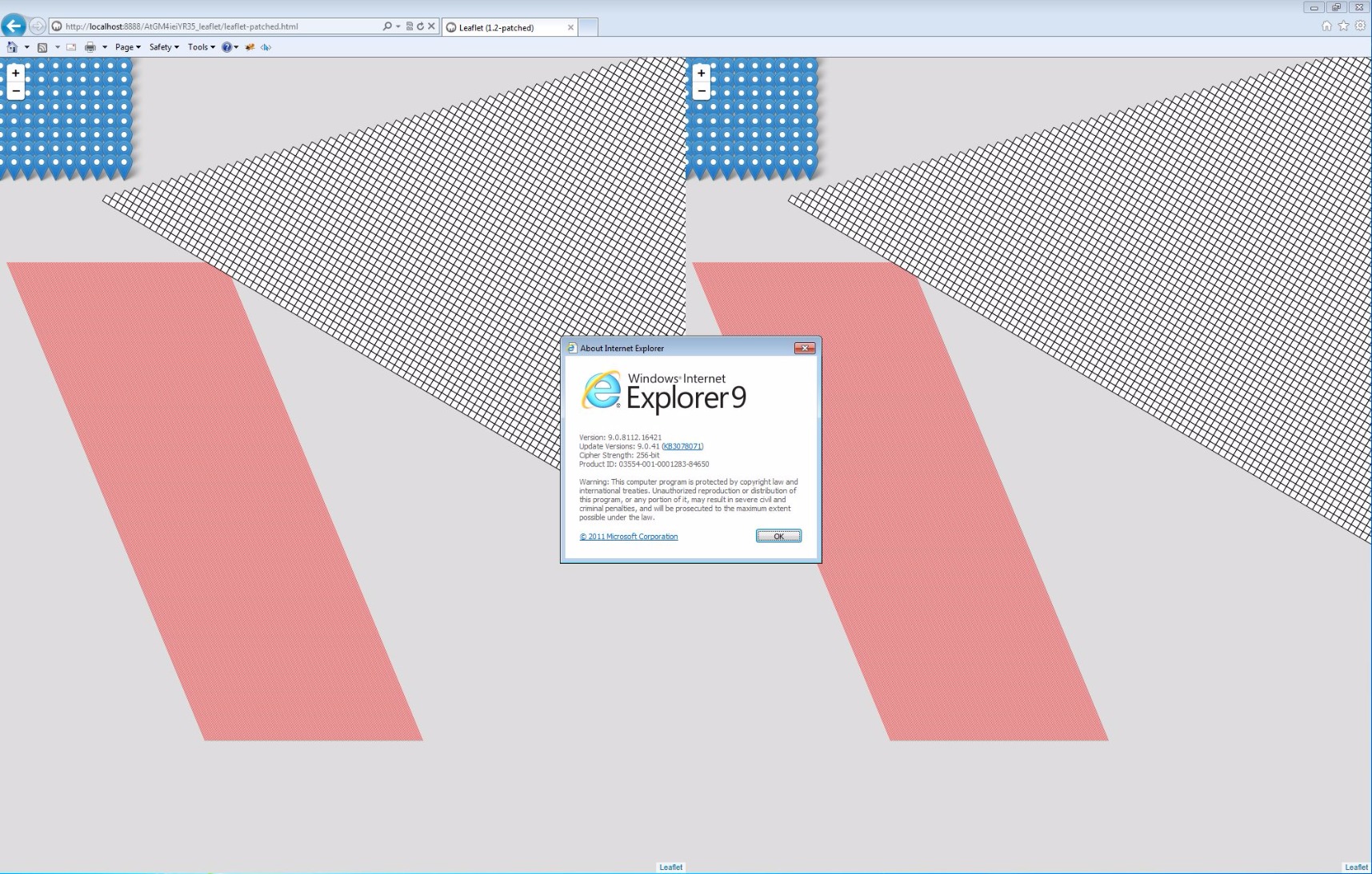

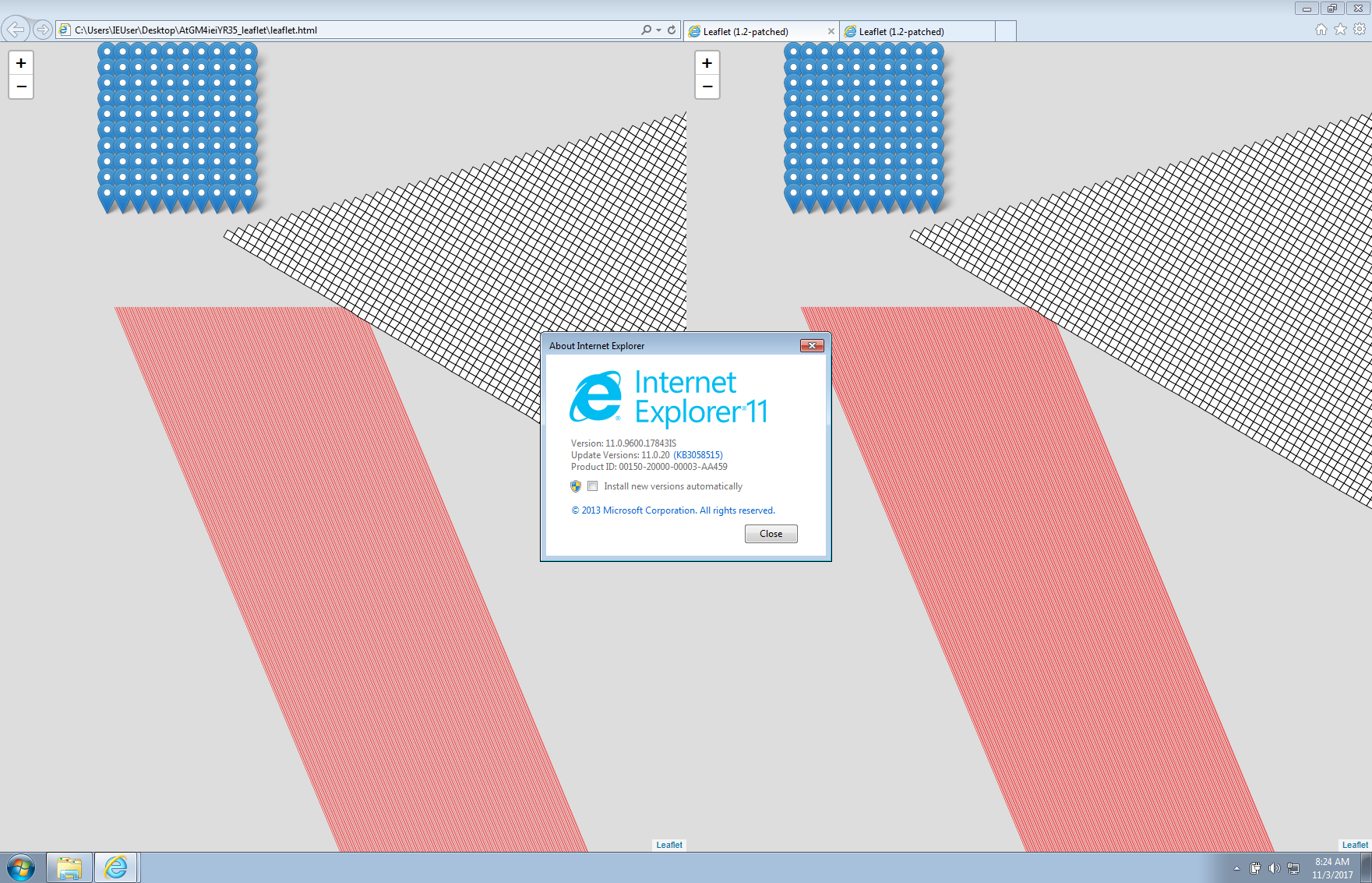
giacomoburattini
on 3 Nov 2017
@perliedman can we move this ahead?
giacomoburattini
on 7 Nov 2017
@giacomoburattini it's not entirely clear which browsers are tested here: I can see desktop Safari 8, IE 9, IE 11, but which iOS version are tested above?
If IE8 is fixed now, can we test that as well before moving ahead?
perliedman
on 7 Nov 2017
@perliedman updated my comment to specify the iOS version tested (the one you asked to test here https://github.com/Leaflet/Leaflet/pull/4808)
giacomoburattini
on 8 Nov 2017
@perliedman looks like everything we need to move the case has been provided, what can we do to move this case on? This fix is really needed for whoever is gonna use Leaflet to render shapes in svg
danydev
on 13 Apr 2018
@danydev it looks like IE8 still hasn't been tested; easy to brush off as unimportant, but I don't have the mandate to say we should drop/ignore it.
Also, personally I don't have the time to deal with the possible fallout from making a change like this (just about any change is complicated at this point since Leaflet is used in so many places in so different use cases), so I'm reluctant to merge.
@cherniavskii @ghybs sorry to drag you into this, but I'd say go on this, any objections or hesitation on your part?
perliedman
on 16 Apr 2018
Hi @perliedman,
Thanks for the notice.
Sorry I do not have enough time currently either to look into this… :disappointed:
 ghybs
on 17 Apr 2018
ghybs
on 17 Apr 2018
BTW an easy workaround for now for people needing this is simply to override the method in your script. Copy the below snippet before instantiating your map:
L.Map.include({
    latLngToLayerPoint: function (latlng) {
        var projectedPoint = this.project(L.latLng(latlng));
        return projectedPoint._subtract(this.getPixelOrigin());
    }
});
Given that there's an easy workaround @ghybs provided above, I think it would be better to close this issue for now
 cherniavskii
on 18 Apr 2018
cherniavskii
on 18 Apr 2018
The workaround consists in overriding the library method with the proper fix proposed in the PR.
I understand that doing such workaround works for someone in the short term, but closing this issue just because we have a workaround that overrides a core library function it's not probably what we should do. The issue is still there in the library and I think we want to keep track of it until really fixed in core.
Also, it looks like we're not so distant for taking an action on this fix. Given @giacomoburattini tested it in (almost) all the Leaflet supported browser, I don't see strong reason to not having it right.
My understatement is that this round has been introduced because IE8 does not deal with fractional numbers when rendering svg, and having it right would just have better rendering on all the other browsers (as screenshot shows)
danydev
on 18 Apr 2018
Related issues
 ArminMueller
·
90Comments
ArminMueller
·
90Comments
 ghost
·
21Comments
ghost
·
21Comments
 colm-quinn
·
30Comments
colm-quinn
·
30Comments
 stevevance
·
23Comments
stevevance
·
23Comments
 crofty
·
24Comments
crofty
·
24Comments
Most helpful comment
BTW an easy workaround for now for people needing this is simply to override the method in your script. Copy the below snippet before instantiating your map: