Ldaprecord-laravel: I can't Sync the Active Directory passwords
I have been trying to sync the password with ldapRecord but i can not doing
All user of all active directories are sync success but when i try to do login
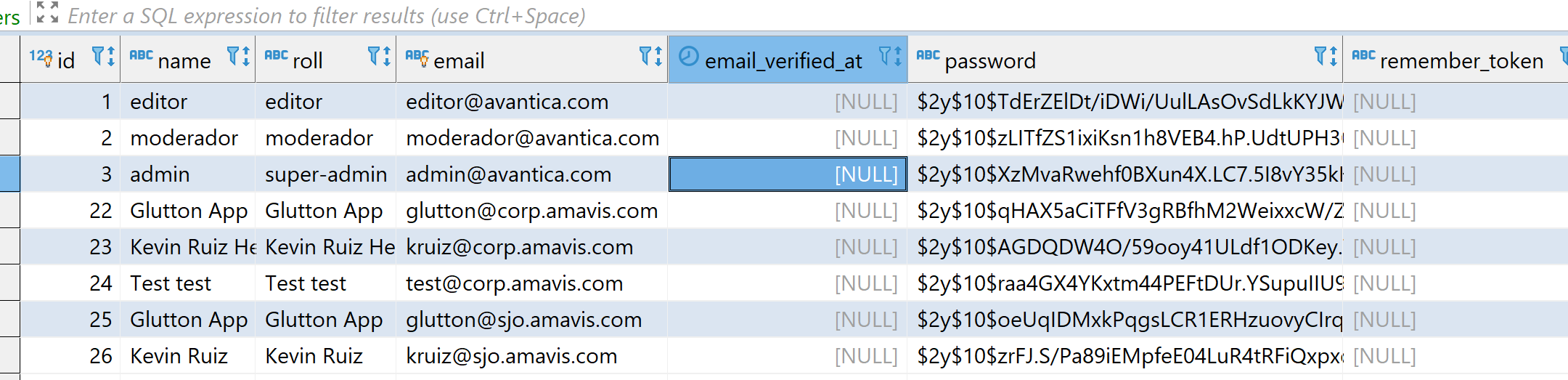
These credentials do not match our records.

if i enter on Database and update the password all works success, but i wish to do sync
 kruiz122893
All 21 comments
What's the correct way to singup on 2 or 3 diferents Active Directories:
AD1 (corp.amavis.com) with user [email protected](email)
AD2 (sjo.corp.amavis.com) with a user [email protected](email)
I need to check both Servers to allow login, but i dont understood
kruiz122893
on 15 May 2020
Hi @kruiz122893,
I have been trying to sync the password with ldapRecord but i can not doing
LdapRecord can only synchronize a users password upon login. It cannot access the users password during an ldap:import, or any other way.
Please refer to the documentation here:
https://ldaprecord.com/docs/laravel/auth/configuration/#database-password-sync
And here:
https://ldaprecord.com/docs/laravel/auth/importing/#password-synchronization
What's the correct way to singup on 2 or 3 diferents Active Directories:
I have created documentation for this, please visit here:
https://ldaprecord.com/docs/laravel/auth/multi-domain/
Thanks!
 stevebauman
on 18 May 2020
stevebauman
on 18 May 2020
Hi @stevebauman
I continue with the same problem after following your multi-domain guide
These credentials do not match our records.

I know the active directories are working because:

and i know the user [email protected] try to do login becouse when i shut down de ad1(server) the error say I can't contact ldap server
The ask for you now is :
I need do login with the email or need other attribute?
This is my loginController:
<?php

namespace App\Http\Controllers\Auth;

use App\Http\Controllers\Controller;
use App\Providers\RouteServiceProvider;
use Illuminate\Foundation\Auth\AuthenticatesUsers;
use Adldap\Laravel\Events\AuthenticatedWithCredentials;
use LdapRecord\Laravel\Auth\MultiDomainAuthentication;

use Illuminate\Http\Request;


class LoginController extends Controller
{
    /*
    |--------------------------------------------------------------------------
    | Login Controller
    |--------------------------------------------------------------------------
    |
    | This controller handles authenticating users for the application and
    | redirecting them to your home screen. The controller uses a trait
    | to conveniently provide its functionality to your applications.
    |
    */

    use AuthenticatesUsers, MultiDomainAuthentication;

    // /**
    //  * Where to redirect users after login.
    //  *
    //  * @var string
    //  */
    // protected $redirectTo = RouteServiceProvider::HOME;

    // /**
    //  * Create a new controller instance.
    //  *
    //  * @return void
    //  */


    public function guard()
    {
        return $this->getLdapGuard();
    }

    public function getLdapGuardFromRequest(Request $request)
    {
        $guards = [
            'amavis.com' => 'ad1',
            // 'amavis.com' => 'ad2',//(for testing)

        ];

        $domain = explode('@', $request->get('email'))[1];
        return $guards[$domain] ?? 'ad1';
    }
}
Hi @kruiz122893,
I'm sorry, but due to my own time restrictions, I can now only support users who have sponsored me on GitHub. I've updated the readme to reflect this change:
LdapRecord-Laravel is Supportware™
If you require support using LdapRecord-Laravel, a sponsorship is required 🙏
Thank you for your understanding :heart:
stevebauman
on 19 May 2020
Sure!! , You deserve it, your projects are very interesting

Letme know whe you recived it
kruiz122893
on 19 May 2020
Wow thank you @kruiz122893!! Much appreciated! 😄
I'll be here every step of the way to get you up and running.
You mention here:
I need to check both Servers to allow login, but i dont understood
Are these servers apart of the same domain, or the same forest? They use the same email and distinguished name suffix (@amavis.com and DC=corp,DC=amavis,DC=com), so that's why I ask.
stevebauman
on 19 May 2020
Your welcome crack :smile:
I have more than 5 active directories but for this example just will work with 2 (on lab)
ad1.corp.amavis.com and ad2.sjo.corp.amavis.com(this belong at the first).
I need to take the attribute email for example: [email protected] belongs to ad1 (corp.amavis.com) but cruiz@amavis belongs to (sjo.corp.amavis.com)
i need to try to do login using [email protected] in ad1 but if doesn't exist try to on ad2

kruiz122893
on 19 May 2020
Okay great, thanks for the diagram! This really helps me understand.
Since the emails have the exact same suffix, you will need to add a <select> input on your login.blade.php form. This will allow you to determine which domain the user is trying to sign into:
 <form method="POST" action="{{ route('login') }}">
    @csrf

    <select name="domain" class="form-control">
        @foreach(['ad1' => 'AD1', 'ad2' => 'AD2'] as $guard => $name)
        <option value="{{ $guard }}" {{ old('domain') == $guard ? 'selected' : null }}>{{ $name }}</option>
        @endforeach
    </select>

    <!-- -->
</form>
The method described in the documentation will not work since your email suffixes are identical for both domains, so this is the easiest way to allow your users to login.
Once you've added the select field shown in the above example, update the getLdapGuardFromRequest() method:
public function getLdapGuardFromRequest(Request $request)
{
    request()->validate(['domain' => 'in:ad1,ad2']);

    return request('domain');
}
This update will simply return the value of the selected guard that the user has chosen upon on the login page. Their domain selection will then be available in the request and we will attempt to log them into the selected guard,
Can you try making those changes and see if you're able to login to both domains?
stevebauman
on 19 May 2020
He tried and now I can select the domain effectively (I know it works because I shut down one server and it said to me I can't contact ldap server and the second server keeps trying)
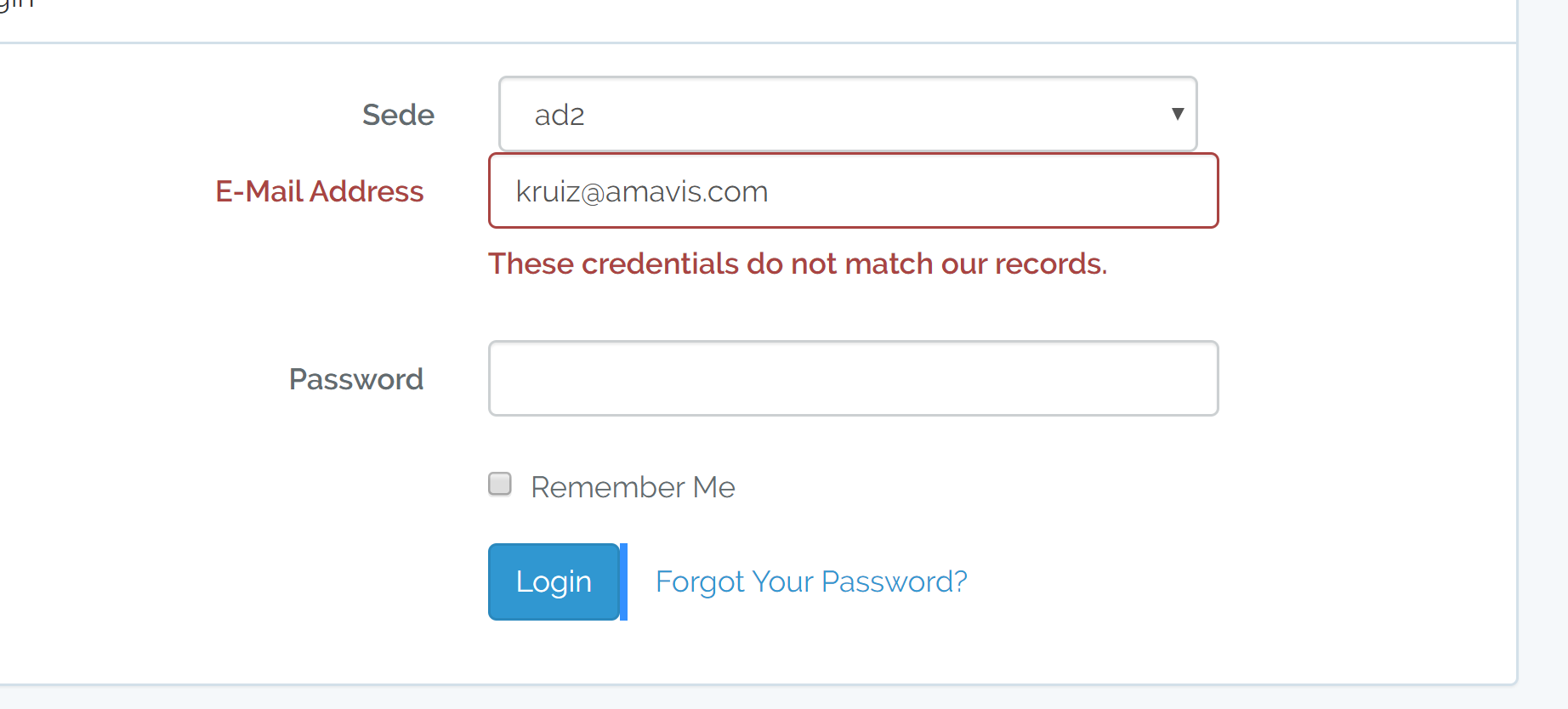

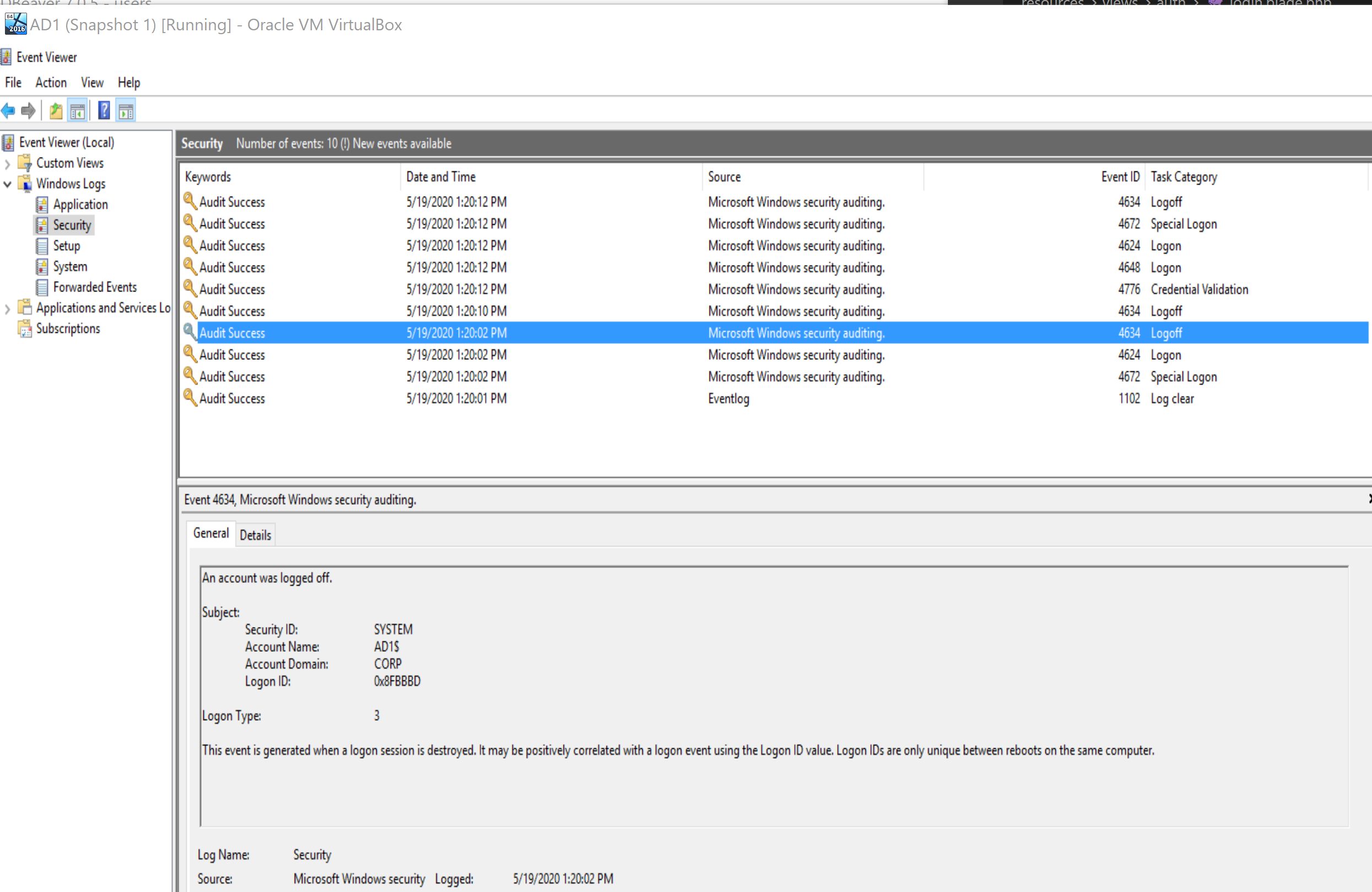
Server ad1 logs:

kruiz122893
on 19 May 2020
Okay we're getting closer.
Hmmm are you entering in the proper email address? I think you may be missing this inside of your LoginController:
// app/Http/Auth/LoginController.php

protected function credentials(Request $request)
{
    return [
        'mail' => $request->get('email'),
        'password' => $request->get('password'),
    ];
}
Can you try adding the above to your LoginController and authenticating again?
stevebauman
on 19 May 2020
I leave it this way?
<?php

namespace App\Http\Controllers\Auth;

use App\Http\Controllers\Controller;
use App\Providers\RouteServiceProvider;
use Illuminate\Foundation\Auth\AuthenticatesUsers;
use Adldap\Laravel\Events\AuthenticatedWithCredentials;
use LdapRecord\Laravel\Auth\MultiDomainAuthentication;

use Illuminate\Http\Request;


class LoginController extends Controller
{
    /*
    |--------------------------------------------------------------------------
    | Login Controller
    |--------------------------------------------------------------------------
    |
    | This controller handles authenticating users for the application and
    | redirecting them to your home screen. The controller uses a trait
    | to conveniently provide its functionality to your applications.
    |
    */

    use AuthenticatesUsers, MultiDomainAuthentication;

    // /**
    //  * Where to redirect users after login.
    //  *
    //  * @var string
    //  */
    // protected $redirectTo = RouteServiceProvider::HOME;

    // /**
    //  * Create a new controller instance.
    //  *
    //  * @return void
    //  */


    public function guard()
    {
        return $this->getLdapGuard();
    }

    public function getLdapGuardFromRequest(Request $request)
    {
        request()->validate(['domain' => 'in:ad1,ad2']);

        return request('domain');
    }
    protected function credentials(Request $request)
    {
        return [
            'mail' => $request->get('email'),
            'password' => $request->get('password'),
        ];
    }
}
Now if i try to do login with a account on ad1 this no show errors and if i try to do login with user that does not exist said me "These credentials do not match our records."
For example:


kruiz122893
on 19 May 2020
Now if i try to do login with a account on ad1 this no show errors and if i try to do login with user that does not exist said me "These credentials do not match our records."
Ok great, we're getting closer.
Does it successfully login the user that exists in AD1? Or does it return you to the login page?
stevebauman
on 19 May 2020
just return the login page
kruiz122893
on 19 May 2020
Ok -- inside of your routes/web.php file, are you using Route::group()->middleware('auth')?
If so, you will need to enter both of your LDAP authentication guards as parameters:
Route::group()->middleware('auth:ad1,ad2')
You may have named your guards differently than the above example, so change if necessary.
If you're unsure, post your routes/web.php file, as well as your config/auth.php file and I can help you identify the issue.
stevebauman
on 19 May 2020
web.php
<?php
use App\Employee;

use Illuminate\Support\Facades\Input;

/*
|--------------------------------------------------------------------------
| Web Routes
|--------------------------------------------------------------------------
|
| Here is where you can register web routes for your application. These
| routes are loaded by the RouteServiceProvider within a group which
| contains the "web" middleware group. Now create something great!
|
*/


// Auth::routes();

        // Authentication Routes...
        Route::get('login', 'Auth\LoginController@showLoginForm')->name('login');
        Route::post('login', 'Auth\LoginController@login');
        Route::post('logout', 'Auth\LoginController@logout')->name('logout');
        Route::resource('/register', 'MyOwnRegisterController')->middleware(['auth.admin']);

        // Password Reset Routes...
        Route::get('password/reset', 'Auth\ForgotPasswordController@showLinkRequestForm')->name('password.request');
        Route::post('password/email', 'Auth\ForgotPasswordController@sendResetLinkEmail')->name('password.email');
        Route::get('password/reset/{token}', 'Auth\ResetPasswordController@showResetForm')->name('password.reset');
        Route::post('password/reset', 'Auth\ResetPasswordController@reset');


Route::get('/', function () {
    return view('welcome');
});
Route::get('/home', 'HomeController@index')->name('home');


Route::resource('/employee', 'EmployeeController')->middleware(['auth']);
//Route::resource('/server', 'ServerController')->middleware(['auth']);


Route::resource('/departures', 'EmployeeDepartureController')->middleware(['auth:ad1']);

Route::resource('/ldap','LdapUserController');

/* This Route is usuge for The search bar on Employees index
*/
//Route::post('/search', 'EmployeeController@search');
Route::match(['get', 'post'], '/search', 'SearchController@search')->middleware(['auth']);
Route::match(['get', 'post'], '/departure_search', 'SearchController@departure_search')->middleware(['auth']);
Route::match(['get', 'post'], '/search_users', 'SearchController@search_users')->middleware(['auth.admin']);
//Route::match(['get', 'post'], '/search_server', 'SearchController@searchserver')->middleware(['auth']);;


/**Download CSV and others reports  */

Route::get('export', 'CsvController@export')->name('export')->middleware(['auth']);;
Route::get('exportasset', 'CsvController@exportasset')->name('exportasset')->middleware(['auth']);;
Route::get('/file/download/{id}', 'DownloadkeyController@downloadkeys')->name('downloadkeys')->middleware(['auth']);;


//Configure route for approved user

//Route::match(['get', 'post'], '/approved', 'EmployeeController@approved');
/// aproved users

Route::get( 'approved', 'SearchController@approved')->name('approved')->middleware(['auth']);;
Route::get( 'denied', 'SearchController@denied')->name('denied')->middleware(['auth']);;

//asstes release

//Route::resource('/assets', 'AssetreleaseController');

//Bitlocker or Filevaul
//Route::resource('/keys', 'KeyencriptionController');
**
auth.php
**
`
return [
/*
|--------------------------------------------------------------------------
| Authentication Defaults
|--------------------------------------------------------------------------
|
| This option controls the default authentication "guard" and password
| reset options for your application. You may change these defaults
| as required, but they're a perfect start for most applications.
|
*/

'defaults' => [
    'guard' => 'web',
    'passwords' => 'users',
],

/*
|--------------------------------------------------------------------------
| Authentication Guards
|--------------------------------------------------------------------------
|
| Next, you may define every authentication guard for your application.
| Of course, a great default configuration has been defined for you
| here which uses session storage and the Eloquent user provider.
|
| All authentication drivers have a user provider. This defines how the
| users are actually retrieved out of your database or other storage
| mechanisms used by this application to persist your user's data.
|
| Supported: "session", "token"
|
*/

'guards' => [
    'web' => [
        'driver' => 'session',
        'provider' => 'users',
    ],
    'ad1' => [
        'driver' => 'session',
        'provider' => 'ad1',
    ],
    'ad2' => [
        'driver' => 'session',
        'provider' => 'ad2',
    ],


    'api' => [
        'driver' => 'token',
        'provider' => 'users',
        'hash' => false,
    ],
],

/*
|--------------------------------------------------------------------------
| User Providers
|--------------------------------------------------------------------------
|
| All authentication drivers have a user provider. This defines how the
| users are actually retrieved out of your database or other storage
| mechanisms used by this application to persist your user's data.
|
| If you have multiple user tables or models you may configure multiple
| sources which represent each model / table. These sources may then
| be assigned to any extra authentication guards you have defined.
|
| Supported: "database", "eloquent"
|
*/

'providers' => [
    'users' => [
        'driver' => 'eloquent',
        'model' => App\User::class,
    ],


    'ad1' => [
        'driver' => 'ldap',
        'model' => App\Ldap\ad1\User::class,
        // 'rules' => [],
        // 'database' => [
        //     'model' => App\User::class,
        //     'sync_passwords' => false,
        //     'sync_attributes' => [
        //         'name' => 'cn',
        //         'email' => 'mail',
        //         'roll' => 'name',
        //     ],
        // ],
    ],

    'ad2' => [
        'driver' => 'ldap',
        'model' => App\Ldap\ad2\User::class,
        // 'rules' => [],
        // 'database' => [
        //     'model' => App\User::class,
        //     'sync_passwords' => false,
        //     'sync_attributes' => [
        //         'name' => 'cn',
        //         'email' => 'mail',
        //         'roll' => 'name',
        //     ],
        // ],
    ],

    // 'users' => [
    //     'driver' => 'database',
    //     'table' => 'users',
    // ],
],

/*
|--------------------------------------------------------------------------
| Resetting Passwords
|--------------------------------------------------------------------------
|
| You may specify multiple password reset configurations if you have more
| than one user table or model in the application and you want to have
| separate password reset settings based on the specific user types.
|
| The expire time is the number of minutes that the reset token should be
| considered valid. This security feature keeps tokens short-lived so
| they have less time to be guessed. You may change this as needed.
|
*/

'passwords' => [
    'users' => [
        'provider' => 'users',
        'table' => 'password_resets',
        'expire' => 60,
        'throttle' => 60,
    ],
],

/*
|--------------------------------------------------------------------------
| Password Confirmation Timeout
|--------------------------------------------------------------------------
|
| Here you may define the amount of seconds before a password confirmation
| times out and the user is prompted to re-enter their password via the
| confirmation screen. By default, the timeout lasts for three hours.
|
*/

'password_timeout' => 10800,
];
`
kruiz122893
on 19 May 2020
Ok, before I start digging in, can you try logging into ad1 again and check your storage/logs directory and see if any LDAP authentication messages are created there?
Ensure you also have logging enabled inside of your config/ldap.php file.
stevebauman
on 19 May 2020
ldap.php
'logging' => env('LDAP_LOGGING', true),
Maybe i need a redirect ? after login?
For example: if i try to do login in AD1 this then redirect me to login page with ad1 on the select
and if i try to do login with AD2 this redirect me to login page whti ad1(again) on the select
kruiz122893
on 20 May 2020
Did you check your logs after logging in? Post the results here.
stevebauman
on 20 May 2020
Hey thaks for your ask
The problem was web.php
I set it like this:
Route::get('/home', 'HomeController@index')->name('home')->middleware('auth:ad1,ad2');
Thanks for your help man really i appreciate your advices
kruiz122893
on 20 May 2020
Awesome! 🎉 No problem, thanks for responding so quickly. 😄
I’m currently working on updating the documentation with more examples and an easier streamlined setup for multi-domain authentication. Next will be video screencasts. Stay tuned for that!
Feel free to comment back or create another issue if you need any further assistance. 👍
stevebauman
on 20 May 2020
Related issues
 jagDanJu
·
8Comments
jagDanJu
·
8Comments
 stephancasas
·
6Comments
stephancasas
·
6Comments
 brinkonaut
·
6Comments
brinkonaut
·
6Comments
 abiffe
·
3Comments
abiffe
·
3Comments
 aanderse
·
7Comments
aanderse
·
7Comments