Lbry-desktop: Make it Easy For People to Find Their Log
Add a button to auto open log or log folder or both, so that users can send debugging information easier.
 ElectronEsq
All 13 comments
I really like this idea.
 seanyesmunt
on 6 Jun 2018
seanyesmunt
on 6 Jun 2018
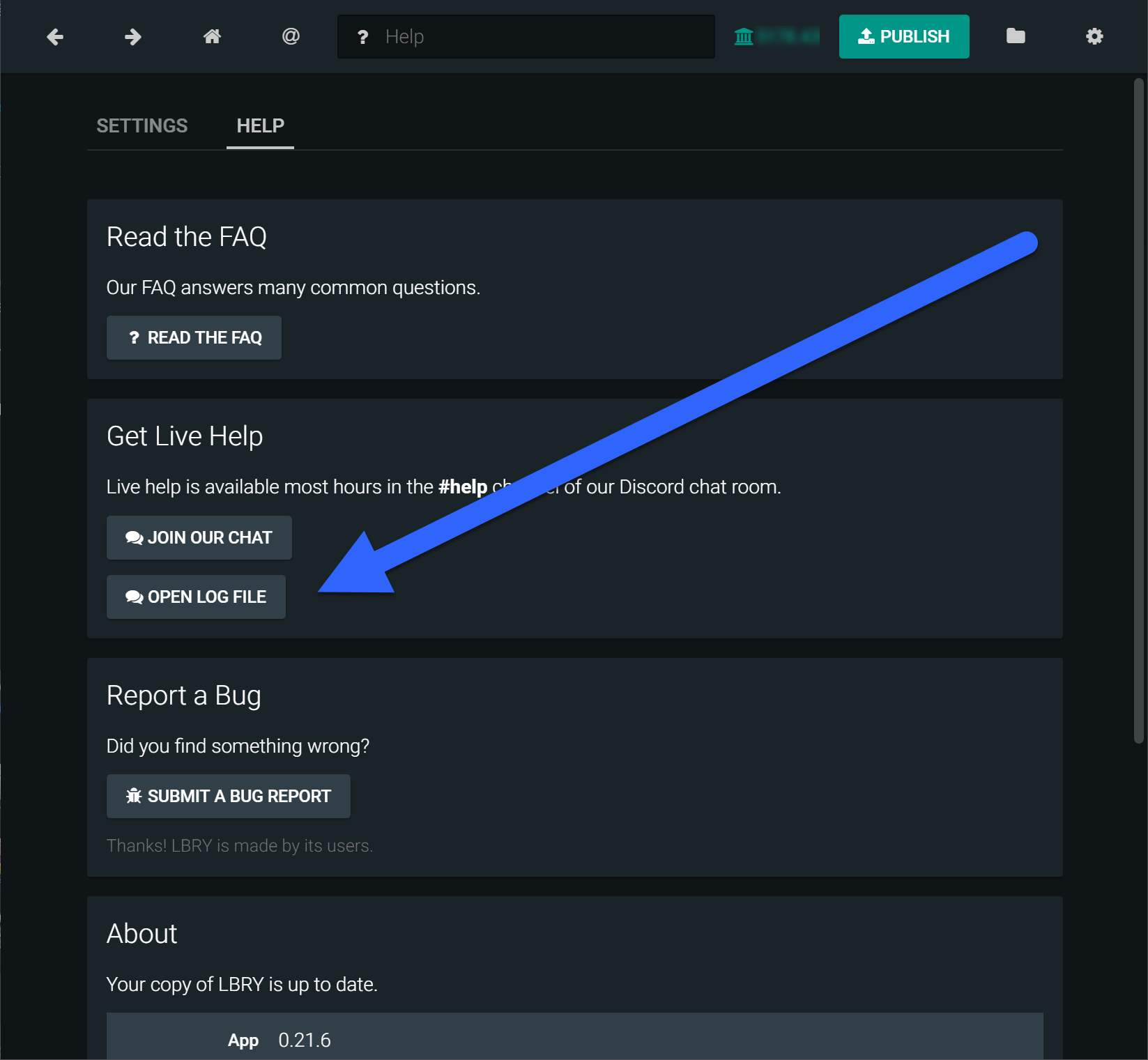
Required Code
<div className="card__actions">
            <Button
              button="primary"
              label={__('Open Log File')}
              icon={icons.MESSAGE}
              href="{log-location}"
            />
          </div>
Adjustments:
- New/better icon.
- Dynamic log location variable which always points to the correct location regardless of OS.
ElectronEsq
on 6 Jun 2018
Agreed, this is a great idea @Invariant-Change!
The button should probably be somewhere else though. Either a standalone card, or in About?
 kauffj
on 6 Jun 2018
kauffj
on 6 Jun 2018
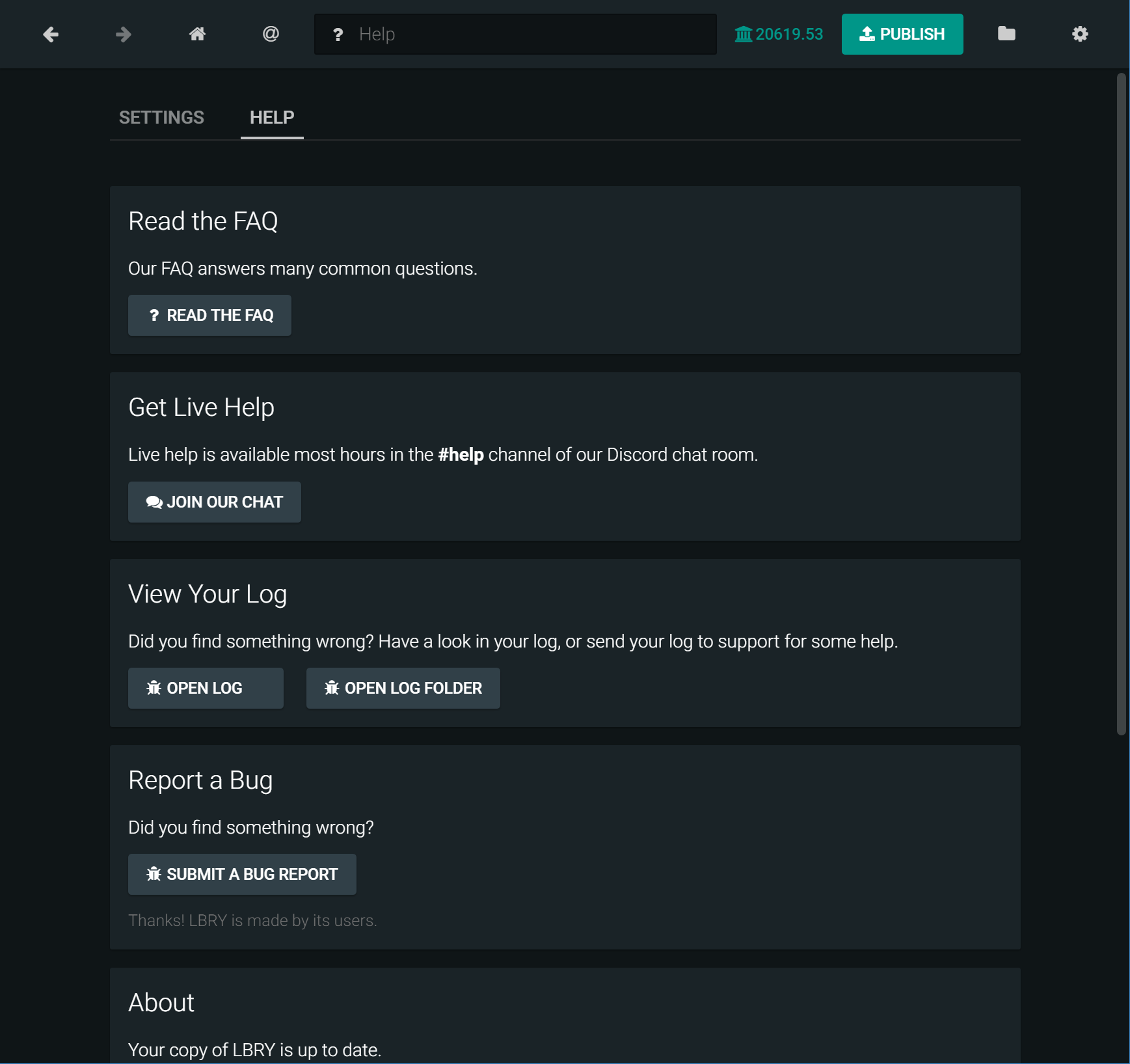
As a separate section makes it easier to find. So I guess that is the best solution.

Or better still...
ElectronEsq
on 6 Jun 2018
I will take this up!
I had a couple of questions/clarifications - @kauffj @seanyesmunt
- The log files location are mentioned in this post and I am assuming that this is the right file.
- I know that the electron shell plugin allows you to open external files that are on the file system, but it cannot open files with relative paths. Does anyone know how I can access properties like the user's home directory etc.?
 amitnndn
on 9 Jun 2018
amitnndn
on 9 Jun 2018
@amitnndn take a look at how we do this on the backup page: https://github.com/lbryio/lbry-app/blob/afaad1910e84d27140abaa696af53a985349c53d/src/renderer/page/backup/view.jsx
In this case, the setting is: data_dir
 tzarebczan
on 9 Jun 2018
tzarebczan
on 9 Jun 2018
@tzarebczan Thank you! I will take a look at it.
amitnndn
on 9 Jun 2018
1600 I see that there is an issue opened, that is related to the changes in this issue. Can anybody with a Windows 10 system, click on the open log folder and let me know what folder it ends up opening? Thank you!
amitnndn
on 16 Jun 2018
On windows 10 and Mac, it opens to the parent folder of lbrynet, with it highlighted. Think you want to pass the logfile and have it open that folder.
tzarebczan
on 16 Jun 2018
@tzarebczan Is that happening when you click on 'Open Log Folder' or 'Open Log'?
amitnndn
on 16 Jun 2018
It's described in the issue. It happens when you click open log folder. Open log opens the logfile in notepad correctly.
tzarebczan
on 16 Jun 2018
Got it! 👍 A bit of a lag in my brain registering an Issue on a Friday night!!
amitnndn
on 16 Jun 2018
Closing this, https://github.com/lbryio/lbry-app/issues/1600 tracks latest issue.
tzarebczan
on 16 Jun 2018
Related issues
tzarebczan
·
16Comments
 btzr-io
·
12Comments
seanyesmunt
·
15Comments
kauffj
·
12Comments
tzarebczan
·
13Comments
btzr-io
·
12Comments
seanyesmunt
·
15Comments
kauffj
·
12Comments
tzarebczan
·
13Comments