Lazygit: Invisible highlighting in kitty and alacritty terminal
In the kitty terminal it is impossible to see the highlighting, regardless of colour scheme.
Steps to reproduce:
- Try lazygit in the kitty terminal
- OS: Arch Linux
- Lazygit Version 0.20.2
- Kitty version 0.17.3
 benruijl
All 12 comments
Same issue here. The selected item is not highlighted.
- lazygit 0.20.2
- Alacritty 0.4.2
- macOS
 lukewang1024
on 15 May 2020
lukewang1024
on 15 May 2020
It's not exactly invisible, just hard to notice. The focus on screenshot below is on Cargo.lock:
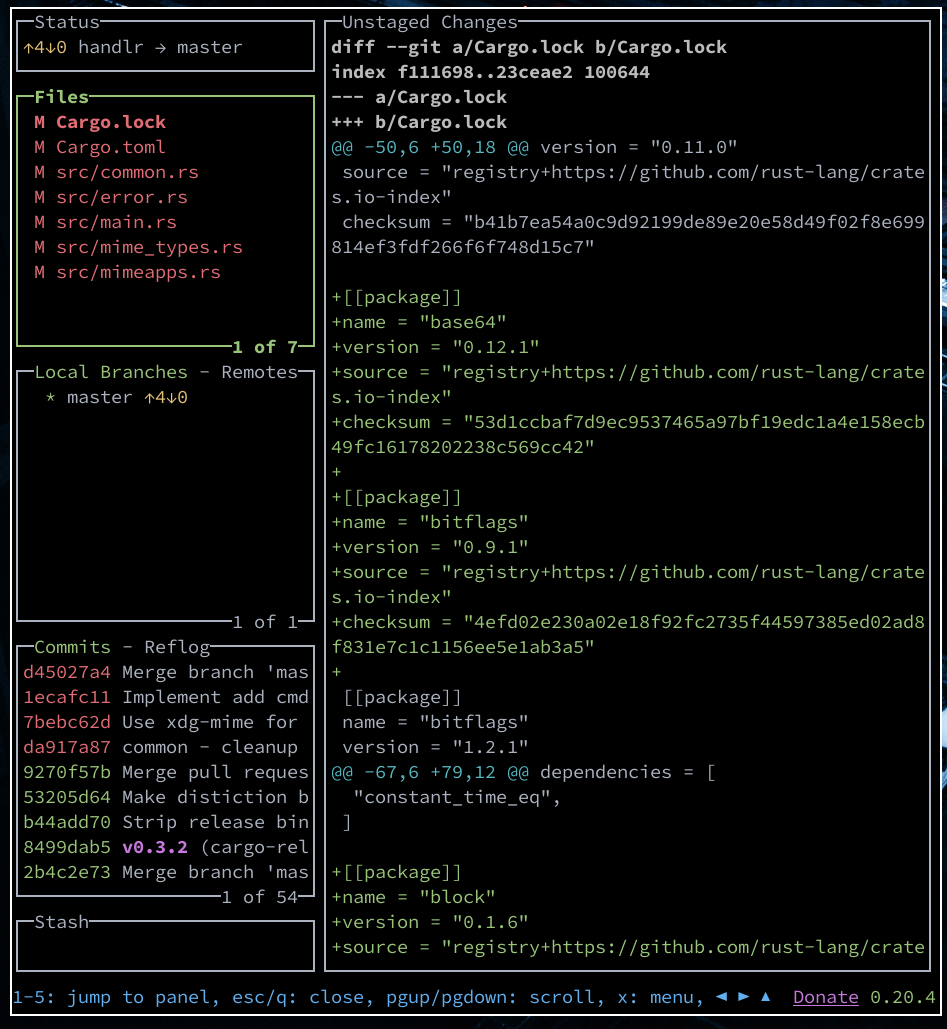
It would be great if the background was highlighted instead.
 chmln
on 5 Jun 2020
chmln
on 5 Jun 2020
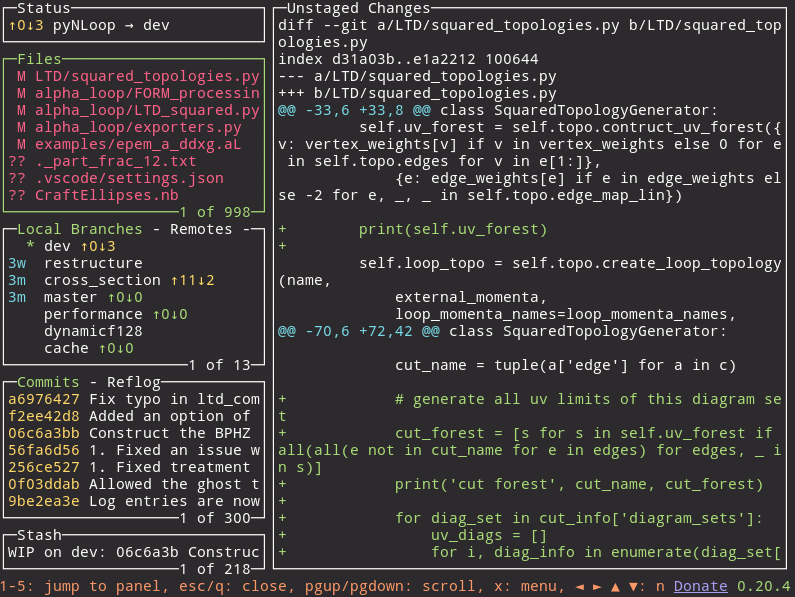
That is actually visible for me. This is what I am seeing:
benruijl
on 5 Jun 2020
Had the same problem, but looking through the docs I found a solution. Make a config file and put the settings in it:
Default Path
Default path for the config file:
Linux: ~/.config/jesseduffield/lazygit/config.yml
MacOS: ~/Library/Application Support/jesseduffield/lazygit/config.yml
Windows: %APPDATA%\jesseduffield\lazygit\config.yml
And put these settings in it
gui:
theme:
lightTheme: true
activeBorderColor:
- black
- bold
inactiveBorderColor:
- black
selectedLineBgColor:
- default
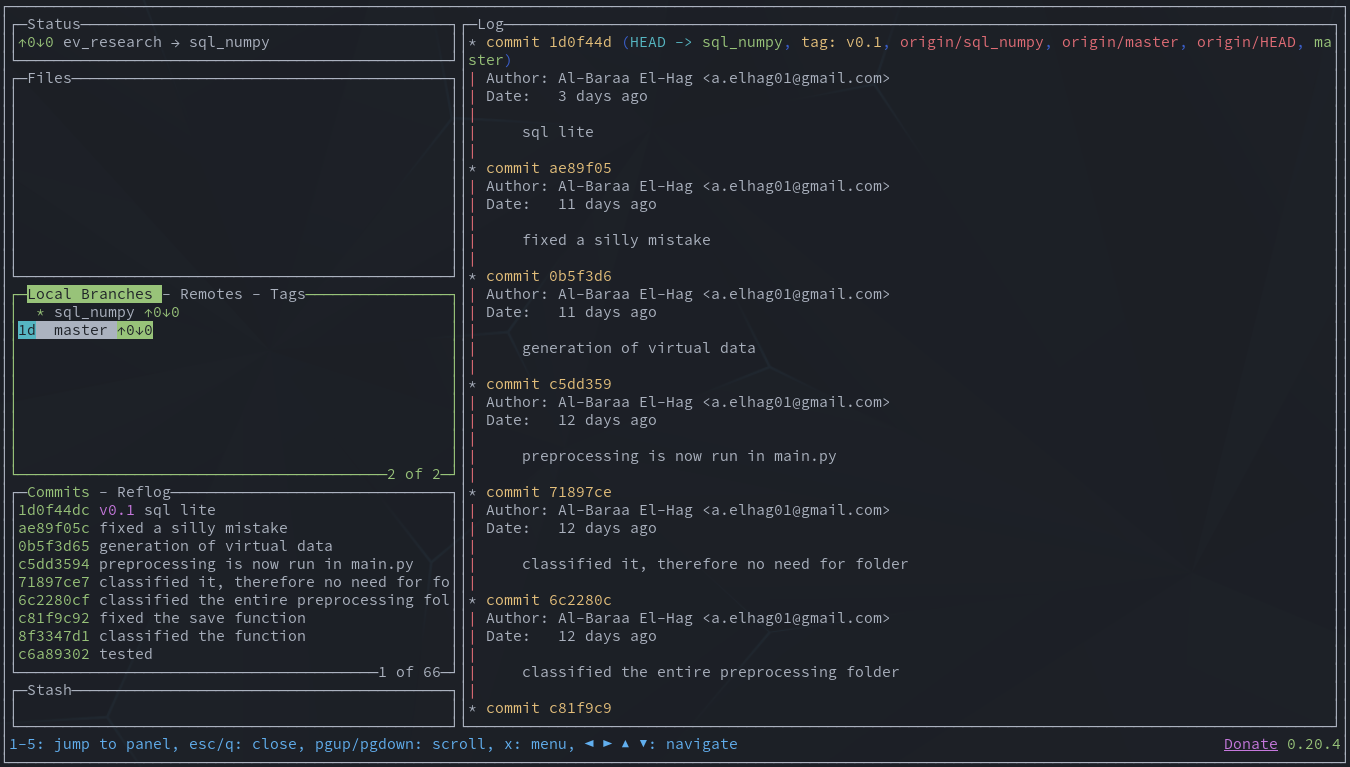
How the highlighting now looks
 a-elhag
on 14 Aug 2020
a-elhag
on 14 Aug 2020
Thanks for pointing that out @a-elhag . I'm not aware of any way around this issue in alacritty. Does anybody have suggestions on how we could get around it, or failing that, how to make the config-based solution easier to find?
 jesseduffield
on 23 Aug 2020
jesseduffield
on 23 Aug 2020
Had the same problem, but looking through the docs I found a solution. Make a config file and put the settings in it:
Default Path
Default path for the config file:
Linux: ~/.config/jesseduffield/lazygit/config.yml MacOS: ~/Library/Application Support/jesseduffield/lazygit/config.yml Windows: %APPDATA%\jesseduffield\lazygit\config.ymlAnd put these settings in it
gui: theme: lightTheme: true activeBorderColor: - black - bold inactiveBorderColor: - black selectedLineBgColor: - defaultHow the highlighting now looks
If I add the configuration it looks like this afterwards:

 mordax777
on 15 Oct 2020
mordax777
on 15 Oct 2020
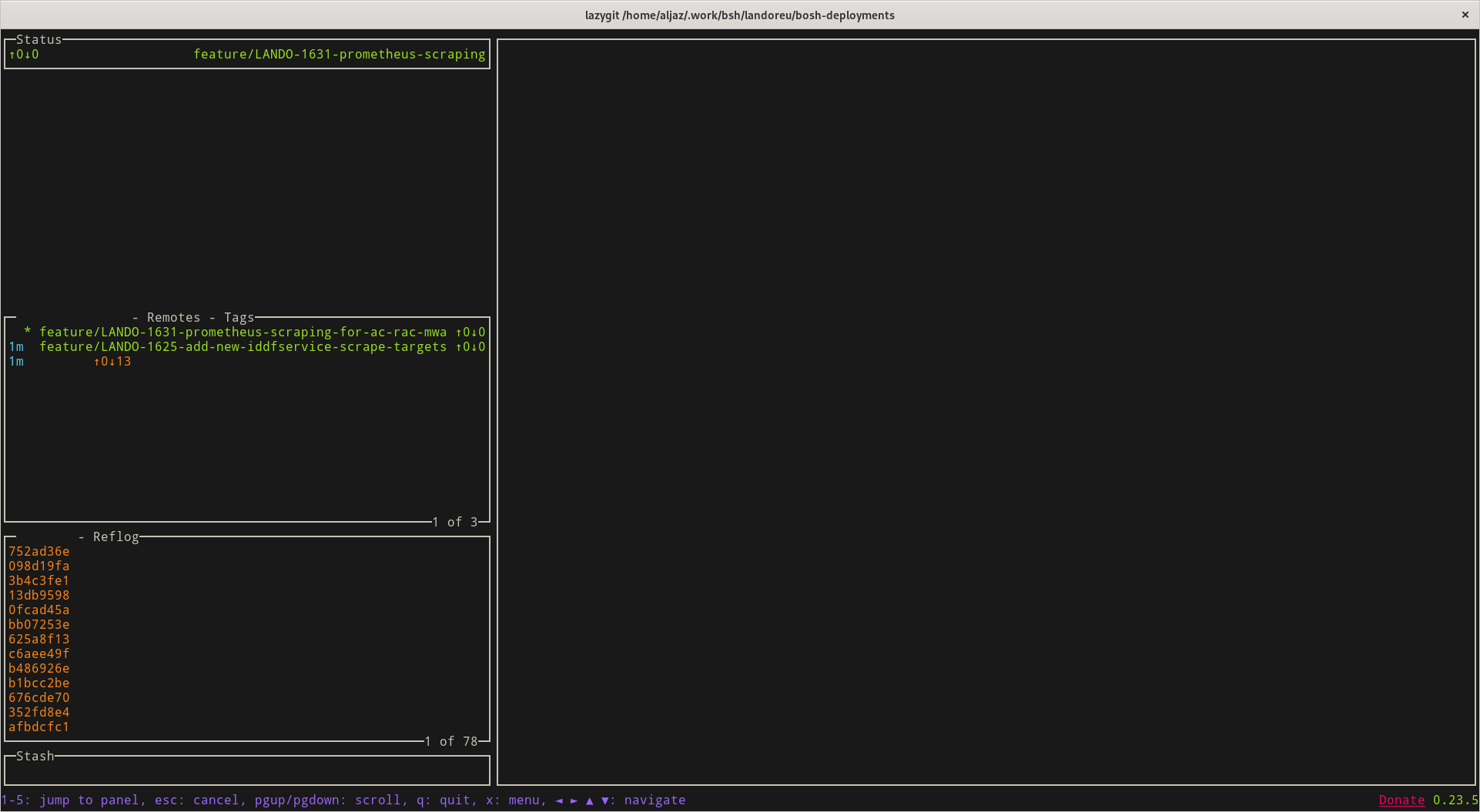
@mordax777 can you see how you go with:
inactiveBorderColor:
- white
@jesseduffield sorry for the late reply. Here the result.
mordax777
on 20 Oct 2020
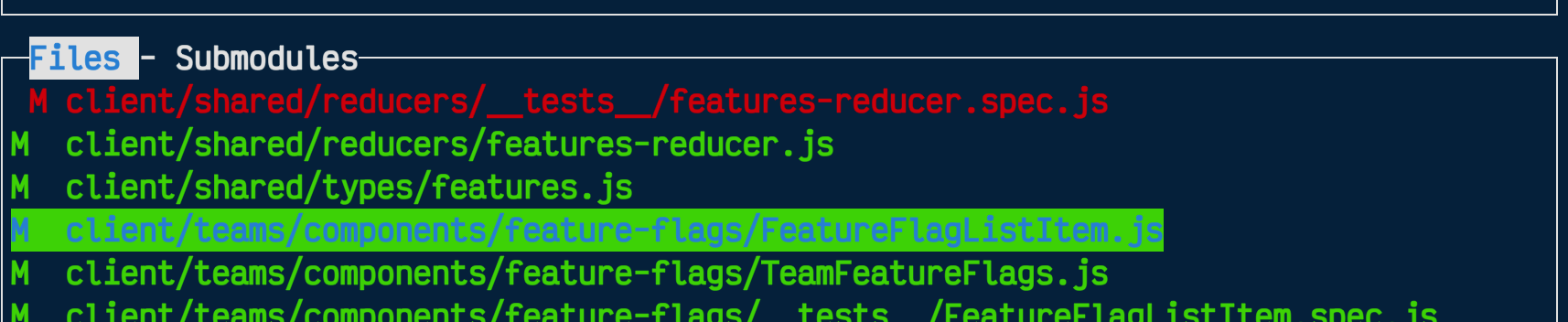
@mordax777 I played around with the settings and got something that worked for me. I'm using Kitty. The docs helped.
gui:
  theme:
    lightTheme: false
    activeBorderColor:
      - white
      - bold
    inactiveBorderColor:
      - white
    selectedLineBgColor:
      - reverse
      - blue
 bahelms
on 20 Oct 2020
bahelms
on 20 Oct 2020
@bahelms Thanks, that fixed the problem!
mordax777
on 20 Oct 2020
For people in the future, I will add that I had the same issue as @benruijl, and it was solved by going into my terminal settings and allowing bold fonts.
 Axel-Jacobsen
on 20 Nov 2020
Axel-Jacobsen
on 20 Nov 2020
There is the same issue in windows Terminal.
 lqiang79
on 24 Nov 2020
lqiang79
on 24 Nov 2020
Related issues
jesseduffield
·
6Comments
 fluffynuts
·
4Comments
fluffynuts
·
4Comments
 spin6lock
·
5Comments
spin6lock
·
5Comments
 stratosgear
·
5Comments
stratosgear
·
5Comments
 tupaschoal
·
6Comments
tupaschoal
·
6Comments
Most helpful comment
@mordax777 I played around with the settings and got something that worked for me. I'm using Kitty. The docs helped.