Lazygit: Windows platform usage issues
operating environment
- system: windows 10 x64
- lazygit: lazygit_0.8.1_Windows_x86_64
issues
Layout error, please see below

When I enter the commit message,The Originally intended to type "This", but it is not intended as intended, please see below

 VKingi
All 14 comments
Jup i've seen this earlier,
May i ask which shell do you use?
For me only cmd and powershell seems to work fine.
 mjarkk
on 10 Jul 2019
mjarkk
on 10 Jul 2019
Jup i've seen this earlier,
May i ask which shell do you use?For me only cmd and powershell seems to work fine.
Use the cmd.exe, version: Microsoft Windows [version 10.0.14393]
VKingi
on 10 Jul 2019
is it possible this is a font issue?
 jesseduffield
on 27 Jul 2019
jesseduffield
on 27 Jul 2019
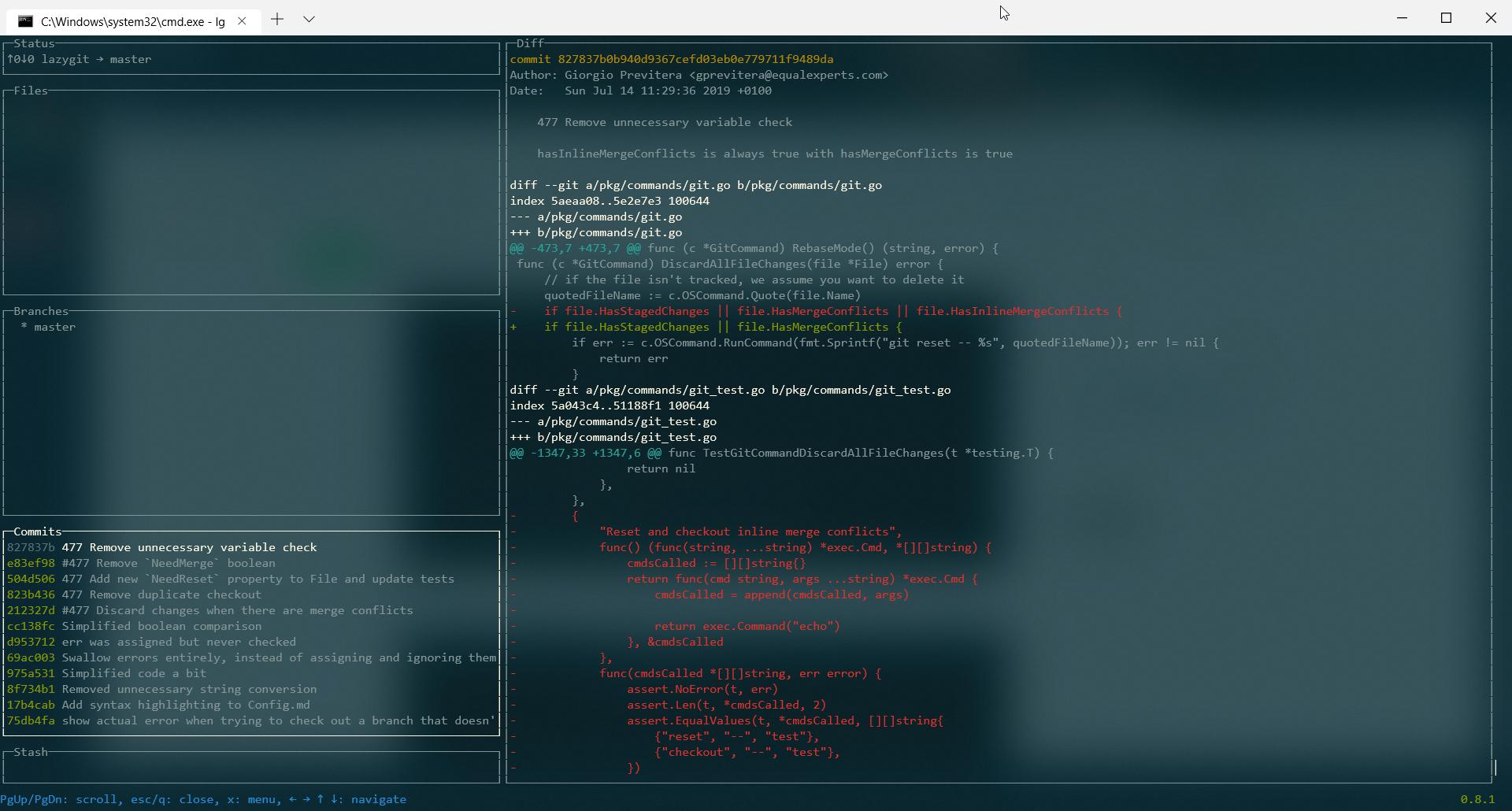
This is a cmd issue. Using the new experimental terminal things work wonderfully.
 zQueal
on 23 Aug 2019
zQueal
on 23 Aug 2019
@zQueal I don't think so because i've used it before on cmd and as far as i know the new windows terminal uses the same api as the normal cmd,
@VKingi do you have any customization made to your cmd shell like setting another encoding or something else?
mjarkk
on 23 Aug 2019
It does use the same API, however, when you update to the experimental terminal you download an update from Windows Update, IIRC.
I had tried lazygit a few months ago with an older version of windows and got the same issues. I updated, still the same issues. I downloaded the new terminal, and all of a sudden, after restarting and installing updates, it's working perfectly.
¯\_(ツ)_/¯
Not sure what the issue is, however, the only thing changed in my environment between yesterday (non-working) and today (working) is installing the new terminal and a new windows update upon rebooting.
zQueal
on 23 Aug 2019
I've just installed a fresh copy of windows and tried it out but works just fine with cmd:
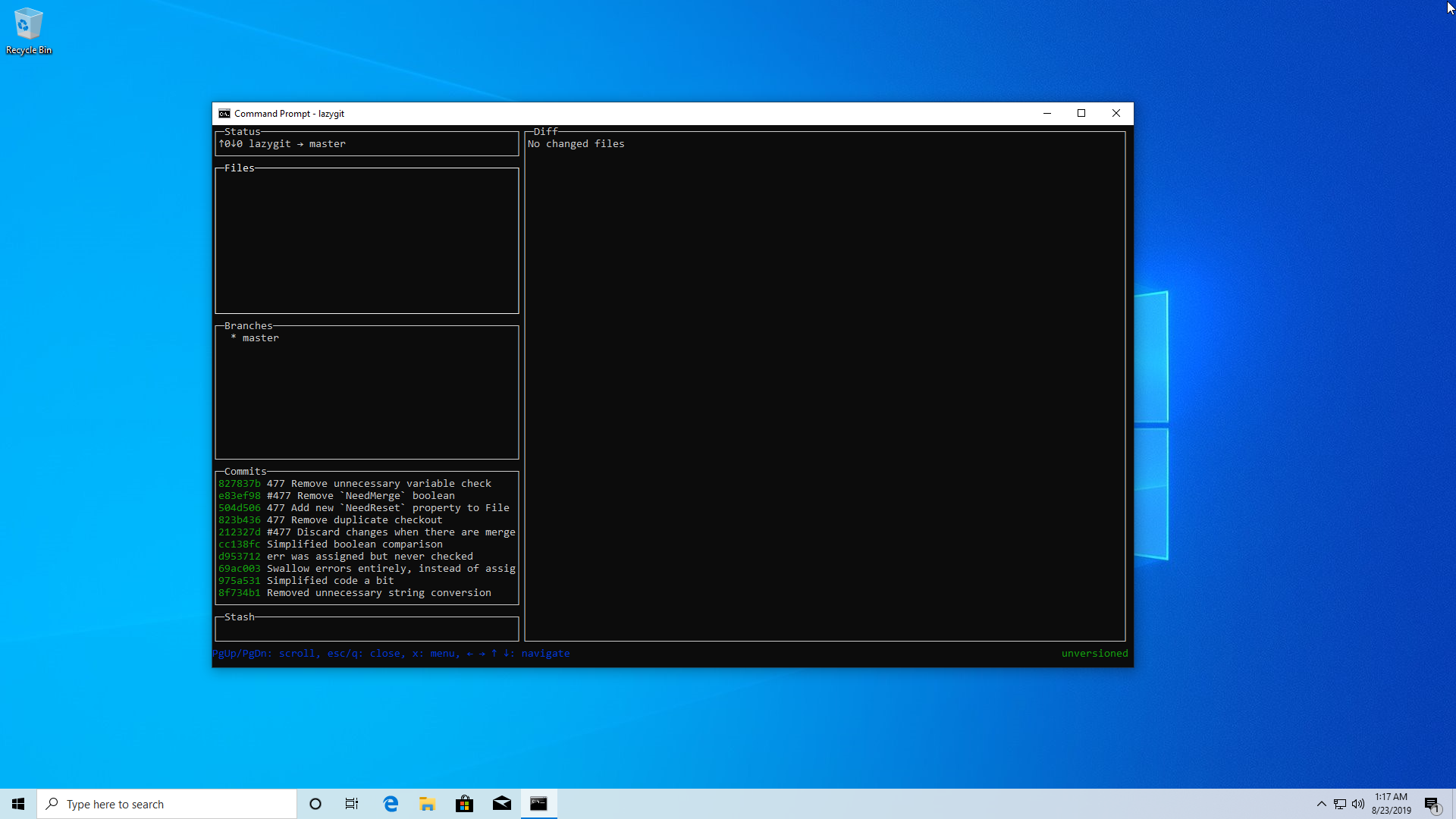
But can we conclude this to, just update windows and it will magically work?
mjarkk
on 23 Aug 2019
But can we conclude this to, just update windows and it will magically work?
Not a guarantee, but that seems to be what happened. As I said before, yesterday it wasn't working correctly, I updated, and now it is.
zQueal
on 23 Aug 2019
@jesseduffield ## Layout error, should not be the font problem:
- The default font I use
- Tried to modify the font to solve this problem, but failed
- No changes have been made to cmd.exe, using the default configuration
But when submitting a message, the input text problem seems to find a pattern:
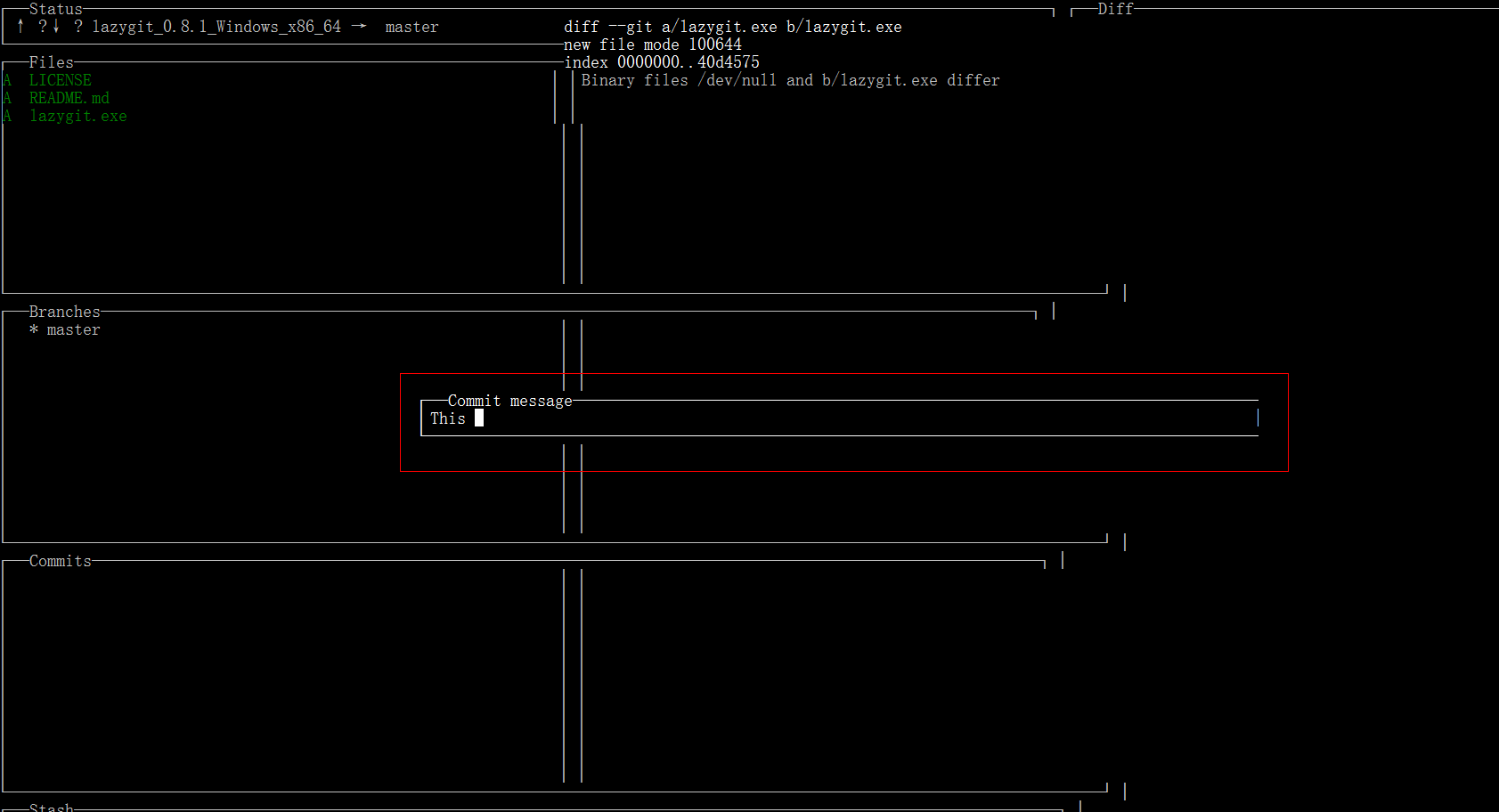
When I try to type the word 'This', first I type 'T' and it doesn't show 'T', then I type 'h' and it shows 'T', then I type' I 'and it shows 'h'...When I type on the keyboard it displays the previous key value each time
VKingi
on 24 Aug 2019
@mjarkk No changes have been made to cmd.exe, using the default configuration.May I ask what is the system version of the new copy you installed? I plan to upgrade the system, because the current system version is a little old
The mirror currently used: windows_10_enterprise_2016_ltsb_x64_dvd_9060409.iso
VKingi
on 24 Aug 2019
@zQueal @mjarkk If "cmd.exe" is not normal at first, but a new terminal is installed, which is normal in the new terminal, it is likely to be related to the same width font
VKingi
on 24 Aug 2019
@mjarkk @jesseduffield @zQueal Thanks for your help. Now I can make it display normally!It's probably the font

VKingi
on 24 Aug 2019
I'm going to guess that the windows update changed the default CMD font. Crazy times.
zQueal
on 25 Aug 2019
Fixed by execute chcp 65001 in cmd (default value was 936).
It’s caused by Chinese characters.
 BSDxxxx
on 11 Apr 2020
BSDxxxx
on 11 Apr 2020
Related issues
 lordlycastle
·
5Comments
lordlycastle
·
5Comments
 tupaschoal
·
6Comments
tupaschoal
·
6Comments
 stratosgear
·
5Comments
stratosgear
·
5Comments
 itsheng
·
7Comments
itsheng
·
7Comments
 cbeley
·
6Comments
cbeley
·
6Comments