Current Behavior
The sidebar of the https://layer5ng.netlify.app/blog contains a Latest Post section. It is not populated currently
Desired Behavior
Populate the section with 4 latest blog post.
Note - This is to be done dynamically using graphql query.
[Optional] Alternatives
[Optional] Additional context
Contributor Resources
The layer5 repo contains two websites. The current generation and the next-generation of the layer5.io site.
If the layer5-ng label is absent on this issue, then this issue pertains to the current generation of the layer5.io website, which uses Jekyll and GitHub Pages. Site content is found under the master branch.
If the layer5-ng label is present on this issue, then this issue pertains to the next-generation of the layer5.io website, which uses Gatsby, Strapi, and GitHub Pages. Site content is found under the layer5-ng branch.
 Tanuj22
All 29 comments
Hi @Tanuj22
I'm new to GraphQL, but will try this out
Let me look around the repo. I may bore you with few questions soon 😅
 OmkarPh
on 12 Nov 2020
OmkarPh
on 12 Nov 2020
@OmkarPh please do bore me :laughing: . I will be happy to help!
Tanuj22
on 12 Nov 2020
Hi @leecalcote and @Tanuj22
I am almost done, but wanted to share a few things before making PR.
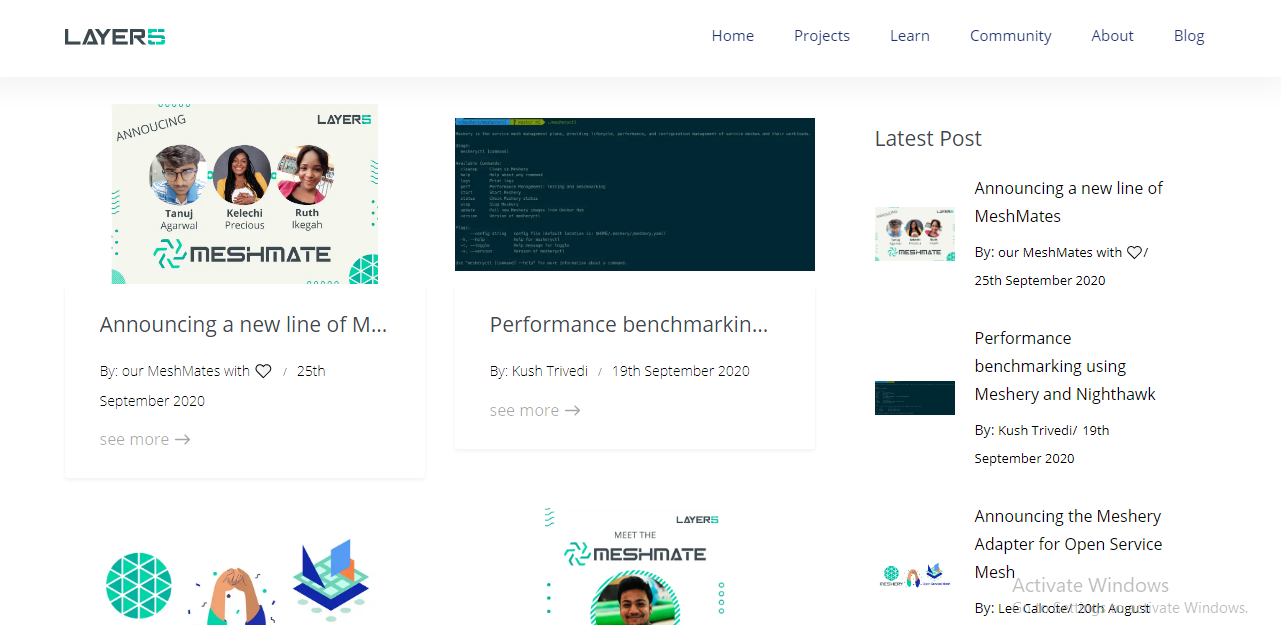
Following is the output on blogs page:
On single blog page:
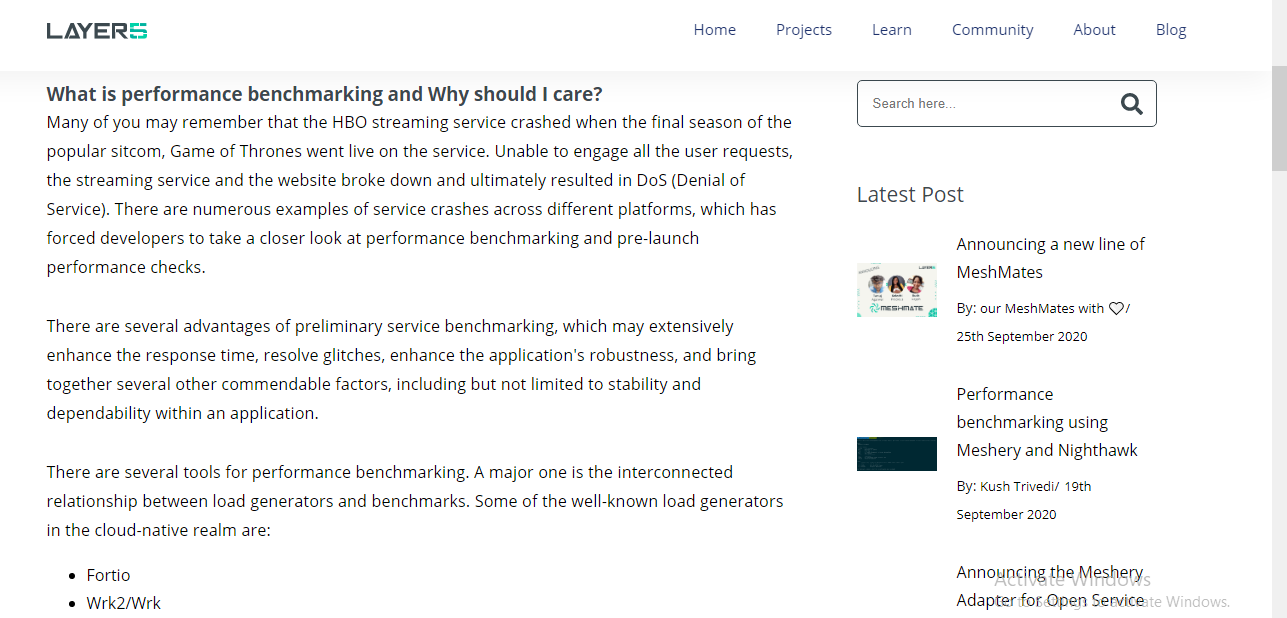
For post images, i gave width of 80 px and height gets automatically adjusted as per aspect ratio.
I talked about irrelevant use of latest blogs section on all blogs page with @Tanuj22 . This page already shows latest blogs, so you might want to think of removing it from there.
What are your thoughts?
.... Ignore Activate windows watermark :)
OmkarPh
on 14 Nov 2020
@OmkarPh Can you also check these out https://github.com/layer5io/layer5/pull/1155#pullrequestreview-531146315
Tanuj22
on 16 Nov 2020
Hi @leecalcote and @Tanuj22
Can you tell me how this looks, I made images bigger and used Image component.
Bigger thumnails look better according to me.
Checkout these and tell me if I it's Ok:
Service Mesh (Istio) patterns for Multitenancy _ Layer5 - The Service Mesh Company.pdf
OmkarPh
on 17 Nov 2020
Umm...not so sure about keeping bigger thumbnails as maybe it's taking too much attention from the user. @Nikhil-Ladha what do you think?
Tanuj22
on 18 Nov 2020
The Latest post section can be removed in the blogs page, it's just redundant.
And, for the bigger thumbnails part I agree with @Tanuj22 it draws too much attention. But, the way of showing the posts in the latest update looks better than the one in this comment.
Also, do we really need the search bar in this page?
 Nikhil-Ladha
on 18 Nov 2020
Nikhil-Ladha
on 18 Nov 2020
On all blogs page, latest post section is ultimately getting deleted,
Is this ScreenShot of latest post section on single blog good or should I keep it as it is here: https://layer5ng.netlify.app/blog/performance-benchmarking-using-meshery-and-nighthawk
OmkarPh
on 19 Nov 2020
Use the design in the pdf but, place it in the position listed in the preview.
Nikhil-Ladha
on 19 Nov 2020
I didn't understand; What 'listed in preview' refers to?
OmkarPh
on 20 Nov 2020
Means the way it is in the netlify preview.
Nikhil-Ladha
on 20 Nov 2020
Oh, yes
OmkarPh
on 20 Nov 2020
Can you suggest what to put in place of this section in all blogs page
If i remove Sidebar, the search bar and categories will also get erased, can I use a boolean prop for sidebar
If true, show latest posts also, otherwise don't...
OmkarPh
on 20 Nov 2020
Can you share a demo of what you are trying to say, I didn't get that clearly :thinking:
Also, for the single blog page simply remove the sidebar and move the latest post section at the end of the content.
Nikhil-Ladha
on 20 Nov 2020
This is how the all blog page looks without sidebar:
Blog _ Layer5 - The Service Mesh Company.pdf
To avoid this empty space on right, we can remove the container 'Col' component, but i think the search bar and categories included in sidebar are important, so I've kept that space empty for now.
OmkarPh
on 20 Nov 2020
Okay. So, finally what you can do is:
- Remove the sidebar completely in the single blog page, which is for example this page (https://layer5ng.netlify.app/blog/performance-benchmarking-using-meshery-and-nighthawk) and shift the lates blogs section at the end in which each blogs should have this design

- For the all blogs page, just remove the latest post section and keep everything else which is the serach bar, categories and tags.
Nikhil-Ladha
on 20 Nov 2020
Can you share a demo of what you are trying to say, I didn't get that clearly 🤔
Also, for the single blog page simply remove the sidebar and move the latest post section at the end of the content.
It doesn't look good at the bottom though :(
If they're catching attention, then I'd rather reduce their size rather than moving entire section to bottom.
OmkarPh
on 20 Nov 2020
Okay. So, finally what you can do is:
- Remove the sidebar completely in the single blog page, which is for example this page (https://layer5ng.netlify.app/blog/performance-benchmarking-using-meshery-and-nighthawk) and shift the lates blogs section at the end in which each blogs should have this design
- For the all blogs page, just remove the latest post section and keep everything else which is the serach bar, categories and tags.
But the tags and search bar are in sidebar component itself
OmkarPh
on 20 Nov 2020
But the tags and search bar are in sidebar component itself
Move the latest post section code out of that component, and make it a new one.
Nikhil-Ladha
on 20 Nov 2020
But the tags and search bar are in sidebar component itself
Move the latest post section code out of that component, and make it a new one.
Ok I'll do that
OmkarPh
on 20 Nov 2020
It doesn't look good at the bottom though :(
If they're catching attention, then I'd rather reduce their size rather than moving entire section to bottom.
Checkout this page https://www.hashicorp.com/blog/hashicorp-boundary. This looks pretty good and decent. I was talking about something similar to that.
Nikhil-Ladha
on 20 Nov 2020
@Nikhil-Ladha we need to add a related post section at the bottom of each page
Tanuj22
on 20 Nov 2020
Yup, but that would require us to have the categories ready and working. So, for the time being we can work with this one, what say?
Nikhil-Ladha
on 20 Nov 2020
What if I make a new component as Related posts which uses latest post graphql query for now, later we can change the query?
OmkarPh
on 20 Nov 2020
What if I make a new component as Related posts which uses latest post graphql query for now, later we can change the query?
Sure, please do that :+1:
Nikhil-Ladha
on 20 Nov 2020
Can you explain me how these 'Col' components work,
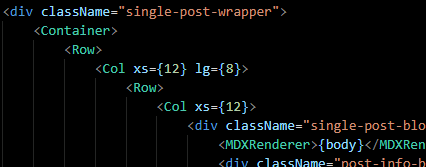
I removed one col, so want the first one to span over more area horizontally
OmkarPh
on 20 Nov 2020
I think you can sort this out with @Tanuj22 or @Jashpatel1 on slack. Please join the workspace if you haven't yet.
Nikhil-Ladha
on 20 Nov 2020
Hi @Nikhil-Ladha and @Tanuj22
Can you see why the deployment fails in above PR :(
Everything worked fine on my local machine and I haven't changed any config file yet there's some build error.
OmkarPh
on 21 Nov 2020
Hi @Nikhil-Ladha and @Tanuj22
Can you see why the deployment fails in above PR :(
Everything worked fine on my local machine and I haven't changed any config file yet there's some build error.
Maybe an error with the cache. I have re run the deployment. Should work now
Tanuj22
on 21 Nov 2020
Related issues
 navendu-pottekkat
·
4Comments
navendu-pottekkat
·
4Comments
 leecalcote
·
3Comments
leecalcote
·
3Comments
 logichub
·
4Comments
leecalcote
·
4Comments
leecalcote
·
3Comments
logichub
·
4Comments
leecalcote
·
4Comments
leecalcote
·
3Comments
Most helpful comment
Hi @Tanuj22
I'm new to GraphQL, but will try this out
Let me look around the repo. I may bore you with few questions soon 😅