Latex-workshop: Citation browser broken
I am only able to get the citation browser to respond (i.e., display anything beyond it's default display contents) to the letter "a." Any other letter, or any further letters, has no effect. Let me know if I should provide a screenshot.
 zachjweiner
All 15 comments
A screenshot is preferred. Also, this seems to be the same issue with #132 . However, I cannot reproduce the problem.
 James-Yu
on 29 Jun 2017
James-Yu
on 29 Jun 2017
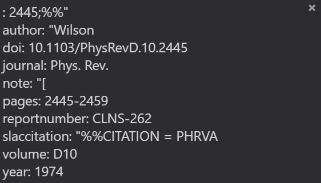
It is in fact identical to #132. I'll also note that the pop-up search works fine, except the display info is a little wonky, especially with respect to authors. Only ever get one name (e.g. the first last name):
zachjweiner
on 29 Jun 2017
Can you please post this piece of bibtex? It might be related with the format of the file.
James-Yu
on 29 Jun 2017
~~~
@article{Wilson:1974sk,
author = "Wilson, Kenneth G.",
title = "{Confinement of Quarks}",
journal = "Phys. Rev.",
volume = "D10",
year = "1974",
pages = "2445-2459",
doi = "10.1103/PhysRevD.10.2445",
reportNumber = "CLNS-262",
SLACcitation = "%%CITATION = PHRVA,D10,2445;%%"
}
~
I have also tried replacing the quotes with braces, to no avail.
zachjweiner
on 29 Jun 2017
Thanks, will test it out soon.
James-Yu
on 29 Jun 2017
It seems that the problem is somehow related to how the bibtex parser works. I am implementing a new parser and hopefully the problem can be solved.
James-Yu
on 29 Jun 2017
I'll push a new release soon, which handles double quoted strings better. Here are some screenshots of the provided bibitem:
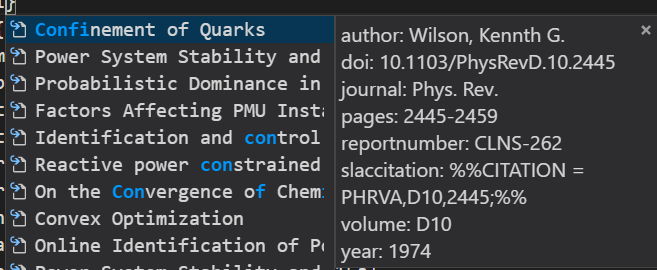

Please comment on whether the problem is solved. Thanks.
James-Yu
on 29 Jun 2017
Much better; while we're here I'll also point out a very minor display issue for long titles (which I might recall has been mentioned before here?):
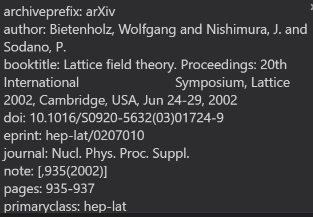
Unfortunately this didn't help the citation browser searching. Maybe I'll try a fresh VSCode install on my second computer and see if there's any interference from other extensions or settings.
zachjweiner
on 29 Jun 2017
I suppose the display glitch is somewhat related to how vscode handle inline breaks in strings. Meanwhile, one thing that comes to me is how Proceedings is processed in the new screenshot. It seems the parser cannot recognize it as an individual "attribute". Is that intended?
As to the citation browser thingy, I still have no idea on why it happened. I think the error messages in the developer console may help tho.
James-Yu
on 30 Jun 2017
I am unsure about proceedings - inspireHEP generates .bib files so I never look too closely at them, and usually only reference journal articles anyway. I'm happy to provide the citation itself if you'd like to look, but this issue I can live with :)
For the citation browser: that lower case stuff from the issue you referred to:
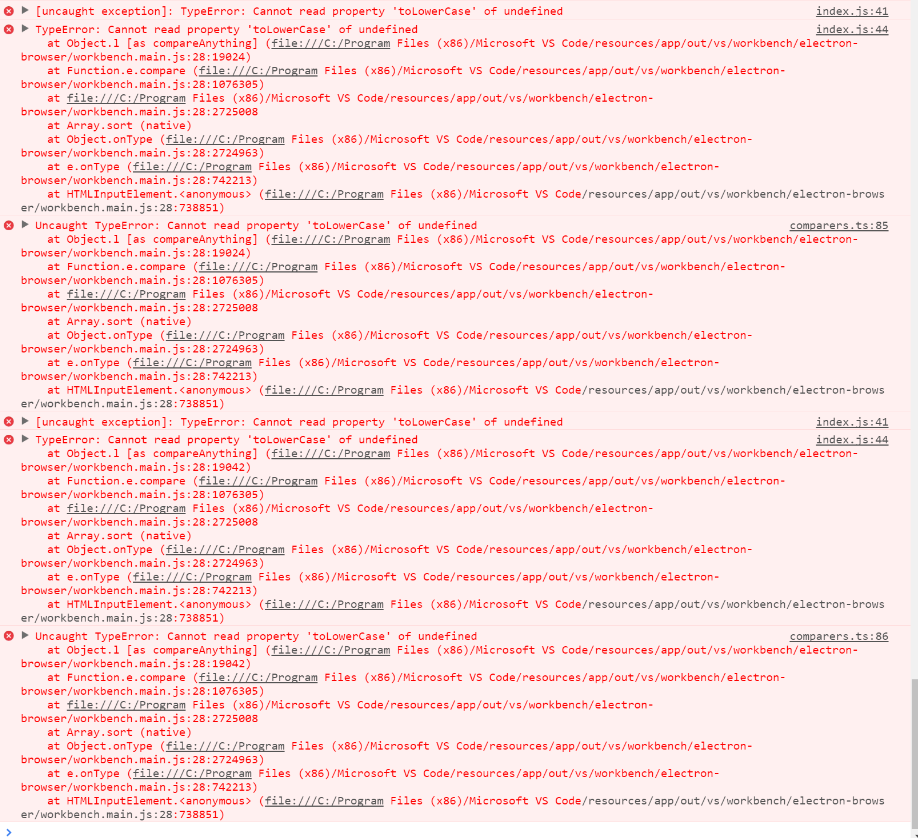
zachjweiner
on 30 Jun 2017
The screenshots are awesome. I will check the issue a bit later.
James-Yu
on 30 Jun 2017
Hmm I just checked and confirmed that it is not an extension bug. It might be related with how vscode reads the content of each quick menu item. Can you please send me your bugged bibtex file? It can let me confirm if it is a local problem or not. Got some initial guesses but cannot reproduce the problem.
James-Yu
on 30 Jun 2017
Actually, in trying to build more of a MWE I discovered that the issue is a misc entry of the form
~~~
@misc{github,
howpublished = "\url{https://github.com}"
}
~
Removing it, the citation browser is flawless. Maybe it's the lack of author/etc information? Or is there a problem with using \url?
zachjweiner
on 30 Jun 2017
That should be the problem. For such entries, the extension creates an empty menu item in the quick menu, which vscode cannot auto-remove. Will fix the problem in the next update.
James-Yu
on 30 Jun 2017
Excellent. FYI, modifying the entry to have empty author and title fields, a la
~~~
@misc{github,
howpublished = "\url{https://github.com}",
author = "",
title = ""
}
~
resolves the issue.
zachjweiner
on 30 Jun 2017
Related issues
 iainmstott
·
5Comments
iainmstott
·
5Comments
 TiemenSch
·
6Comments
TiemenSch
·
6Comments
 s-ilic
·
3Comments
s-ilic
·
3Comments
 BjoernDaase
·
3Comments
BjoernDaase
·
3Comments
 wstcegg
·
5Comments
wstcegg
·
5Comments