Laravel-modules: Working with Lumen and Laravel Modules, but I have no success. Details are inside.
Hi there,
I am currently working with Lumen and I want to add Laravel Modules. I am looking at the tutorial here: https://nwidart.com/laravel-modules/v3/lumen and I think I followed the tutorial fine.
Up until the Lumen and the Laravel Modules is set there is no error. The errors come in after I generate new module with: php artisan module:make HelloWorld. There are four errors so far and I am, kinda, convinced that Lumen and Laravel Modules do not work together, at least they do not work together out-of-the-box.
The first error:

For the first error I should edit
- I need to add
use Illuminate\Support\Facades\Config;. - I need to change
\ConfigintoConfigsince it is already imported in the uppermost of this PHP file.
The second error:

The second error is because the default configuration of Lumen. I need to activate that the Lumen web application is using Laravel's Facade. I need to open bootstrap/app.php and then uncomment this line:
// $app->withFacades();
The third error:
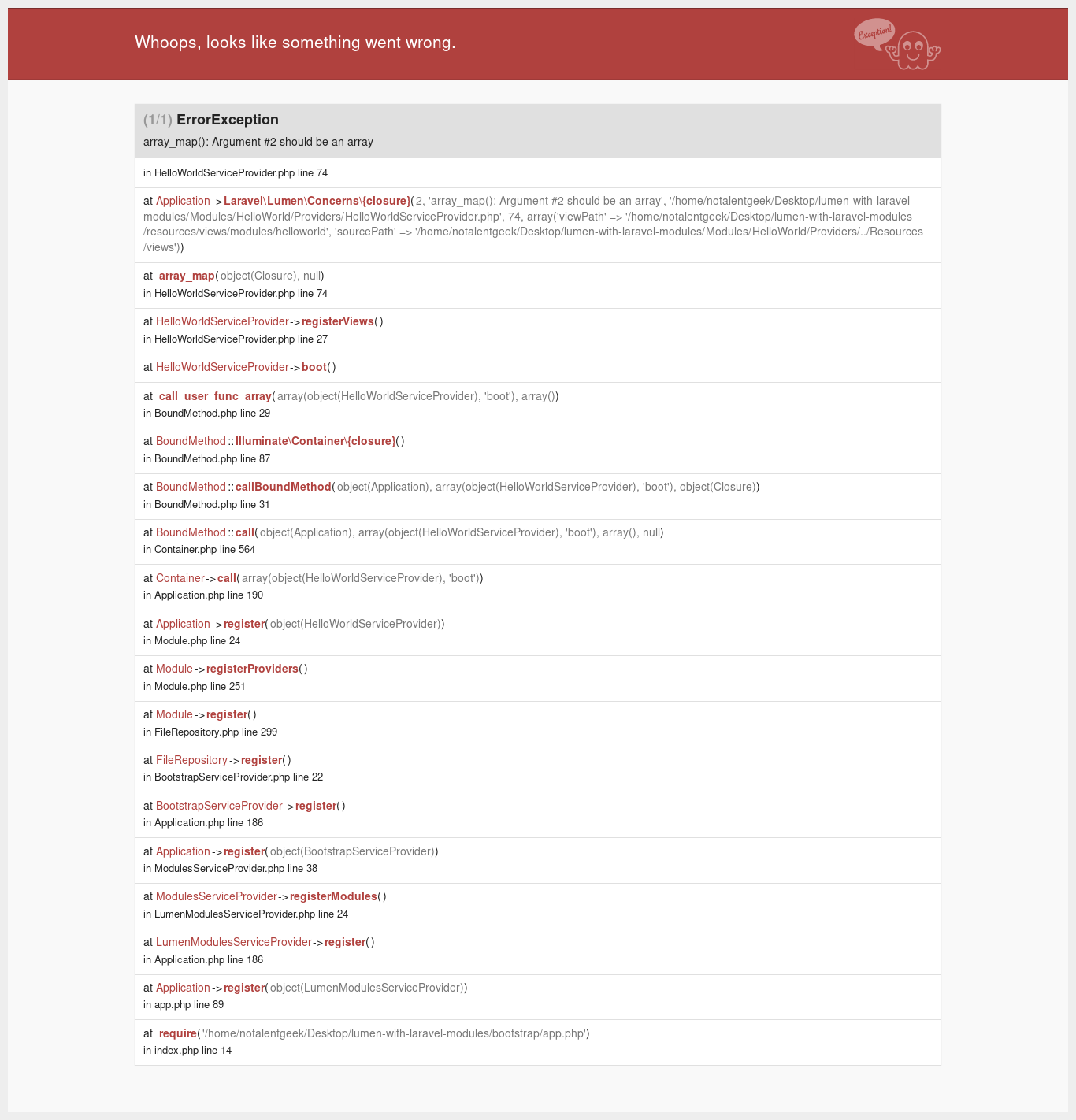
The error can be fixed with changing HelloWorldServiceProvider.php:
...
        }, Config::get('view.paths')), [$sourcePath]), 'helloworld');
...
With:
...
        }, [Config::get('view.paths'))], [$sourcePath]), 'helloworld');
...
The fourth error:
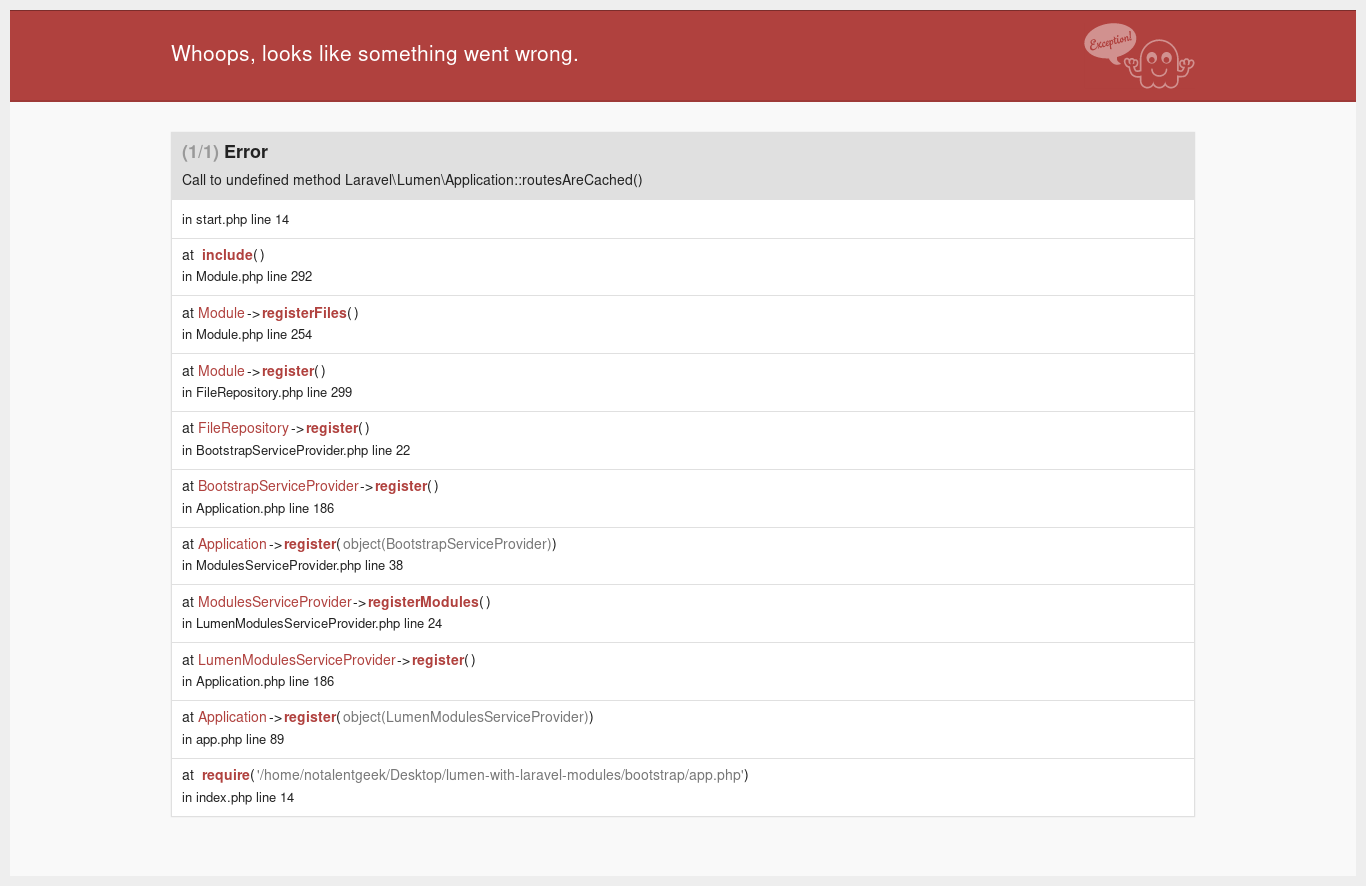
Stopped right here at this error.
So how can I get Lumen working with Laravel Modules?
 notalentgeek
All 2 comments
@notalentgeek Hi, the only thing I can think of right now as a quick fix as I am having the same thing, and this is a issue to @nWidart laravel-modules poor lumen support, probably at start.php --> app()->routesAreCached()
First/Second error:
You can basically do it like this too:
$app->withFacades(true, [
    'Illuminate\Support\Facades\Config' => 'Config',
]);
Third error:
create a directory config and copy over the view.php configuration file from laravel, file content is something like:
return [

    'paths' => [
        resource_path('views'),
    ],

    'compiled' => realpath(storage_path('framework/views')),

];
and load the configuration file using:
$app->configure('view');
Fourth error:
Sadly the container does not extends macro so I was forced to do this:
// bootstrap/app.php

class LumenApp extends Laravel\Lumen\Application
{
    public function routesAreCached()
    {
        return false;
    }
}

$app = new LumenApp(realpath(__DIR__ . '/../'));
I am stepping away to lumen and do something else, but I hope this helps.
~~
 kevyworks
on 3 Sep 2018
kevyworks
on 3 Sep 2018
I'll close this for now as lumen will probably be dropped as no-one is able to fix the issue with it.
 nWidart
on 7 Oct 2018
nWidart
on 7 Oct 2018
Related issues
 ojasseh
·
3Comments
ojasseh
·
3Comments
 dang-tien
·
3Comments
dang-tien
·
3Comments
 morningmemo
·
3Comments
morningmemo
·
3Comments
 alexandretaz
·
3Comments
alexandretaz
·
3Comments
 quentingosset
·
4Comments
quentingosset
·
4Comments
Most helpful comment
@notalentgeek Hi, the only thing I can think of right now as a quick fix as I am having the same thing, and this is a issue to @nWidart
laravel-modulespoor lumen support, probably atstart.php-->app()->routesAreCached()First/Second error:
You can basically do it like this too:
Third error:
create a directory
configand copy over theview.phpconfiguration file from laravel, file content is something like:and load the configuration file using:
$app->configure('view');Fourth error:
Sadly the container does not extends macro so I was forced to do this:
I am stepping away to lumen and do something else, but I hope this helps.
~~