Laravel-medialibrary: Generated responsive images bigger than original size?!
Hello, we've experienced this and we're not sure which layer it relates to, is it something with the package, with the server generation tools, or maybe something fixed though configuration; check screenshots first:

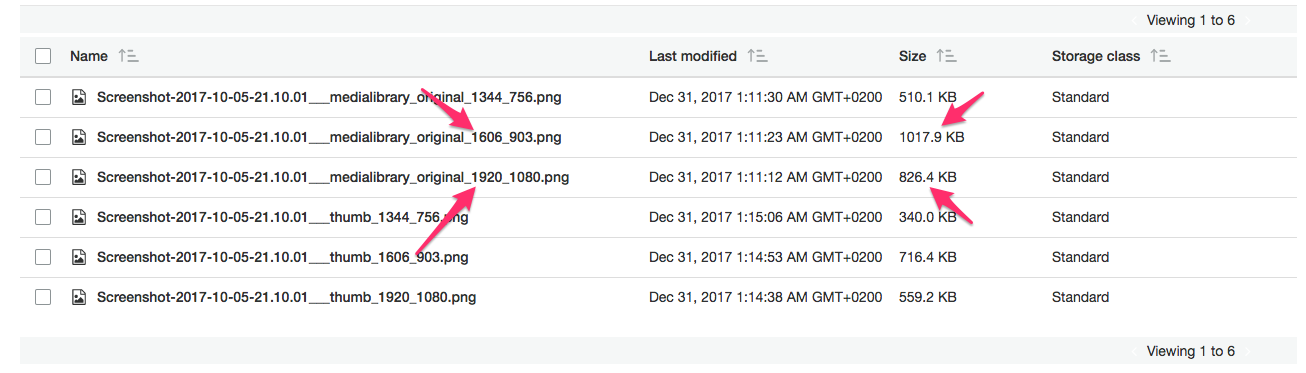
As you can see, some of the smaller images (dimensions) are actually bigger in (size), which is strange. The original dimensions is 1920 * 1080 with size of 964.8 KB.
Another question: why responsive generation generate same dimension as original 1920 * 1080 before in addition to all the smaller sizes, as per docs I though it starts at 70% ratio, right?
Any thoughts?
 Omranic
All 18 comments
@brendt could you take a look at this?
Next year is fine 🍾
 freekmurze
on 31 Dec 2017
freekmurze
on 31 Dec 2017
@Omranic before looking into this, do you think it would be possible to share the image? It'll make debugging easier.
 brendt
on 1 Jan 2018
brendt
on 1 Jan 2018
@brendt Well, that's unexpected request 😂 but yeah, seems ok! 😏
Not sure if GitHub will upload with same quality/size or not, but here we go:

Just in case someone interested in that material, it's here: "Actions on Google: Conversation Design Tips" https://www.youtube.com/watch?v=MSUPVbbhIGA&t=5s 😜
Omranic
on 1 Jan 2018
I'm going to take a look at this starting next week.
If I can't reproduce it using own test images, there's still a chance your image will be able to reveal a problem.
brendt
on 1 Jan 2018
Did some testing. Turns out the original image was very helpful, as many images don't have this problem.
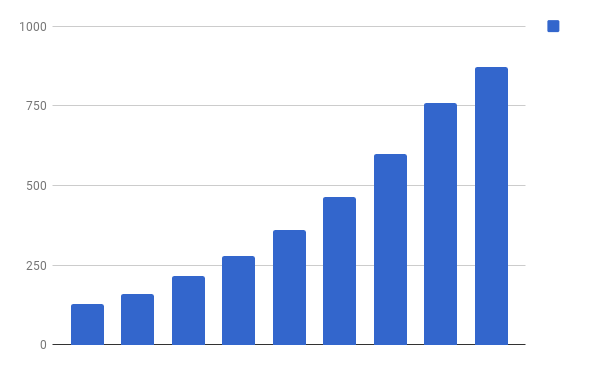
These are the file sizes of the responsive variations of the original image, in order of width.
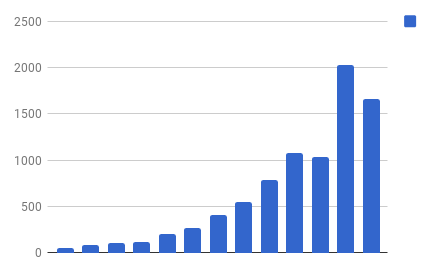
I tried out lots of other images, and can see this issue returning in PNG encoded files, with large areas of the same color. An example:
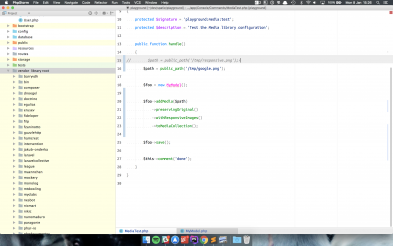
This image (its large variant) produces these filesizes:
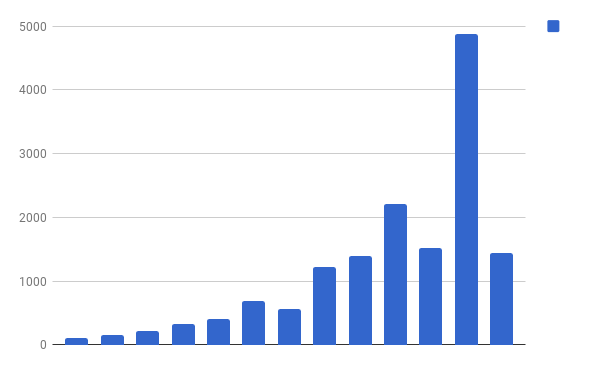
Encoding the source image as JPEG, and then running it through the media library shows these filesizes, which makes much more sense:
I also tried another kind of image, with lots of the same colors in it:
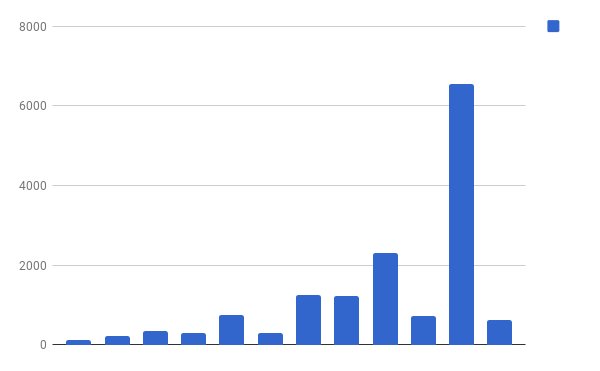
So that's that for my first observations. Going to look into the reason now. It probably has to do something with the optimisers ran on each responsive variation.
brendt
on 8 Jan 2018
@willemvb helped reveal the underlying issue. We compared a manually downscaled image in photoshop to the generated image from the medialibrary with kaleidoscope:
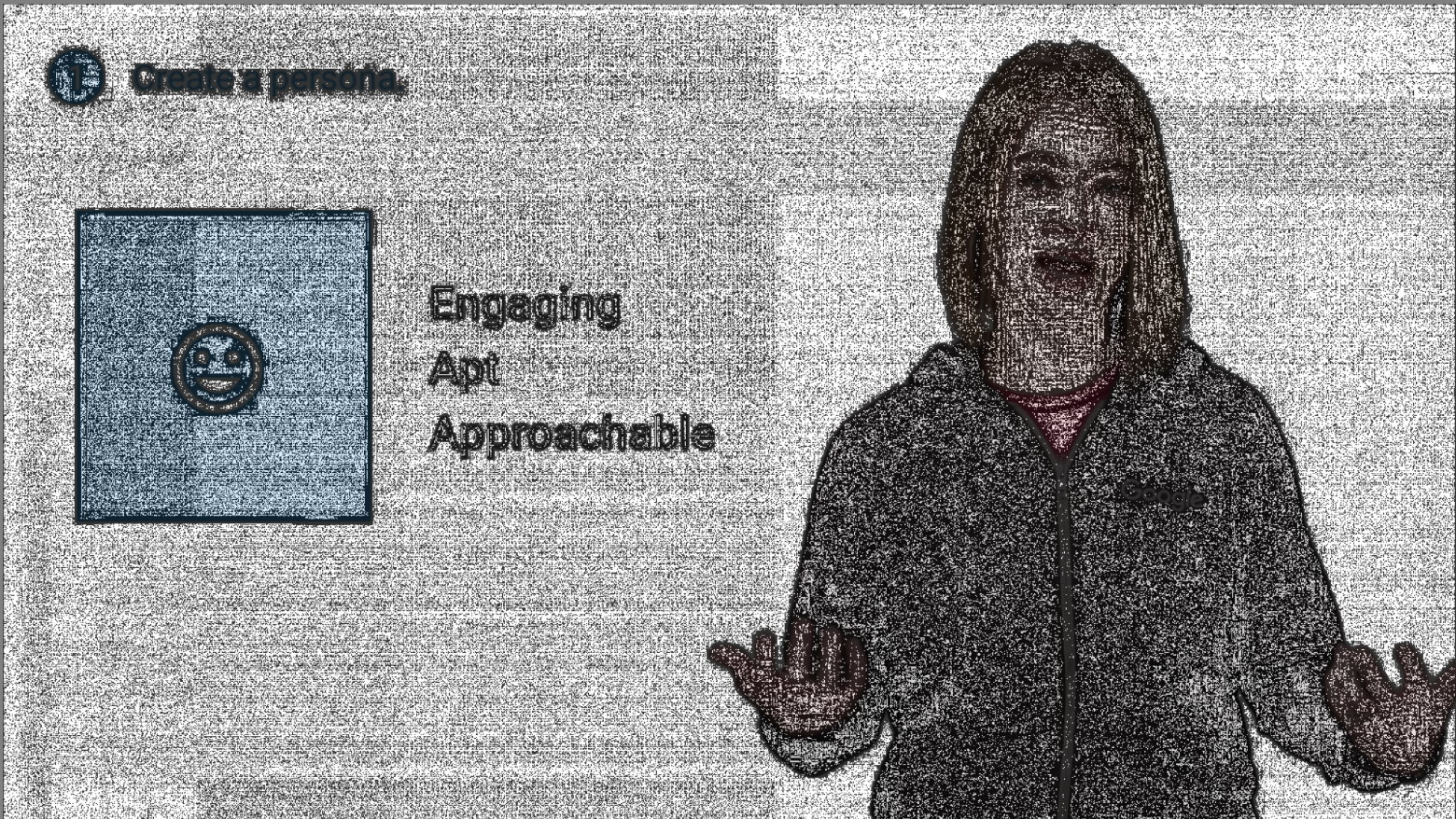
The interesting part is the white background, which should not differ; but the medialibrary (actually an underlying package) will take that plain white background, and make lots of artifacts. Instead of one color, there's a subtle difference between #ffffff and #fefefe. I'll be looking into where exactly this "optimisation" happens later this week. It will probably be one of the image optimiser binaries, which we should give an extra parameter to.
brendt
on 10 Jan 2018
Update: the problem happens when downscaling images if using gd. imagick seems to work just fine. I'm looking if there's a way to configure gd to fix the issue.
brendt
on 10 Jan 2018
Addressing the underlying issue: https://github.com/thephpleague/glide/issues/218
brendt
on 10 Jan 2018
Wow, I respect the efforts given to deep dive into the insights of that issue, kudos 👏
Omranic
on 15 Jan 2018
We've merged a commit in the v7 branch to solve this, for both the gd and imagick drivers.
brendt
on 22 Feb 2018
Has this problem been resolved yet? Im using v7, xampp with gd bundled (2.1.0 compatible) and same problem
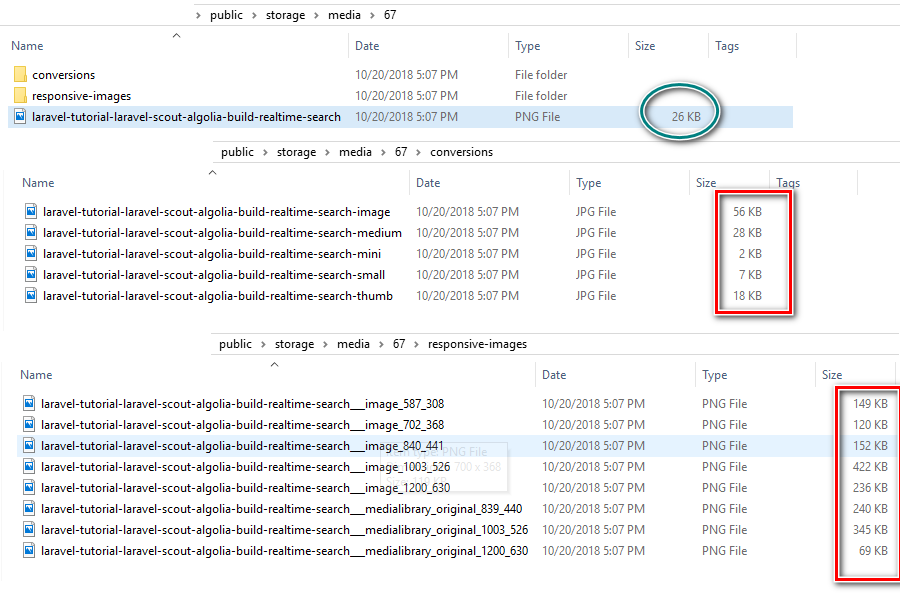
 nguyentranchung
on 20 Oct 2018
nguyentranchung
on 20 Oct 2018
I also have the same problem. Tried gd and imagick.
Both very similar in file size.
Original size: 286 KB
Biggest responsive size: 352 KB
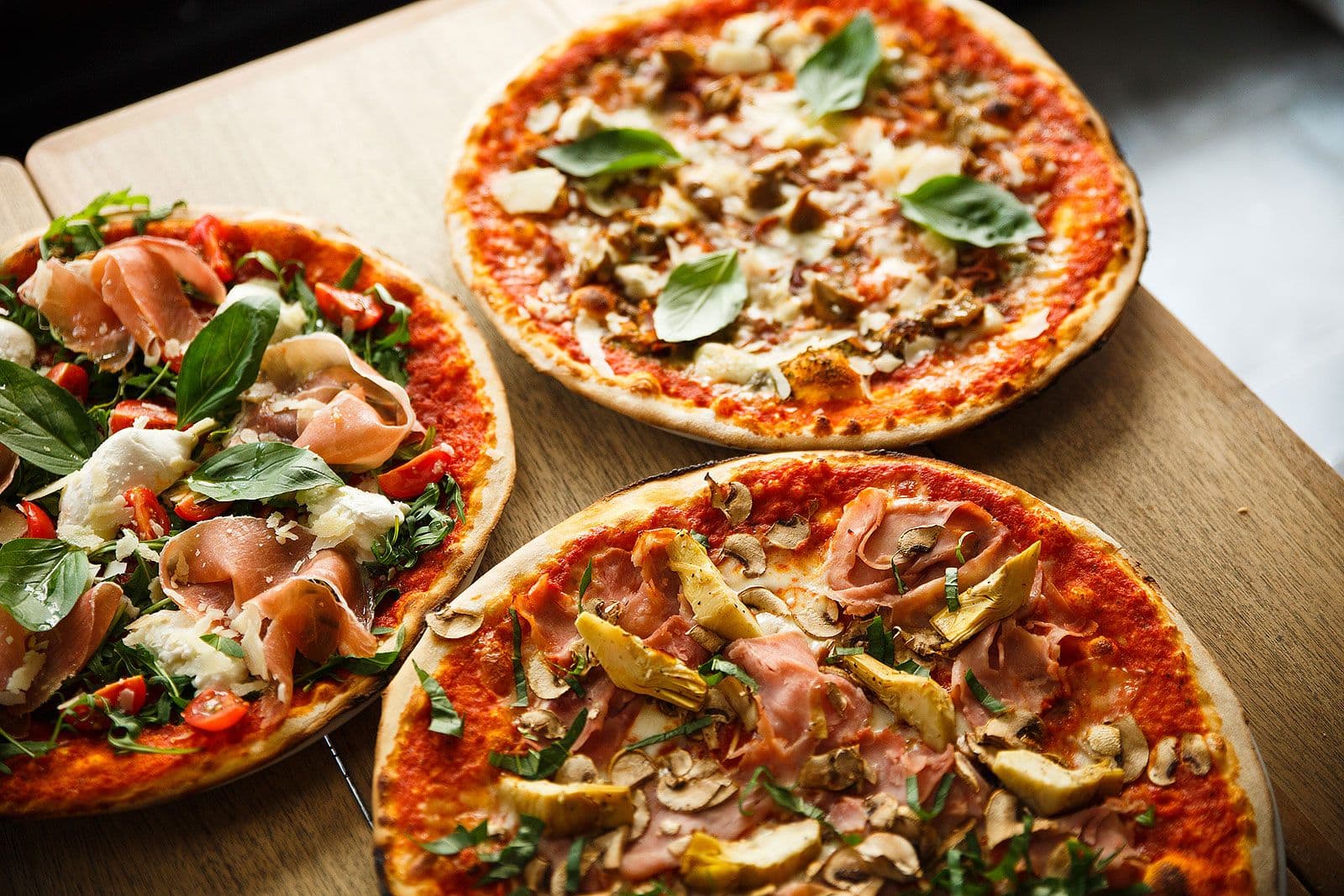
 robbens
on 20 Feb 2019
robbens
on 20 Feb 2019
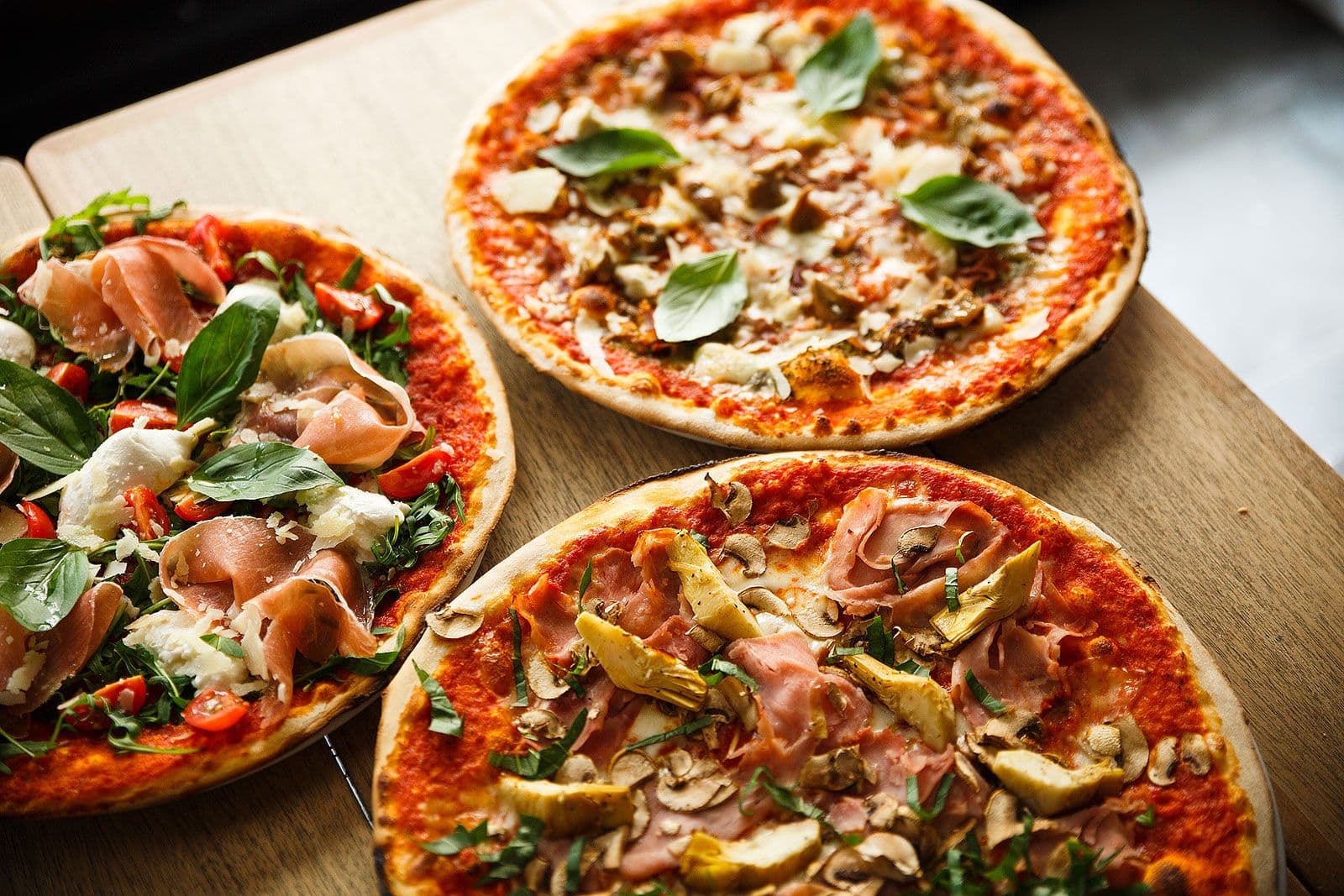
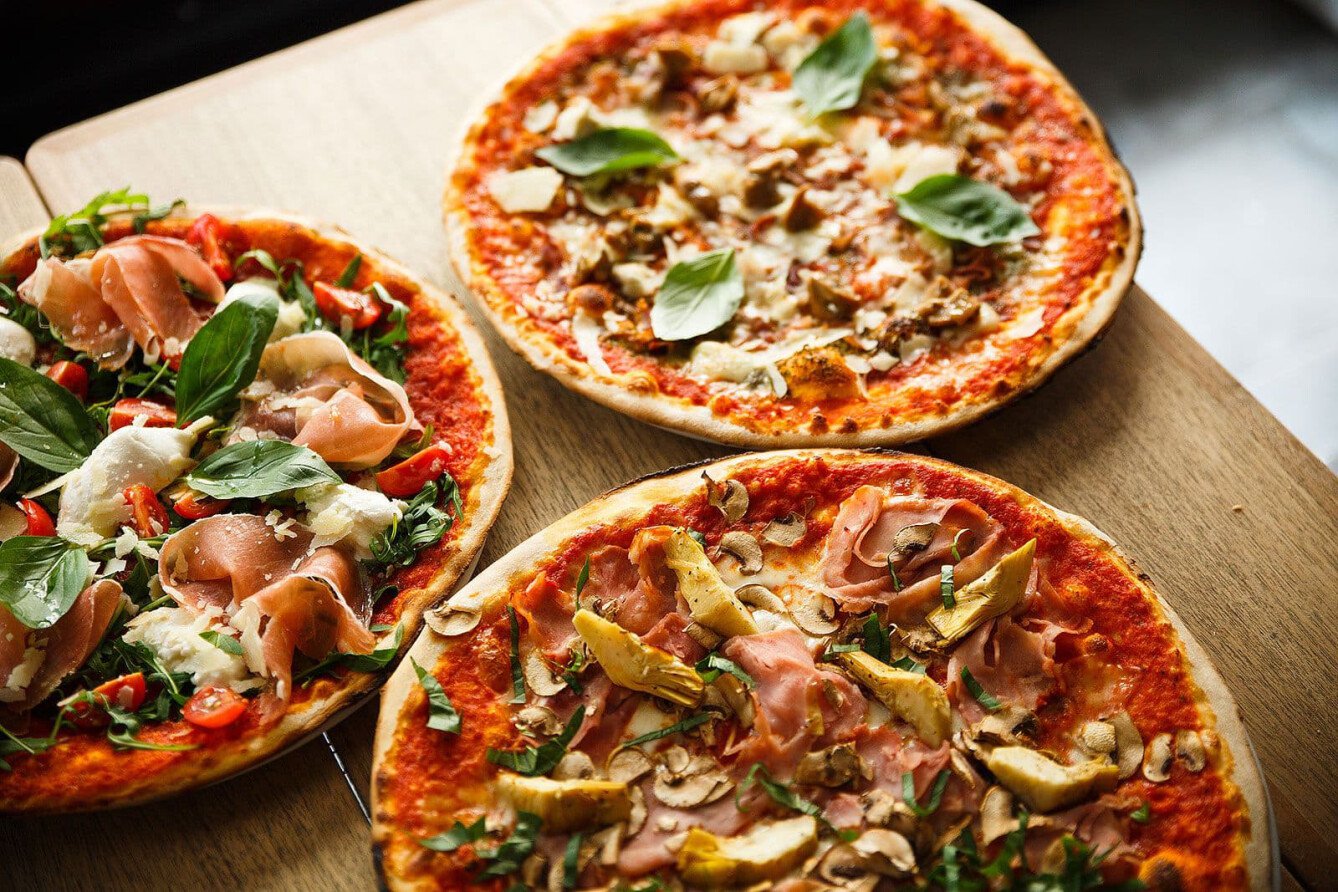
Are you using v7 of the media library? If so, please provide an the downscaled image with the larger size, and the original.
brendt
on 20 Feb 2019
Yes, I'm using v7.
Original
Downsized
robbens
on 20 Feb 2019
As I expected: there are lots of artifacts generated by the underlying glide library..
The way we solved this issue was by adding extra optimizers to the generated responsive images. This however never solved the underlying problem. I'm afraid that because of the complexity of your image, this optimizer trick isn't good enough to mitigate the real issue.
Unfortunately, the real issue is in a package that's not our own: https://github.com/thephpleague/glide/issues/218
You could try and play around in your local project with optimizer settings, but I'm afraid that's the only help I can give at the moment 😕
brendt
on 20 Feb 2019
I see. Thank you so much for your time. I'll definitely post here if I find a good solution 👍
robbens
on 20 Feb 2019
Kinda unrelated question. But are the generated responsive images compressed through the various optimization tools? If not; What's a good way to do this?
robbens
on 22 Feb 2019
They should be optimised, which was the "fix" for this issue: https://github.com/spatie/laravel-medialibrary/commit/d96ce0e22db7069abf335424be65ed0232c0d135
brendt
on 22 Feb 2019
Related issues
brendt
·
4Comments
 intrepidws
·
3Comments
intrepidws
·
3Comments
 drtheuns
·
3Comments
drtheuns
·
3Comments
 swash13
·
3Comments
swash13
·
3Comments
 netanelwebninja
·
3Comments
netanelwebninja
·
3Comments
Most helpful comment
We've merged a commit in the v7 branch to solve this, for both the
gdandimagickdrivers.