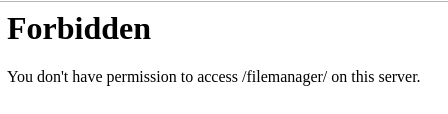
Laravel-filemanager: Forbidden You don't have permission to access /filemanager/ on this server.
Please check the following instructions before submitting a bug :
- Make sure you are using the latest version.
- Make sure you read installation, integration, and upgrade document.
And provide the followings :
- Operating system : CentOS
- Laravel version : 7.7.1
- Package version : dev-master
- Steps to reproduce your issue :
- composer require unisharp/laravel-filemanager:dev-master
- php artisan vendor:publish --tag=lfm_config
- php artisan vendor:publish --tag=lfm_public
php artisan storage:link
Copied the demo.blade.php to resources/views/test.blade.php
- Added Lfm Routes in web.php
Route::group(['prefix' => 'filemanager', 'middleware' => ['web', 'auth']], function () {
    \UniSharp\LaravelFilemanager\Lfm::routes();
});
- Added a testing route
Route::get('test', function () {
    return view('test');
});
Visited the url /test
Error displayed in embedded file manager and http://photo.local/filemanager/?type=image
- Screenshots of browser console :

 lizeshakya
All 4 comments
If you declare the routes by yourselves you must set use_package_routes to false in lfm.php config.
And check if you have folder with name filemanager in your project, sometimes it can cause the problems like this.
Last opinion is your server was configured incorrectly
 mafftor
on 25 Apr 2020
mafftor
on 25 Apr 2020
@mafftor
Removing the route also redirects the same issue. There is a folder inside the public directory.
public > filemanager > config > .htaccess, config.php
I also gave permission to the filemanager folder.
I am working on locally, is there might be any other issue?
lizeshakya
on 25 Apr 2020
For what did you create public > filemanager folder?
Try to rename it or delete and it should help you!
I guess when you're trying to get access to the http://photo.local/filemanager/ your webserver thought you want to get access to the folder instead, but it's not allowed and throws you an error.
I've got the same issue if I want to create public > admin folder and have the same time admin routes :(
You can check it on laracasts.com the same issue
👍
mafftor
on 25 Apr 2020
Thank you so much. Removing the folder public > filemanager helped me.
lizeshakya
on 26 Apr 2020
Related issues
 lunadiotic
·
3Comments
lunadiotic
·
3Comments
 lukaszevo
·
4Comments
lukaszevo
·
4Comments
 rlrlaa123
·
3Comments
rlrlaa123
·
3Comments
 Dzhangar1980
·
4Comments
Dzhangar1980
·
4Comments
 t67132
·
3Comments
t67132
·
3Comments
Most helpful comment
For what did you create
public > filemanagerfolder?Try to rename it or delete and it should help you!
I guess when you're trying to get access to the http://photo.local/filemanager/ your webserver thought you want to get access to the folder instead, but it's not allowed and throws you an error.
I've got the same issue if I want to create
public > adminfolder and have the same time admin routes :(You can check it on laracasts.com the same issue
👍