Laravel-filemanager: does not upload large file...
I used this packege in laravel 5.5.
Everything is right on the localhost, but after uploading to the shared host, I can't upload a file more than 3M size.
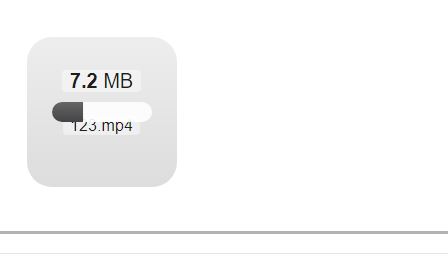
for example, when uploading a file with 7M size, the load bar is half full and pause without any error.
I checked lfm setting and max size valeus and max file size can allow to upload on host that was 30M.
What should I do?
 mprogrammer21
All 13 comments
@mprogrammer21 I will refer this comment in #592, please adjust the corresponding setting in your web server.
 streamtw
on 19 Oct 2018
streamtw
on 19 Oct 2018
Thanks for answering...
Unfortunately, changing some of the settings, such as memory_limit on shared hosting, is not possible.
Is there another solution?
mprogrammer21
on 19 Oct 2018
memory_limit can be set in config/lfm.php. Please try if it works.
streamtw
on 19 Oct 2018
Yes, but it was not resolved by changing it...
mprogrammer21
on 19 Oct 2018
memory_limit should be set to 500MB or higher.
streamtw
on 19 Oct 2018
memory_limitcan be set inconfig/lfm.php. Please try if it works.
HI g0110280. I also have this problem. I did this setting but unfortunately my problem was not resolved. I searched a lot. please help me. Tanks.
 makh123
on 20 Oct 2018
makh123
on 20 Oct 2018
Hi, i have this problem too
 babininja
on 18 Mar 2019
babininja
on 18 Mar 2019
Me too!
 OmarTaherSaad
on 12 Apr 2019
OmarTaherSaad
on 12 Apr 2019
ajax time out from dropzone
 Lesnier
on 13 Jun 2019
Lesnier
on 13 Jun 2019
I have the same problem but only on my remote server. In my local server files are uploaded.

But in cpanel upload progress stops after some time. Is it the problem with cpanel server or execution time for upload process?
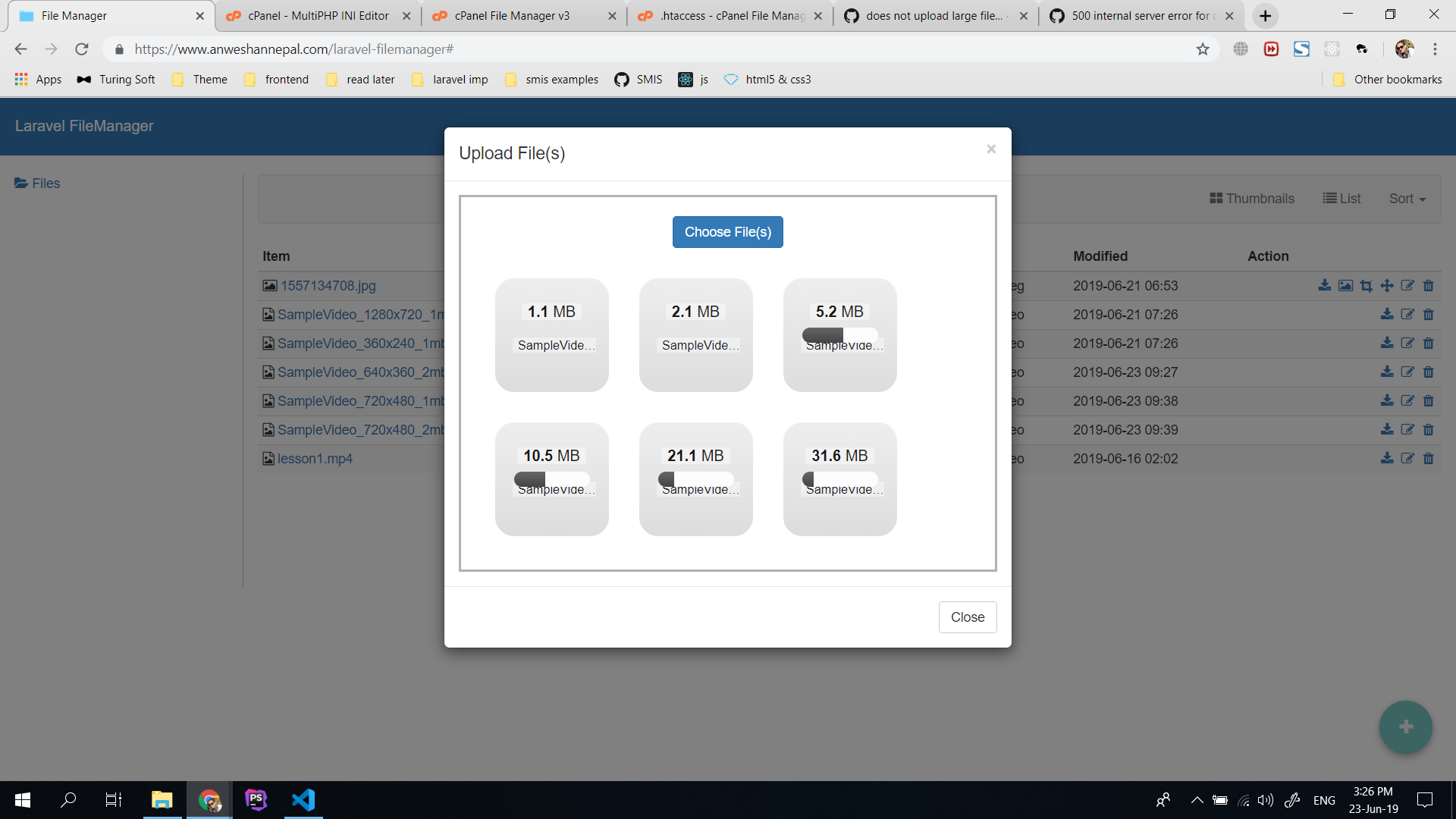
I have my cpanel php.ini configured like this:

 shrestharikesh
on 23 Jun 2019
shrestharikesh
on 23 Jun 2019
Updated memory_limit to 500M and now I was able to upload file size with 5MB but not with 10MB.
shrestharikesh
on 23 Jun 2019
shrestharikesh
on 24 Jun 2019
Hi friends, finally I found a solution to this problem that you can't upload large files. this problem occurs because the default dropzone time out is the 30s, you can increase that manually.
First, open resources/views/vendor/laravel-filemanager/index.blade.php
then add timeout property to this part of js code :
Dropzone.options.uploadForm = {
      paramName: "upload[]", // The name that will be used to transfer the file
      uploadMultiple: false,
      parallelUploads: 5,
      timeout : 1200000,
      clickable: '#upload-button',
      dictDefaultMessage: 'Or drop file here...',
      init: function() {
        var _this = this; // For the closure
        this.on('success', function(file, response) {
          if (response == 'OK') {
            refreshFoldersAndItems('OK');
          } else {
            this.defaultOptions.error(file, response.join('\n'));
          }
      });
      },
      acceptedFiles: "{{ lcfirst(str_singular(request('type') ?: '')) == 'image' ? implode(',', config('lfm.valid_image_mimetypes')) : implode(',', config('lfm.valid_file_mimetypes')) }}",
      maxFilesize: ({{ lcfirst(str_singular(request('type') ?: '')) == 'image' ? config('lfm.max_image_size') : config('lfm.max_file_size') }} / 10)
    }
Now you can upload files without any canceled Status.
 saberap
on 16 Oct 2020
saberap
on 16 Oct 2020
Related issues
 farshidrezaei
·
4Comments
farshidrezaei
·
4Comments
 asimshazad
·
4Comments
asimshazad
·
4Comments
 maorkavod
·
5Comments
maorkavod
·
5Comments
 lscavelli
·
4Comments
lscavelli
·
4Comments
 lunadiotic
·
3Comments
lunadiotic
·
3Comments