Laravel-excel: import excel with Chinese problem
when use ^3.1.* , this problem has Reappear #698
Prerequisites
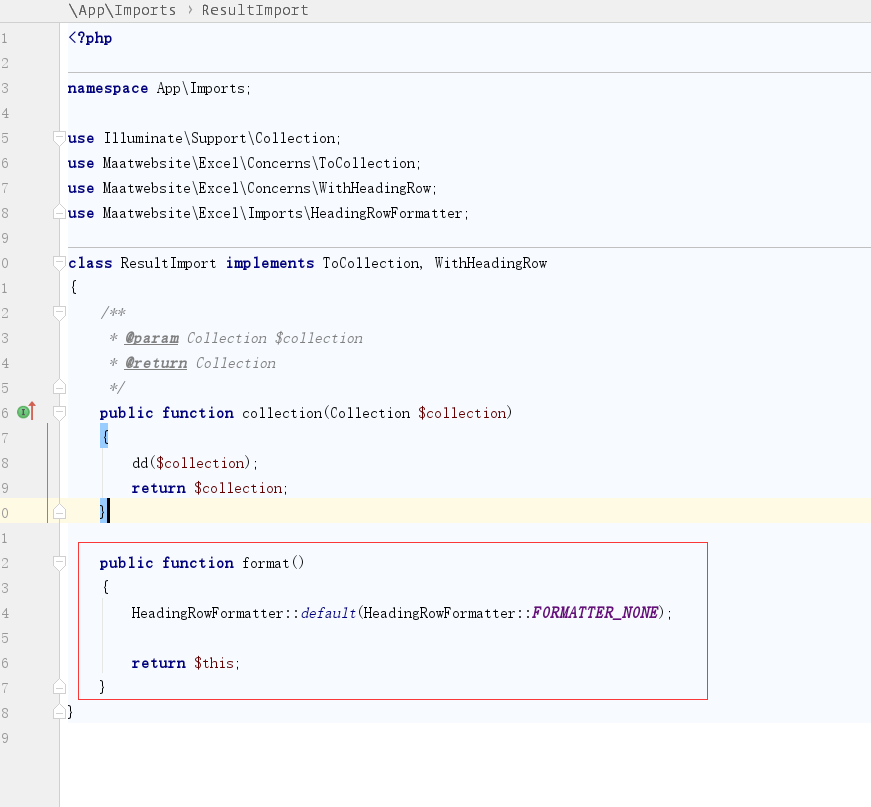
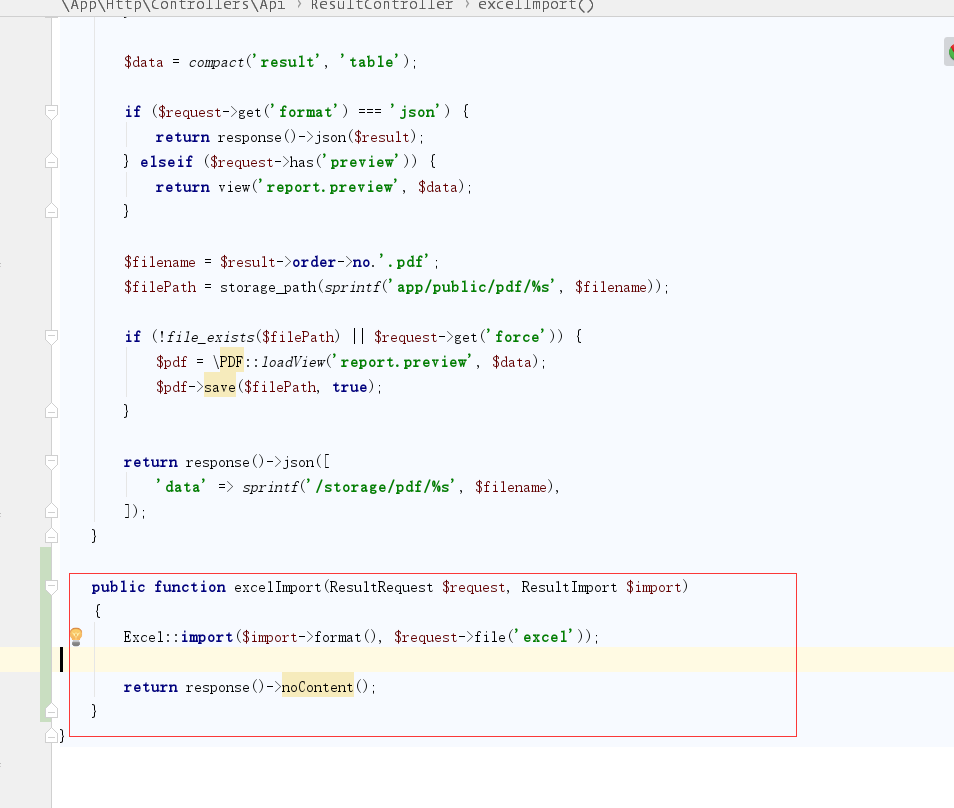
this is my import excel
- [x ] Able to reproduce the behaviour outside of your code, the problem is isolated to Laravel Excel.
- [x ] Checked that your issue isn't already filed.
- [ x] Checked if no PR was submitted that fixes this problem.
Versions
- PHP version: PHP 7.2.6
- Laravel version: Laravel Framework 5.6.26
- Package version: 3.1.x-dev
Description


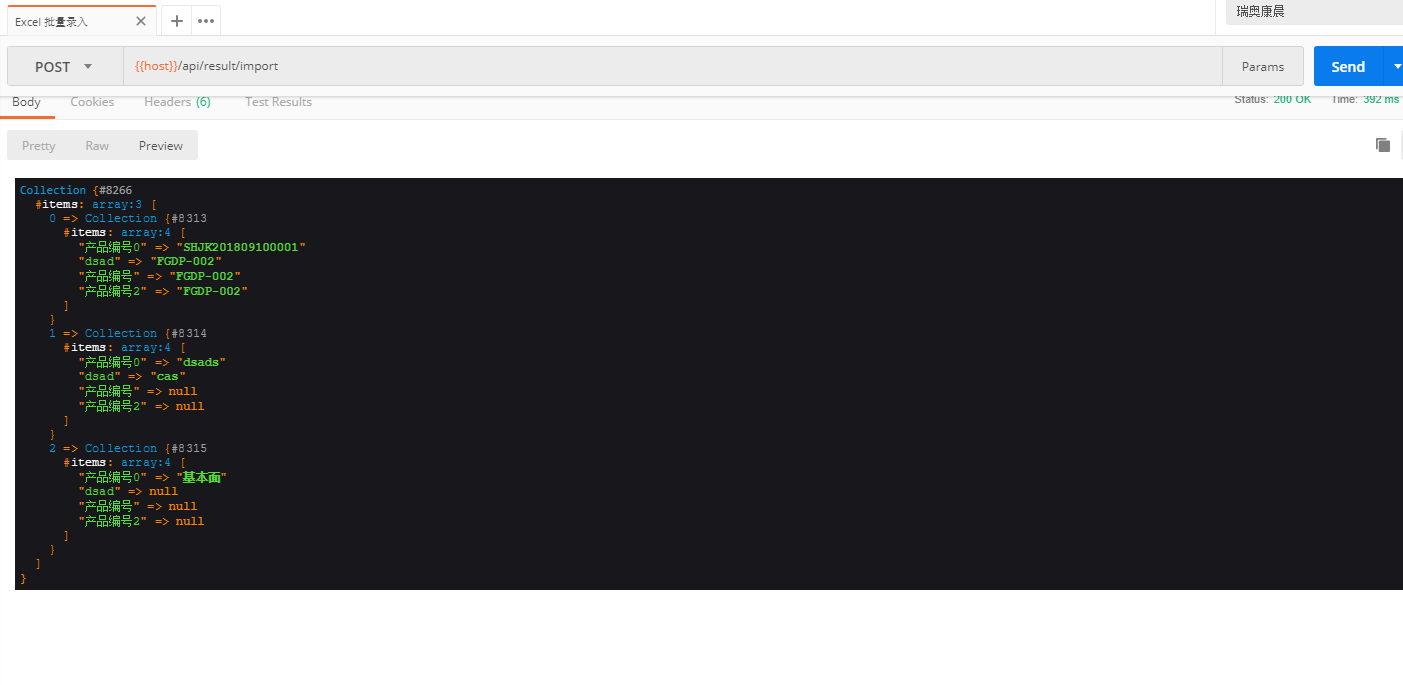
question
 mouyong
All 2 comments
You'll have to create a custom formatter to serve your needs. Documentation can be found here: https://laravel-excel.maatwebsite.nl/3.1/imports/heading-row.html#custom-formatter
Please note that you are working with unreleased software.
 patrickbrouwers
on 1 Oct 2018
patrickbrouwers
on 1 Oct 2018
👍3
❤1
🎉1
😄1
You'll have to create a custom formatter to serve your needs. Documentation can be found here: https://laravel-excel.maatwebsite.nl/3.1/imports/heading-row.html#custom-formatter
Please note that you are working with unreleased software.
This answer has solved my problem. Thank you.
mouyong
on 6 Oct 2018
👍1
Was this page helpful?
0 / 5 - 0 ratings
Related issues
 bahmanyaghoobi
·
3Comments
bahmanyaghoobi
·
3Comments
 kurianic
·
3Comments
kurianic
·
3Comments
 vandolphreyes
·
3Comments
vandolphreyes
·
3Comments
 alejandri
·
3Comments
alejandri
·
3Comments
 pamekar
·
3Comments
pamekar
·
3Comments
Most helpful comment
You'll have to create a custom formatter to serve your needs. Documentation can be found here: https://laravel-excel.maatwebsite.nl/3.1/imports/heading-row.html#custom-formatter
Please note that you are working with unreleased software.