Laravel-excel: How to set a column to URL?
PHP version: 7.1.3
Laravel version: 5.6
Package version: 3.0
I'm in the process of migrating from 2.3 to 3.0. I have everything switched over however I have not figured out how to set a column to be a URL. I've read this documentation: https://laravel-excel.maatwebsite.nl/3.0/exports/column-formatting.html and have set up the columnFormats() method as specified but can't figure out how to set the column.
Thanks
 SFPink
All 5 comments
Thanks for submitting the ticket. Unfortunately the information you provided is incomplete. We need to know which version you use and how to reproduce it. Please include code examples. Before we can pick it up, please check (https://github.com/Maatwebsite/Laravel-Excel/blob/3.0/.github/ISSUE_TEMPLATE.md) and add the missing information. To make processing of this ticket a lot easier, please make sure to check (https://laravel-excel.maatwebsite.nl/docs/3.0/getting-started/contributing) and double-check if you have filled in the issue template correctly. This will allow us to pick up your ticket more efficiently. Issues that follow the guidelines correctly will get priority over other issues.
![issue-check[bot] picture](https://avatars.githubusercontent.com/u/8315038?v=4&s=40) issue-check[bot]
on 8 Aug 2018
issue-check[bot]
on 8 Aug 2018
I don't think it has do do anything with column formatting.
You'll have to set the hyperlink on the cell:
$sheet->getCell('E20')->getHyperlink()->setUrl('http://www.google.com');
 patrickbrouwers
on 10 Aug 2018
patrickbrouwers
on 10 Aug 2018
Thanks, I'll see what I can do.
SFPink
on 13 Aug 2018
In my scenario my Excel downloads were dynamic the number of rows and columns varied however they all consistently had a link in the last column, I wanted each link to be clickable in excel. For future reference, this is what I did:
Create a Macro (I created this in the exportable class file):
Sheet::macro('setURL', function (Sheet $sheet, string $cell, string $url) {
    $sheet->getCell($cell)->getHyperlink()->setUrl($url);
});
Add the register events function to the exportable class and register a AfterSheet event
public function registerEvents(): array
{
   //Rows in data array
   $datacount = $this->data->count();
   //How many headers gives us column count
   $headersCount = count($this->headers);
   //Get the name of the last column based on the number of headers, as last column is always a link
   $column = $this->getExcelColumnName($headersCount);

   return [
      AfterSheet::class => function(AfterSheet $event) use ($column, $datacount, $headersCount) {

         //Do iteration for each row, get the column + row and set the column to a link using the cell value
         //Start loop at 2 to skip headers
         for ($i=2; $i <= $datacount; $i++) {
            //Get cell value as it's value is always a link
            $cellValue = $event->sheet->getCellByColumnAndRow($headersCount, $i)->getValue();

            //Call the new macro
            $event->sheet->setURL(
           $column . $i,
           $cellValue
        );
         }
      },
   ];
}
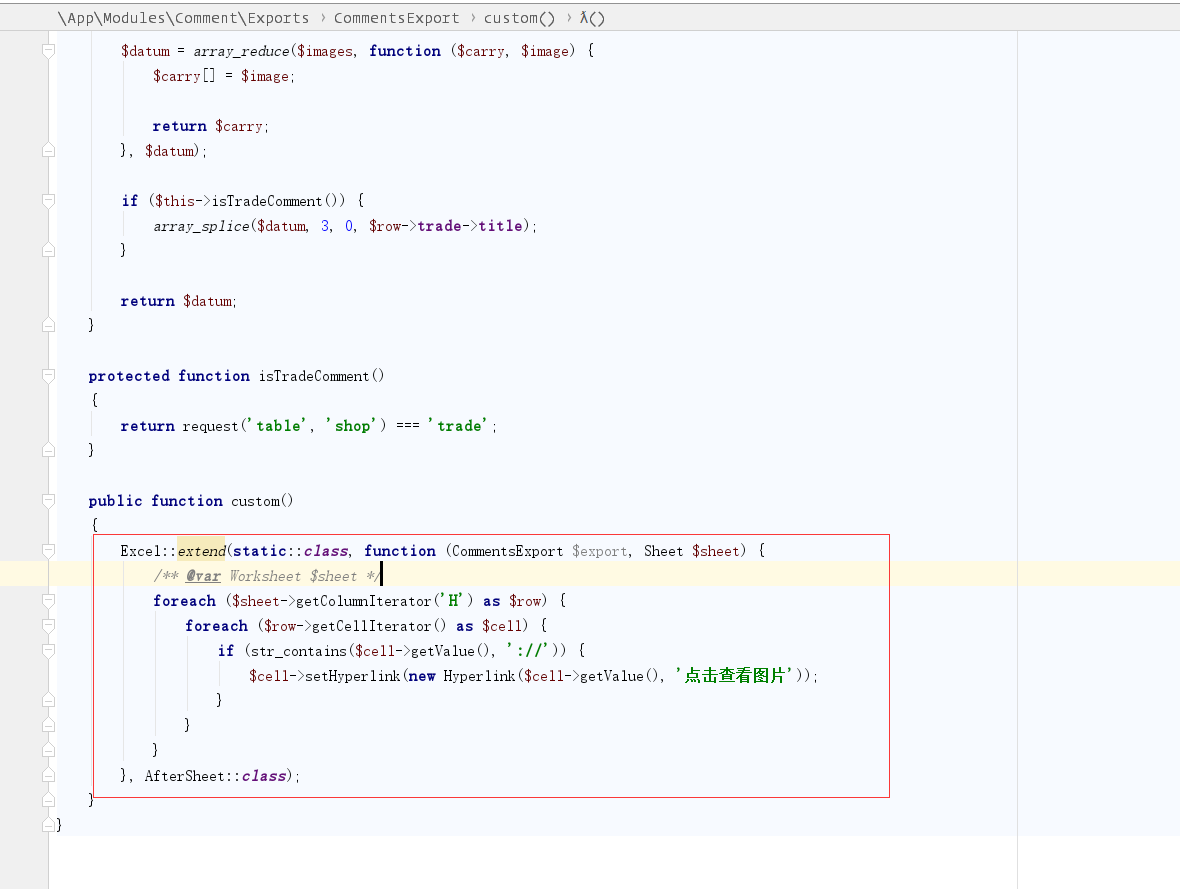
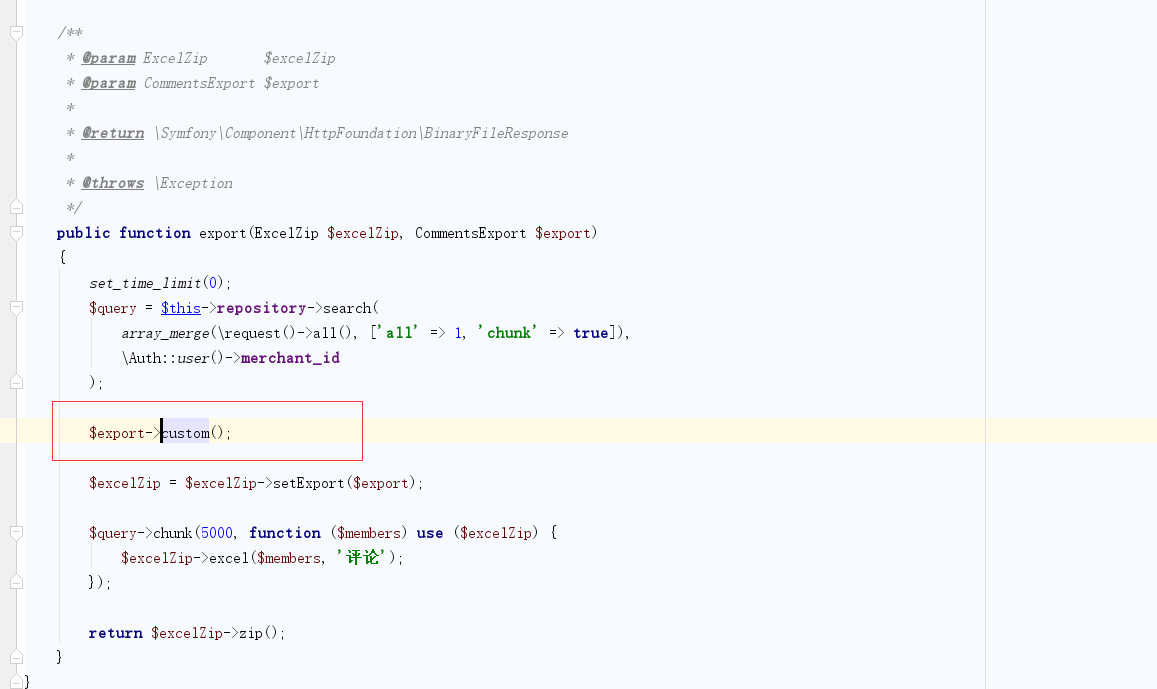
@SFPink This is the way I use it. You can refer to it.
 mouyong
on 6 Oct 2018
mouyong
on 6 Oct 2018
Related issues
 alejandri
·
3Comments
alejandri
·
3Comments
 kurianic
·
3Comments
kurianic
·
3Comments
 vandolphreyes
·
3Comments
vandolphreyes
·
3Comments
 amine8ghandi8amine
·
3Comments
amine8ghandi8amine
·
3Comments
 contifico
·
3Comments
contifico
·
3Comments