Laravel-apidoc-generator: static assets 404
When I use standard laravel serve command php artisan serve --port=8050 and go to http://127.0.0.1:8050/docs, I get 404 error for static assets like http://127.0.0.1:8050/css/style.css
 strizh32
All 13 comments
Can you double check that the URL being linked to in the HTML is actually http://127.0.0.1:8050/css/style.css?
 shalvah
on 8 Oct 2018
shalvah
on 8 Oct 2018
This is generated index.html

This is my browser
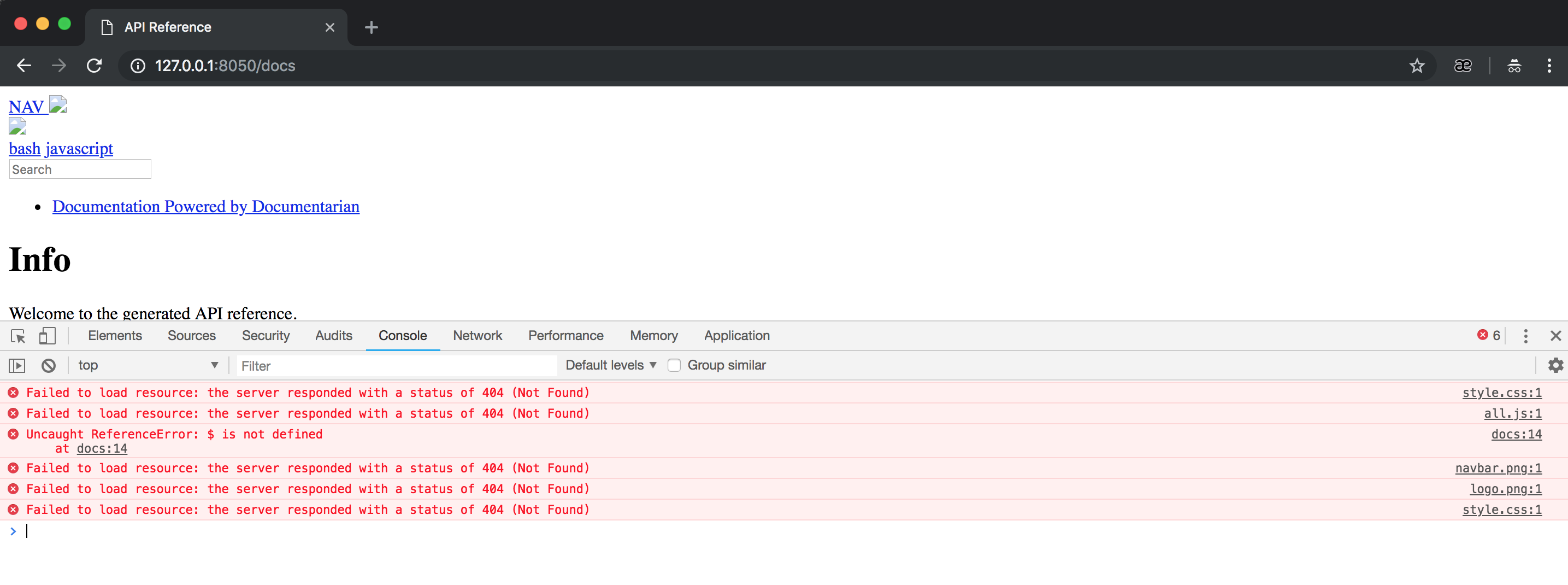
what am I doing wrong?
strizh32
on 8 Oct 2018
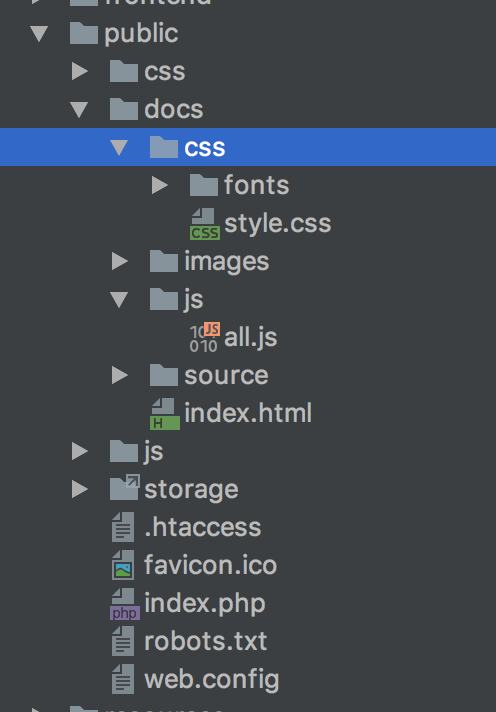
Do these files exist in the public/docs folder?
shalvah
on 8 Oct 2018
strizh32
on 8 Oct 2018
but http://127.0.0.1:8050/docs/css/style.css works as expected
curl -I http://127.0.0.1:8050/docs/css/style.css
HTTP/1.1 200 OK
Host: 127.0.0.1:8050
Date: Mon, 08 Oct 2018 17:47:37 +0000
Connection: close
Content-Type: text/css; charset=UTF-8
Content-Length: 11894
strizh32
on 8 Oct 2018
It works this way
    <link rel="stylesheet" href="/docs/css/style.css" />
    <script src="/docs/js/all.js"></script>
strizh32
on 8 Oct 2018
Hey...I just remembered you don't need to serve your app to view the docs.
They're static assets, like you pointed out—HTML and CSS. Just open the
index.html in a browser.
shalvah
on 8 Oct 2018
Hey...I just remembered you don't need to serve your app to view the docs. They're static assets, like you pointed out—HTML and CSS. Just open the index.html in a browser.
shalvah, thank you! But how to serve this files in order to show to my frontend developer?
strizh32
on 8 Oct 2018
I don't understand your question... Just visit the path to the index.html
and open in your browser.
shalvah
on 8 Oct 2018
Ok, thanks!
strizh32
on 8 Oct 2018
How can I solve this problem? I also encountered it.
 szwss
on 29 Dec 2018
szwss
on 29 Dec 2018
Since the normal rewrite rule is like this:
    RewriteCond %{REQUEST_FILENAME} !-d
    RewriteCond %{REQUEST_FILENAME} !-f
    RewriteRule ^ index.php [L]
It will rewrite everything into your laravel application unless it's an actual real file. Since the documentation generator generates the index.html file and by default puts it in the /docs folder, if you go to /docs/index.html on your server it should work, whereas if you tried to go to /docs it would try to route the resource requests through your laravel app and not find them. HTH.
 goldengecko
on 30 Mar 2019
goldengecko
on 30 Mar 2019
As @goldengecko mentioned: My static assets returned 404 errors at http://127.0.0.1:5001/docs/ but everything worked fine at http://127.0.0.1:5001/docs/index.html.
 fordarnold
on 16 Dec 2019
fordarnold
on 16 Dec 2019
Related issues
 arikardnoir
·
8Comments
arikardnoir
·
8Comments
 Humni
·
6Comments
Humni
·
6Comments
 yakabay
·
3Comments
yakabay
·
3Comments
 ashokTagtaste
·
8Comments
ashokTagtaste
·
8Comments
 usamaa
·
5Comments
usamaa
·
5Comments
Most helpful comment
As @goldengecko mentioned: My static assets returned 404 errors at
http://127.0.0.1:5001/docs/but everything worked fine athttp://127.0.0.1:5001/docs/index.html.