Laravel-adminlte: When clicking the menu, the menu will "blink"
I want to report when I implement your template, I saw something wrong.
Describe the bug
I saw the menu when clicking the menu, the menu will "blink", Please check the gif
To Reproduce
when clicking the navbar
Screenshots
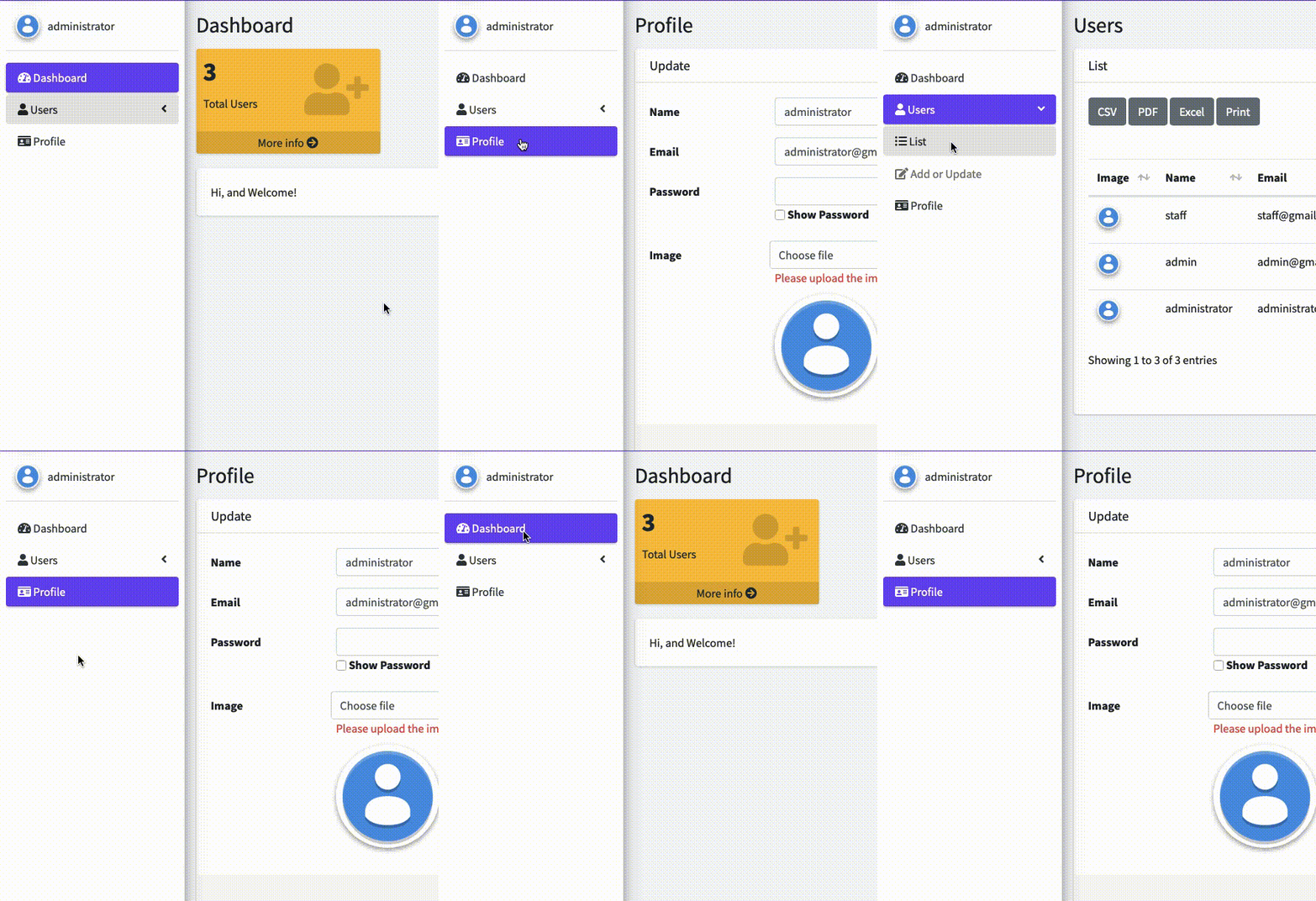
Environment
- Operating System: [macOS Catalina]
- Browser (Version): [Chrome (Latest), also Safari]
- Laravel: 7
- Laravel-AdminLTE : 3.5.X
Thank you
 abedputra
All 12 comments
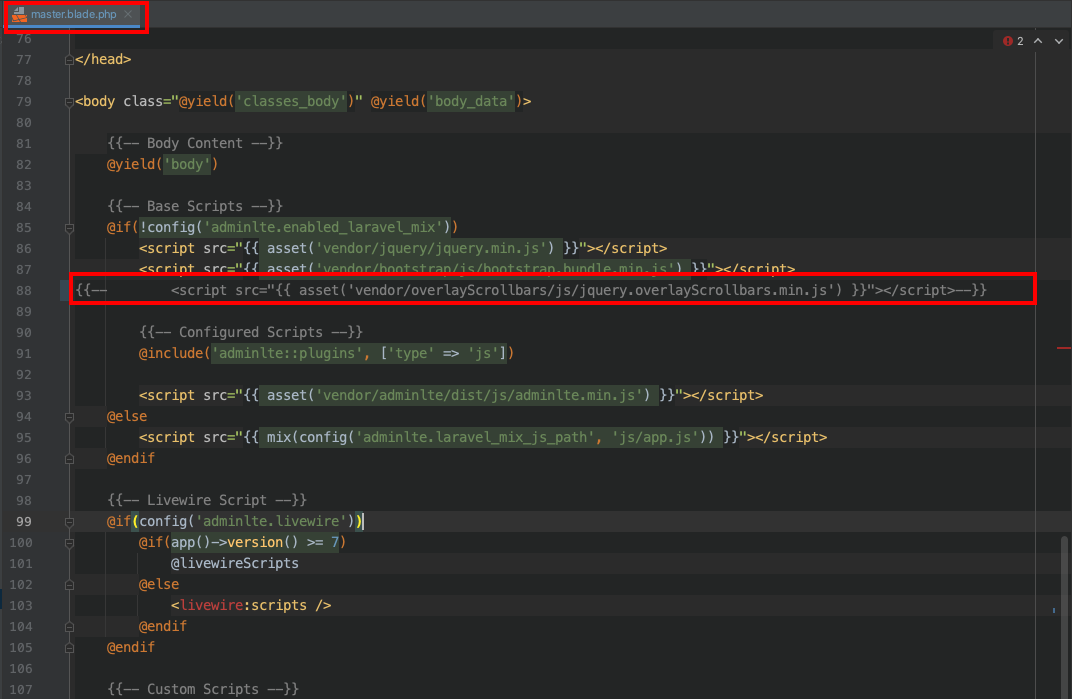
@abedputra The menu is refreshed (reload) on every request, because the active item of the menu is recalculated every time based on the current url. Anyway, I have also noted a extra blink effect on it. I have digger into this and found that including next plugin in the master.blade.php is causing such issue (at least on my environment):
<script src="{{ asset('vendor/overlayScrollbars/js/jquery.overlayScrollbars.min.js') }}"></script>
Can you try to comment it like next and check if it get better?
{{-- <script src="{{ asset('vendor/overlayScrollbars/js/jquery.overlayScrollbars.min.js') }}"></script> --}}
If you have published the main views you need to edit the file:
resources/views/vendor/adminlte/master.blade.php
Otherwise, you will found it on:
vendor/jeroennoten/laravel-adminlte/resources/views/master.blade.php
Note that the plugin is used to generate a nice scroll on the sidebar. But knowing it is generating the issue I will have an starting point to go deeper.
 Shidersz
on 11 Nov 2020
Shidersz
on 11 Nov 2020
Hi, @Shidersz Thanks for your reply.
Yes, I know when the reload page will be recalculated. But when I compare with the demo of AdminLTE my own more blink.
Please check it.
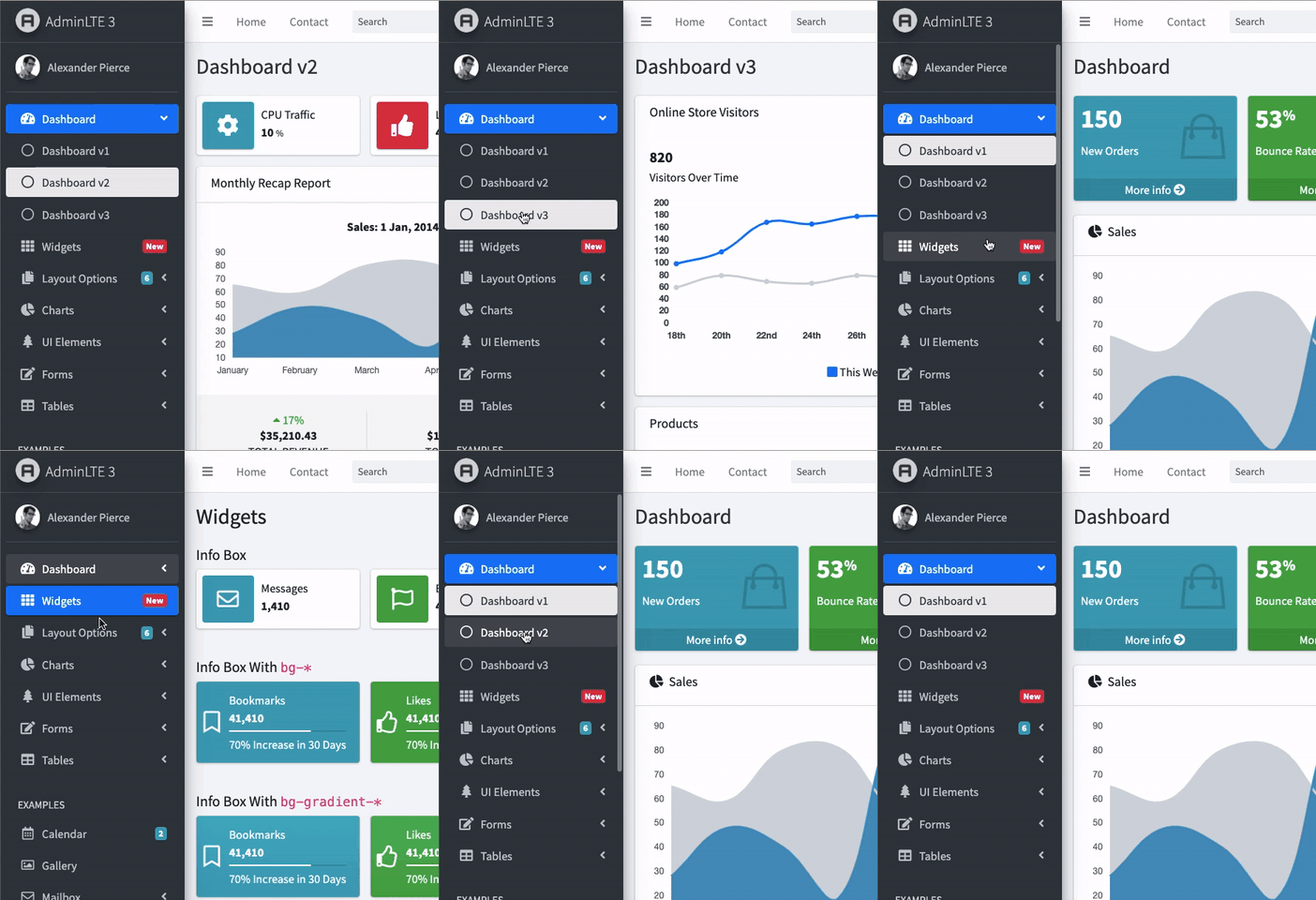
I tried commenting like you said on the "overlayScrollbars", but still blink.
abedputra
on 12 Nov 2020
You can check also check the blink here, from my web
https://laravel.connectwithdev.com/login
u: [email protected]
p: 123456789
Thank you
abedputra
on 12 Nov 2020
Yes, I know when the reload page will be recalculated. But when I compare with the demo of AdminLTE my own more blink.
Please check it.
@abedputra It is hard to compare because this project is build on top of Laravel (that uses blade engine, etc...) while the demo site is just HTML, Javascript and CSS. However, I will analyze if this can be enhanced on my free time. Like I said, on my local environment, commenting out the overlayScrollbars.min.js prevent multiple blinks (but I still get one blink on every reload).
Shidersz
on 12 Nov 2020
Thanks a lot, @Shidersz.
abedputra
on 12 Nov 2020
You can also disable the layout "fixed" mode, that should ignore overlayScrollbars. Only the fixed mode needs overlayScrollbars.
 REJack
on 12 Nov 2020
REJack
on 12 Nov 2020
@REJack I have found the source of the problem, it is not overlayScrollbars, the blink is caused by animations added by next styles from _variables.scss:36 (that are inserted on <p> tags of the sidebar links):
.nav-sidebar .nav-link p {
    display: inline-block;
    -webkit-animation-name: fadeIn;
    animation-name: fadeIn;
    -webkit-animation-duration: .3s;
    animation-duration: .3s;
    -webkit-animation-fill-mode: both;
    animation-fill-mode: both;
    margin: 0;
}
However, on the AdminLTE v3 demo site the styles applied to the <p> tags are different and comes from _main-sidebar.scss:69:
.nav-sidebar .nav-link p {
    display: inline-block;
    margin: 0;
}
I can use a workaround to solve this by adding style="animation:none;" to the <p> tags, but I believe the solution should be other, any idea why the styles applied are not the same. The master.blade.php file just includes the <link rel="stylesheet" href="{{ asset('vendor/adminlte/dist/css/adminlte.min.css') }}"> as on the demo site.
Update: After digging a little more I see that the AdminLTE demo site is using version 3.0.3 while the latest release is 3.0.5 (the one we are using here). The style causing the blink effect is included as part of this PR of version 3.0.5.
Shidersz
on 12 Nov 2020
@abedputra You can use next solution temporarily. Locate and edit the package file page.blade.php and replace next piece of code:
@section('adminlte_css')
    @stack('css')
    @yield('css')
@stop
by next code:
@section('adminlte_css')
    <style type="text/css">
        .nav-sidebar .nav-link p {
            animation:none;
        }
    </style>
    @stack('css')
    @yield('css')
@stop
That should remove the animations that generates the blink effect. @REJack I think this problem should be solved on the AdminLTE package.
Shidersz
on 14 Nov 2020
@Shidersz Thank you... Let me check it and implement it.
Thanks
abedputra
on 14 Nov 2020
@Shidersz your CSS is great! it will remove the blink.
thanks
abedputra
on 14 Nov 2020
@REJack
 resslinger
on 3 Dec 2020
resslinger
on 3 Dec 2020
This will be fixed with AdminLTE v3.1.0.
REJack
on 3 Dec 2020
Related issues
 fagnerfjas
·
5Comments
fagnerfjas
·
5Comments
 vissini
·
6Comments
vissini
·
6Comments
 Basili0
·
5Comments
Basili0
·
5Comments
 jlcanizales
·
3Comments
jlcanizales
·
3Comments
 vsilva472
·
4Comments
vsilva472
·
4Comments
Most helpful comment
This will be fixed with AdminLTE v3.1.0.