Laravel-adminlte: Tooltip not centered on specific case
Problem on Package 3.0.8 with adminlte 3.0.2
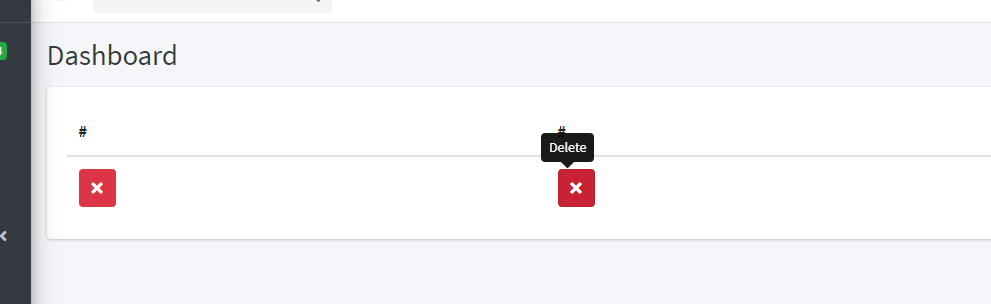
Got a tooltip problem, when inside a table, problem on the 2nd, 3rd, 4th, etc column (no problem on the first column, lol) ... the tooltip get slightly to the left
It's interesting to note that i thought it was an adminlte css problem, but i coundn't reproduce it with only the adminlte 3 css, only using this package, so we probably have a problem in the main views, that i coundn't spot 😞.
How to reproduce:
clean install (not my project doing nasty things)
extends adminlte page view
on content section, add a table
add 2 columns
add any item, link, button
configure tooltip
example
@extends('adminlte::page')

@section('title', 'AdminLTE')

@section('content_header')
    <h1 class="m-0 text-dark">Dashboard</h1>
@stop

@section('content')
<table class="table">
  <thead>
    <tr>
      <th>#</th>
      <th>#</th>
    </tr>
  </thead>
  <tbody>
    <tr>
      <td><a class="btn btn-danger" data-toggle="tooltip" title="Delete" href="#"><i class="fas fa-times"></i></a></td>
      <td><a class="btn btn-danger" data-toggle="tooltip" title="Delete" href="#"><i class="fas fa-times"></i></a></td>
    </tr>
  </tbody>
</table>

@stop

@section('js')
    <script type="text/javascript">
        $(document).ready(function () {
            $('[data-toggle="tooltip"]').tooltip();
        });
    </script>
@endsection
 andcarpi
All 12 comments
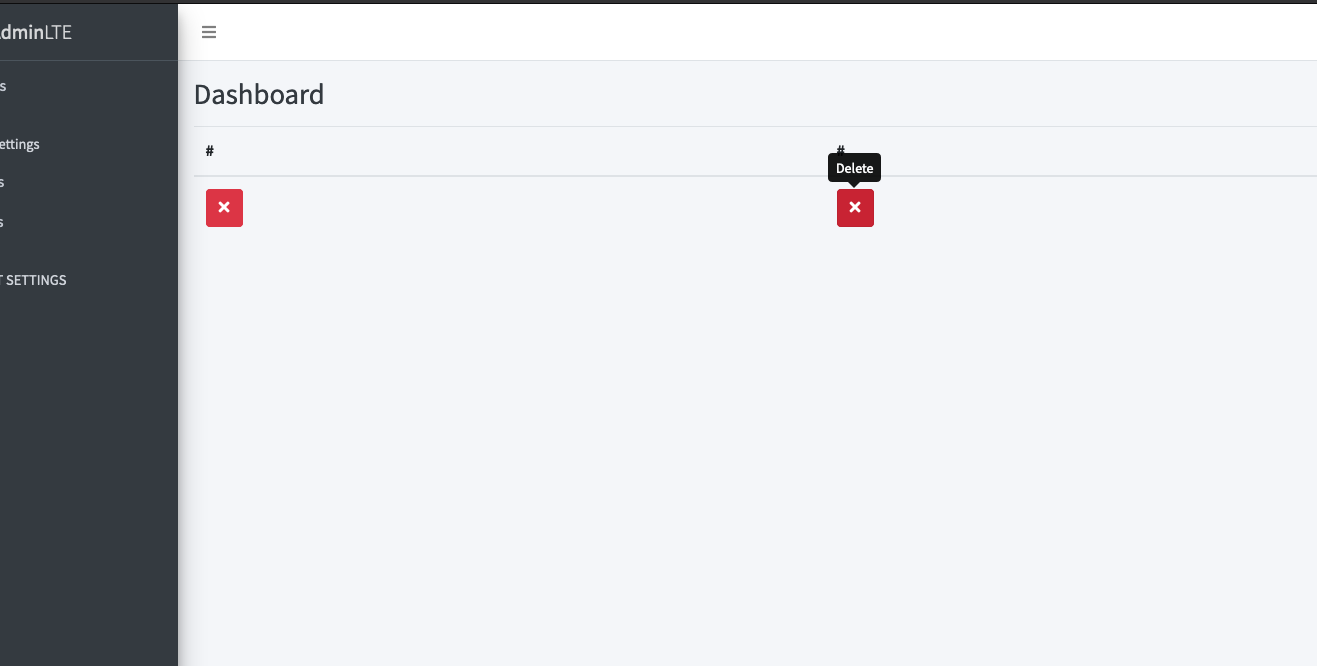
Sadly I can't replicate this with your demo code, look at this pic:
 REJack
on 4 Feb 2020
REJack
on 4 Feb 2020
Getting extra info for that problem, and spotted that it happens on chrome(79.0.3945.130) and firefox (72.0.2), but not on Edge (44.18362.449.0).
My windows version is 10 Build 18363 and PHP is 7.2.1.
Damn it... those tooltips are driving me crazy...
andcarpi
on 4 Feb 2020
I'll test it on my Windows Machine at Home, I work only on macOS since 2yrs 😄
REJack
on 4 Feb 2020
Hi, I'm also experiencing the same issue. Did you find any solution ? Thank you in advance 😉
Edit : This can be fixed by adding the following in the custom CSS :
.tooltip { top: 0; }
 theomi
on 28 Mar 2020
theomi
on 28 Mar 2020
@REJack can you check the solution of @theomi please? :) I think it's an issue on adminlte theme.
 resslinger
on 23 Apr 2020
resslinger
on 23 Apr 2020
A new test would be nice, I've upgraded Bootstrap to v4.4.1 in in AdminLTE v3.0.4 may this was a bug from Bootstrap itself. I couldn't find any issue coming from AdminLTE.
REJack
on 23 Apr 2020
@andcarpi can you please test it again with update to AdminLTE v3.0.4?
resslinger
on 24 Apr 2020
Sure, will check it as soon as i can...
andcarpi
on 24 Apr 2020
Problem still exists...
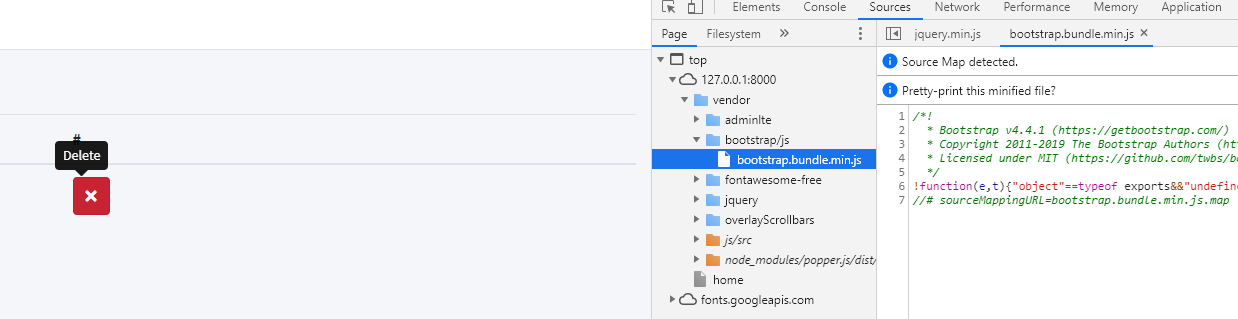
Bootstrap 4.4.1
Package version 3.1.1
AdminLTE 3.0.4
Tested on:
W10 1909
Chrome 81.0.4044.122
Edge Chromium Versão 81.0.416.64
Since Old Edge did not had the error, but edge chromium did, it can possible be linked with some chromium css directive...
andcarpi
on 24 Apr 2020
Also, as @theomi mentioned, adding a
@section('css')
    <style>
        .tooltip { top: 0; }
    </style>
@endsection
managed to fix the problem
andcarpi
on 24 Apr 2020
@REJack can you add this please to the adminlte.css file?
resslinger
on 24 Apr 2020
I tested it and this bug is related to popper.js. You can simply fix this with adding one data-attribute data-container=".content".
Like this
<td><a class="btn btn-danger" data-toggle="tooltip" title="Delete" href="#" data-container=".content"><i class="fas fa-times"></i></a></td>
Related issues
 vsilva472
·
4Comments
vsilva472
·
4Comments
 jlcanizales
·
3Comments
jlcanizales
·
3Comments
 sebian29
·
4Comments
sebian29
·
4Comments
 niltonssjr
·
4Comments
niltonssjr
·
4Comments
 eraporsmk
·
5Comments
eraporsmk
·
5Comments